DECAN_S1_Maintenance_EN.pdf - 第55页
Mon thly Inspe ction chapt er 5 Nex t Generation, Multi- Funct ional Placer DE CAN S 1 Mai nte nan ce H an dbo ok 5 -2 Cleaning Head Spindle Monthly Inspe ction Step 5. Put the c loth underneath the spi ndle Step 6 . Cle…
Monthly Inspection
chapter 5
Next Generation, Multi-Functional Placer
DECAN S1 Maintenance Handbook
5-1
Cleaning Head Spindle
Tool for Maintenance
Cleaning liquid, ultra fine fiber cloth, air gun
Measures
Step 1.
Move the X Frame to front by referring to "Forward
movement of the X-frame" on page 1-3
Step 2.
Press the 'STOP' and 'RESET' buttons in order after
pressing the 'EMG' button on the OP panel to stop
operation.
For more details, refer to "How to perform emergency stop" on page
1-2.
Step 3.
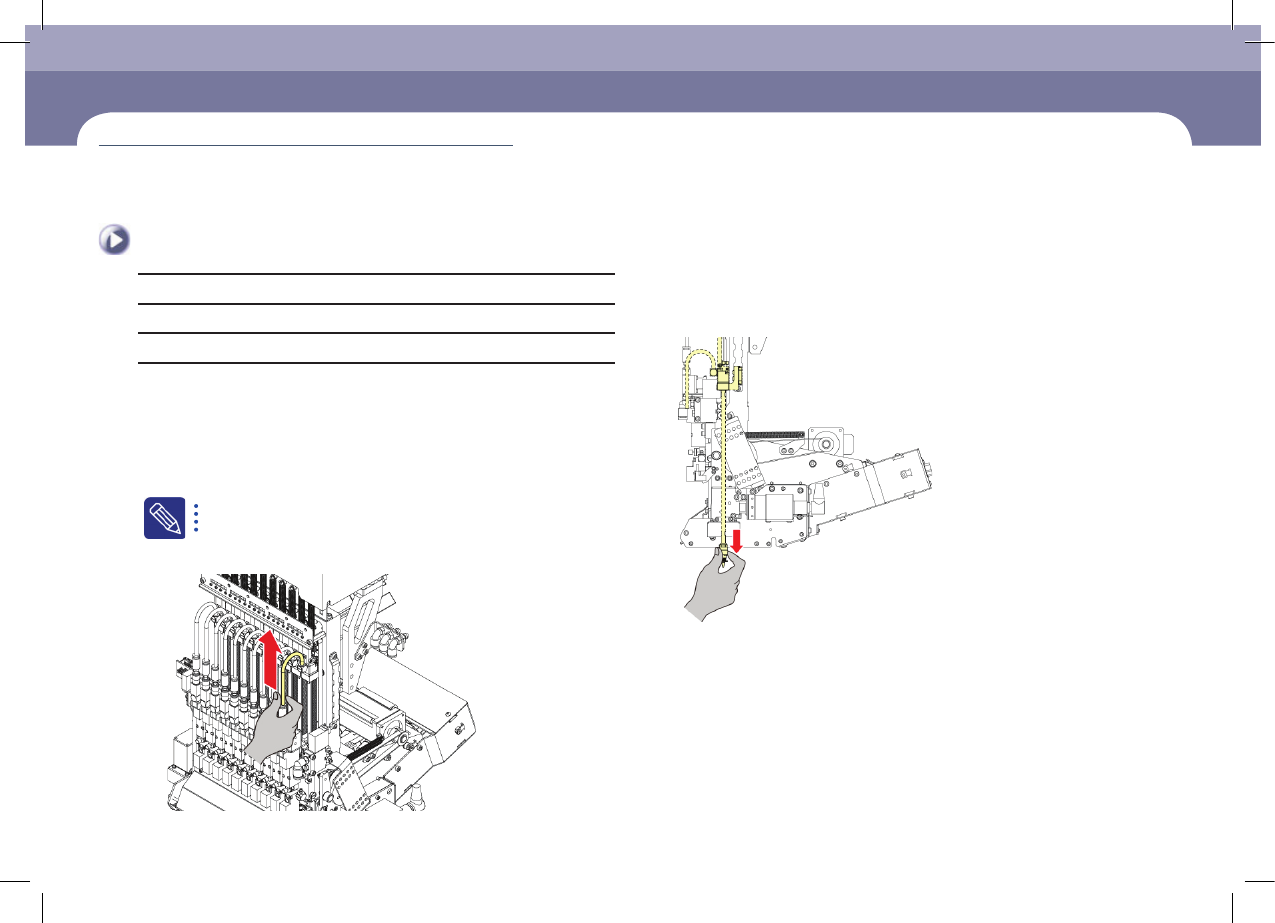
Saparate the coil tube from vacuum filter
chapter 5
Monthly Inspection
Step 4.
Remove the nozzle
Cleaning Head Spindle
(Time required: 30min / No. M-1)
Monthly Inspection
chapter 5
Next Generation, Multi-Functional Placer
DECAN S1 Maintenance Handbook
5-2
Cleaning Head Spindle
Monthly Inspection
Step 5.
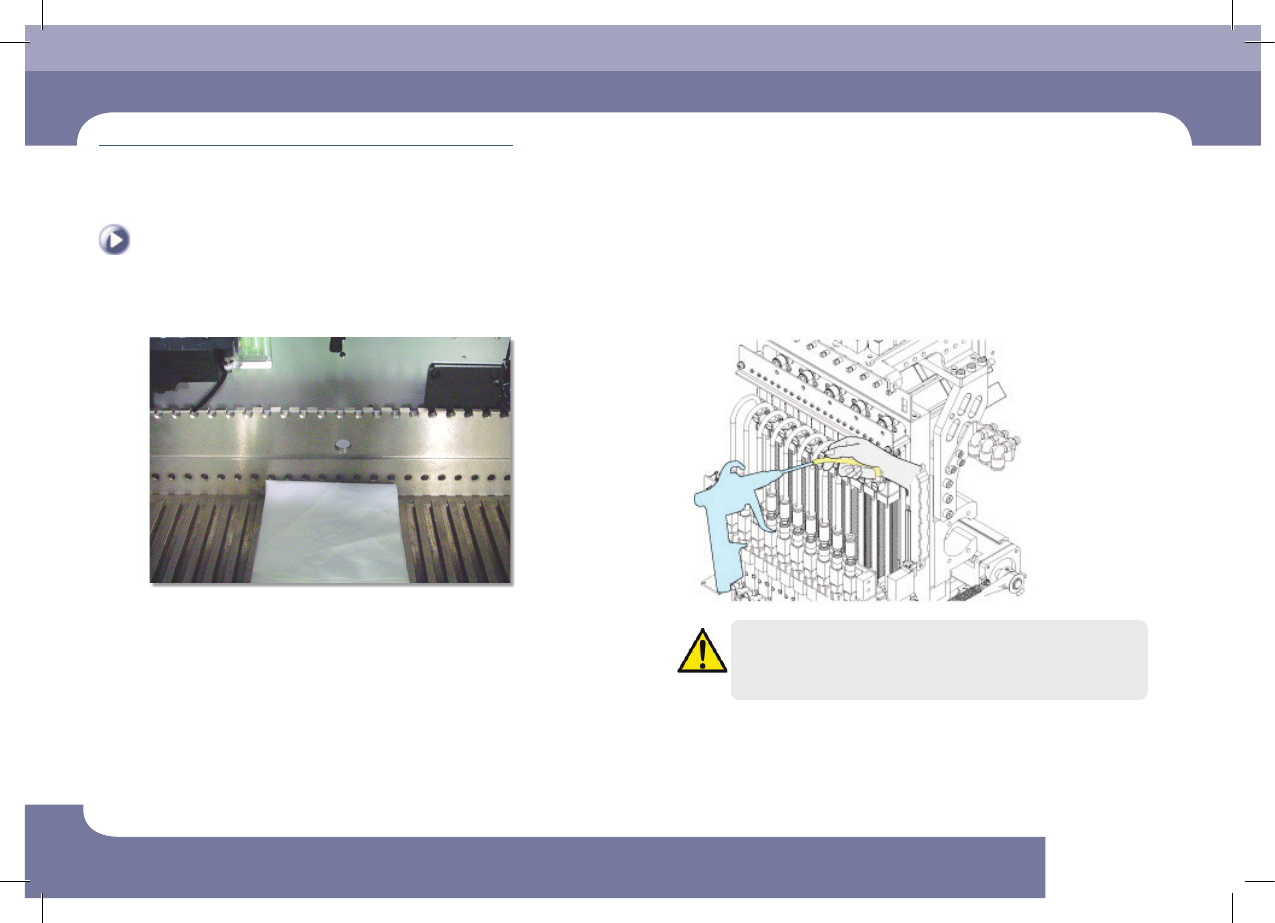
Put the cloth underneath the spindle
Step 6.
Cleaning the interior of the tube by an air gun.
Caution
Using the air gun without putting on goggles may cause injury to
operator's eyes. Be sure to wear goggles when using the air gun.
Step 7.
Release the emergency stop as described in "Releasing
'Emergency Stop' mode" on page 1-6 and perform the
operation again.
Monthly Inspection
chapter 5
Next Generation, Multi-Functional Placer
DECAN S1 Maintenance Handbook
5-3
Checking and Cleaning Conveyor Sensor / Fiducial Mark
Checking and Cleaning Conveyor Sensor / Fiducial
Mark
Tool for Maintenance
Cleaning liquid, clean cloth
Measures
Step 1.
Move the X Frame to rear by referring to "Backward
movement of the X-frame" on page 1-4
Step 2.
Press the 'STOP' and 'RESET' buttons in order after
pressing the 'EMG' button on the OP panel to stop
operation.
For more details, refer to "How to perform emergency stop" on page
1-2.
Step 3.
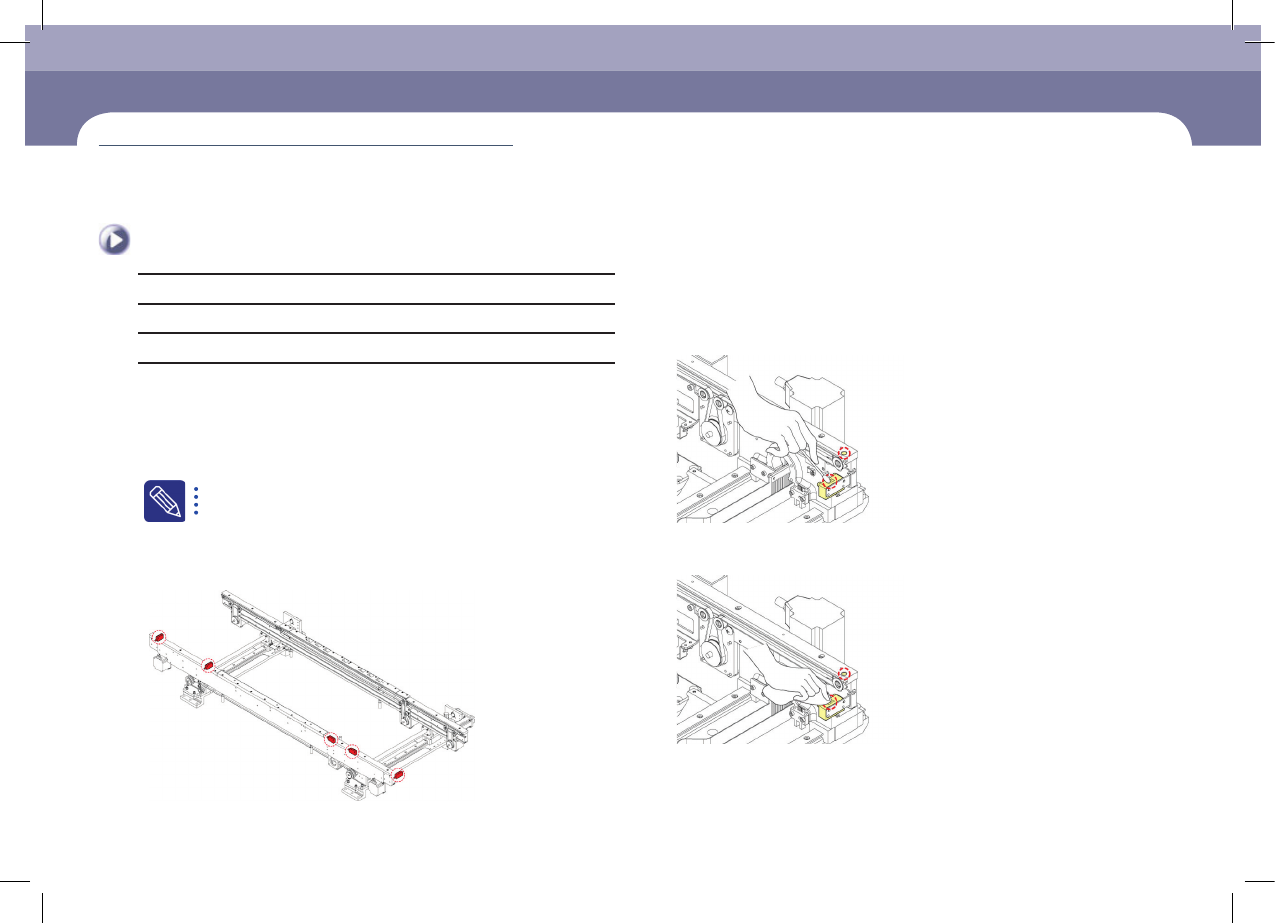
Check the recognition accuracy of the corresponding
photo sensor as shown in the following figure. (The red
LED is turned on when an object is recognized.)
Rear
Front
Step 4.
Clean the sensor window and fiducial mark with a swab
and an ultra-fine fiber cloth.
①Remove the dust or foreign material on the sensor window using the cotton
swab
②Remove the dust or foreign material on the sensor window using the clean
cloth
(Time required: 10min / No. M-2)