DECAN_S1_Maintenance_EN.pdf - 第60页
Mon thly Inspe ction chapt er 5 Nex t Generation, Multi- Funct ional Placer DE CAN S 1 Mai nte nan ce H an dbo ok 5 -7 Checking and Cleaning Control Rack Cooling F an T ool for M aintenanc e Wrech, vacuum cleaner , screw…
Monthly Inspection
chapter 5
Next Generation, Multi-Functional Placer
DECAN S1 Maintenance Handbook
5-6
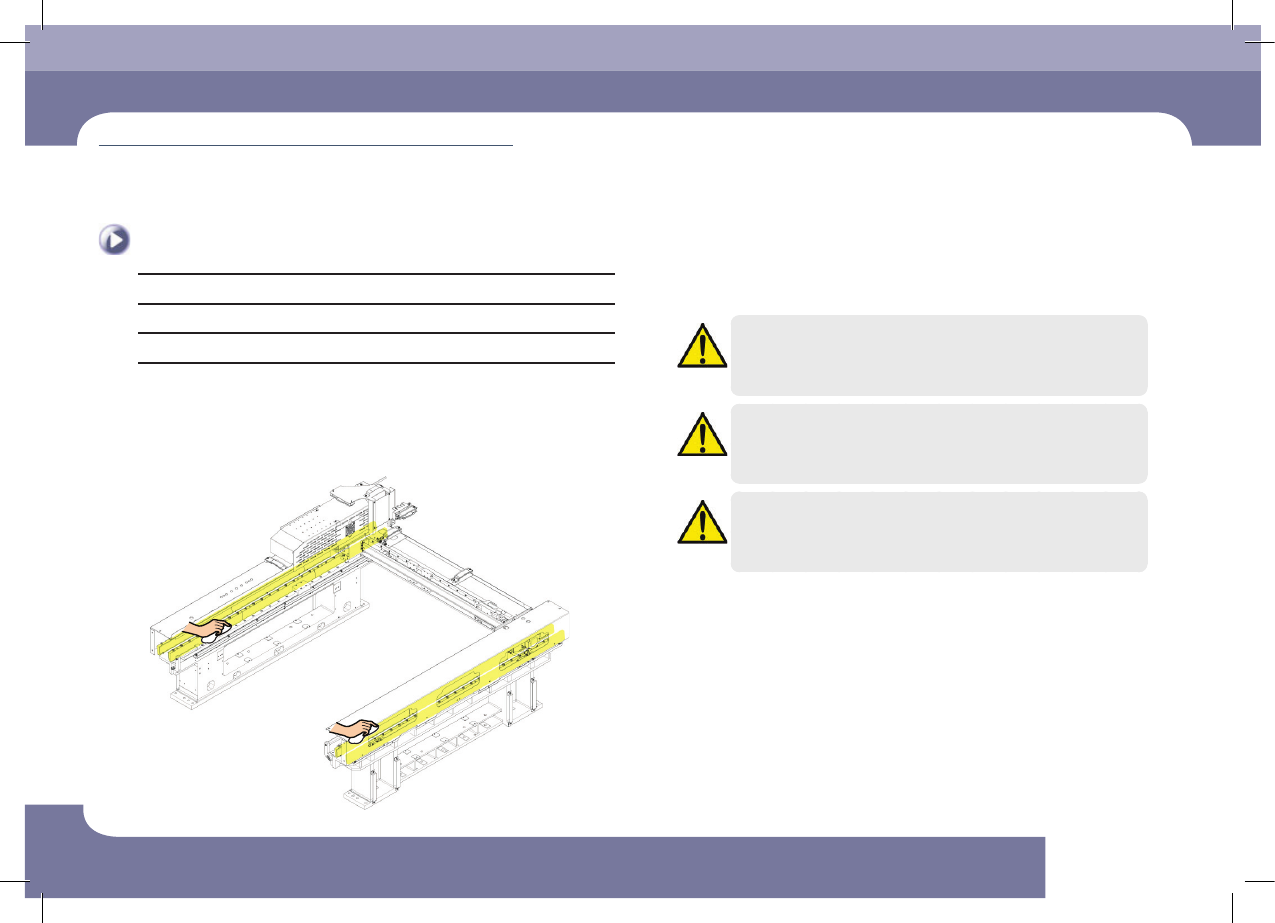
Cleaning Linear Motor and Magnet of Y Frame
Monthly Inspection
Cleaning Linear Motor and Magnet of Y Frame
Tool for Maintenance
Ultra fine fiber cloth
Measures
Step 1.
Turn off the power supply to the machine as described
ino "How to turn off the power supply" on page 1-1.
Step 2.
Clean the Y-axis linear motor and magnet using an ultra-
fine fiber cloth.
Caution
Check whether there are foreign materials or chips on the bottom
of the linear motor or on the side of the magnet. If so, remove
them without fail.
Caution
During cleaning, do not attach a magnet to the Magnet or motor.
Caution
The magnetic force of the linear motor may cause failure of
pacemakers, causing personal death or injury. Therefore, operators
with pacemakers should not get too close to the machine.
Step 3.
Release the emergency stop as described in "Releasing
'Emergency Stop' mode" on page 1-6 and perform the
operation again.
(Time required: 15min / No. M-5)
Monthly Inspection
chapter 5
Next Generation, Multi-Functional Placer
DECAN S1 Maintenance Handbook
5-7
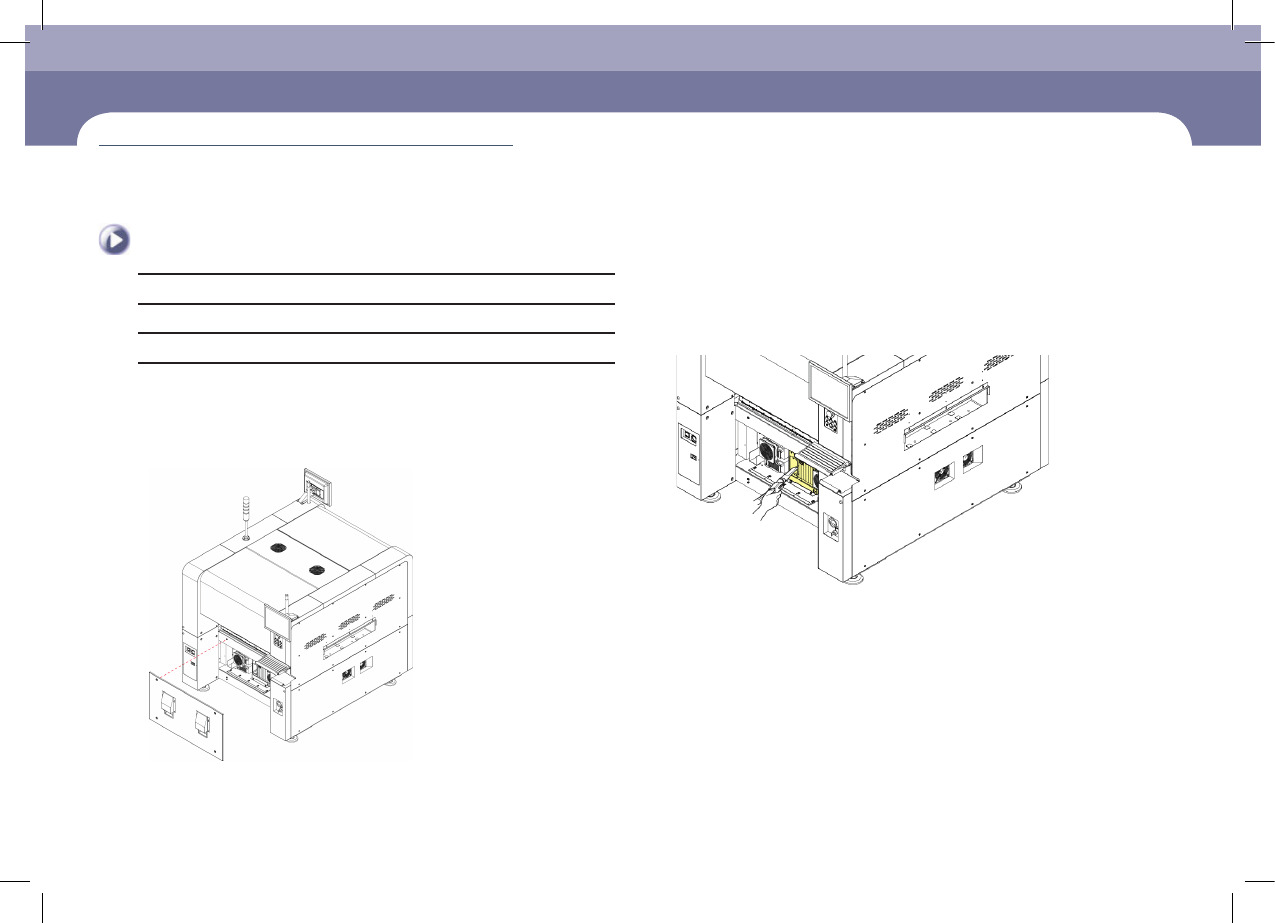
Checking and Cleaning Control Rack Cooling Fan
Tool for Maintenance
Wrech, vacuum cleaner, screwdriver
Measures
Step 1.
Turn off the power supply to the machine as described
ino "How to turn off the power supply" on page 1-1.
Step 2.
Remove the front cover of the machine using a
crosshead screwdriver.
Checking and Cleaning Control Rack Cooling Fan
Step 3.
Clean the internal fan of the control rack assembly with
a vacuum cleaner.
(Time required: 10min / No. M-6)
Monthly Inspection
chapter 5
Next Generation, Multi-Functional Placer
DECAN S1 Maintenance Handbook
5-8
Checking and Cleaning Control Rack Cooling Fan
Monthly Inspection
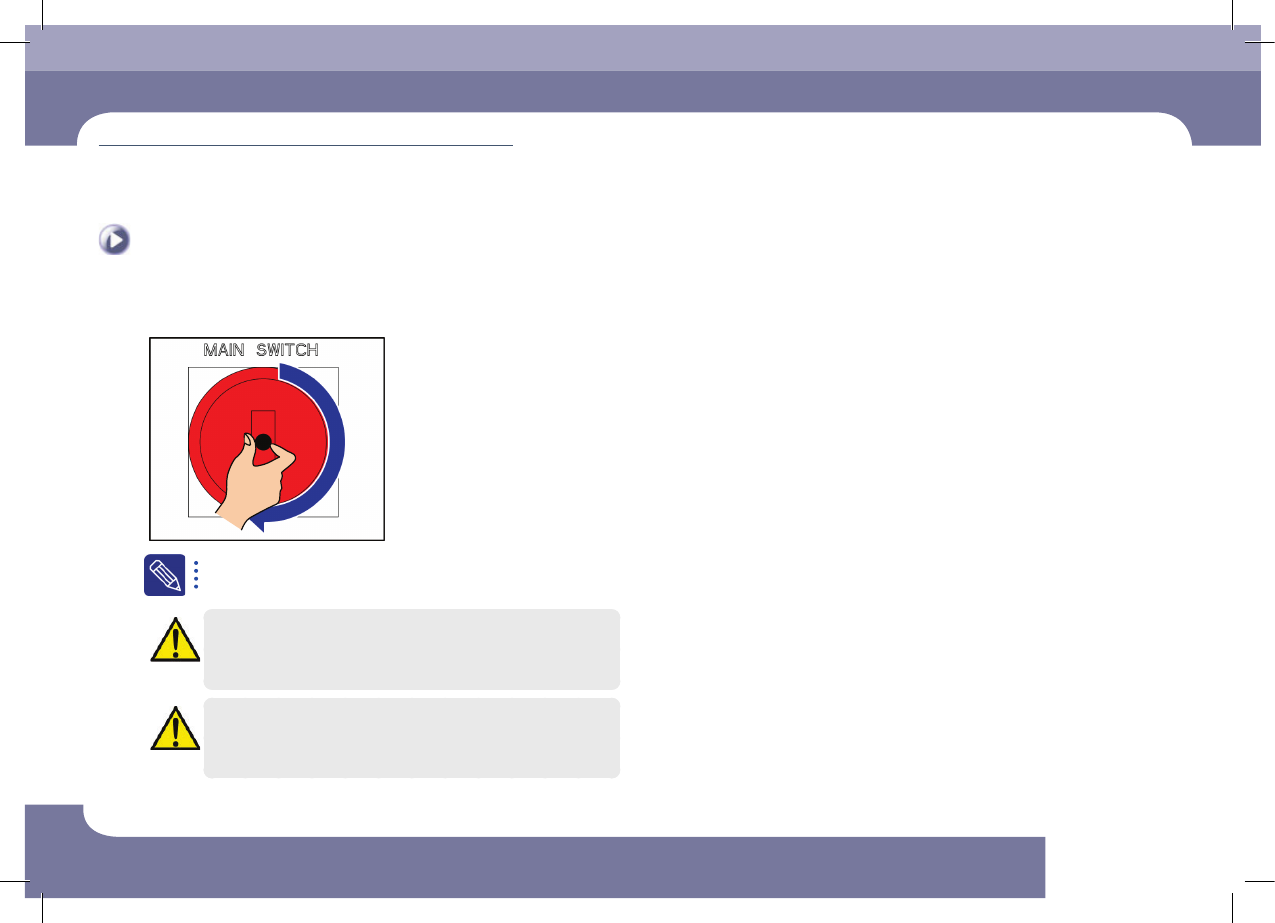
Step 4.
Turn on the main switch after cleaning.
If the cooling fan generates noise and operates abnormally, turn off
the main switch of the machine and replace it.
Caution
Since the replacement of the cooling fan accompanies a danger,
contact our C/S Company or local agent when replacing a cooling
fan.
Caution
A hand may get injured by the cooling fan when turning on the
main switch of the machine, and touching the cable, etc. may cause
electric shock. Therefore, special care must be exercised.