00197195-02-UG SetupCenter 5.1_en.pdf - 第109页
Working with the Setup Center Application Setting a Packaging Unit to Consumed Packaging Unit Editor User Guide SIPLACE Setup Center 5.1 10 9 7.1.3 Setting a Packa ging Unit to Consumed You can also remove individual p a…
Working with the Setup Center Application
Packaging Unit Editor Separating a Packaging Unit Chain
108 User Guide SIPLACE Setup Center 5.1
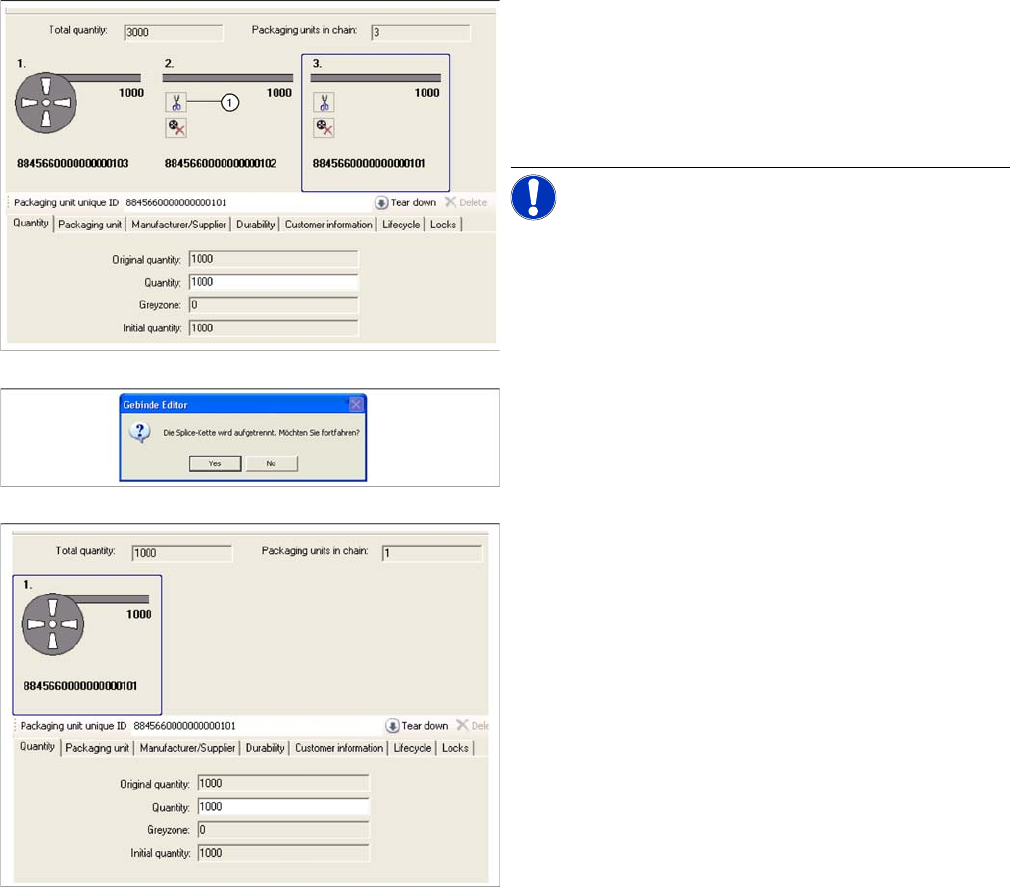
7.1.2 Separating a Packaging Unit Chain
You can separate individual packaging unit segments from one another if, for example, you want to sep-
arate the packaging unit last scanned in at the splice chain.
Step-by-step procedure:
► Open the Packaging Unit Editor.
► Separate the packaging unit with the switch (1),
shown on the right of the packaging unit to be sepa-
rated off.
NOTICE! Packaging units which are to be sep-
arated also need to be physically separated.
► Confirm the message with Yes.
► The separated packaging unit will no longer be
shown in the Packaging Unit Editor. In the case of
unique barcodes, all packaging unit information is re-
tained. Only the rest of the packaging unit chain re-
mains configured. If the packaging unit chain is in a
setup which is active at the line, the change will be
sent to the station.
Working with the Setup Center Application
Setting a Packaging Unit to Consumed Packaging Unit Editor
User Guide SIPLACE Setup Center 5.1 109
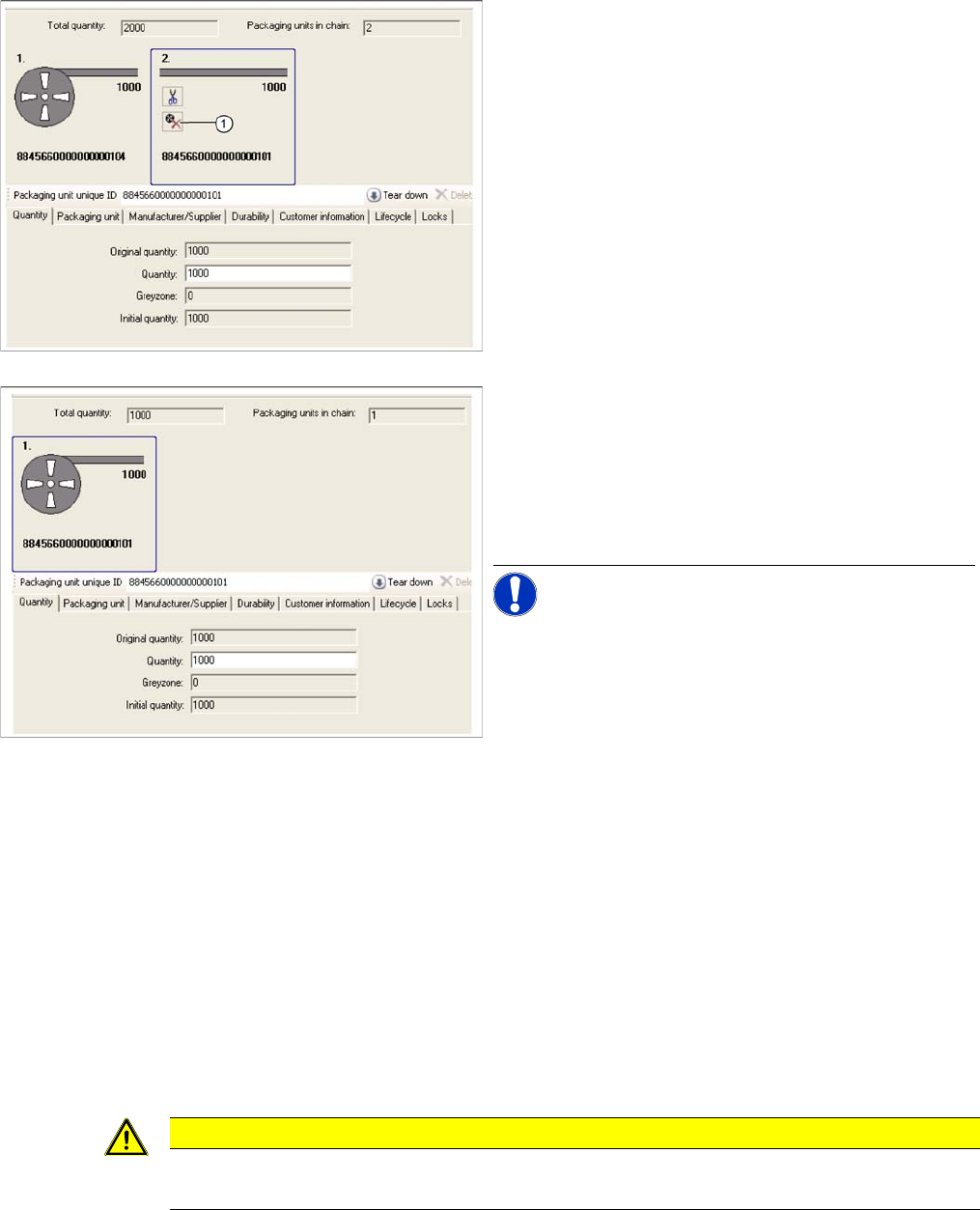
7.1.3 Setting a Packaging Unit to Consumed
You can also remove individual packaging units from the chain, , provided the packaging unit concerned
has been used up completely.
Step-by-step procedure:
7.1.4 Deleting a Packaging Unit Chain
You can delete individual packaging units.
Prerequisite:
Make sure that the packaging unit has not been configured.
Step-by-step procedure:
► Open the Packaging Unit Editor.
► Select the Remove button.
⇨ The packaging unit will be deleted. The packaging unit information is removed from the database
irrevocably and all the related information is lost.
► Open the Packaging Unit Editor.
► Click the switch (1) in the packaging unit to be re-
moved.
► Confirm the message with Yes.
► The separated packaging unit will no longer be
shown in the Packaging Unit Editor. Only the rest of
the packaging unit chain remains configured. If the
packaging unit chain is in a setup which is active at
the line, the change will be sent to the station.
NOTICE! If there are other packaging units to
the right of this, these will also be set to "consumed".
CAUTION
Action "Delete“
The Delete action is irrevocable.
Working with the Setup Center Application
Search Material Tearing Down Packaging Unit Chains
110 User Guide SIPLACE Setup Center 5.1
7.1.5 Tearing Down Packaging Unit Chains
You can tear down individual packaging units.
Step-by-step procedure:
► Open the Packaging Unit Editor.
► Select the Tear Down button.
⇨ The packaging unit-feeder relation will be canceled. The packaging unit chain will remain in the da-
tabase, with all its data.
7.2 Search Material
7.2.1 Starting the Search Materials Function and Overview
You can search by specific material (part number or component name). The materials are those pack-
aging units or packaging unit chains available in the database. This is helpful for seeing where this ma-
terial is still available in the production environment for example.
Starting material search
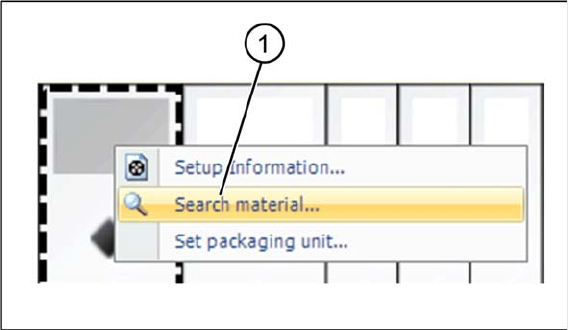
► Right click with the mouse on a track to open the context menu.
► Select Search Material... to open the Search Material dialog box. Provided that the selected track
already has a material allocated to it, the component name will appear in the search field.
► Alternatively, you can open the Search Material dialog box in the menu of the SIPLACE Setup Center
user interface Extras => Search Material…. Provided that a track which already has a material allo-
cated to it has been selected, the component name will appear in the search field.