00197195-02-UG SetupCenter 5.1_en.pdf - 第113页
Working with the Setup Center Application Starting the Search Materials Function and Overview Verification History User Guide SIPLACE Setup Center 5.1 11 3 Verification history – overview 1. Toolbar 2. Filter settings 3.…
Working with the Setup Center Application
Verification History Starting the Search Materials Function and Overview
112 User Guide SIPLACE Setup Center 5.1
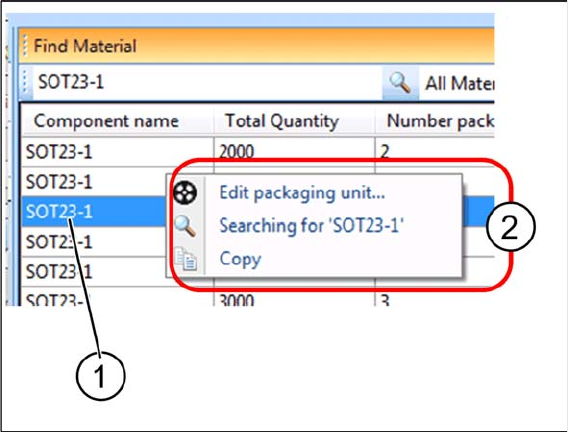
Search material - Context menu
Right click with the mouse on a packaging unit (1) to open the context menu (2).
▪ Edit packaging units...
– Opens the Packaging Unit Editor for the selected packaging unit.
▪ Searching for 'xxx'
The component name of the highlighted line is displayed. The search is repeated with the component
name. This is helpful if a wildcard search was carried first and afterwards the exact component name is
selected in the result list for a new search.
▪ Copy
– Copies the highlighted part of the result list into the clipboard for inserting this part, e.g., into
Word later on.
7.3 Verification History
The verification history saves actions during the online and offline setup verification. Only those scan
runs which were successful will be recorded. You can also record material movements e.g. when a new
packaging unit is set up on a track and the previous packaging unit had a torn foil. Records of the veri-
fication history which are older than 14 days will be deleted. The verification history is shown in a dialog
box.
▪ If the verification history is started from the table view (context menu), predefined filters will be ap-
plied.
– Packaging ID
– Feeder ID
– Pickup point
▪ If the verification history is started from the Packaging Unit Editor, the following filter options are
available:
– Pickup point
– Packaging ID
Starting the verification history
► Go to the main menu and select Extras > Verification History to open the Verification History window.
⇨ Alternatively, you can open the Verification History in the Packaging Unit Editor: go to Setup In-
formation and select the Verification History button.
Working with the Setup Center Application
Starting the Search Materials Function and Overview Verification History
User Guide SIPLACE Setup Center 5.1 113
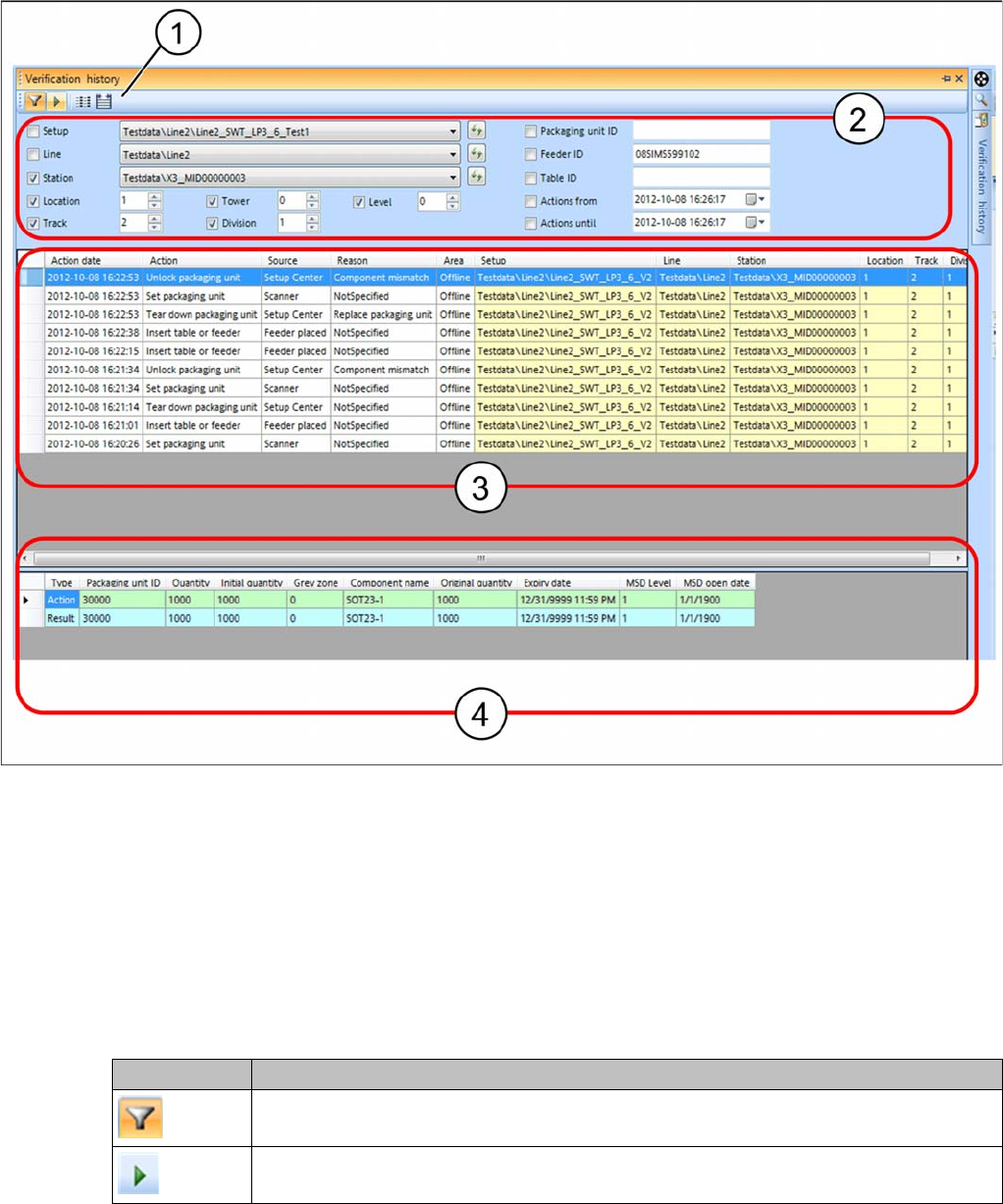
Verification history – overview
1. Toolbar
2. Filter settings
3. Context and setup point for the verification action
4. Packaging unit data or packaging unit chain data before the action was executed (Action ) and after
the action was executed (Result).
The data are shown with an advisable filter setting, which differs according to where the verification his-
tory is opened. These filter settings can be edited as required.
Toolbar
Icon Function
Select this icon if you want to show and/or change the predefined filter settings. See
also "7.3.2 Filter Settings" [ ➙ 116].
Click on this icon to start evaluation of the verification history.
Working with the Setup Center Application
Verification History Verification History View Settings
114 User Guide SIPLACE Setup Center 5.1
► Starts evaluation of the verification history.
⇨ Table (3) shows the context and setup point for the action.
⇨ Table (4) shows the relevant packaging unit data or packaging unit chain data before the action was
carried out (Action) and after the action was carried out (Result).
7.3.1 Verification History View Settings
Define the information you want to show for the verification history in the settings. You can also define
the colors in which this information is to be displayed in the table.
7.3.1.1 Overview of Actions, Sources and Reasons
Actions in the verification history view
▪ Packaging unit consumed
▪ Packaging unit deleted
▪ Table or feeder attached
– A table with feeders or a single feeder has been placed in the machine.
▪ Packaging unit locked
▪ Packaging unit quantity changed
▪ Packaging unit refilled
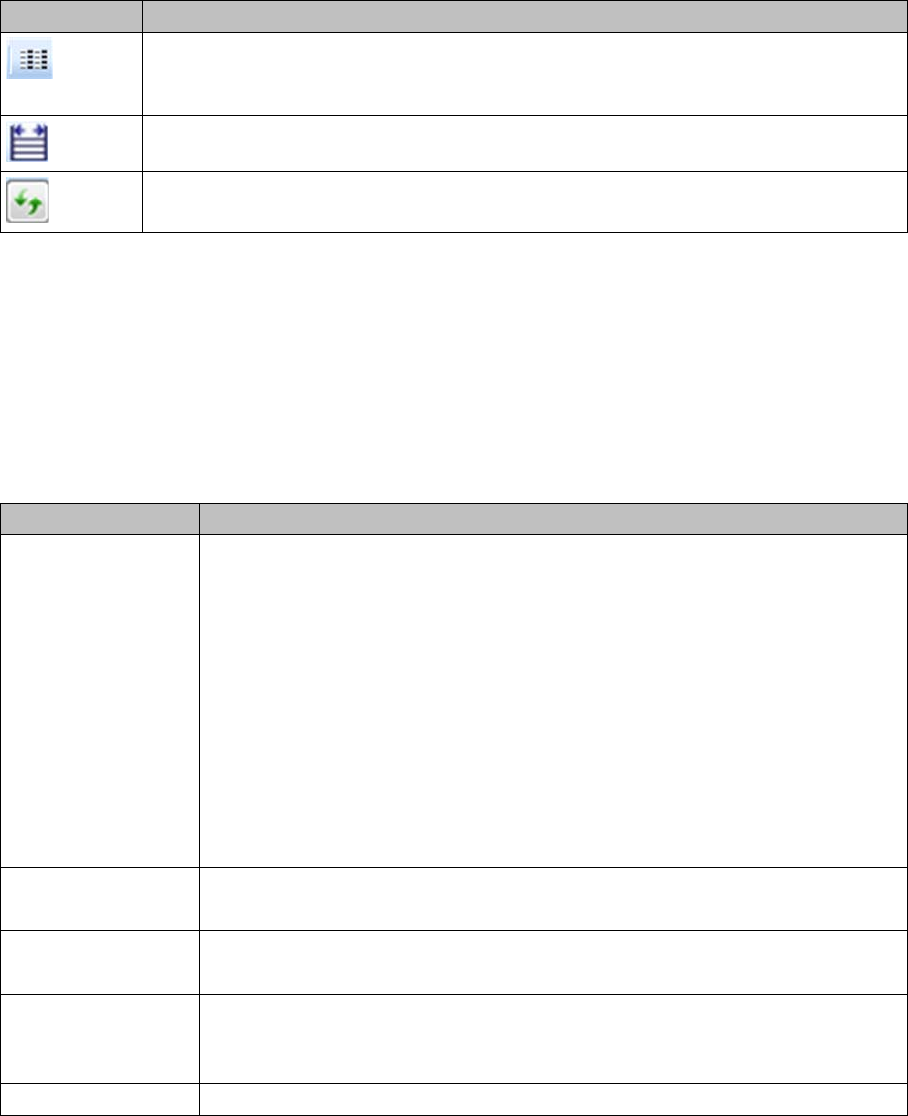
As an option, you can configure the presettings for the verification history. This opens
the Settings for the Verification Logs dialog box. See also "7.3.1 Verification History
View Settings " [ ➙ 114]
You can adjust the width of the table columns as required.
This icon allows you to update the elements in the list boxes. This data is derived from
the verification history.
Icon Function
Function Description
Context Action date: when was the action performed.
Action: shows the relevant action, such as packaging unit consumed, packaging
unit locked etc.
Source: shows the source, such as docking station, scanner etc.
Reason: shows the reason, such as "Wrong brightness class", "Wrong compo-
nent" etc.
For a complete overview of possible actions, sources and reasons, see "7.3.1.1
Overview of Actions, Sources and Reasons" [ ➙ 114].
Area: shows whether it is an online or offline setup verification.
User: shows who has performed the verification
Enable/disable the required display parameters.
Location Details Specifies where the action was executed (setup location).
Enable/disable the required display parameters.
Action: packaging
unit data
Shows the packaging unit (chain) data before the action is executed.
Enable/disable the required display parameters.
Result: Packaging
unit data
Shows the packaging unit (chain) data after the action was executed (result of
action).
Enable/disable the required display parameters.
Default Values Resets the default settings.