00197195-02-UG SetupCenter 5.1_en.pdf - 第114页
Working with the Setup Center Application Verification History Verification History View Settings 114 User Guide SIPLACE Setup Center 5.1 ► Starts evaluation of the verification history. ⇨ Table (3) shows the context and…
Working with the Setup Center Application
Starting the Search Materials Function and Overview Verification History
User Guide SIPLACE Setup Center 5.1 113
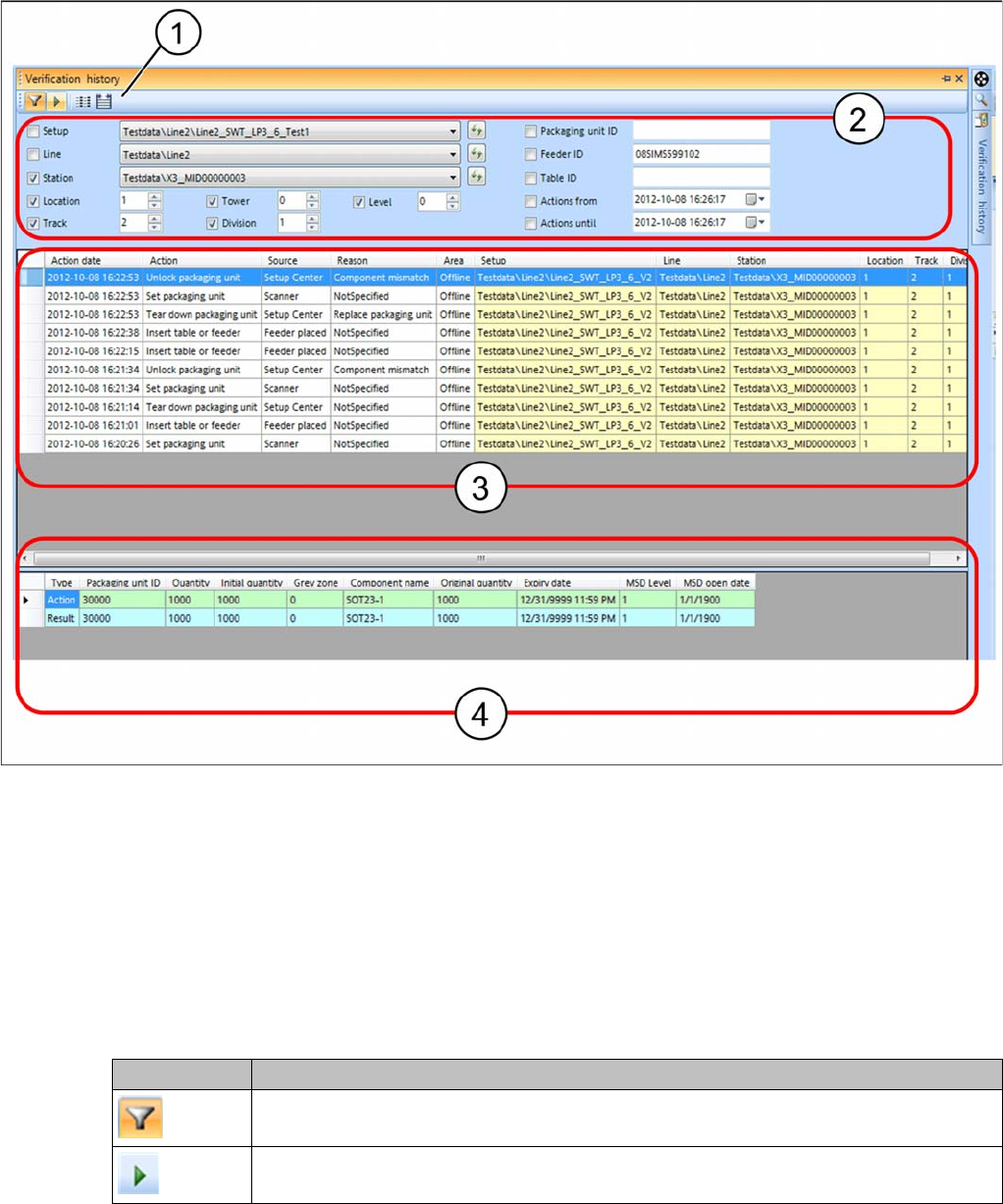
Verification history – overview
1. Toolbar
2. Filter settings
3. Context and setup point for the verification action
4. Packaging unit data or packaging unit chain data before the action was executed (Action ) and after
the action was executed (Result).
The data are shown with an advisable filter setting, which differs according to where the verification his-
tory is opened. These filter settings can be edited as required.
Toolbar
Icon Function
Select this icon if you want to show and/or change the predefined filter settings. See
also "7.3.2 Filter Settings" [ ➙ 116].
Click on this icon to start evaluation of the verification history.
Working with the Setup Center Application
Verification History Verification History View Settings
114 User Guide SIPLACE Setup Center 5.1
► Starts evaluation of the verification history.
⇨ Table (3) shows the context and setup point for the action.
⇨ Table (4) shows the relevant packaging unit data or packaging unit chain data before the action was
carried out (Action) and after the action was carried out (Result).
7.3.1 Verification History View Settings
Define the information you want to show for the verification history in the settings. You can also define
the colors in which this information is to be displayed in the table.
7.3.1.1 Overview of Actions, Sources and Reasons
Actions in the verification history view
▪ Packaging unit consumed
▪ Packaging unit deleted
▪ Table or feeder attached
– A table with feeders or a single feeder has been placed in the machine.
▪ Packaging unit locked
▪ Packaging unit quantity changed
▪ Packaging unit refilled
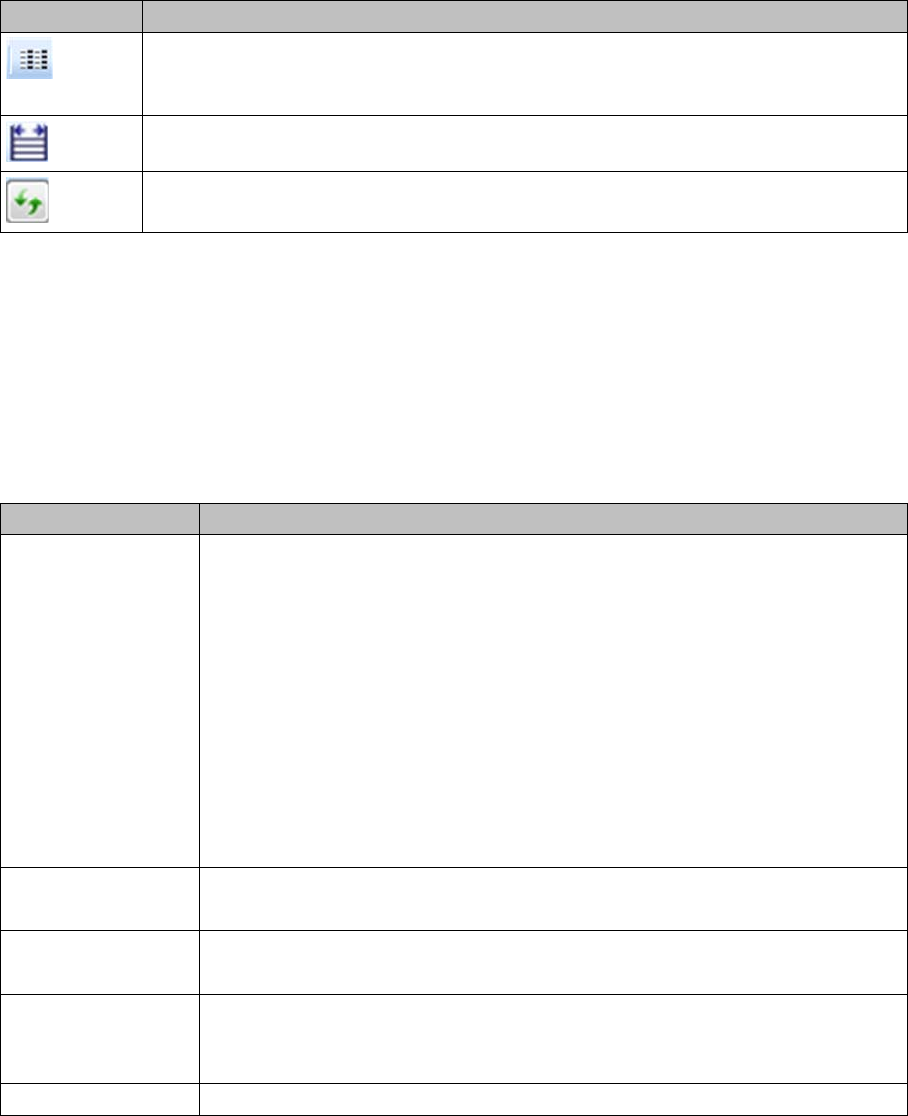
As an option, you can configure the presettings for the verification history. This opens
the Settings for the Verification Logs dialog box. See also "7.3.1 Verification History
View Settings " [ ➙ 114]
You can adjust the width of the table columns as required.
This icon allows you to update the elements in the list boxes. This data is derived from
the verification history.
Icon Function
Function Description
Context Action date: when was the action performed.
Action: shows the relevant action, such as packaging unit consumed, packaging
unit locked etc.
Source: shows the source, such as docking station, scanner etc.
Reason: shows the reason, such as "Wrong brightness class", "Wrong compo-
nent" etc.
For a complete overview of possible actions, sources and reasons, see "7.3.1.1
Overview of Actions, Sources and Reasons" [ ➙ 114].
Area: shows whether it is an online or offline setup verification.
User: shows who has performed the verification
Enable/disable the required display parameters.
Location Details Specifies where the action was executed (setup location).
Enable/disable the required display parameters.
Action: packaging
unit data
Shows the packaging unit (chain) data before the action is executed.
Enable/disable the required display parameters.
Result: Packaging
unit data
Shows the packaging unit (chain) data after the action was executed (result of
action).
Enable/disable the required display parameters.
Default Values Resets the default settings.
Working with the Setup Center Application
Verification History View Settings Verification History
User Guide SIPLACE Setup Center 5.1 115
▪ Table or feeder removed
– A table with feeders or a single feeder has been taken out of the machine.
▪ Packaging unit set
▪ Packaging unit split
▪ Packaging unit chain split
▪ Packaging unit torn down
▪ Packaging unit unlocked
Sources in the verification history view
▪ Docking station
▪ Feeder mounted
▪ Feeder removed
▪ Setup Center interface
▪ Setup Center GUI
▪ Scanner
▪ Setup Center
▪ Setup Center upgrade
▪ Station
▪ Table registered
▪ Table removed
▪ Unknown
Reasons in the verification history view
▪ Wrong brightness class
▪ Wrong component
▪ Component not present in the partial setup
▪ Component is not to be placed
▪ No verification required
▪ Component omitted
▪ Delta setup
▪Error
▪ Feeder type changed
▪ Foil torn
▪ Forced activation
▪ Packaging unit in use by different Setup Center
▪MES
▪ Packaging unit moved
▪ MSD open time expired
▪ New setup active
▪ Not specified
▪ Packaging unit data cleared
▪ Packaging Unit Editor
▪ Expiry date exceeded
▪ Wrong packaging unit!
▪ Packaging unit removed from feeder
▪ Packaging unit replaced