00197195-02-UG SetupCenter 5.1_en.pdf - 第121页
Working with the Setup Center Application Plausibility Check - Missing Refill Splice Monitor User Guide SIPLACE Setup Center 5.1 12 1 7.5.2.1 Correcting Missing Refill with the Setup Center GUI Step-by-Step Procedure Ste…
Working with the Setup Center Application
Splice Monitor Plausibility Check - Missing Refill
120 User Guide SIPLACE Setup Center 5.1
7.5.2 Plausibility Check - Missing Refill
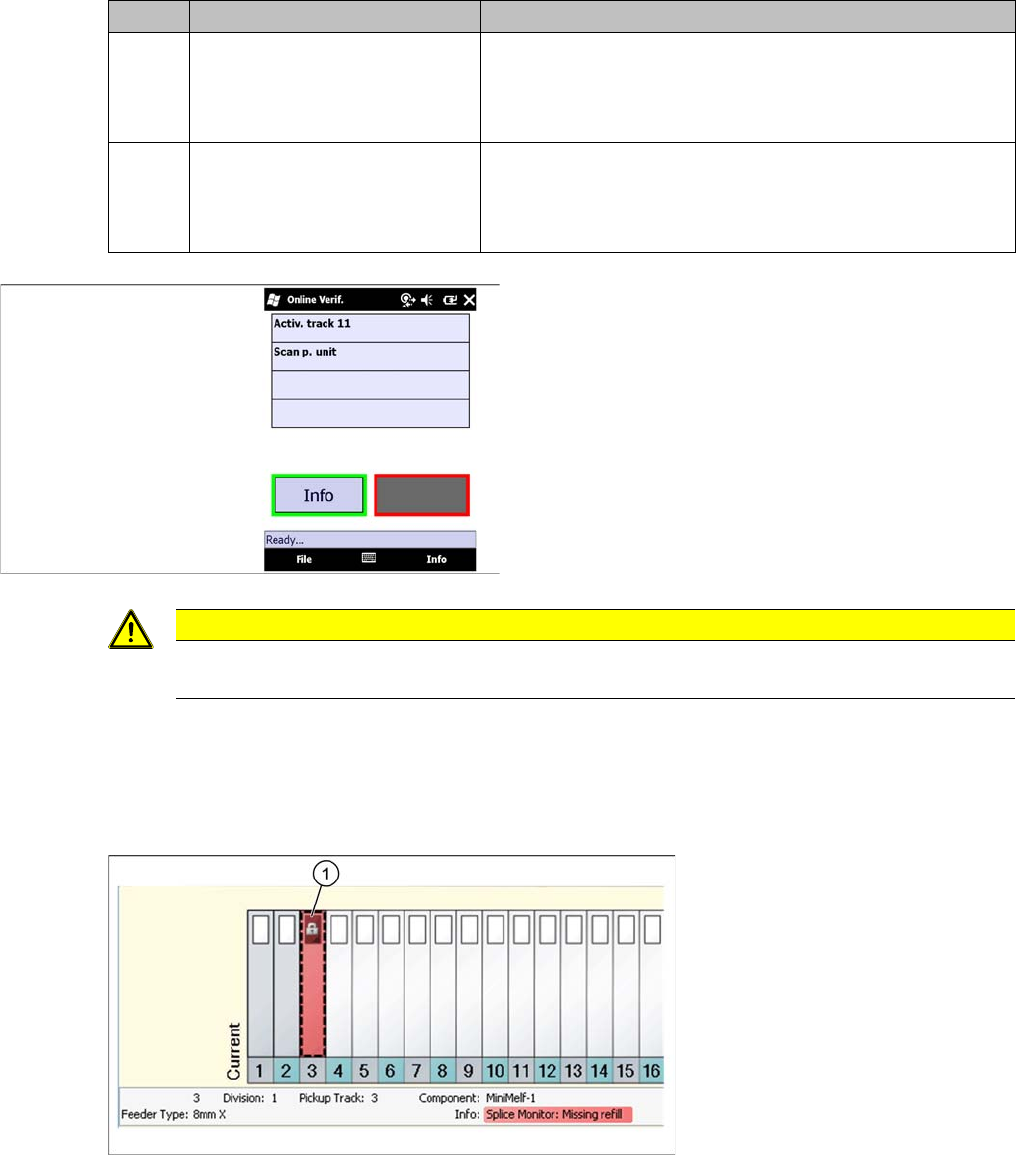
If a splice point is expected for a track and the set overshoot value is reached, this track is deactivated
at the station and displayed in red with an error symbol in Setup Center. Detailed information will be
shown in the notifications window.
Icon Action Meaning
1Yes - the splice point has al-
ready passed the pickup posi-
tion.
Rejects the current packaging unit (packaging unit will no
longer be recorded), the quantity of the following packaging
unit remains the same and all information is sent to the sta-
tion.
2No - the splice point has not yet
reached the pickup point.
Sets the quantity of the current packaging unit to the thresh-
old value (for example: 1% of 1000 = 10 components), the
quantity of the following packaging unit is set to the original
quantity and all information is sent to the station.
Step 3:
► If the Activate pickup position with verification func-
tion has been activated, it is necessary to scan the
barcode with the barcode fragment "Component" or
"UID" in order to activate the track, otherwise the
track will automatically be deactivated.
The component level on the packaging unit has now been
matched with the data in Setup Center.
CAUTION
If the user activates this track at the station, without consulting the Setup Center, this track will
be deactivated again at the next component level update.
Working with the Setup Center Application
Plausibility Check - Missing Refill Splice Monitor
User Guide SIPLACE Setup Center 5.1 121
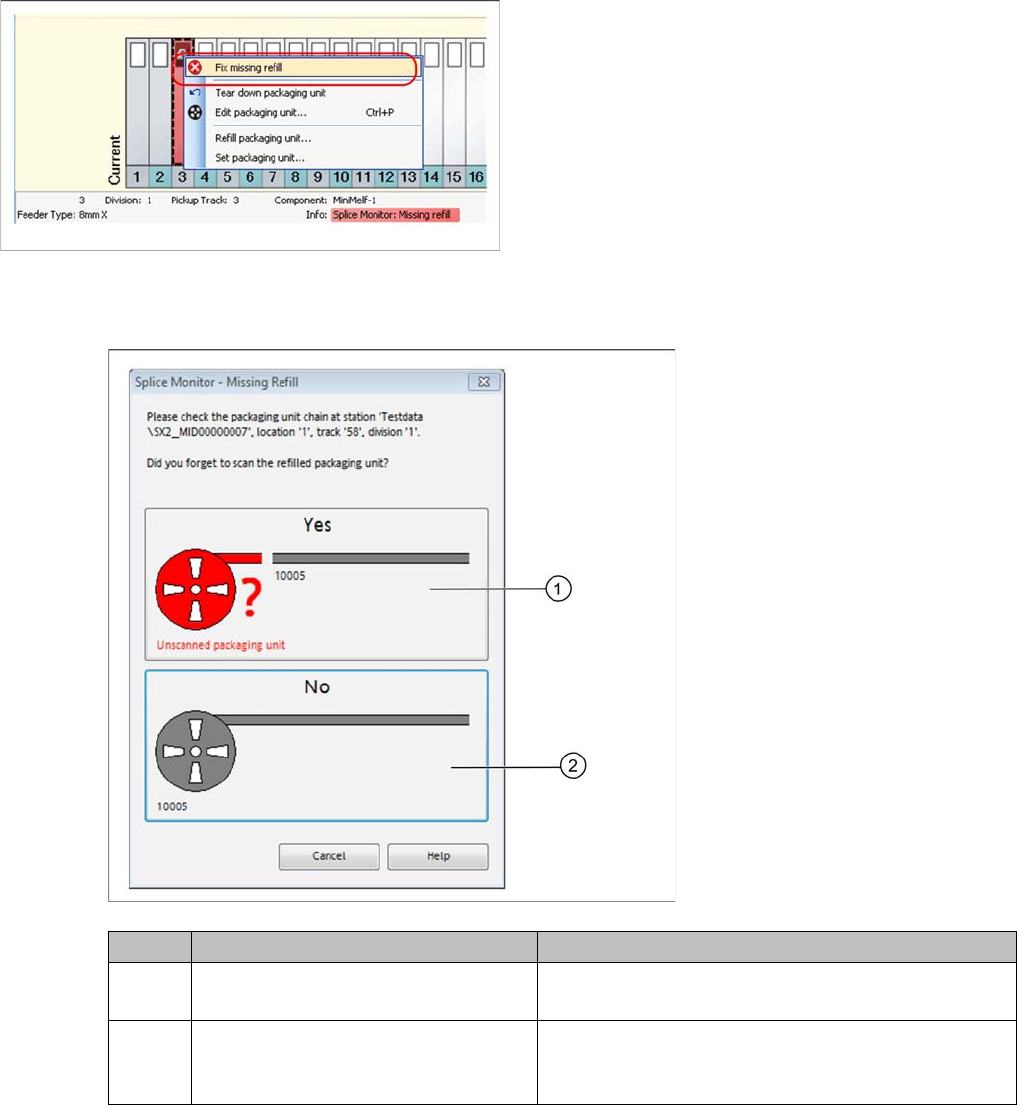
7.5.2.1 Correcting Missing Refill with the Setup Center GUI
Step-by-Step Procedure
Step 2:
► Confirm the question which appears:
Step 3
After the error situation has been solved by scanning the set-up or refilled packaging unit, the track is
reactivated.
Step 1:
► Open the context menu by right clicking with the
mouse and start the Correct missing refill… function.
Icon Action Meaning
1 Yes - The scanning of the refilled
packaging unit was forgotten.
The packaging unit data in the data base will not be
changed. The refill can now be completed.
2No – The scanning of the refilled pack-
aging unit was not forgotten.
The gray zone will be removed from the packaging
unit. The packaging unit is torn down and must be
scanned again.
Working with the Setup Center Application
Splice Monitor Plausibility Check - Missing Refill
122 User Guide SIPLACE Setup Center 5.1
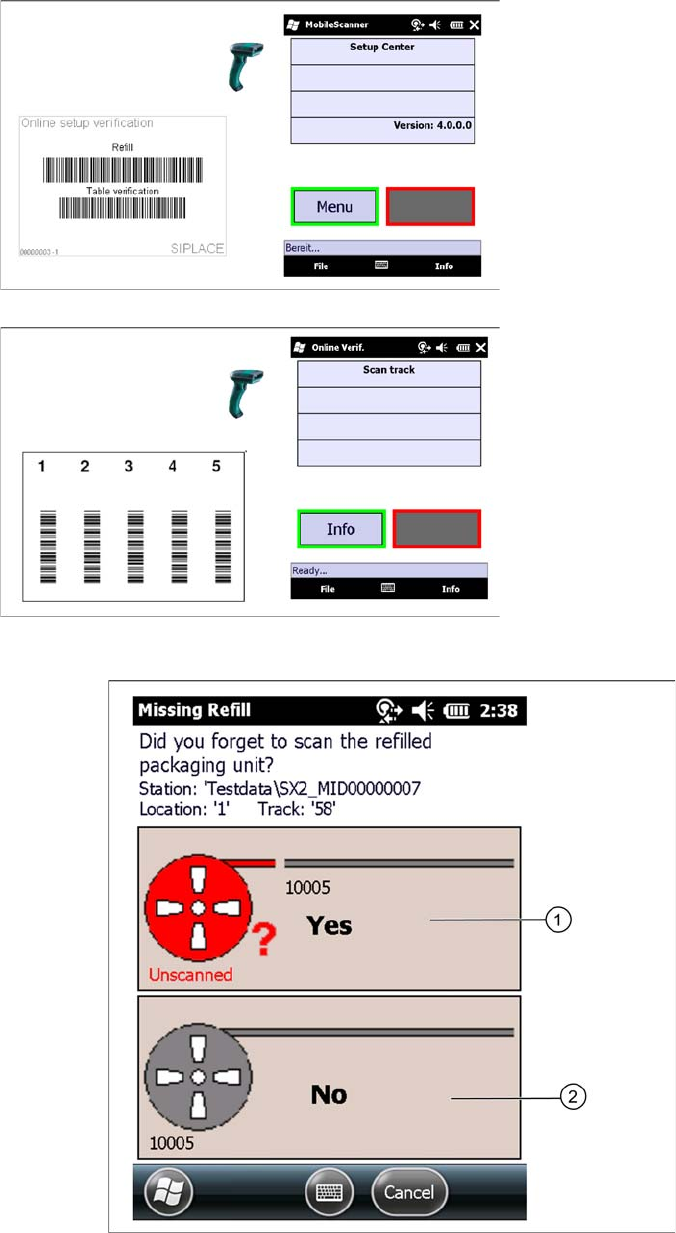
7.5.2.2 Correcting Missing Refill with the PDA Scanner
Confirm the following question which appears:
Step 1
► Scan the refill barcode.
Step 2
► Scan in the Track barcode of the packaging unit.