00197195-02-UG SetupCenter 5.1_en.pdf - 第123页
Working with the Setup Center Application Plausibility Check - Missing Refill N ext Setup in Setup Center User Guide SIPLACE Setup Center 5.1 12 3 7.6 Next Setup in Setup Center The next setup can be conven iently config…
Working with the Setup Center Application
Splice Monitor Plausibility Check - Missing Refill
122 User Guide SIPLACE Setup Center 5.1
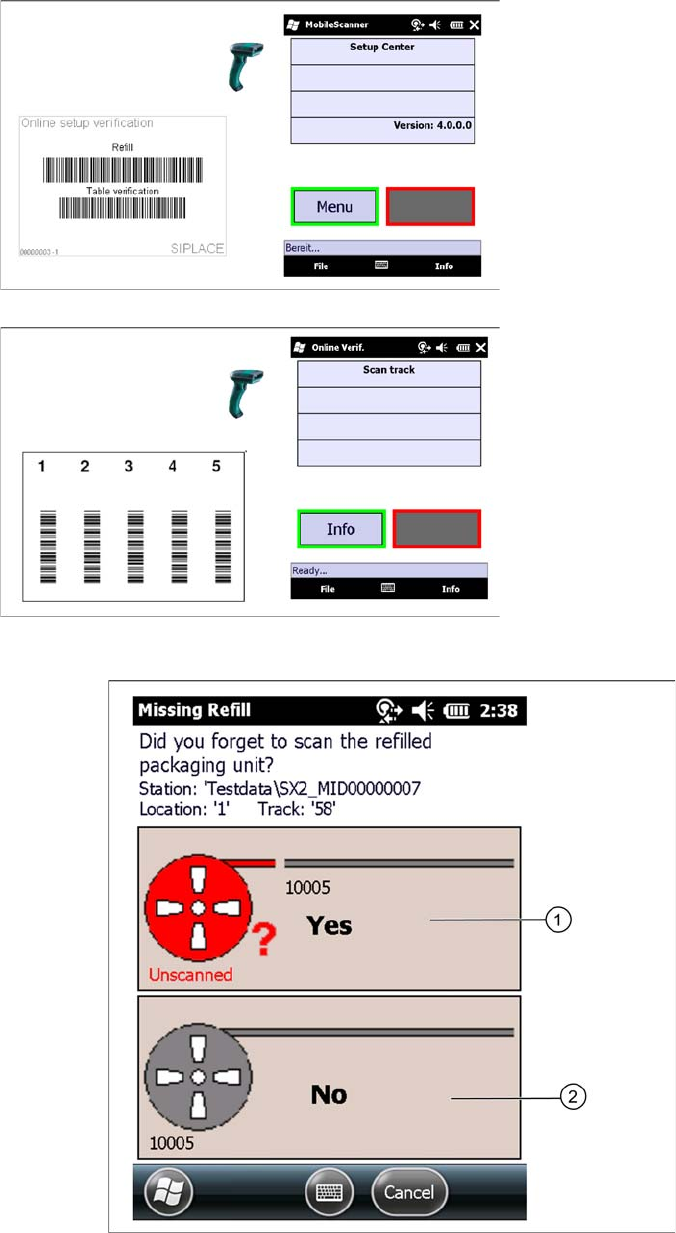
7.5.2.2 Correcting Missing Refill with the PDA Scanner
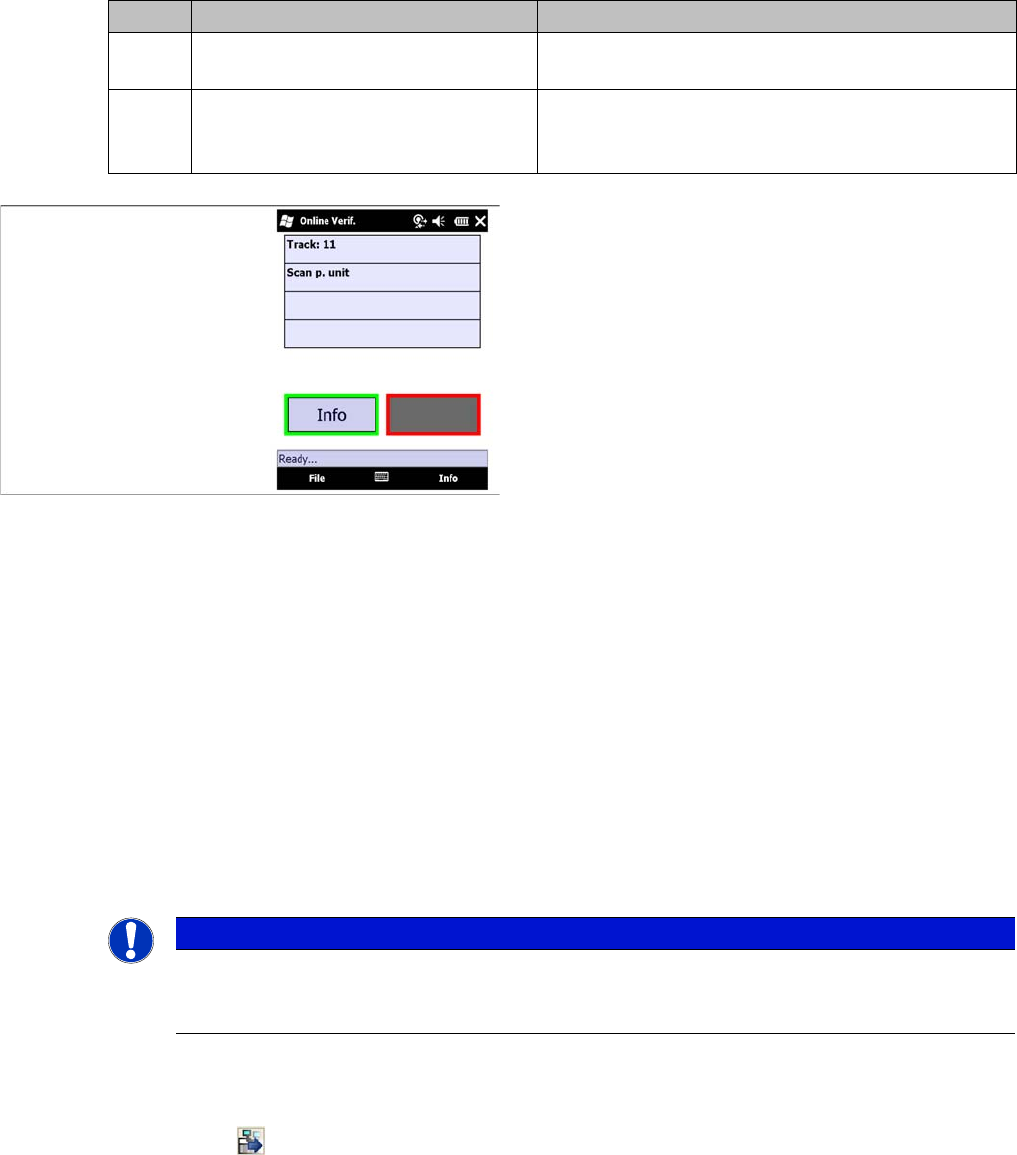
Confirm the following question which appears:
Step 1
► Scan the refill barcode.
Step 2
► Scan in the Track barcode of the packaging unit.
Working with the Setup Center Application
Plausibility Check - Missing Refill Next Setup in Setup Center
User Guide SIPLACE Setup Center 5.1 123
7.6 Next Setup in Setup Center
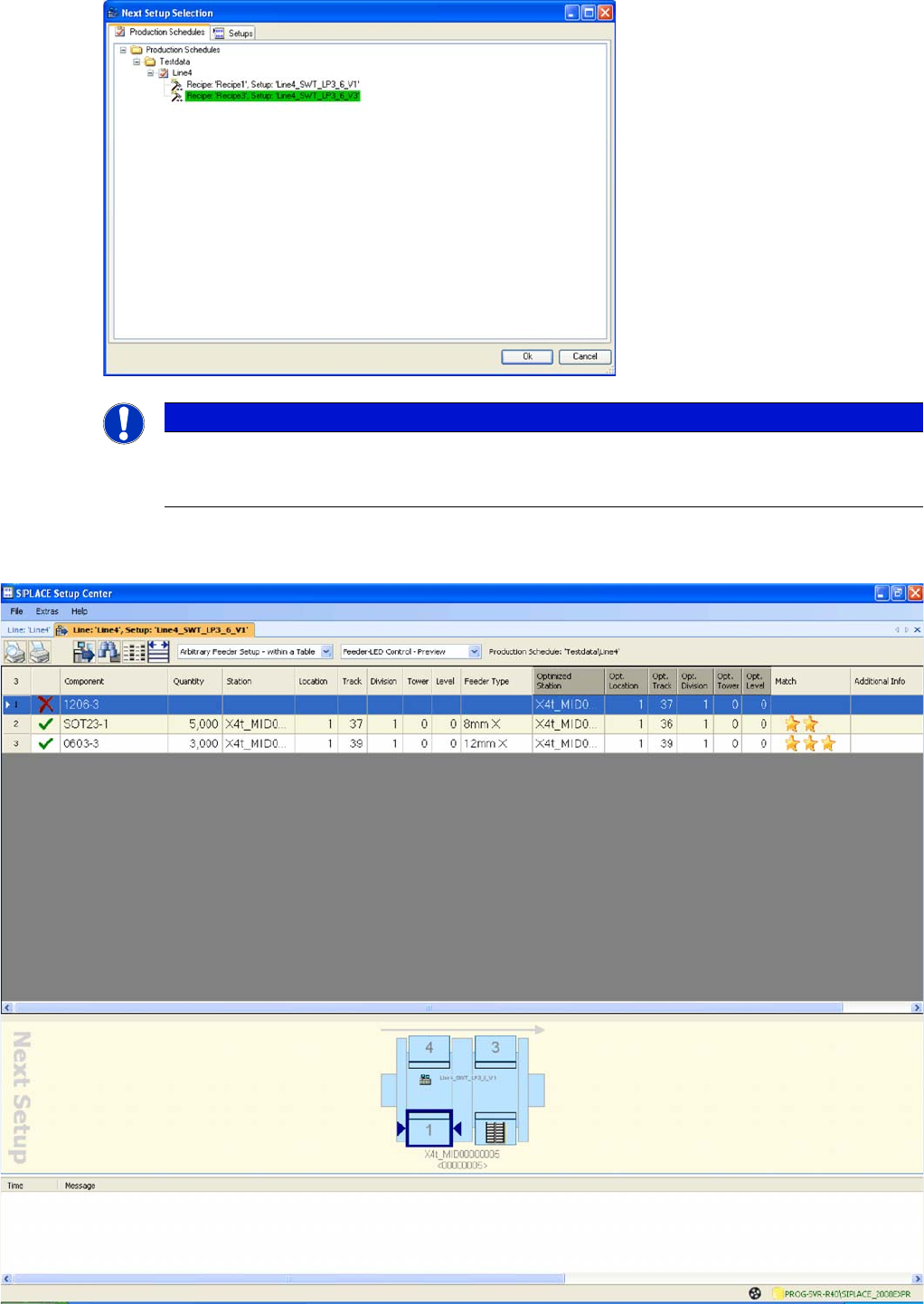
The next setup can be conveniently configured using the Next Setup function in Setup Center. This
shows the status of the next setup, such as:
▪ Status display for the next setup (based on the actual setup in the line).
▪ Which components have been set up or are still missing from the next setup?
▪ Which components are configured on the wrong location? (for Random Setup Within a Table).
▪ Which spare tracks and multiple setup components are in the line.
▪ Which components will not be used in the next setup?
▪ Feeder LED control settings.
▪ TIP: this function allows you to print a delta list of materials.
This provides a clear analysis for a delta setup.
View - Open next setup
► Start SIPLACE Setup Center.
► Select the Next Setup icon in the Setup Center main menu.
⇨ The Choose Next Setup dialog box will open
Icon Action Meaning
1 Yes - The scanning of the refilled
packaging unit was forgotten.
The packaging unit data in the data base will not be
changed. The refill can now be completed.
2No – The scanning of the refilled pack-
aging unit was not forgotten.
The gray zone will be removed from the packaging
unit. The packaging unit is torn down and must be
scanned again.
Step 3:
► You will be prompted to scan the set-up or refilled
packaging unit.
Finally, the track is reactivated.
NOTICE
If, during line conversion, you need to tear down all components and re-configure the next set-
up, you will not necessarily need this function. You do not have to apply the "Next Setup" func-
tion in Setup Center in order to use Random Setup.
Working with the Setup Center Application
Next Setup in Setup Center Plausibility Check - Missing Refill
124 User Guide SIPLACE Setup Center 5.1
► Select the recipe for the next setup from the Production Schedules or Setups tabs.
⇨ The main Next Setup view will open.
NOTICE
The green highlighted recipe in the "Choose Next Setup" dialog box shows the current recipe
set at the line. This helps the user find the current position and select the next recipe with the
next setup.