00197195-02-UG SetupCenter 5.1_en.pdf - 第172页
Setup Verification in Practical Cases Refilling a Track for Offline Setup Verification Prerequisites 172 User Guide SIPLACE Setup Center 5.1 8.9 Refilling a Track for Offline Setup Verification 8.9.1 Prerequisites The us…
Setup Verification in Practical Cases
Using the Scanner (Steps with UID) Refilling a Track for Online Setup Verification
User Guide SIPLACE Setup Center 5.1 171
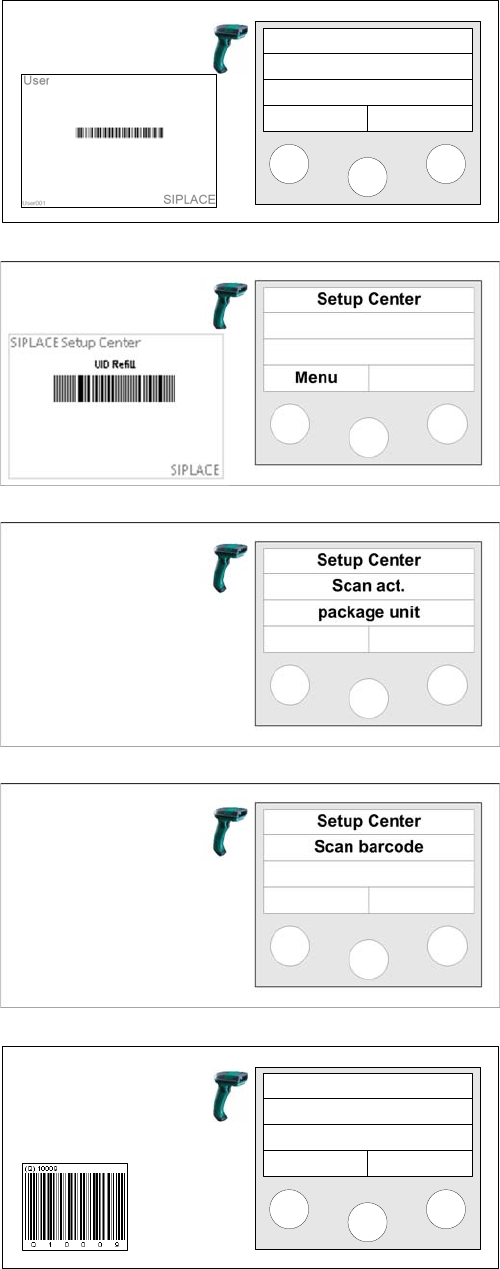
Step 1 (optional)
Scan in the the User if the User registration at the reader
required option has been activated via
Extras Settings
Security
.
Step 2
Scan the unique ID refill barcode.
Step 3
Scan the current unique ID for the packaging unit.
Step 4
Scan the unique ID for the next packaging unit.
Step 6b (optional)
If additional barcodes have been defined for the packag-
ing unit, they must be scanned consecutively.
Setup Center
Menu
Next barcode
Info >>
Setup Verification in Practical Cases
Refilling a Track for Offline Setup Verification Prerequisites
172 User Guide SIPLACE Setup Center 5.1
8.9 Refilling a Track for Offline Setup Verification
8.9.1 Prerequisites
The user works in offline mode.
8.9.2 Scanner Steps
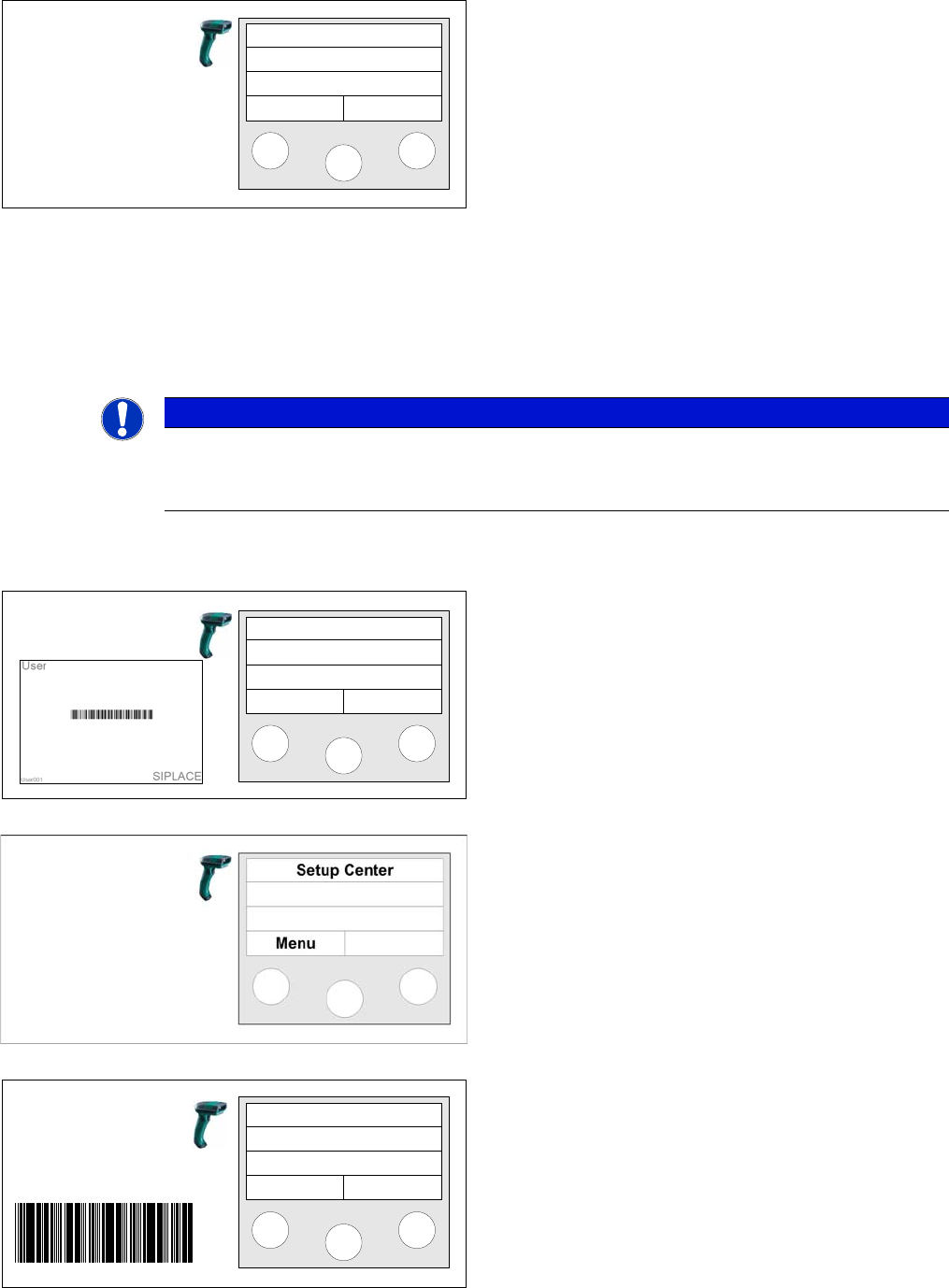
Step 7
Refilling has finished once all barcodes have been
scanned in. The main menu will be shown again.
Setup Center
Menu
NOTICE
Up to 30 Packaging Units Allowed per Track.
If the set, maximum permissible packaging unit quantity is exceeded, the packaging unit last
scanned in will be locked and the pickup location will be disabled at the machine.
Step 1 (optional)
Scan in the the User if the User registration at the reader
required option has been activated via
Extras Settings
Reader
.
Step 2
Scan the "Refill" control barcode from the Setup report.
Step 3
Scan the Dockingstation barcode.
Setup Center
Menu
Scan DS
DID00000004
DID
Setup Verification in Practical Cases
Using the Scanner (Steps with UID) Refilling a Track for Offline Setup Verification
User Guide SIPLACE Setup Center 5.1 173
8.9.3 Using the Scanner (Steps with UID)
The following section describes the step-by-step procedure with a unique packaging unit ID (Unique ID).
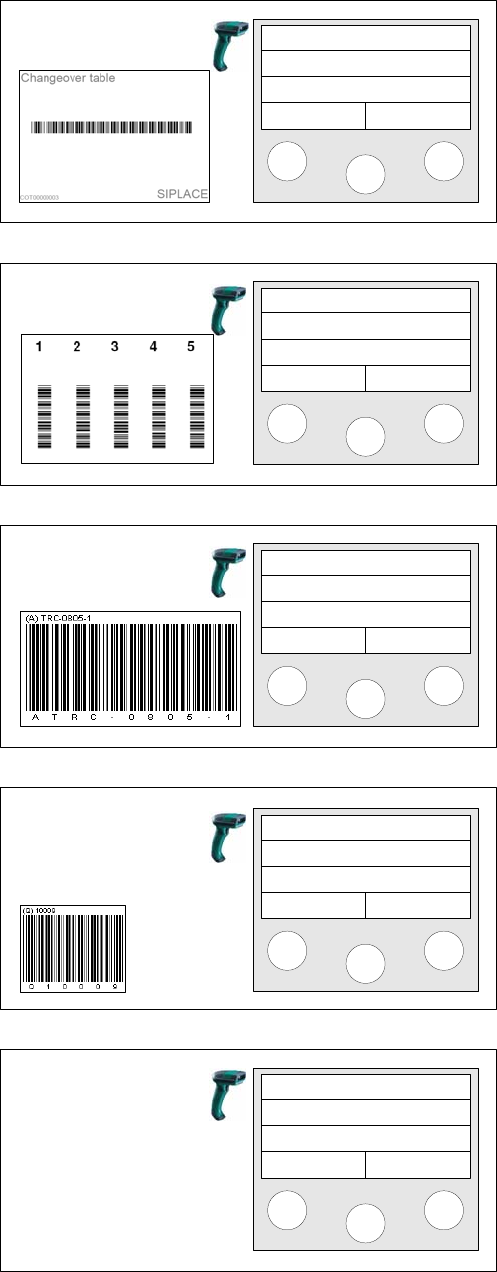
Step 4
Scan the Changeover table barcode.
Step 5
Scan the Track barcode.
Step 6a
Depending on the configuration of the barcode rule, the
component barcode or the unique barcode will be
scanned.
Step 6b (optional)
If additional barcodes have been defined for the packag-
ing unit, they must be scanned consecutively.
Step 7
Once all barcodes have been scanned, the main menu
will be shown again.
If additional packaging units need to be refilled, the entire
procedure must be repeated from Step 5.
Scan COT barcode
Scan track
Track: 55
Scan component
Info >>
Next barcode
Info >>
Setup Center
Menu