00197195-02-UG SetupCenter 5.1_en.pdf - 第191页
Setup Verification in Practical Cases Registering Changeover Tables a t Another Setup (Moving Changeov er Tables) Changeover Table Management User Guide SIPLACE Setup Center 5.1 19 1 The following diagram shows you diffe…
Setup Verification in Practical Cases
Changeover Table Management Registering Changeover Tables at Another Setup (Moving Changeover Tables)
190 User Guide SIPLACE Setup Center 5.1
8.14.3 Registering Changeover Tables at Another Setup (Moving Changeover Tables)
Changeover tables can be registered or moved during setup verification.
After verification, a changeover table is always assigned to a setup. If a table is accidentally registered
in the same setup at the wrong location or station, the scanner and Setup Center will issue an error mes-
sage with the source of the problem.
However, if the operator tries to register the changeover table at a location, station or line to which an-
other setup has already been allocated, Setup Center offers the operator the chance to "move" this table
to another setup.
In this case, a message in the barcode scanner display informs the line operator of the situation. Setup
Center then waits for a confirmation or rejection of the operation with the relevant buttons.
If the line operator approves movement of the changeover table to a new setup, a delta setup will be
calculated for the changeover table concerned. The delta setup is generated if the expected setup data
from the programming system at the target line match the current setup data on the changeover table.
This means that all matching tracks with a component expected at the same place, which have been
successfully verified and are available on the same feeder type, will be marked as valid and the corre-
sponding data will be sent to the machine.
If certain tracks have not been successfully verified or if the feeder type does not match, the display will
show a dialog, in which the line operator is given the chance to perform a final online setup verification
after table log-on.
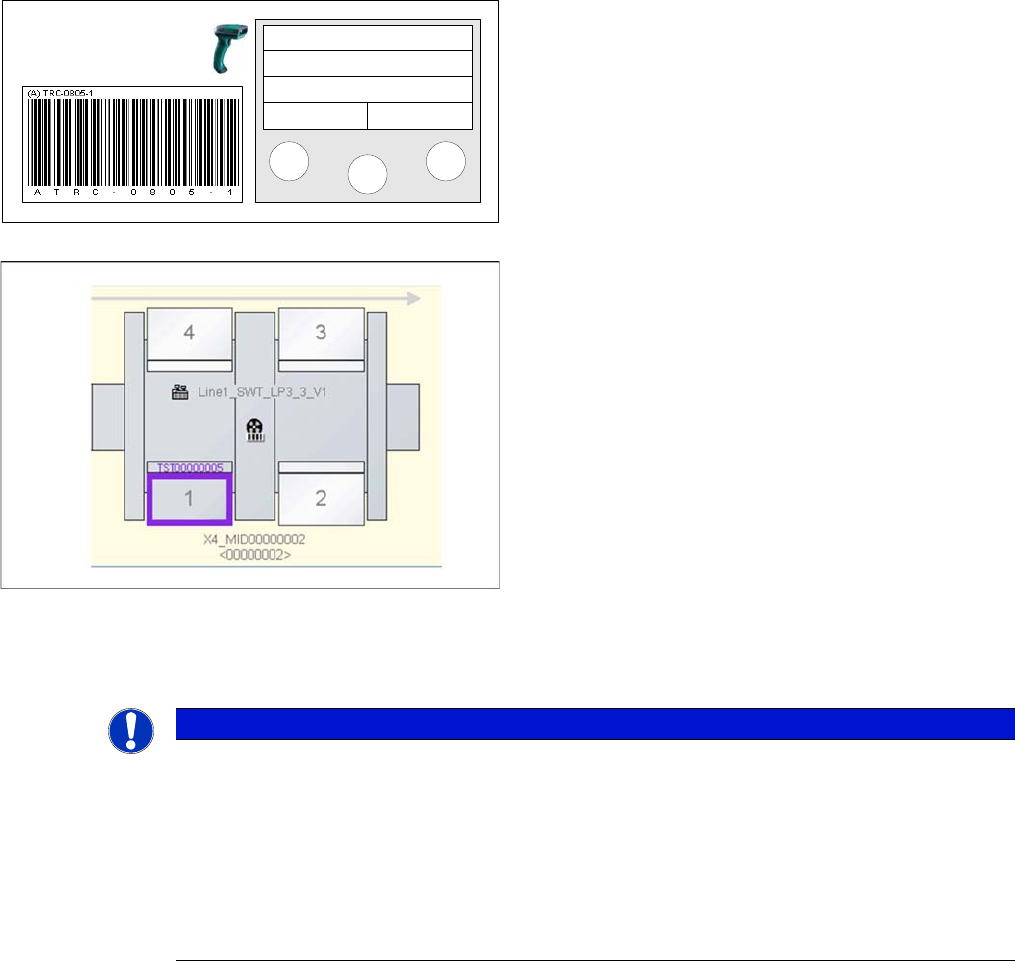
Otherwise, setup verification must now be executed for
all missing components.
After logging on the tables, the Setup Center GUI will be
updated. The X-feeders will now show the setup verifica-
tion status in the Setup Center GUI. The changeover ta-
bles can be seen in the line view.
Track: 55
Scan component
Info >>
NOTICE
Moving changeover tables to another setup
This scenario - when a changeover table needs to be moved - can occur when a machine fails
and production has to be moved to another line. The operator uses SIPLACE Pro to create a
setup at another line. This new setup should be as similar to the original setup as possible (pref-
erably identical, apart from the line). The operator uses SIPLACE Pro to create a setup at an-
other line. This new setup should be as similar to the original setup as possible (preferably
identical, apart from the line). This new setup is required so that the verification data for the
moved tables can be adopted at the new line.
Setup Verification in Practical Cases
Registering Changeover Tables at Another Setup (Moving Changeover Tables) Changeover Table Management
User Guide SIPLACE Setup Center 5.1 191
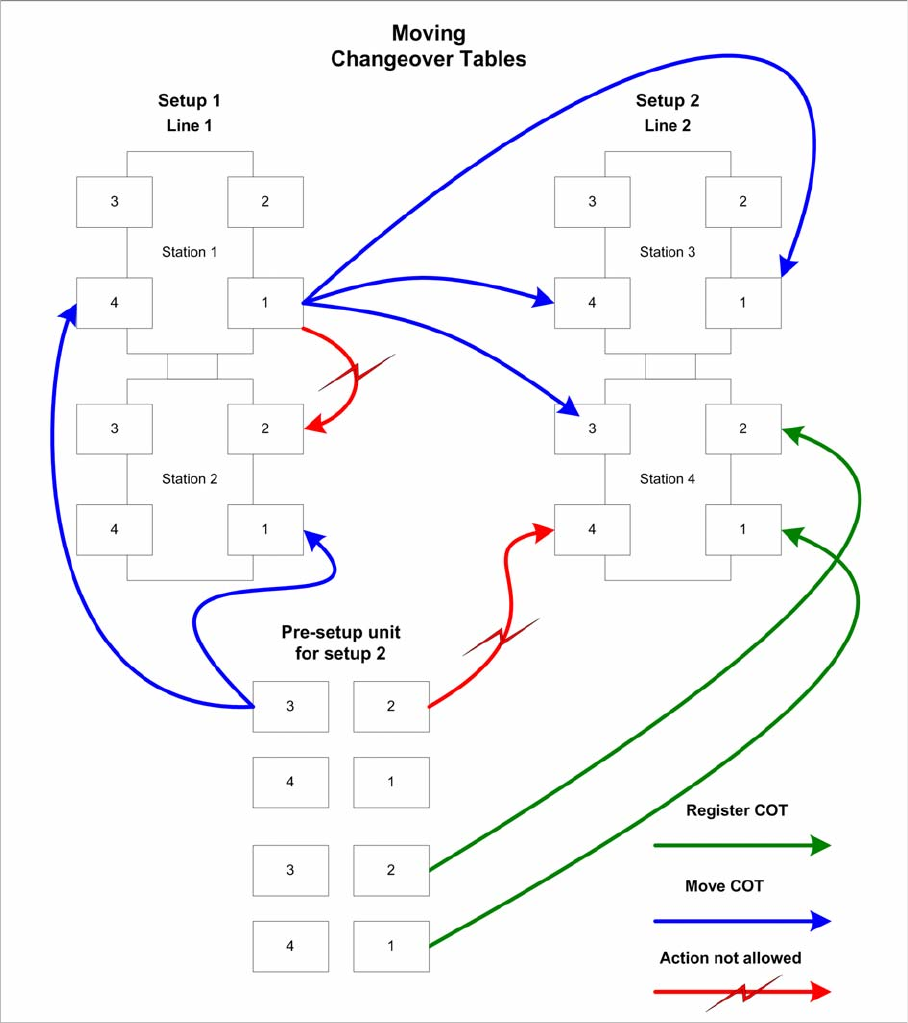
The following diagram shows you different possibilities for registering and moving changeover tables:
Explanations to the diagram
▪ The green arrows mean that changeover tables are being logged on at a station. This is the standard
procedure, when changeover tables are moved from the pre-setup area to the line.
▪ The blue arrows show the possible options for moving a table to another setup. The tables can be
moved from the pre-setup unit or from an active line. The target setup must be online at this point.
Changeover tables can be moved to any of the stations/locations in the target setup.
▪ The red arrows show that moving changeover tables to locations at other stations in the line is not
permitted. Changeover tables may also not be moved to locations at stations in another line.
Setup Verification in Practical Cases
Changeover Table Management Registering Changeover Tables at Another Setup (Moving Changeover Tables)
192 User Guide SIPLACE Setup Center 5.1
8.14.3.1 Moving a Changeover Table During Setup Verification (Steps with the Scanner)
NOTICE
User confirmation
Setup Center detects the situations described above and informs the operator about the type
of movement he is currently performing (intentional or unintentional). The movement of change-
over tables always requires confirmation by the operator.
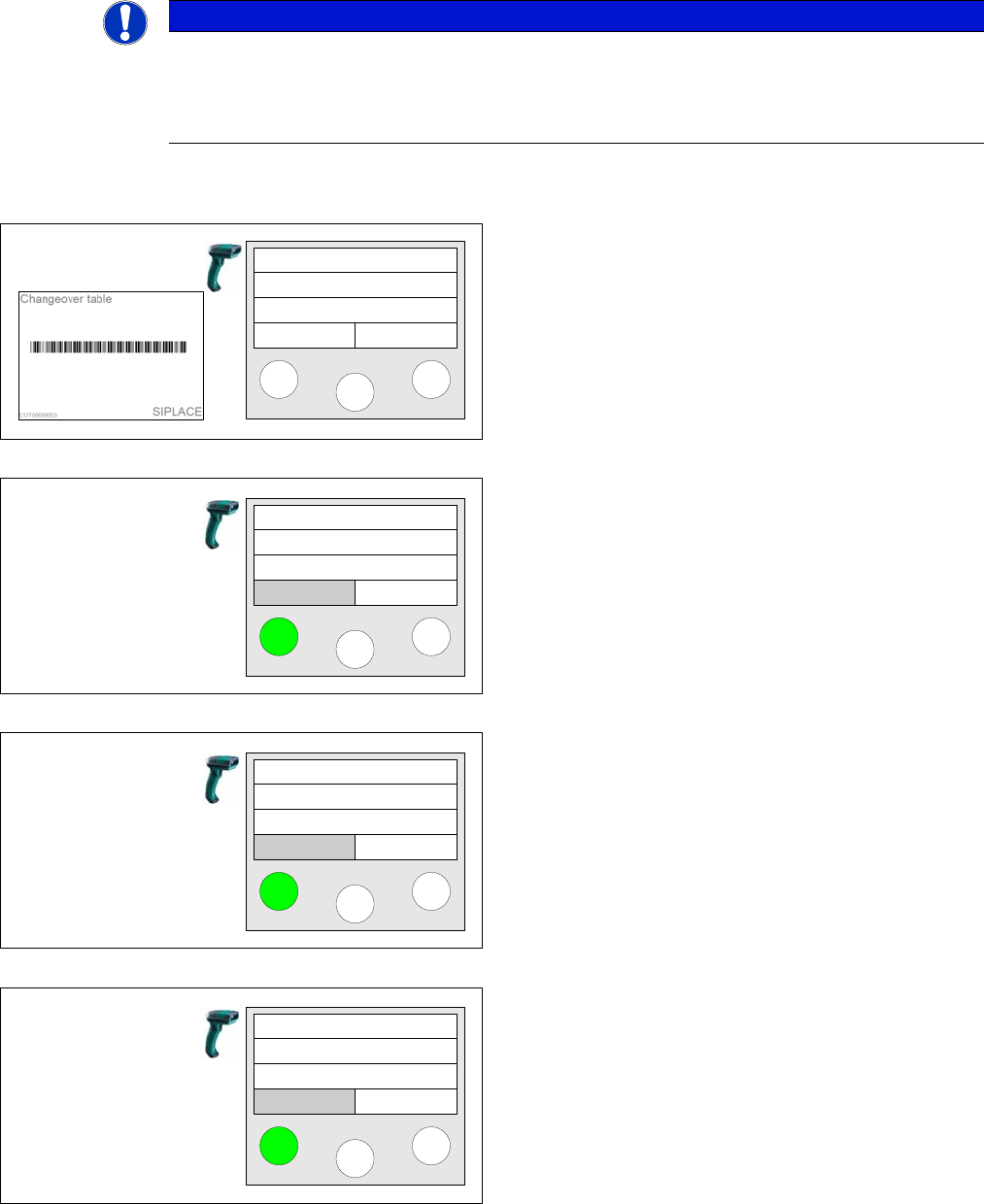
Step 4 Online/Offline Setup Verification
A changeover table has been accepted from a different
setup and has not been torn down previously.
..., COT already in different setup! is displayed on the
scanner. If you want to move the changeover table into
the setup currently to be verified, you must press the left
Move button.
Next the system displays to which location the changeo-
ver table should be moved. Press the left Yes button to
confirm the action.
Pressing the right No button aborts the action.
Finally a query is displayed again. Press the Yes button
to confirm the action.
Pressing the right No button aborts the action.
Scan COT barcode
COT already in
another setup!
Move Cancel
Move
Move COT to
S: SC 5comp
Yes No
Where?
Verify
now?
Yes No
Verify