00197195-02-UG SetupCenter 5.1_en.pdf - 第192页
Setup Verification in Practical Cases Changeover Table Management Regist ering Changeover Tables at Ano ther Setup (Moving Changeover Tables) 192 User Guide SIPLACE Setup Center 5.1 8.14.3.1 Moving a Changeover Table Dur…
Setup Verification in Practical Cases
Registering Changeover Tables at Another Setup (Moving Changeover Tables) Changeover Table Management
User Guide SIPLACE Setup Center 5.1 191
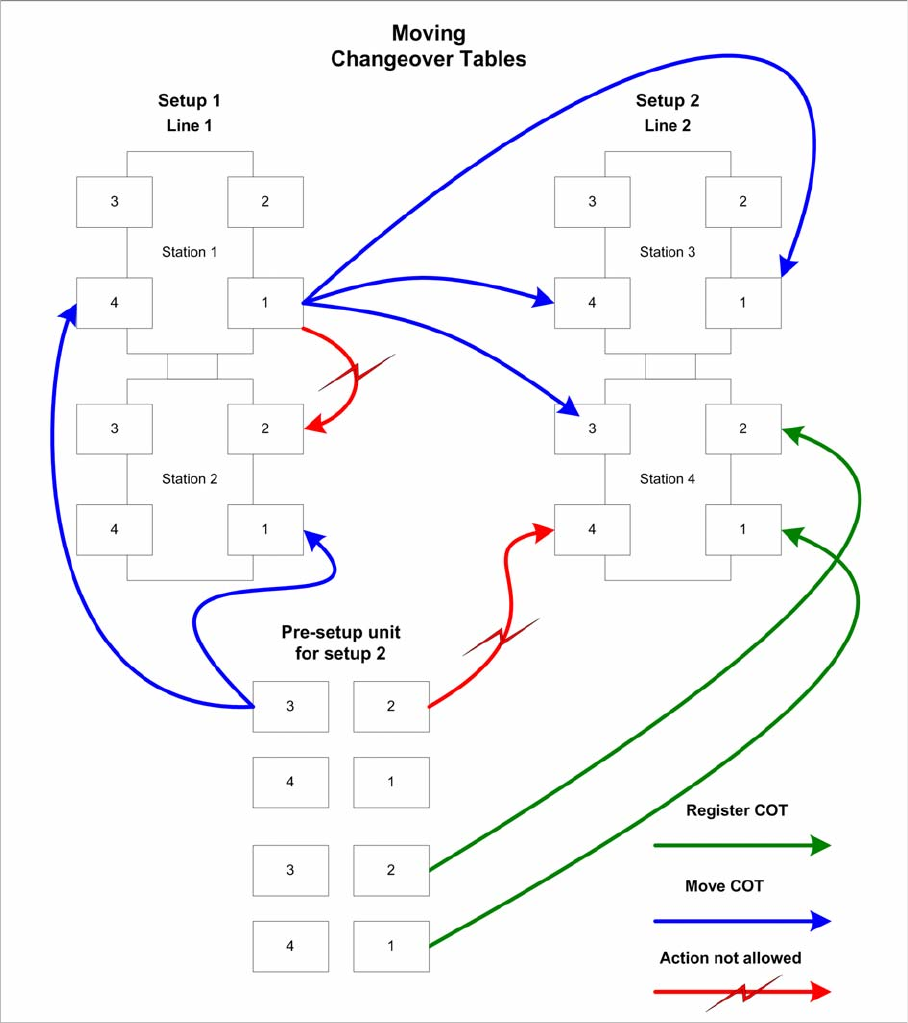
The following diagram shows you different possibilities for registering and moving changeover tables:
Explanations to the diagram
▪ The green arrows mean that changeover tables are being logged on at a station. This is the standard
procedure, when changeover tables are moved from the pre-setup area to the line.
▪ The blue arrows show the possible options for moving a table to another setup. The tables can be
moved from the pre-setup unit or from an active line. The target setup must be online at this point.
Changeover tables can be moved to any of the stations/locations in the target setup.
▪ The red arrows show that moving changeover tables to locations at other stations in the line is not
permitted. Changeover tables may also not be moved to locations at stations in another line.
Setup Verification in Practical Cases
Changeover Table Management Registering Changeover Tables at Another Setup (Moving Changeover Tables)
192 User Guide SIPLACE Setup Center 5.1
8.14.3.1 Moving a Changeover Table During Setup Verification (Steps with the Scanner)
NOTICE
User confirmation
Setup Center detects the situations described above and informs the operator about the type
of movement he is currently performing (intentional or unintentional). The movement of change-
over tables always requires confirmation by the operator.
Step 4 Online/Offline Setup Verification
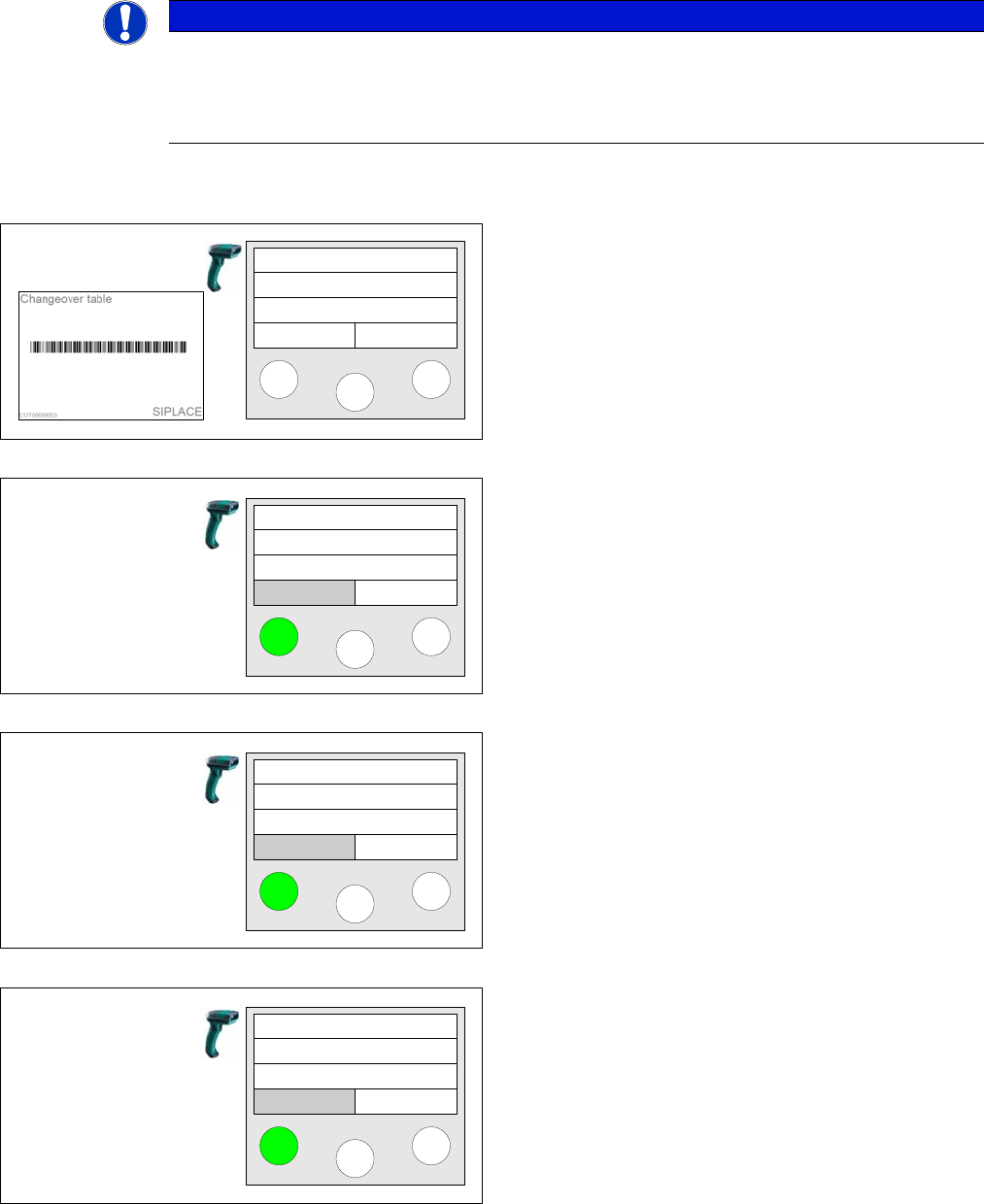
A changeover table has been accepted from a different
setup and has not been torn down previously.
..., COT already in different setup! is displayed on the
scanner. If you want to move the changeover table into
the setup currently to be verified, you must press the left
Move button.
Next the system displays to which location the changeo-
ver table should be moved. Press the left Yes button to
confirm the action.
Pressing the right No button aborts the action.
Finally a query is displayed again. Press the Yes button
to confirm the action.
Pressing the right No button aborts the action.
Scan COT barcode
COT already in
another setup!
Move Cancel
Move
Move COT to
S: SC 5comp
Yes No
Where?
Verify
now?
Yes No
Verify
Setup Verification in Practical Cases
Logging off the Changeover Table Changeover Table Management
User Guide SIPLACE Setup Center 5.1 193
8.14.4 Logging off the Changeover Table
All machines with automatic changeover table insert are automatically logged off at the machine during
docking out.
All machines without automatic changeover table insert are not automatically logged off at the machine
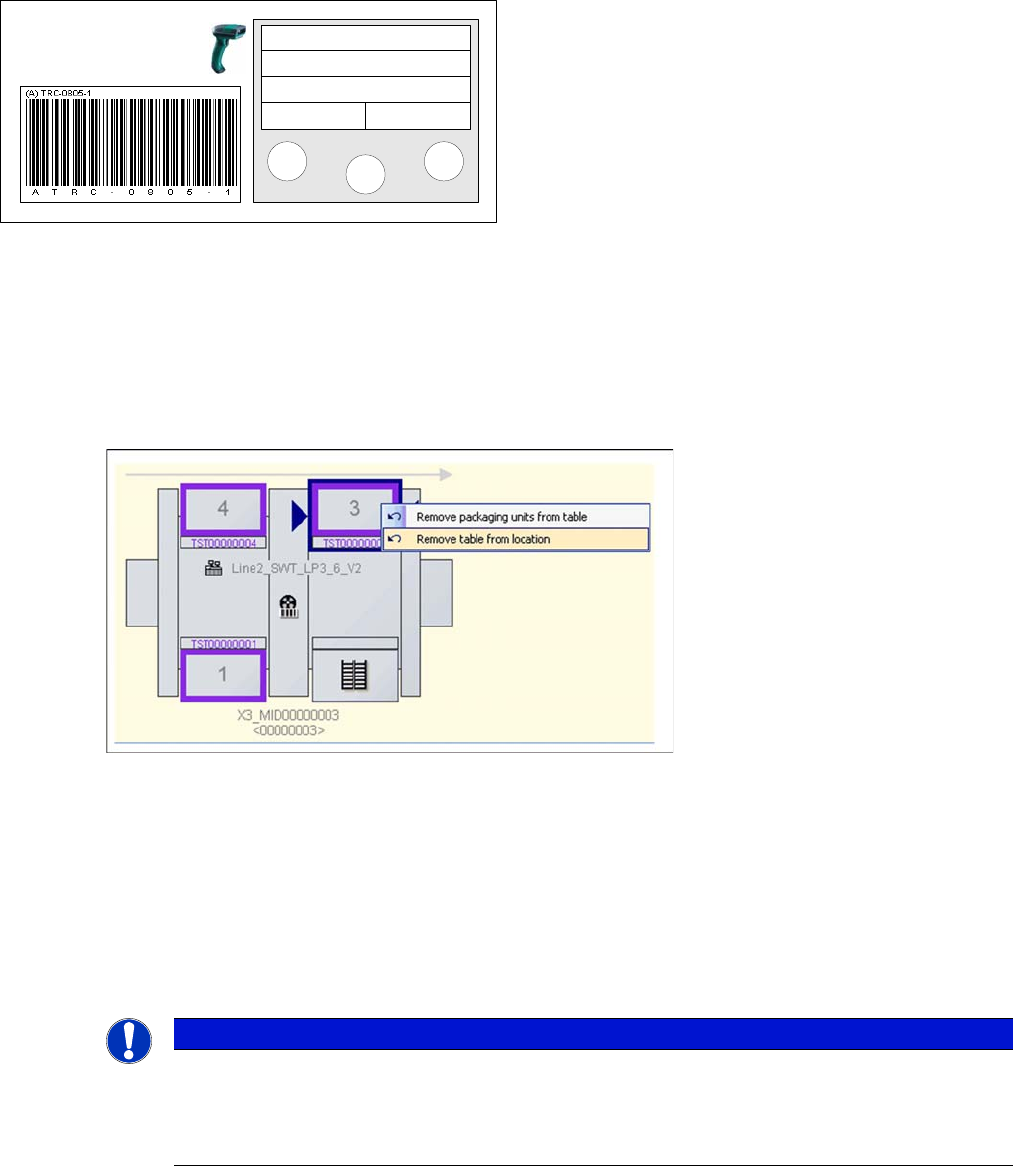
during docking out. In this case you can tear down the changeover tables via the context menu in the
line view.
► Select the Remove table from location function and the changeover table will be torn down.
8.14.5 Setup Change and Changeover Table Management
Unforced Setup Verification and S-Tables
A setup change sets all the changeover tables which are currently online in a line into the so-called "post-
online" status. This means that the tables are now offline but have already been in operation on a line.
They are still allocated to the previous setup.
One example of this scenario would be when the setups for a line are identical on one side (fixed sec-
tion); only the other side is supplied with changeover tables from the pre-setup unit. In this case, the ta-
bles for the fixed section just need to be moved to the new setup, while those from the pre-setup unit are
registered on the line as usual.
Forced Setup Verification
The X-tables remain registered. If the X table is replaced during changeover, Setup Center is notified
when the table is being docked out.
The changeover table is now ready for setup verification.
Track: 55
Scan component
Info >>
NOTICE
Moving changeover tables into the new setup
The "post-online" changeover tables can be moved to the new setup for those parts of the new
setup which are fixed or identical to the previous setup. Thus the delta setup is determined and
the matching data are accepted.