00197195-02-UG SetupCenter 5.1_en.pdf - 第23页
Starting Setup Center Notifications Box The User Interface User Guide SIPLACE Setup Center 5.1 23 The information bars show to ol ti ps for the selected track e.g. ▪ Component name ▪ Pickup track ▪ Barcode ▪ Fiducial ▪ B…
Starting Setup Center
The User Interface Display Area for Open Setups
22 User Guide SIPLACE Setup Center 5.1
Orange: This indicates that a specific task must be performed in the machine (e.g. refill)
Red: Error. The machine is unable to produce.
Legend
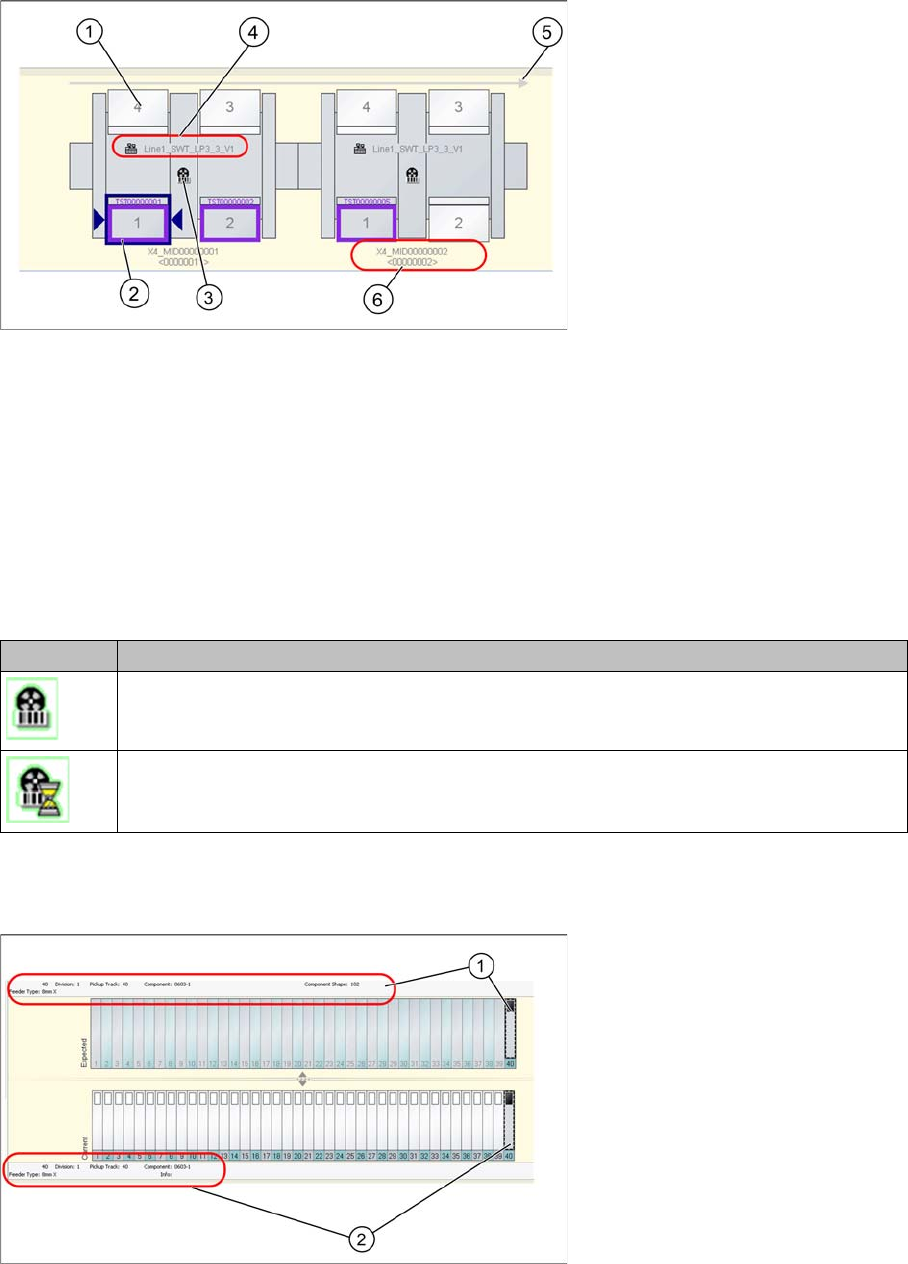
1. Location with table/feeders
2. Selected location (outlined in dark blue)
3. Status display (see following table)
4. Shows setup name
5. Transport direction
6. Station name - from programming system - and machine ID
Status display (3)
2.2.2.8 Information Bar with Track/Division Details
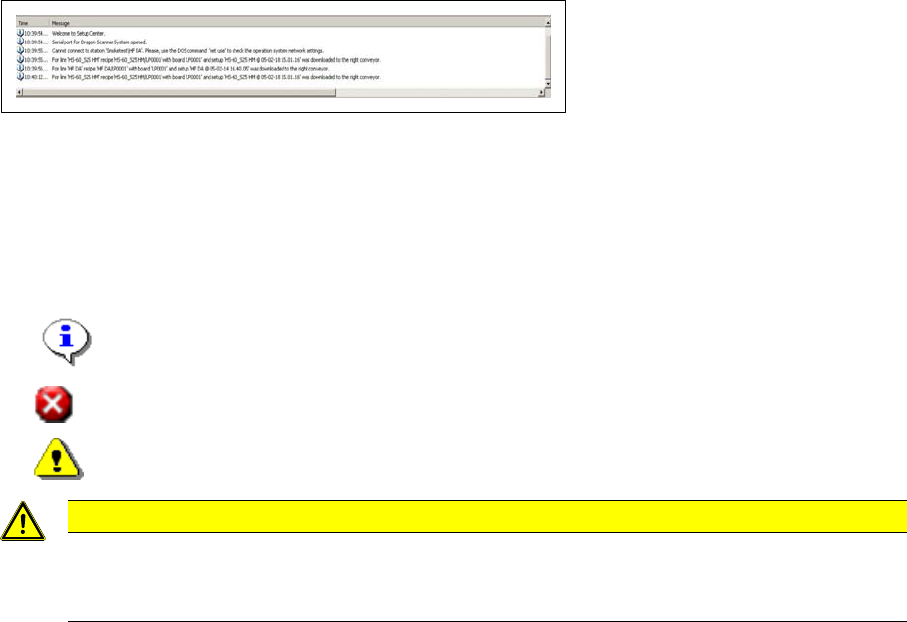
The location view shows an information bar with details about the selected track or division.
Legend
1. Information bar - expected setup (target setup)
2. Information bar - current setup (actual setup)
Icon Meaning
Forced setup verification
Forced setup verification waits for the machine to confirm whether the setup has been
switched over.
Starting Setup Center
Notifications Box The User Interface
User Guide SIPLACE Setup Center 5.1 23
The information bars show tool tips for the selected track e.g.
▪ Component name
▪ Pickup track
▪ Barcode
▪ Fiducial
▪ Barcode
▪Mask
2.2.3 Notifications Box
This displays all informative notifications, warnings and error messages.
The messages shown here are also written in a log.
The procedures in SIPLACE Setup Center are internally recorded in the log. This log is important for re-
cording SIPLACE Setup Center errors and for supporting service staff in the analysis and removal of
these errors.
For further information, refer to the Software Version Description for SIPLACE Setup Center.
The entries in the notifications window of the user interface are marked with a symbol and a time stamp.
These symbols are as follows:
▪ Information
▪Error
▪ Warning
CAUTION
Error messages limited to 1000
The number of error messages is limited to 1000. Once this limit is reached, the old entries are
deleted.
Starting Setup Center
The User Interface Notifications Box
24 User Guide SIPLACE Setup Center 5.1