00197195-02-UG SetupCenter 5.1_en.pdf - 第62页
Setting System Components Station Software Settings (from V ersion 70x) Setup Verification at the Station 62 User Guide SIPLACE Setup Center 5.1 1. In operation / out of operation Depending on th e state of the selected …
Setting System Components
Component Level Indicator Station Software Settings (from Version 60x)
User Guide SIPLACE Setup Center 5.1 61
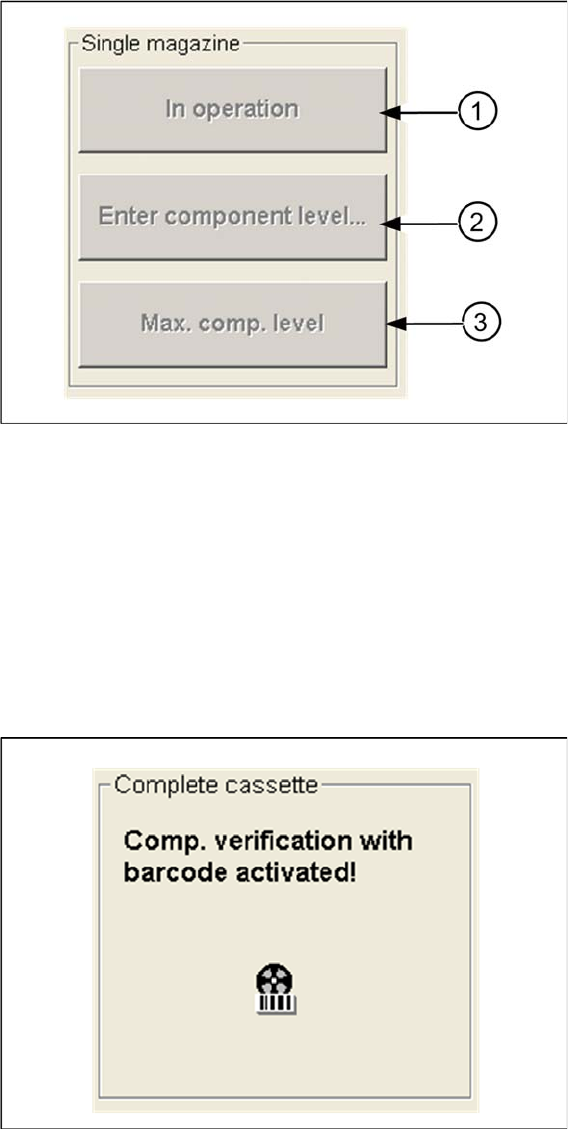
Single Magazine
Buttons for correcting the component levels:
1. In operation / out of operation
Depending on the state of the selected tray, it can now be enabled for pickup or disabled.
2. Enter component level...
Opens a dialog box, in which you can specify the number of components for the selected tray.
3. Max. comp. level
The maximum number of components is entered as the current component level and the tray is taken
back into operation.
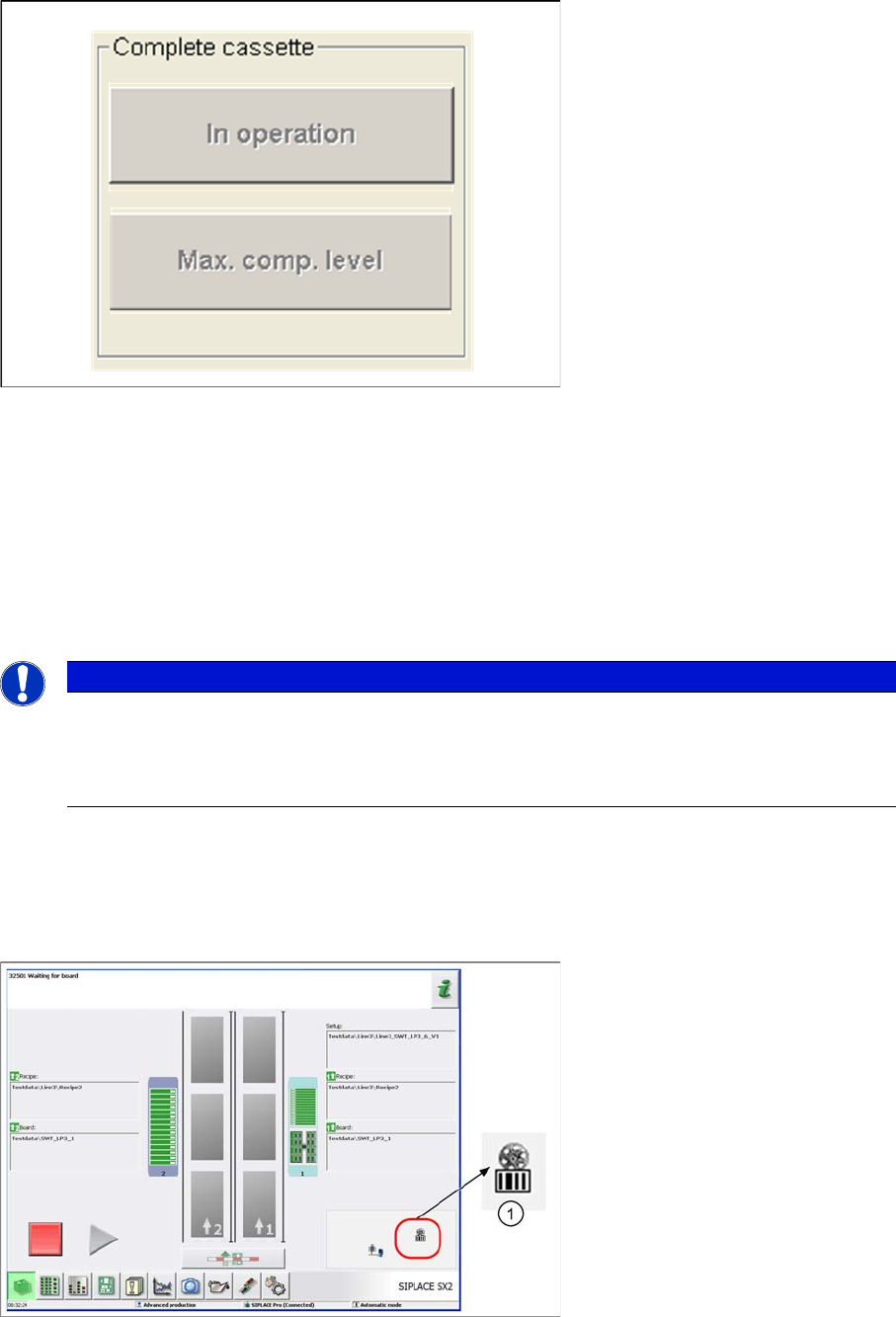
Complete Cassette
On the MTC display you can see whether the system is working with setup verification or not.
Buttons for correcting the component levels:
Setting System Components
Station Software Settings (from Version 70x) Setup Verification at the Station
62 User Guide SIPLACE Setup Center 5.1
1. In operation / out of operation
Depending on the state of the selected cassette, you can now enable all cassette trays for pickup or
disable them.
2. Max. comp. level
The maximum number of components is entered as the current component level for all trays in the
cassette and the all cassette trays are then taken back into operation.
4.2 Station Software Settings (from Version 70x)
4.2.1 Setup Verification at the Station
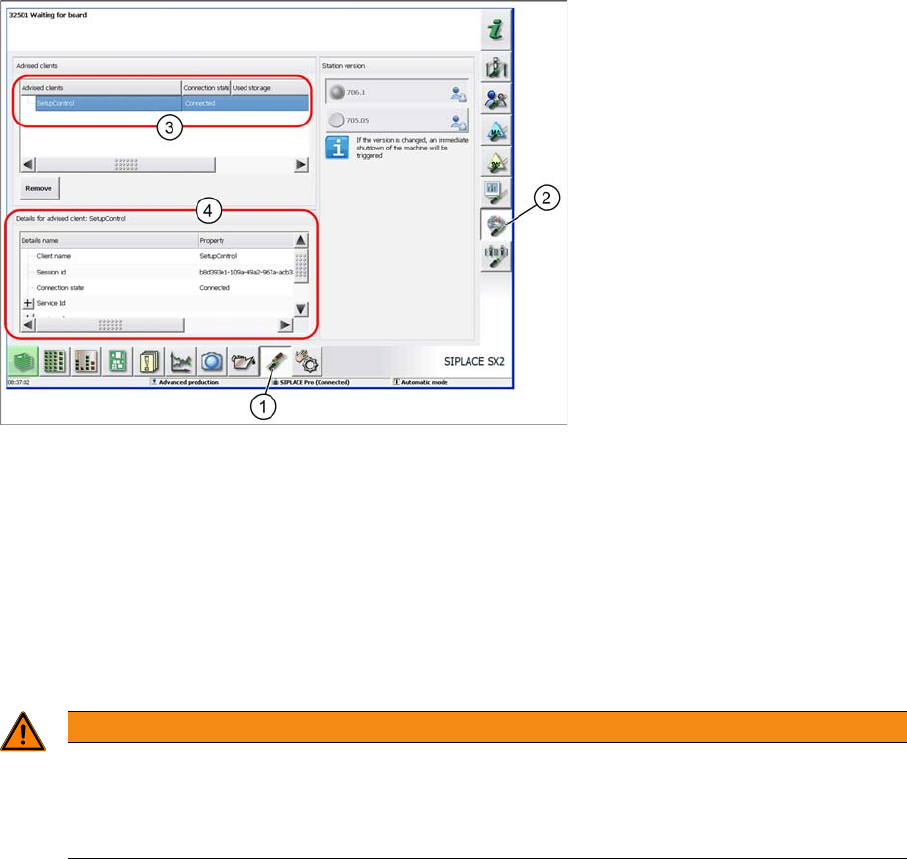
The main view of the station shows whether you are working in forced setup verification mode. In this
case the machine blocks tracks used in the product until setup verification data from SIPLACE Setup
Center have been received.
Station software - main view
1. Setup verification is switched on and at least one track is being monitored.
NOTICE
For more detailed information, refer to the station software Online Help.
This section describes the key settings and functions in the station software in conjunction with
Setup Center e.g. filling levels and refilling. For a complete and detailed description, refer to the
station software Online Help.
Setting System Components
Setup Verification at the Station Station Software Settings (from Version 70x)
User Guide SIPLACE Setup Center 5.1 63
4.2.1.1 Checking the Connection Status
Check the connection status for your Setup center application with the station software.
Checking the connection status
► Select the Settings button (1).
► Select the Connected clients button (2). Section (3) will show the active connections.
► Select a connection in section (3) to view its details in section (4).
► For details, refer to the station software Online Help.
4.2.1.2 Enabling/Disabling the Setup Verification
As a default, the machine is set in forced setup verification mode.
If you still want to disable forced setup verification in the station software, this can be done in the machine
options. In order to do this, at least operator level "Service (customer)" must be set.
WARNING
Only disable the setup verification at the station computer in emergencies
If you want to disable the setup verification, always do this in SIPLACE Pro. the setting in the
station software may only be used in absolute emergencies, as the station software, SIPLACE
Pro and Setup Center systems will no longer be synchronized otherwise.