00197195-02-UG SetupCenter 5.1_en.pdf - 第65页
Setting System Components Component Level Indicator Station Software Settings (from Version 70x) User Guide SIPLACE Setup Center 5.1 65 Main window 1. Setup button 2. Component Level Indicator button Setup button Descrip…
Setting System Components
Station Software Settings (from Version 70x) Component Level Indicator
64 User Guide SIPLACE Setup Center 5.1
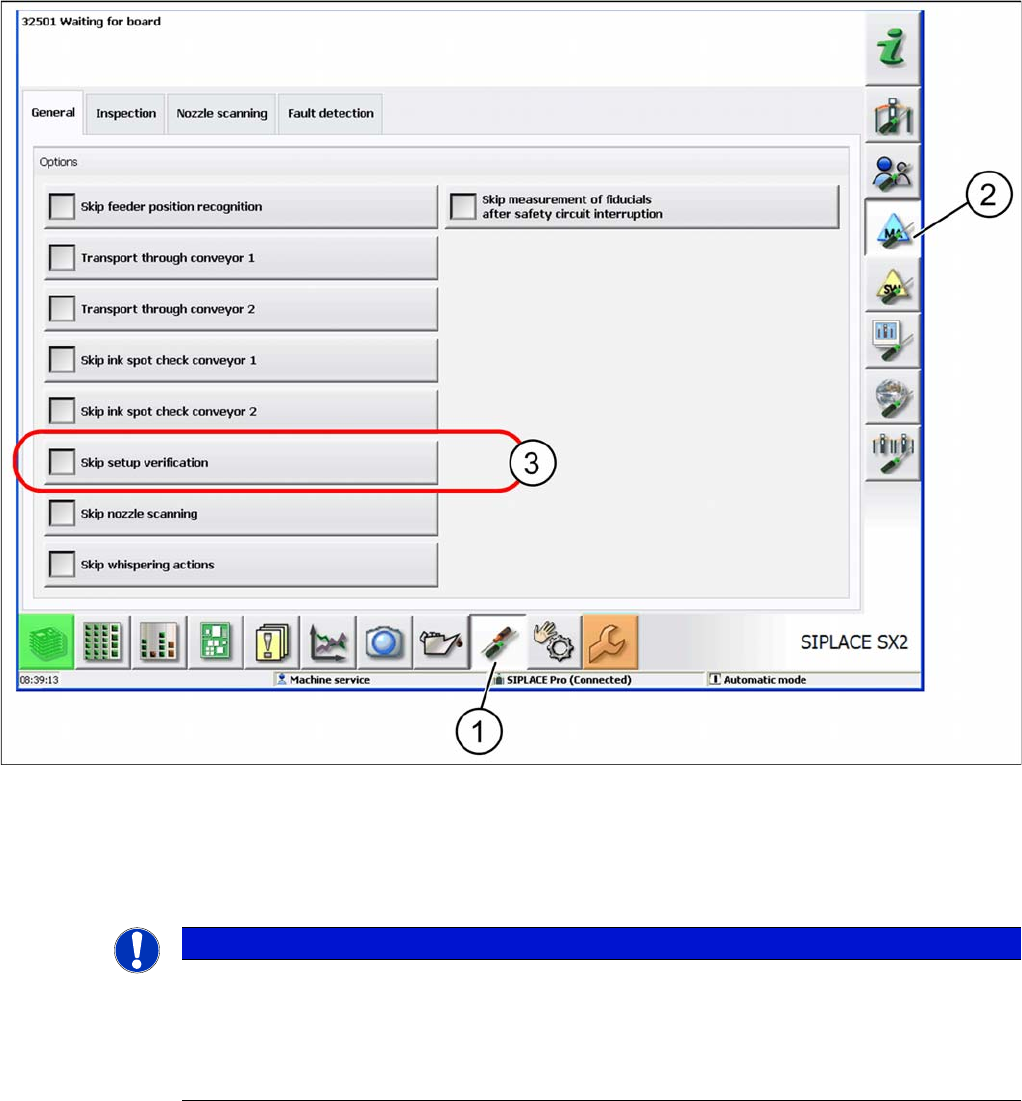
Disabling the setup verification
► Select the Settings button (1).
► Select the button shown at (2).
► Enable the Skip Setup Verification checkbox (3).
4.2.2 Component Level Indicator
With the setup verification data, SIPLACE Setup Center can supply the original packaging unit size
(component quantity) for the component level indicator. Then throughout the entire placement process
the component level indicator shows when individual feeders are running empty and need to be refilled.
When the threshold values in the Setup Center settings are activated, a warning is given to indicate that
a track is going to run empty. See "3.4.4 Threshold Settings" [ ➙ 37].
If the operator reacts promptly to this warning, the machine can be prevented from coming to a standstill
as a result of a "Track empty" error.
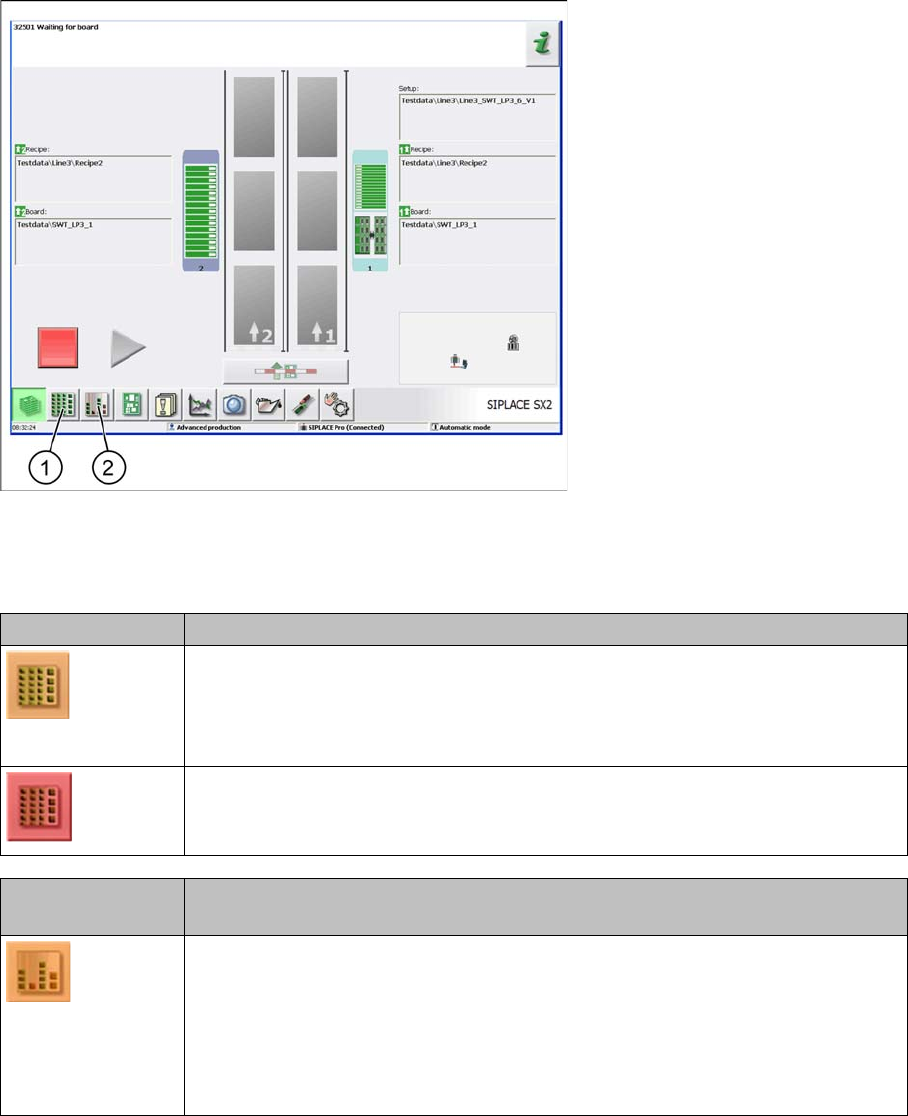
The main view of the station shows whether the component level indicator thresholds have been reached
or tracks have been run empty. This is displayed by a change in the color of the buttons Setup or Com-
ponent Level Indicator.
NOTICE
Defining the forced setup verifications settings
There are currently no technical means for SIPLACE Setup Center to determine whether forced
setup verification for the machine is enabled or disabled.
For this reason it is always necessary to ensure manually that the settings for setup verification
are the same at the station and in Setup Center!
Setting System Components
Component Level Indicator Station Software Settings (from Version 70x)
User Guide SIPLACE Setup Center 5.1 65
Main window
1. Setup button
2. Component Level Indicator button
Setup button Description
An error has occurred but production can still continue.
▪ The component level indicator check is enabled and a low component level
has been detected for one feeder.
An error has occurred and production can not continue.
▪ A feeder for which the component level indicator check has been enabled has
been run empty.
Component Level
Indicator button
Description
An error has occurred but production can still continue.
▪ The warning threshold for low component level has been undershot for one
feeder.
▪ An error has occurred at one feeder which is required for the current setup.
▪ A feeder for which the component level indicator check has been enabled has
been run empty.
Setting System Components
Station Software Settings (from Version 70x) Component Level Indicator
66 User Guide SIPLACE Setup Center 5.1
4.2.2.1 Component Level Indicator
Overview
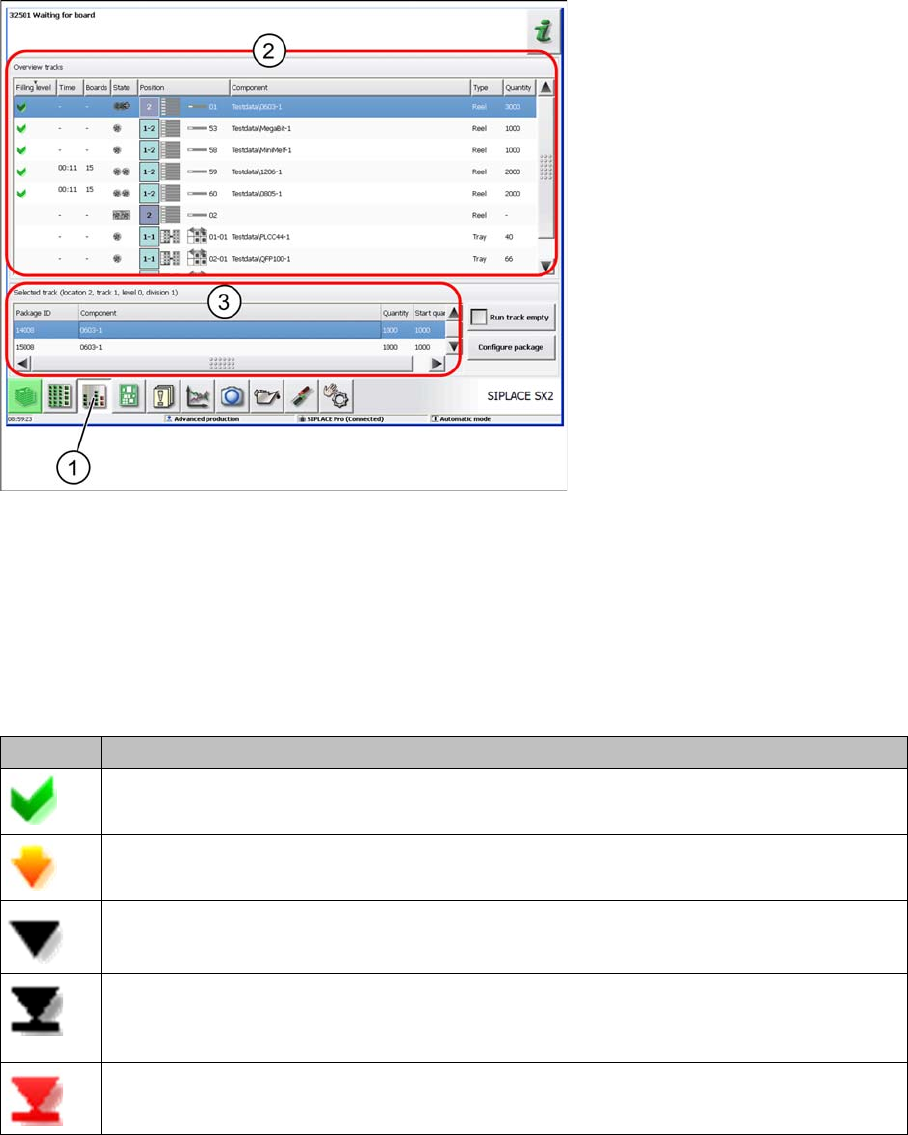
Component Level Indicator
► Select the Component Level Indicator button (1).
► The component level indicator for all checked pickup positions will be shown in section (2).
► Section (3) shows the information and processing of component levels for the pickup position select-
ed in section (2).
Track overview - component level
Icon Description
Component level OK.
Component level low: warning threshold undershot
Component level empty: below threshold "empty".
Component level empty: All components in the packaging unit have been placed and the
track has been set to run empty.
Track deactivated due to pick-up error, measurement error or hardware error.