00197195-02-UG SetupCenter 5.1_en.pdf - 第66页
Setting System Components Station Software Settings (from Version 70x) Component Level Indicator 66 User Guide SIPLACE Setup Center 5.1 4.2.2.1 Component Level Indicator Overview Component Level Indicato r ► Select the C…
Setting System Components
Component Level Indicator Station Software Settings (from Version 70x)
User Guide SIPLACE Setup Center 5.1 65
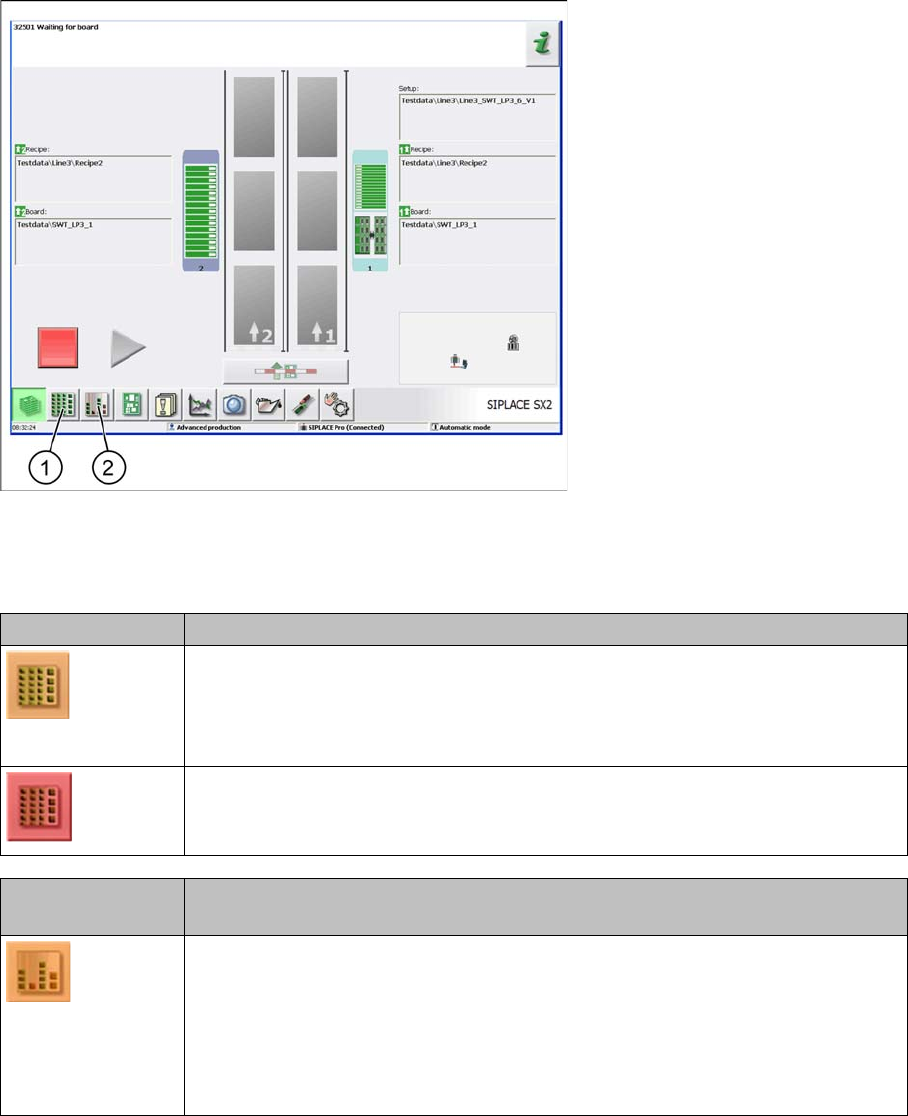
Main window
1. Setup button
2. Component Level Indicator button
Setup button Description
An error has occurred but production can still continue.
▪ The component level indicator check is enabled and a low component level
has been detected for one feeder.
An error has occurred and production can not continue.
▪ A feeder for which the component level indicator check has been enabled has
been run empty.
Component Level
Indicator button
Description
An error has occurred but production can still continue.
▪ The warning threshold for low component level has been undershot for one
feeder.
▪ An error has occurred at one feeder which is required for the current setup.
▪ A feeder for which the component level indicator check has been enabled has
been run empty.
Setting System Components
Station Software Settings (from Version 70x) Component Level Indicator
66 User Guide SIPLACE Setup Center 5.1
4.2.2.1 Component Level Indicator
Overview
Component Level Indicator
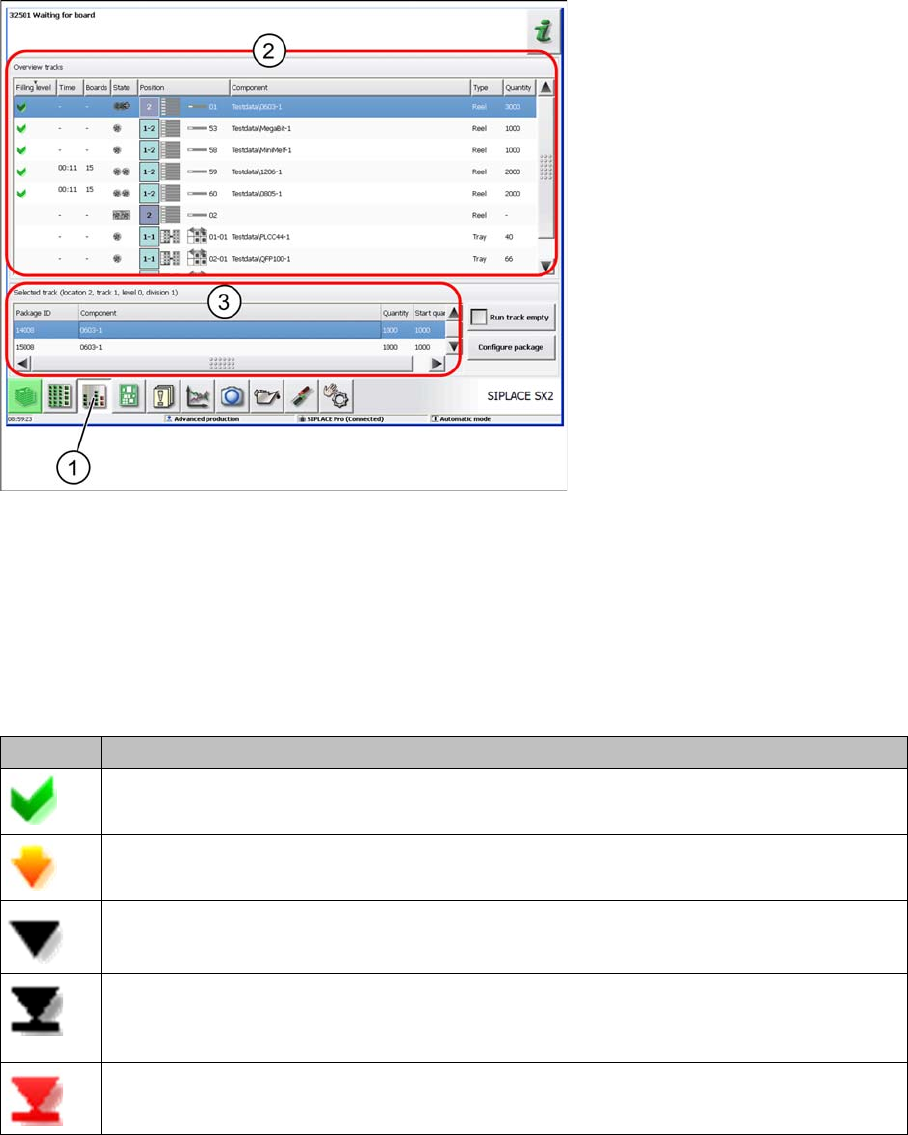
► Select the Component Level Indicator button (1).
► The component level indicator for all checked pickup positions will be shown in section (2).
► Section (3) shows the information and processing of component levels for the pickup position select-
ed in section (2).
Track overview - component level
Icon Description
Component level OK.
Component level low: warning threshold undershot
Component level empty: below threshold "empty".
Component level empty: All components in the packaging unit have been placed and the
track has been set to run empty.
Track deactivated due to pick-up error, measurement error or hardware error.
Setting System Components
Component Level Indicator Station Software Settings (from Version 70x)
User Guide SIPLACE Setup Center 5.1 67
Track overview - status
► For more details, refer to the station software Online Help.
Running Track Empty
To splice on a new tape, a certain number of components must still be in the packaging unit. The track
is marked as "empty", although several components are still in the tape.
Configuring packaging units
Opens the print view for a selected packaging unit. See "4.2.2.2 Configuring Packaging Units" [ ➙ 67].
Component Level Indicator
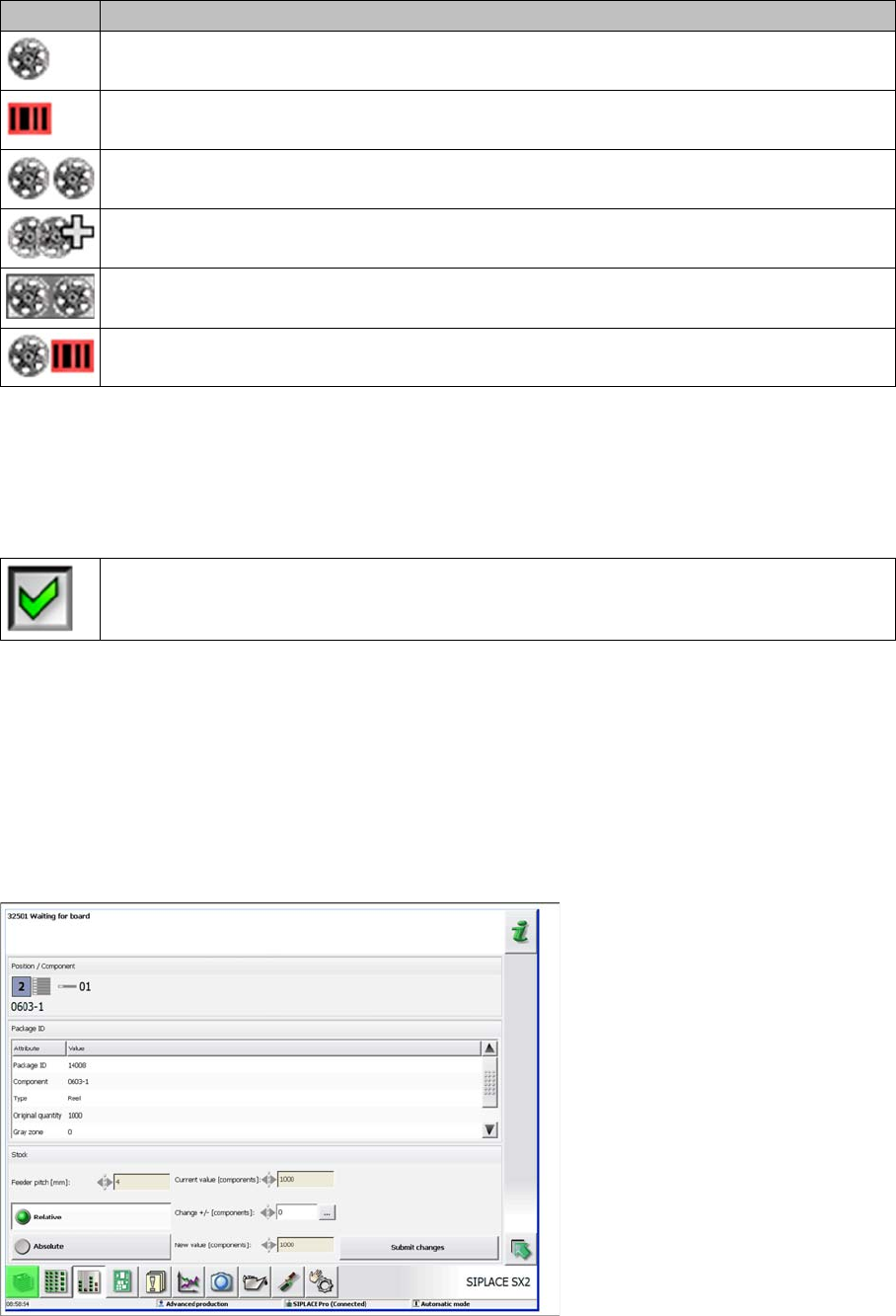
4.2.2.2 Configuring Packaging Units
► Go to the Component Level Indicator and select the button Configure Packaging Unit to open the
following dialog box.
Configuring packaging units
► For details, refer to the station software Online Help.
Icon Description
A valid barcode is scanned.
No valid batch information.
A valid current barcode and a barcode for the next batch has been scanned.
A valid current barcode and at least 2 barcodes for the next batch have been scanned.
Two barcodes are scanned. For the currently placed components the information for both
batches is logged .
A valid barcode is scanned, after recognition of a splice point the track is deactivated: for
the following charge the barcode must be scanned again.
The track will be run empty, meaning that all components from the track will be placed.