00197195-02-UG SetupCenter 5.1_en.pdf - 第72页
Setting System Components Settings in the SIPLACE Pro Programming System Standard Feeder P itch 72 User Guide SIPLACE Setup Center 5.1 If no quantity is read when a barcode labe l is scanned in, SIPL ACE Setup Center tak…
Setting System Components
Setup Verification System in the Setup Editor Settings in the SIPLACE Pro Programming System
User Guide SIPLACE Setup Center 5.1 71
4.3.2 Setup Verification System in the Setup Editor
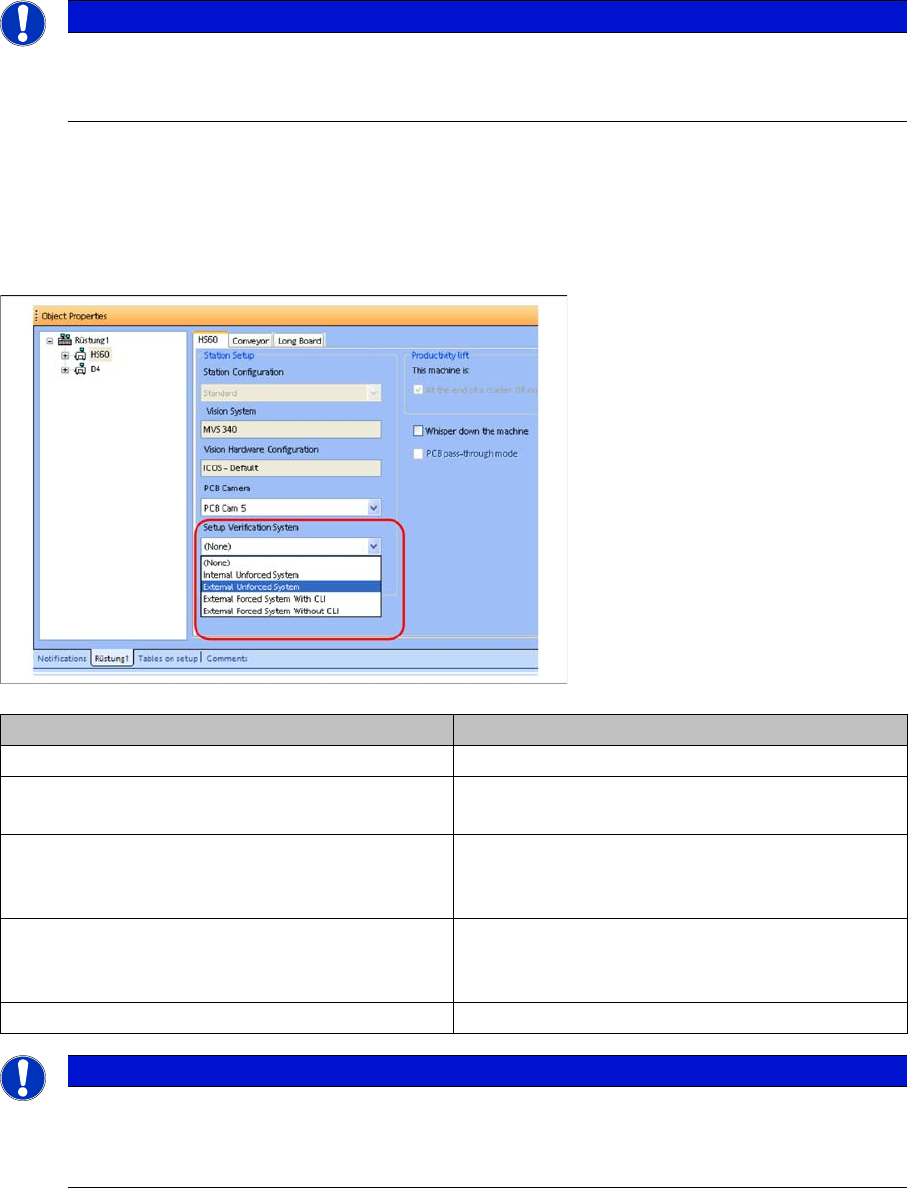
In the target setup, select the installed setup verification system for each station setup.
► Select the setup in the Setup Verification tree view.
► Select a suitable setup verification system in the Station setup.
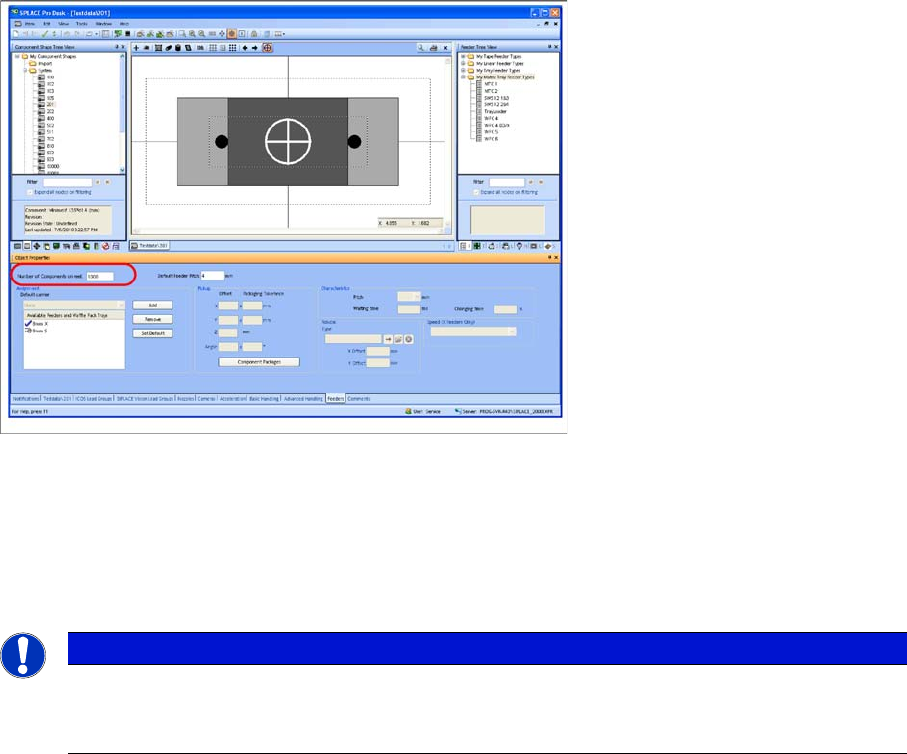
4.3.3 Standard Packaging Unit Size
This value represents the quantity of components in a new packaging unit. The value can be created
globally as the characteristic of a package shape or a component.
NOTICE
Activating the "Supports Traceability SOKO 407" option
Up to SIPLACE Pro version 8.0 the option for support of Special design 407 Traceability has to
be activated in the station editor. This is no longer necessary from version 9.0
Setup verification system Meaning
None No setup verification system used
External Unforced Setup Verification SIPLACE Setup Center without communication to
the station (= unforced setup verification)
External Forced Setup Verification with CLI SIPLACE Setup Center with Component Level In-
dicator; i.e. with quantity barcode, splice sensor
available as option.
External Forced Setup Verification without CLI SIPLACE Setup Center without component level
indicator; i.e. without quantity barcode, splice sen-
sor available as option.
Internal Unforced Setup Verification SIPLACE handheld scanner
NOTICE
The Setup Verification option is licensed for the following types:
► External (forced setup without component level indicator)
► External (forced setup with component level indicator)
Setting System Components
Settings in the SIPLACE Pro Programming System Standard Feeder Pitch
72 User Guide SIPLACE Setup Center 5.1
If no quantity is read when a barcode label is scanned in, SIPLACE Setup Center takes the quantity of
the standard container size of the component and enters it in the packaging unit data. The exception to
this is when the standard container size is zero.
This method of quantity input should be avoided, as almost all component manufacturers incorporate the
original container size in the barcode labels. For reasons of downward compatibility, however, this value
is still evaluated and actively used.
4.3.4 Standard Feeder Pitch
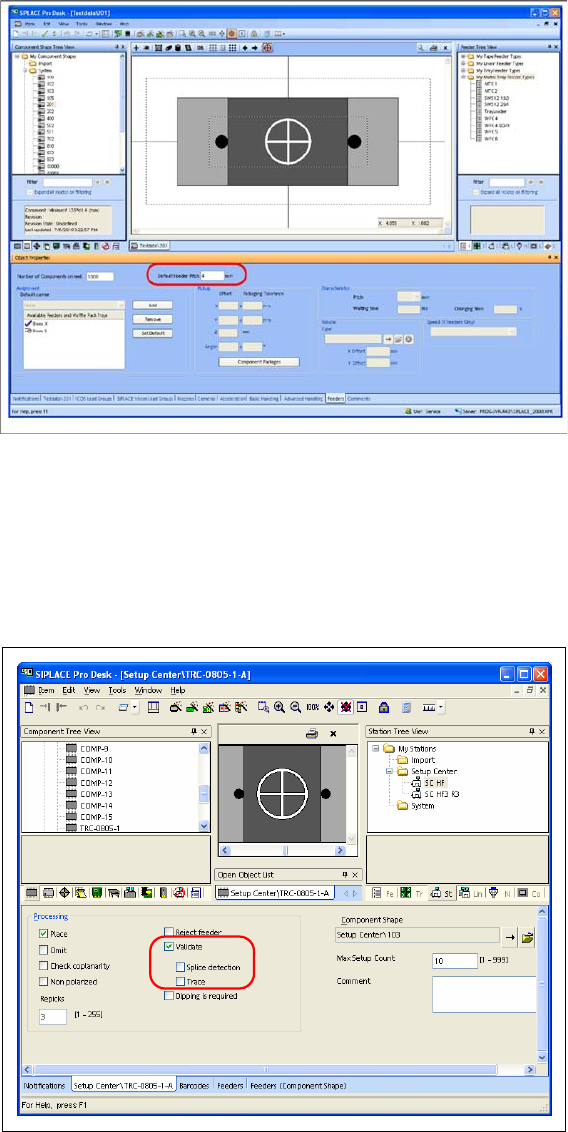
This value indicates the pitch of the feeder. The value can be recorded globally as the characteristic of
a package shape. In addition, this default value can also be overwritten for a special component of a
setup.
The component level indicator of the station uses this value, for example, to calculate how many com-
ponents there are between a detected splice and the pickup position.
► Select the component or component shape in the Component tree view.
► Enter the Default feeder pitch in the Feeders tab.
NOTICE
Standard packaging unit size for the component shape
The standard packaging unit size for the component shape is not taken into account by Setup
Center.
Setting System Components
Setup Verification for Components Settings in the SIPLACE Pro Programming System
User Guide SIPLACE Setup Center 5.1 73
4.3.5 Setup Verification for Components
This setting specifies whether a component is subject to component verification. Setup verification must
be activated separately for each component.
► Select the component in the Component tree view.
► In the tab for the selected component, enable the Setup verification at Processing.
4.3.5.1 Splice Detection
This setting demands a splice detection sensor for the component concerned. If the autodetect function
identifies that there is no splice detector (hardware) on the track concerned, the machine stops and an
error message is issued.