00197195-02-UG SetupCenter 5.1_en.pdf - 第74页
Setting System Components Settings in the SIPLACE Pro Programming System Supplier Barcodes 74 User Guide SIPLACE Setup Center 5.1 4.3.5.2 Traceability This setting specifies whether a component is relevant for capt uring…
Setting System Components
Setup Verification for Components Settings in the SIPLACE Pro Programming System
User Guide SIPLACE Setup Center 5.1 73
4.3.5 Setup Verification for Components
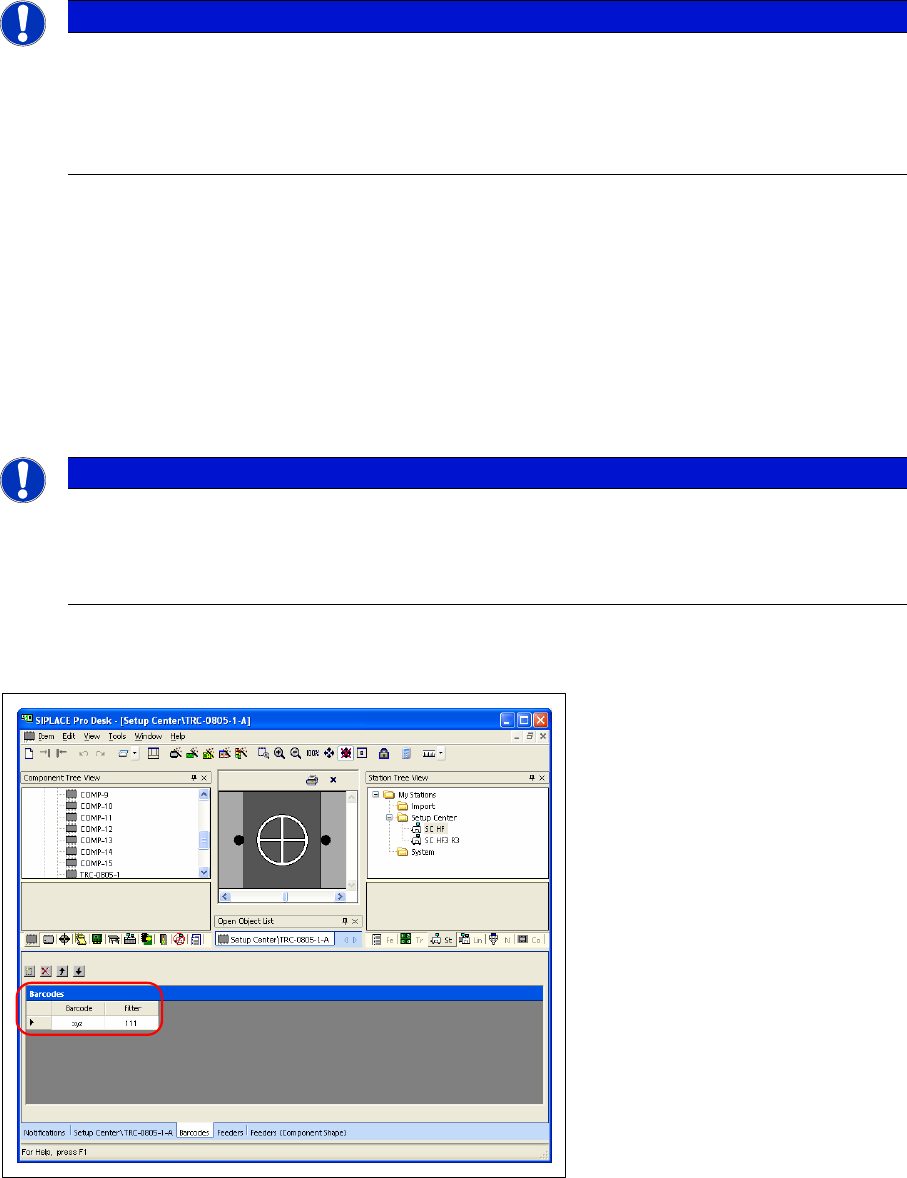
This setting specifies whether a component is subject to component verification. Setup verification must
be activated separately for each component.
► Select the component in the Component tree view.
► In the tab for the selected component, enable the Setup verification at Processing.
4.3.5.1 Splice Detection
This setting demands a splice detection sensor for the component concerned. If the autodetect function
identifies that there is no splice detector (hardware) on the track concerned, the machine stops and an
error message is issued.
Setting System Components
Settings in the SIPLACE Pro Programming System Supplier Barcodes
74 User Guide SIPLACE Setup Center 5.1
4.3.5.2 Traceability
This setting specifies whether a component is relevant for capturing the traceability data. This allows
non-critical components to be excluded, thus reducing the volume of data.
Tracks for which Traceability is activated are always subject to setup verification.
4.3.6 Supplier Barcodes
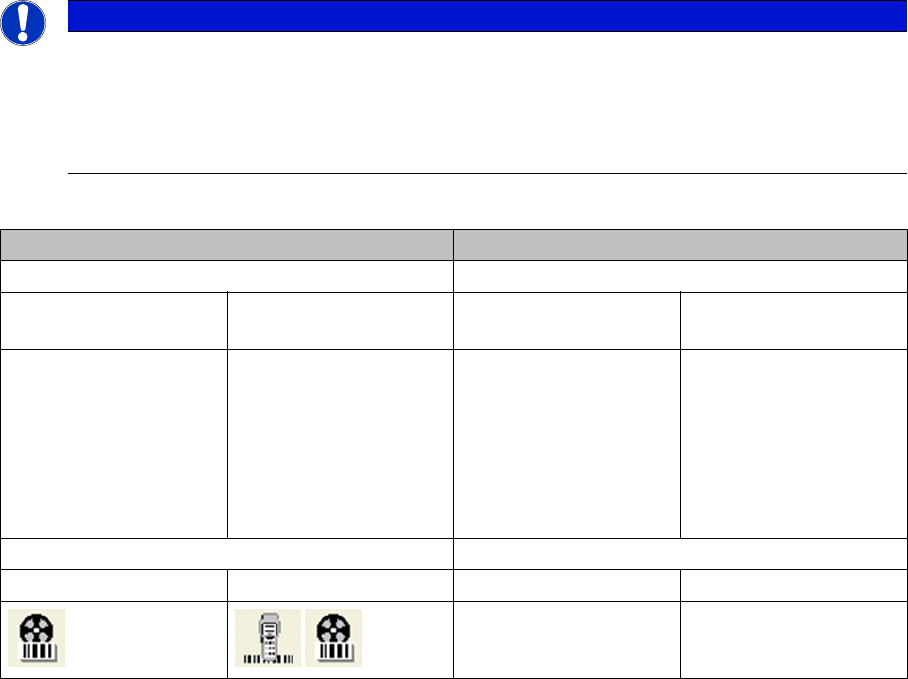
If the component name and the corresponding barcode are identical, it is not necessary to make an entry
in the barcode list. An entry is only needed if the component name differs from the supplier barcode.
► Select the component in the Component tree view.
► Specify the barcodes in the Barcodes tab.
The barcode and the matching filter are defined here. Up to six different barcodes can be defined for
each component in the barcode list. The filter specifies which characters are to be evaluated (0=ignore
/ 1=character must be present). Supplier barcodes will immediately be enabled and no new download of
the setup is required.
NOTICE
Splice Detection
This setting merely represents an additional safety check in order to force the use of a splice
detector on critical tracks. If the option is not marked, the track concerned can still be operated
with a splice detector. In this case, if no splice detection hardware is detected, the track is au-
tomatically monitored by the component level indicator.
NOTICE
Supplier barcodes and alternative barcodes
Supplier barcodes can be used to offer alternative component barcodes when recording pack-
aging units. They do NOT offer the option of defining alternative components for a component
barcode.
Setting System Components
Supplier Barcodes Configuring Forced and Unforced Setup Verification
User Guide SIPLACE Setup Center 5.1 75
4.4 Configuring Forced and Unforced Setup Verification
SIPLACE Setup Center allows you to switch over between unforced and forced setup verification for a
configured system.
The configuration may differ, according to the version of SIPLACE Pro used.
NOTICE
Switchover between forced and unforced setup verification
A direct changeover from jobs with forced setup verification to jobs with unforced verification
(or vice versa) is not possible. The verification would be lost in this case. When changing from
forced verification to unforced verification (or vice versa), you need to completely tear down and
reconfigure the line.
Forced setup verification Unforced setup verification
Settings Settings in:
In SIPLACE Pro (per
setup)
At the station In SIPLACE Pro (per
setup)
At the station
Open the folder Setup
→ Station → Setup Ver-
ification System → and
select External Forced
System with CLI or →
External Forced System
without CLI .
Go to Machine Options
and activate Setup veri-
fication with barcode.
Open the folder Setup
→ Station → Setup Ver-
ification System → and
select External Un-
forced System.
Go to Machine Options
and deactivate Setup
verification with bar-
code.
Display Display
In Setup Center At the station In Setup Center At the station