00197195-02-UG SetupCenter 5.1_en.pdf - 第98页
Operating the Barcode Reader Motorola MC70/MC75 Scanner Roaming-Barcode for MC70/MC75 Barcode Scanne r 98 User Guide SIPLACE Setup Center 5.1 "Cancel" allows you to termin ate the entry at any time. P ress t he…
Operating the Barcode Reader
Buttons Motorola MC70/MC75 Scanner
User Guide SIPLACE Setup Center 5.1 97
6.2 Motorola MC70/MC75 Scanner
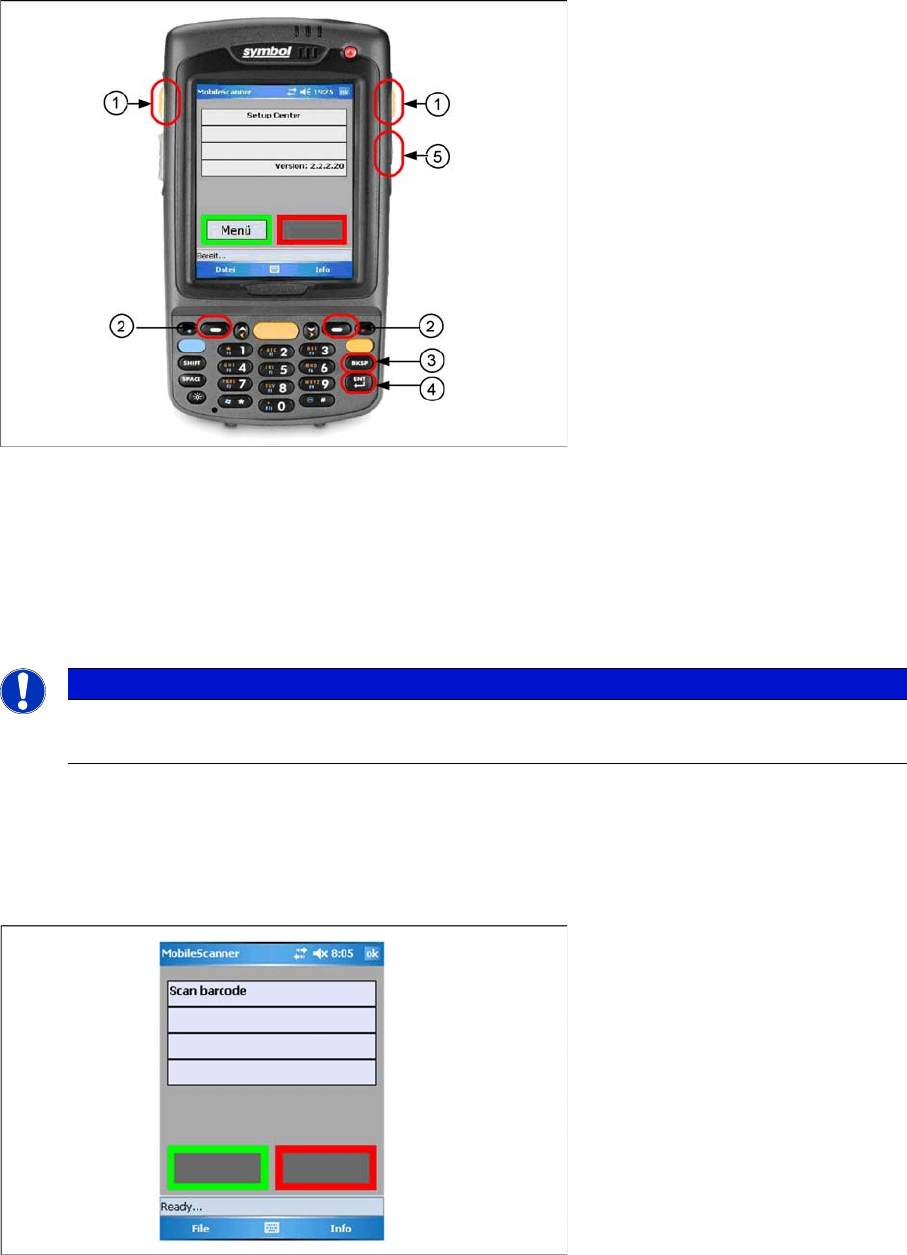
6.2.1 Buttons
Legend:
1. Pushbuttons for scanning barcodes
2. Soft keys - the context-related function is shown on the display.
3. Backspace button
4. Enter button
5. The shift key allows you to switch between SIPLACE applications more rapidly.
6.2.2 Barcode Scanner - Additional Features
6.2.2.1 Manual Barcode Entry
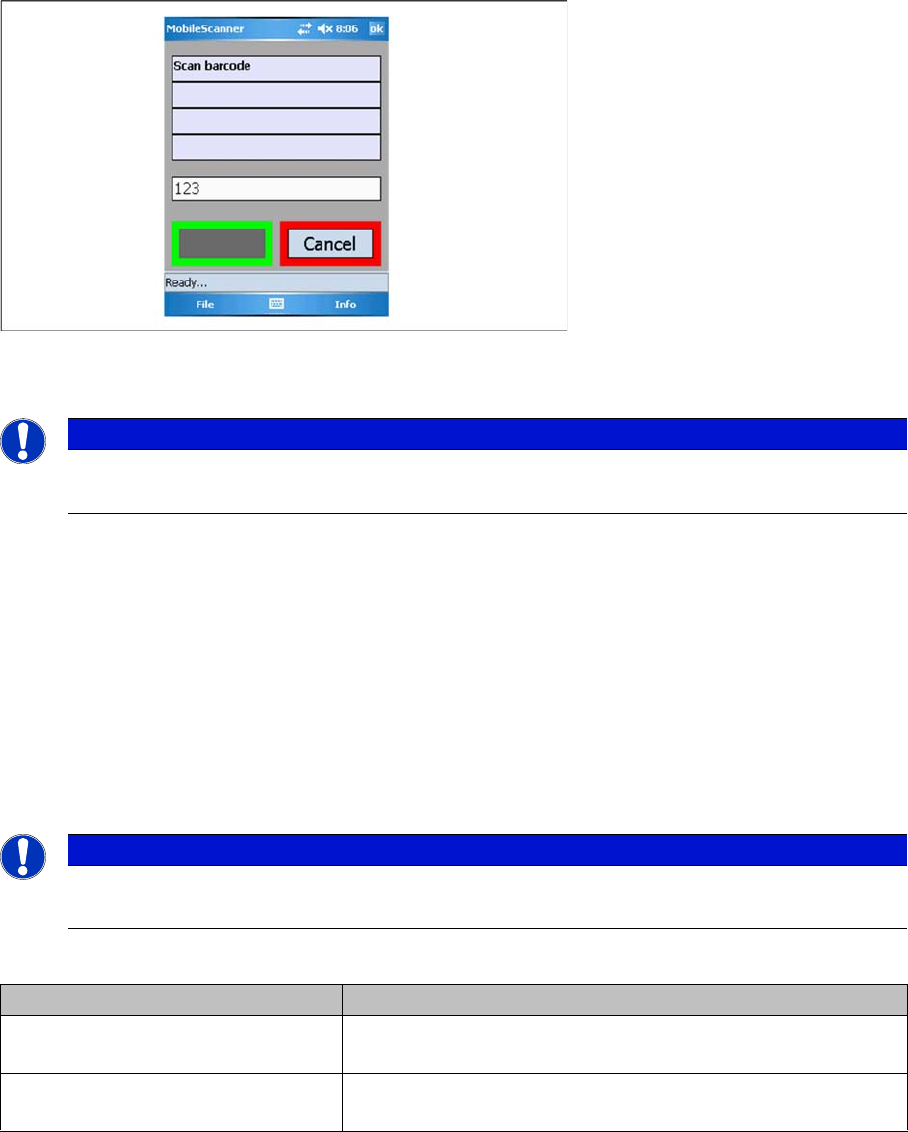
You can enter barcodes with the buttons. Press Enter after you have completed your entry.
If the software requests that you scan in a barcode, this barcode can then be entered directly via the
buttons.
NOTICE
Information about character entry
Information about the characters to be entered can be found in the Motorola manual provided.
Operating the Barcode Reader
Motorola MC70/MC75 Scanner Roaming-Barcode for MC70/MC75 Barcode Scanner
98 User Guide SIPLACE Setup Center 5.1
"Cancel" allows you to terminate the entry at any time. Press the Enter button "ENT" to accept and apply
the entry.
To cancel an action (e.g. manual barcode entry, data exchange), press the backspace button "BKSP".
6.2.3 Roaming-Barcode for MC70/MC75 Barcode Scanner
Roaming barcodes enable you to operate an MC70/MC75 scanner in connection with multiple Setup
Center computers. By scanning in this barcode, the scanner is linked to the Setup Center computer con-
tained in the barcode.
Barcode format
Compile the barcode with the following format:
$IP<Hostname/IP-Address>-<Port>
Explanation
Example:
$IP192.168.10.10-7575
$IPSDD2140C-7575
Setup Center is installed for one line, on the "SDD2140C" computer, with the IP address 192.168.10.10.
Setup Center awaits inputs at port 7575.
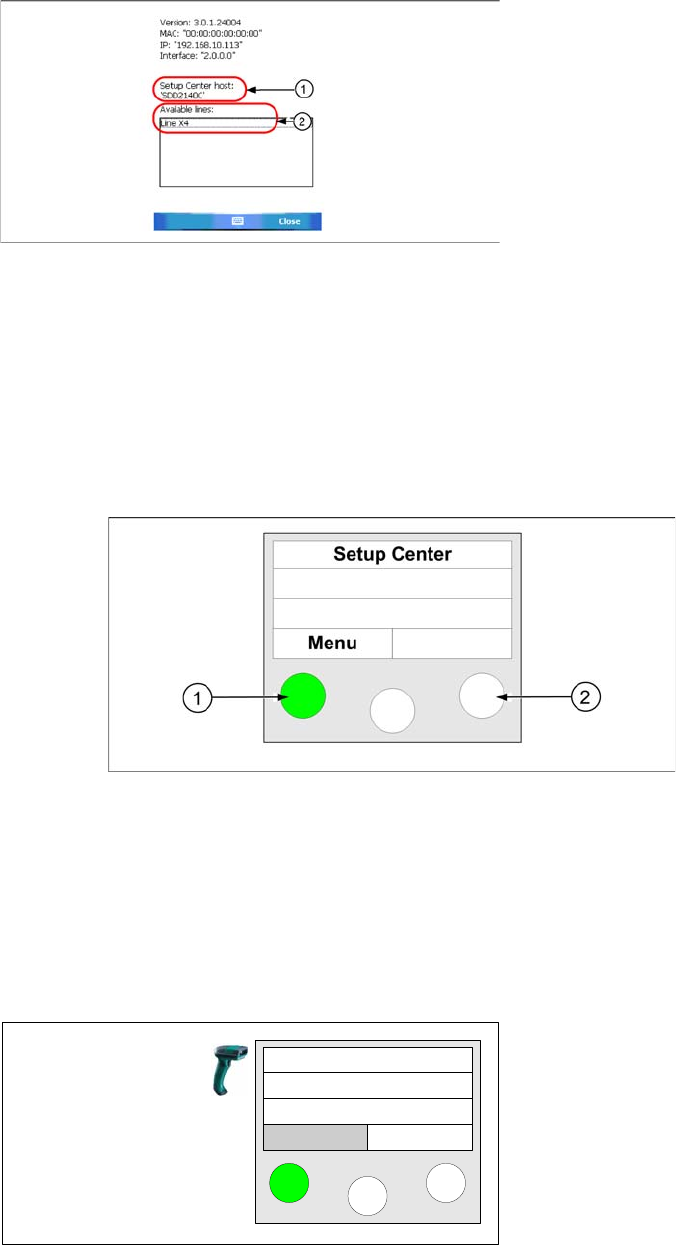
► After scanning in the barcode, the information dialog is shown with the connection data:
NOTICE
Information about character entry
Information about the characters to be entered can be found in the Motorola manual provided.
NOTICE
Use code type 39
It is recommended to use code type 39 here.
Attribute Meaning
<Hostname/IP-Address> The computer name or the IP4 address of the computer on
which Setup Center is installed.
<Port> The number of the port at which Setup Center awaits mobile
scanner inputs (standard: 7575).
Operating the Barcode Reader
Barcode Reader Display Barcode Reader - General Exercises
User Guide SIPLACE Setup Center 5.1 99
6.3 Barcode Reader - General Exercises
6.3.1 Barcode Reader Display
The barcode reader display is divided into two areas. The top three lines provide the user with informa-
tion about the current step. The bottom line shows the current functions for the left and right buttons.
These are adjusted according to the current step.
The following diagram shows the barcode reader display and will be used throughout the exercises:
Legend
1. Button pressed
2. Button
6.3.2 Scanning a Packaging Unit
The following steps explain how to scan a packaging unit and store the data in the Setup Center data-
base. To scan a packaging unit, you have to use unique barcodes.
Legend:
1. Host name / IP address of the Setup Center computer
2. Available lines in Setup Center
► Take the barcode reader and press the Enter key un-
til the main menu appears on the reader display.
► Press the button under the word "Menu" (soft key
"Menu")
Setup Center
Menu