00195427-02_AI_HeadReconfigKitsD1D2_DE+EN.pdf - 第60页
Assembly instructions Head Reconfiguration SIPLACE D1 / D2 Edition 03/2007 58 : T urn the "Caul for mark" (0303 9370-), so that the recess is located at the top left (see Fig . 2.7.2). : Position the "Caul…
Assembly instructions Head Reconfiguration SIPLACE D1 / D2
Edition 03/2007
57
2.7.3 Assembly of component camera stat. P&P (type 36) 32x32 digital,
at location 1
Use two set screws as a mounting aid for the caul (supporting plate for camera calibration) for
mark and camera base.
The hexagon socket side of the set screws must point outwards to enable them to be unscrewed
again. 2
2
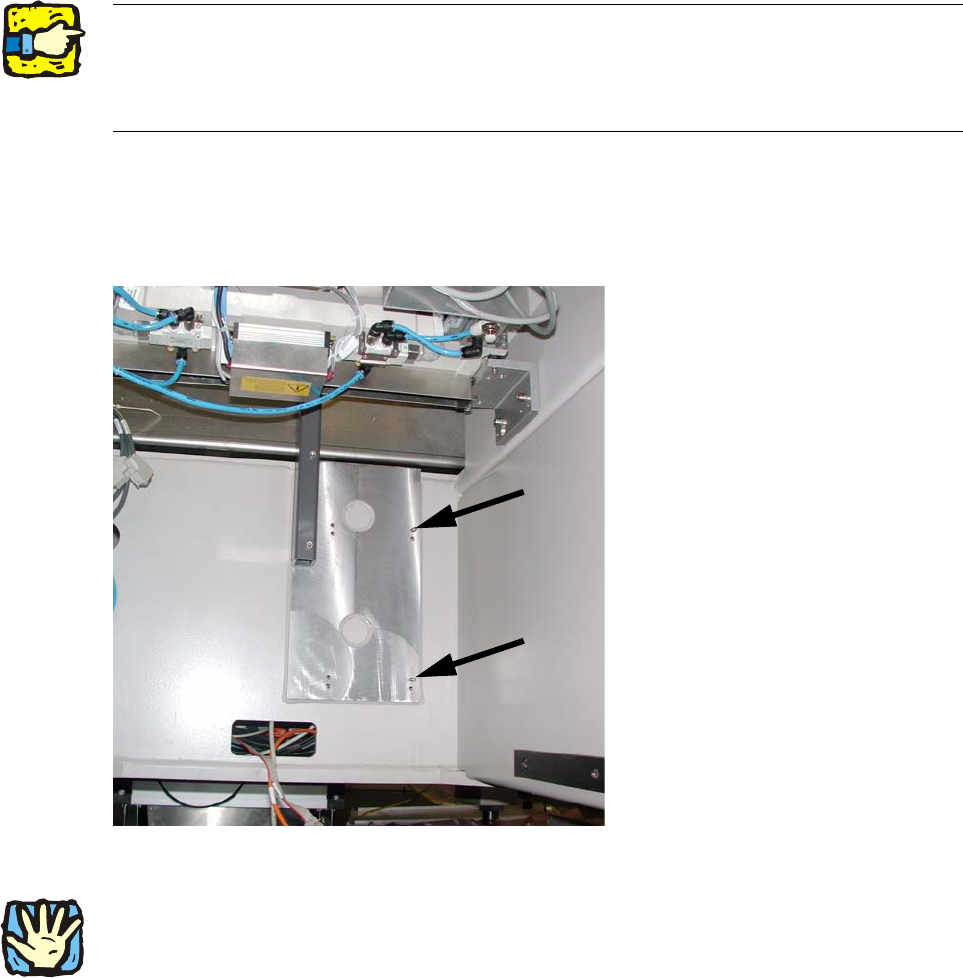
: Screw both set screws (DIN913 M6x50 - ST (03005958-)) into the top tapped holes in the ma-
chine frame.
2
Fig. 2.7.1 Set screws (hexagon socket side outwards!)
2
The fiducial plate ("Caul plate for mark") is very heavy! 2
2
2
Assembly instructions Head Reconfiguration SIPLACE D1 / D2
Edition 03/2007
58
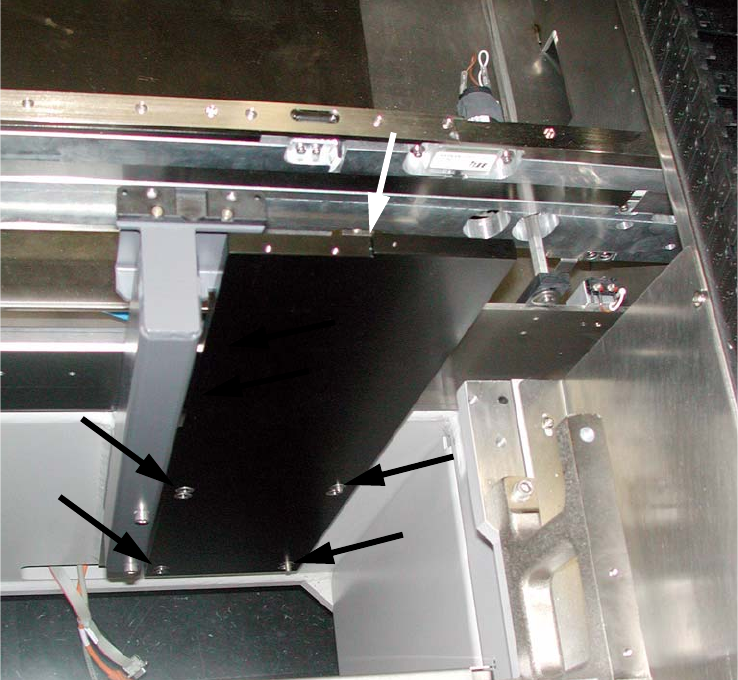
: Turn the "Caul for mark" (03039370-), so that the recess is located at the top left (see Fig.
2.7.2).
: Position the "Caul for mark" to coincide with the holes in the machine frame on the set screws.
2
Fig. 2.7.2 "Caul for mark"
If this is not possible, you must disassemble the camera again and properly move the threaded
pins. No threaded pin can be hidden behind the camera, since this may cause the camera to be
mounted at an angle. 2
Assembly instructions Head Reconfiguration SIPLACE D1 / D2
Edition 03/2007
59
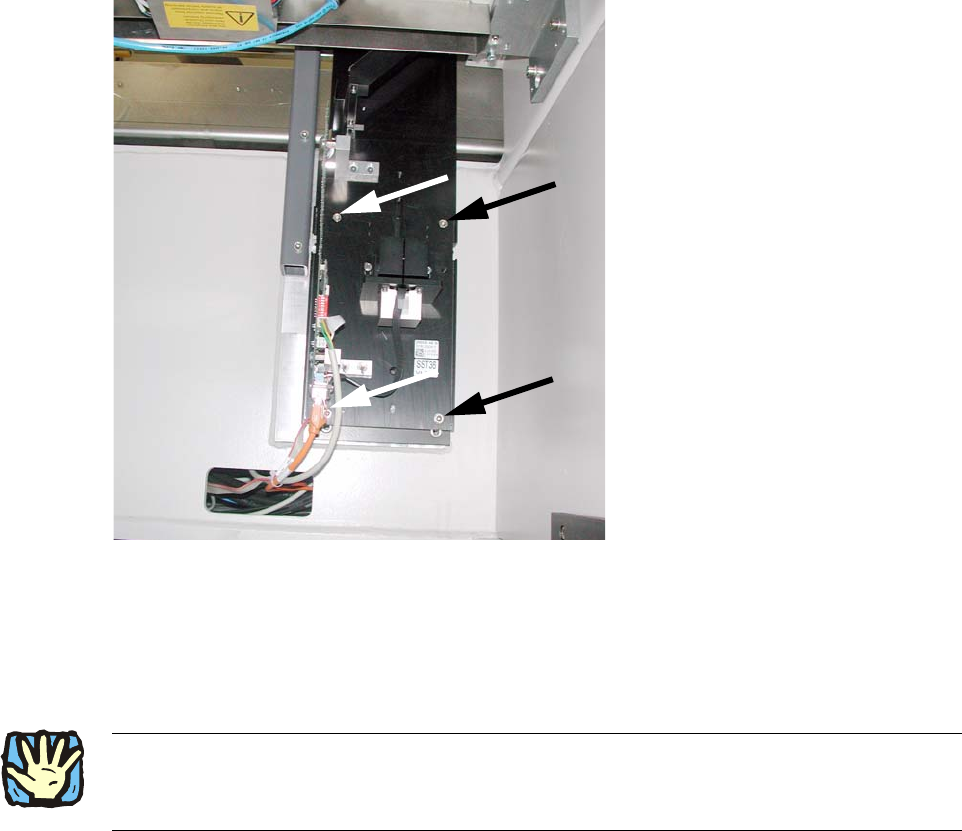
: Also position the camera base on the set screws and fix both with 2 hexagon socket screws
DIN912 M6x35 - 8.8 (00845062-).
2
Fig. 2.7.3 Mount the camera base and tighten 4x
2
: Replace the setscrews with the screws.
2
2
: Pull the three connection cables for the IC camera out of the machine frame
(see 2.7.3).
2
2
2
2
2
2