OM-1455-004_w.pdf - 第55页
2-6 Tg1576-ID-SO [3] [4] Fig. B4 "Block Information" Window [3] "Block Information" Sheet Shown is the block information. [4] T ray Pickup Matrix Setting Buttons Shown is the tray pickup matrix data. …
2-5
Tg1576-ID-SO
2.2.1 Pickup Tray Matrix
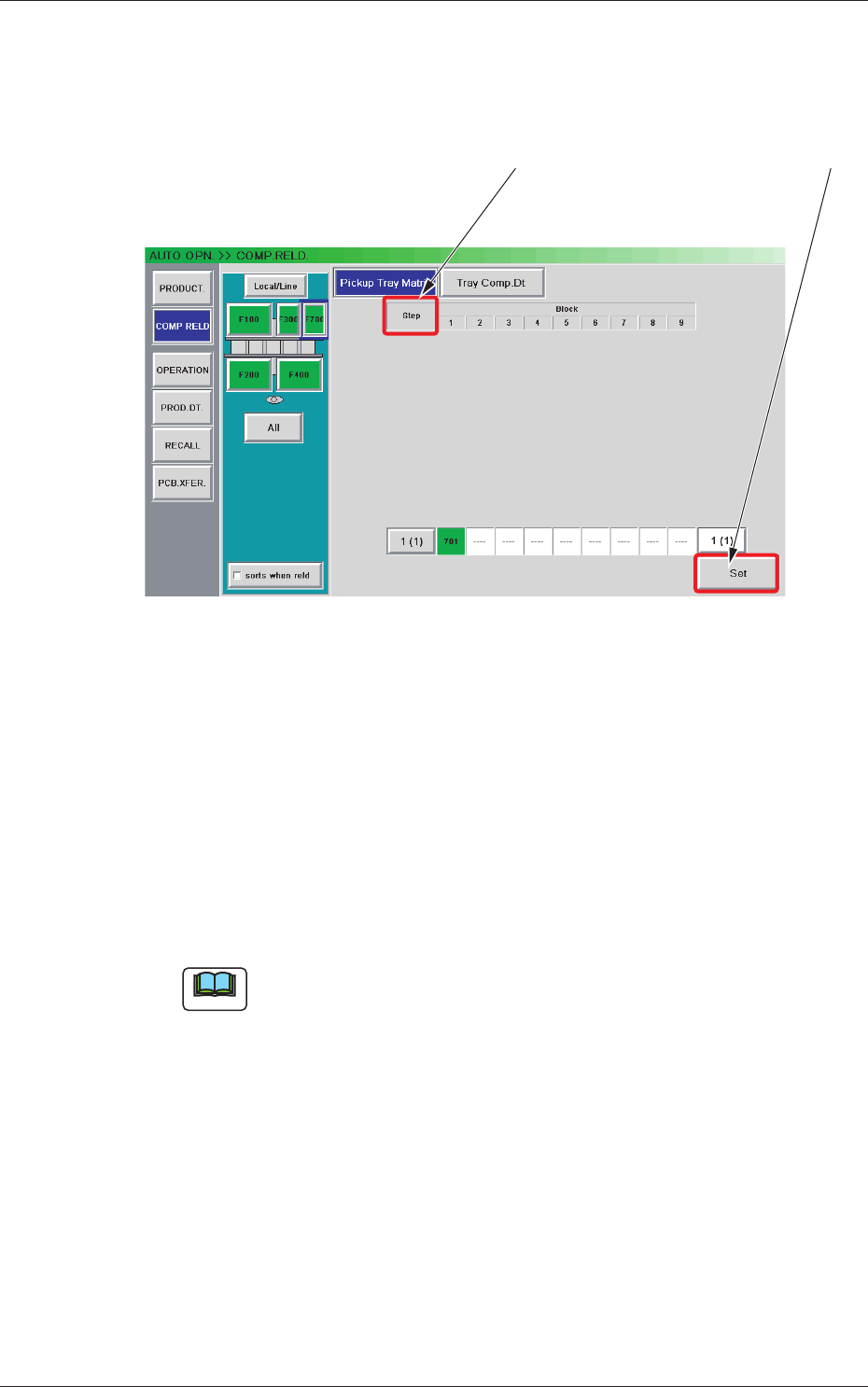
When the [Pickup Tray Matrix] button is pressed in the "COMP. RELD."
window, the "Pickup Tray Matrix" window appears.
[2] [1]
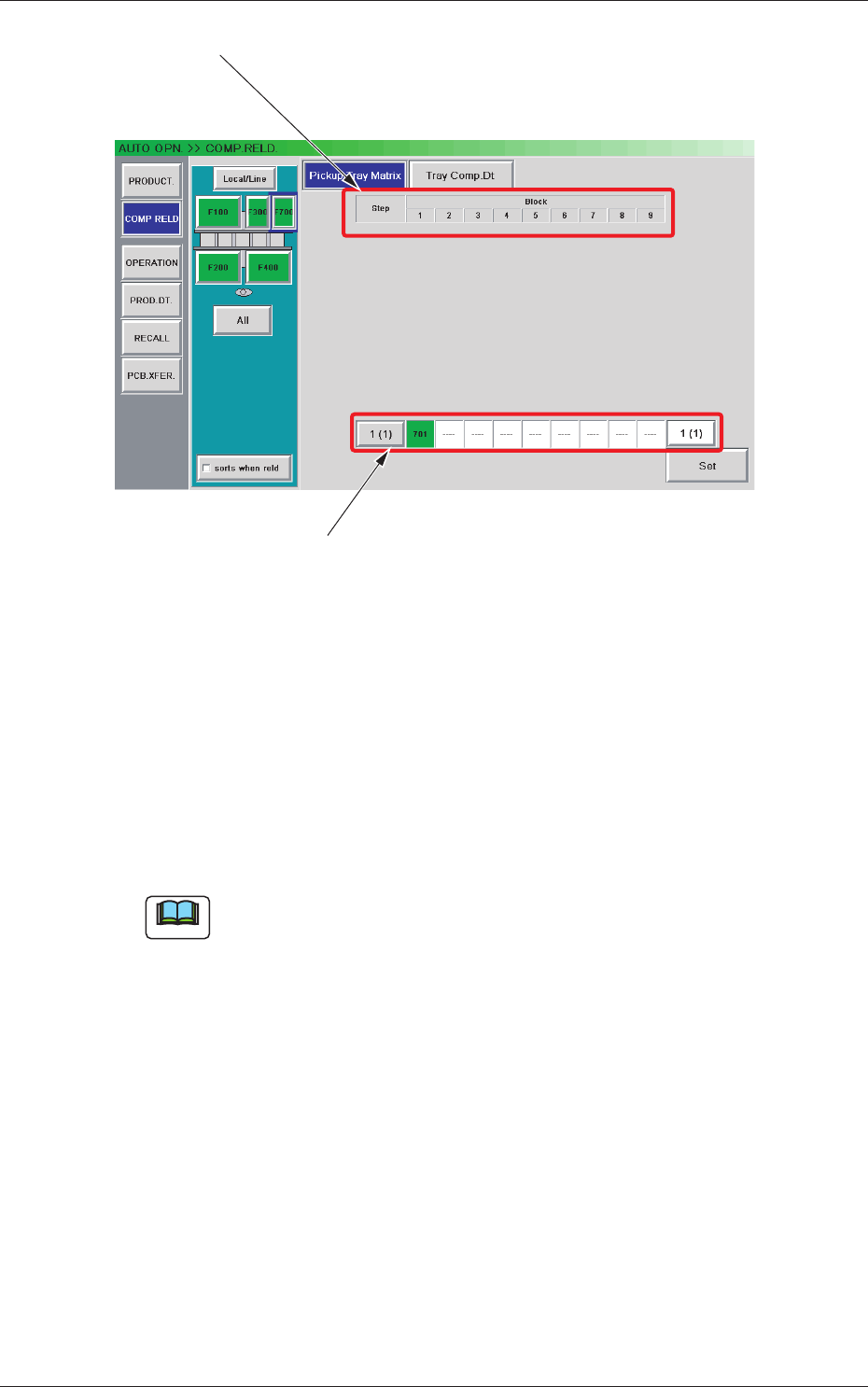
Fig. B3 "Pickup Tray Matrix" Window
[1] Component Reload Buttons
When the component-reloaded step is selected and the [Set] button is
pressed, the tray pickup matrix of the selected step is set to "(1, 1)" and
the number of remaining components is updated.
Reloaded Step Selection :
The component-reloaded step must be
selected.
[Set] Button :
When pressed, this button sets the
component reloading condition with the
specied value.
Note
As for the steps that are not used in the pattern program, no component reload
button is displayed.
[2] Step Selection Buttons
When a magazine and a step are selected, the "Block Information"
window appears, making it possible to check and change the tray
matrices.
0708-002
2.2 Component Reloading
2-6
Tg1576-ID-SO
[3]
[4]
Fig. B4 "Block Information" Window
[3] "Block Information" Sheet
Shown is the block information.
[4] Tray Pickup Matrix Setting Buttons
Shown is the tray pickup matrix data.
When the [Edit] button is pressed, an input window opens, making it
possible to set the tray pickup matrix data.
Note
As for the blocks that are not used in the pattern program, no tray pickup
matrix setting button is displayed.
[5] [Return] and [Set] Buttons
[Set] Button :
When pressed, this button sets the edited tray
pickup matrix data and opens the tray pickup
matrix editing window
.
[Return] Button :
When pressed, this button cancels the selection
of the tray pickup matrix data and opens the tray
pickup matrix editing window.
0707-001
2.2 Component Reloading
2-7
Tg1576-ID-SO
2.2.2 Tray Component Data
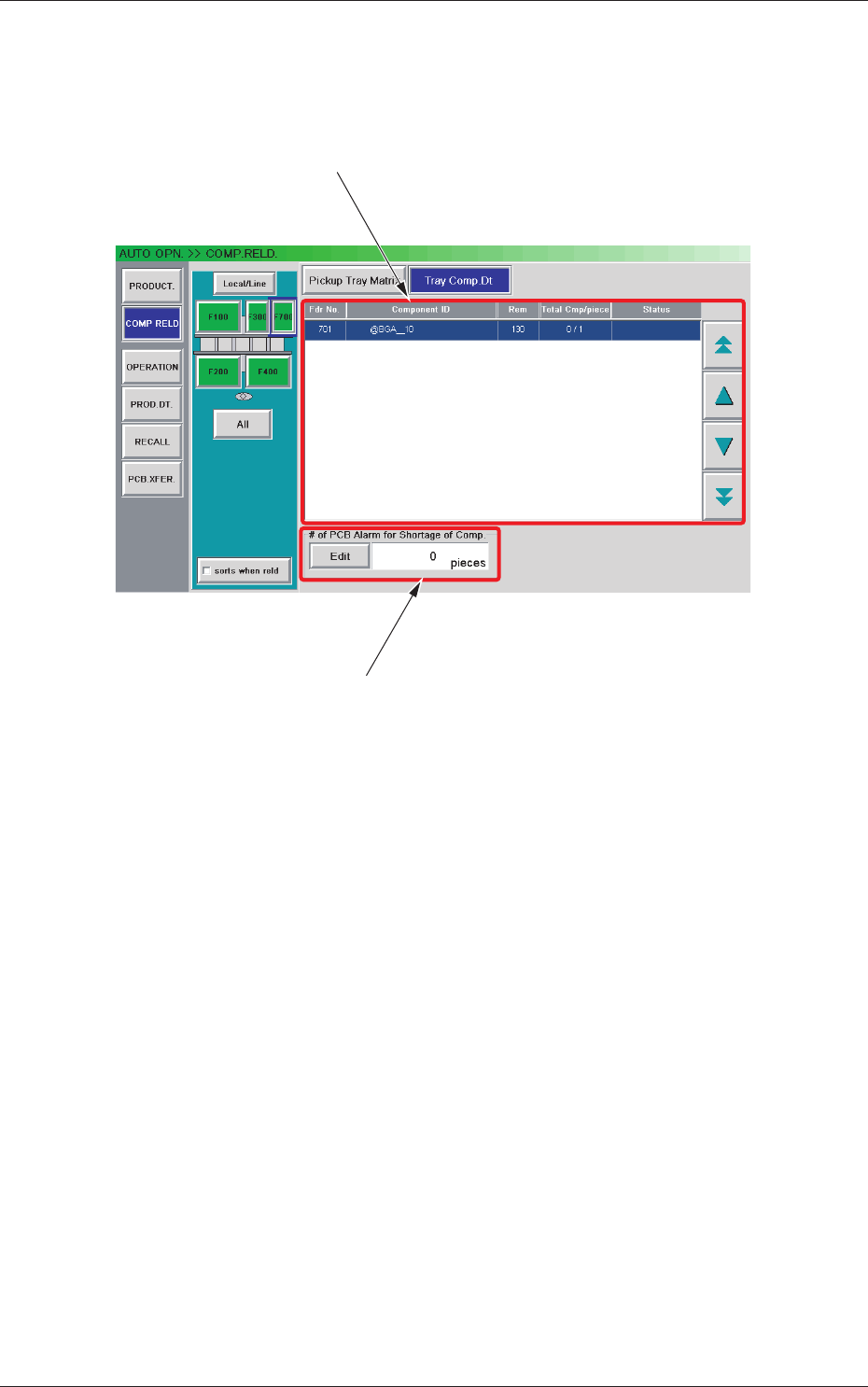
When the [Tray Comp. Dt] button is pressed in the "COMP. RELD."
window, the "Tray Comp. Dt" window appears.
[1]
[2]
Fig. B5 "Tray Comp. Dt" Window
[1] Information Display
Shown is the tray component data.
[2] "# of PCB Alarm for Shortage of Comp." Group Box
Set the number of PCBs to issue a component shortage alarm.
The [Edit] button can be used to set an arbitrary number of PCBs.
0707-001
2.2 Component Reloading