OM-1455-004_w.pdf - 第61页
2-12 Tg1576-ID-SO 2.4.2 Component Carriage Data Editing This window enables the operator to check and change the component carriage data for the production model. [1] [2] [3] [4] Fig. B9 "Comp Crg Dt Edit" Wind…
2-11
Tg1576-ID-SO
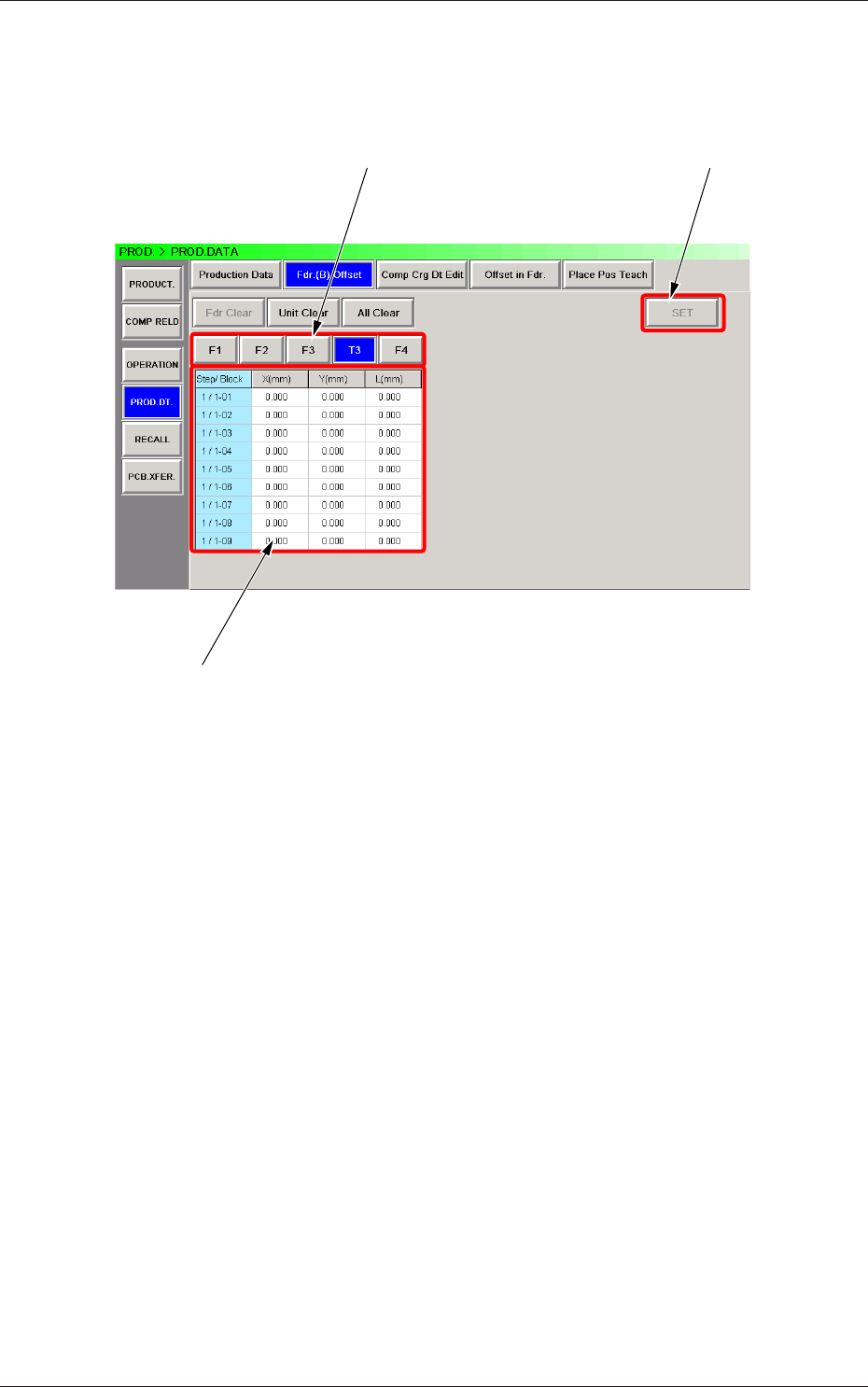
2.4.1 Feeder (B) Offset
Displayed is the current feeder (B) offset data.
The feeder (B) offset data can be conrmed, adjusted, or cleared (initialized).
[1]
[3]
[2]
Fig. B8 "Fdr. (B) Offset" Window
[1] Unit Selection Buttons
Select the feeder base (the [Tn] button in the case of the single tray
feeder) whose feeder (B) offset data should be conrmed or cleared.
[2] Information Display
Displayed is the data of the feeder base (the single tra
y feeder) selected
currently in [1].
When a value in the "X (mm)", the "Y (mm)", or the "L
(mm)" text box
of each "Blk/Step" No. is pressed, the "Fdr. (B) Offset" window opens,
making it possible to adjust the feeder (B) offset data.
[3] [SET] Button
When the [Set] button is pressed, the selected value is
replaced with the
adjusted one.
0708-002
2.4 Production Data
2-12
Tg1576-ID-SO
2.4.2 Component Carriage Data Editing
This window enables the operator to check and change the component
carriage data for the production model.
[1] [2]
[3] [4]
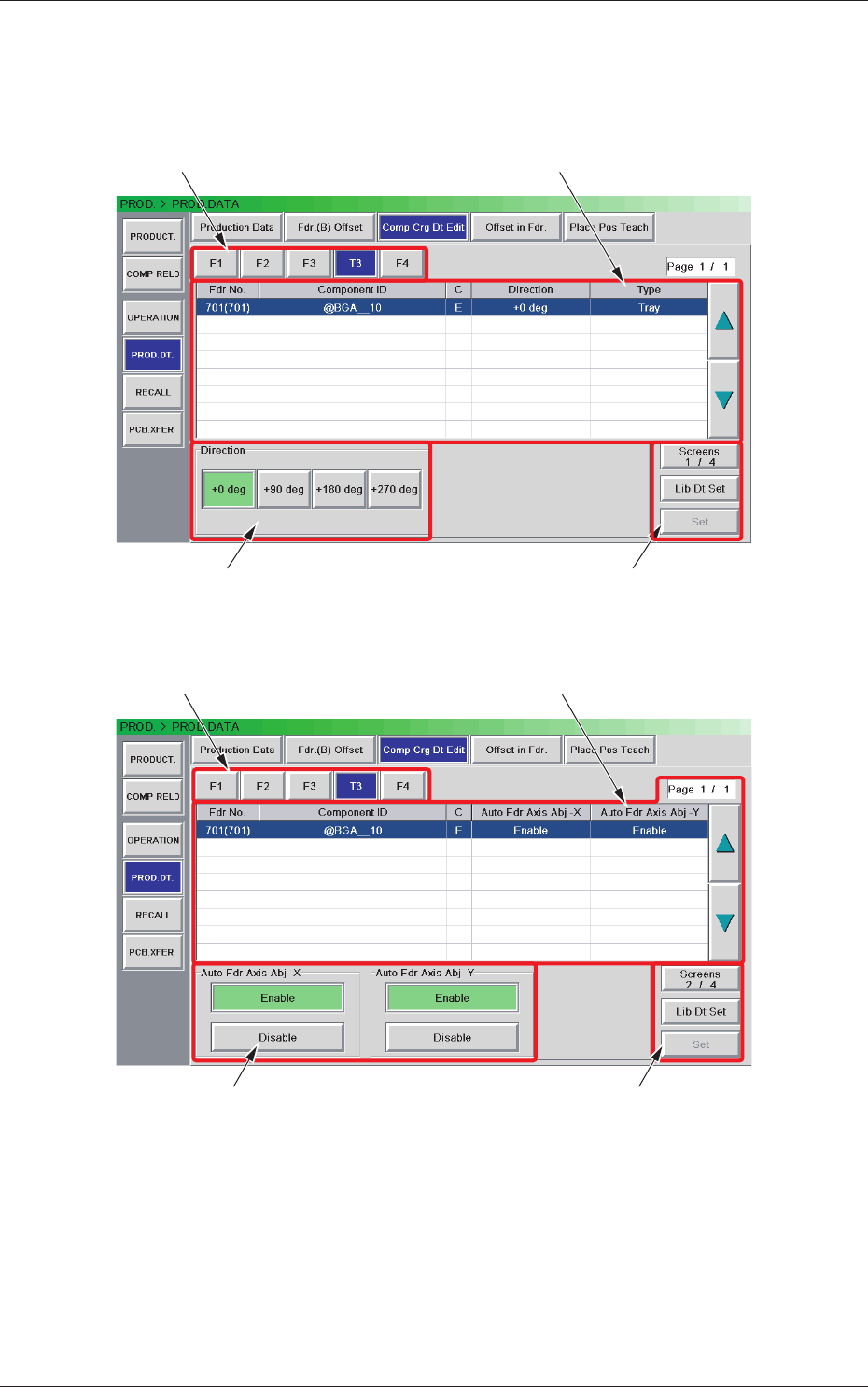
Fig. B9 "Comp Crg Dt Edit" Window (1/4)
[1] [2]
[3] [4]
Fig. B10 "Comp Crg Dt Edit" Window (2/3)
0708-002
2.4 Production Data
2-13
Tg1576-ID-SO
[1] [2]
[3] [4]
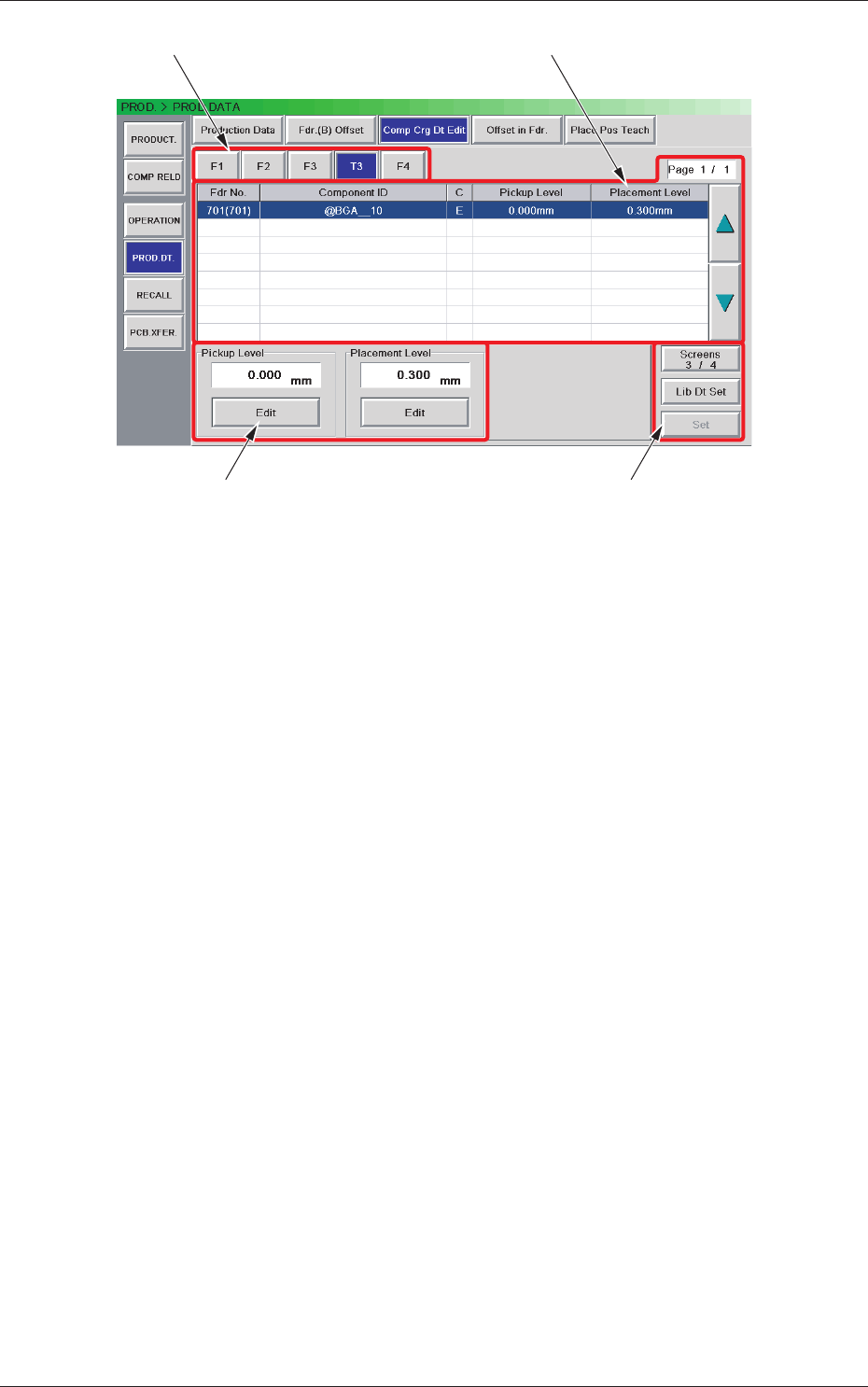
Fig. B11 "Comp Crg Dt Edit" Window (3/3)
[1] Unit Selection Buttons
These buttons can be used to specify the feeder base whose carrier data
should be conrmed or changed.
[2] Information Display
Displayed is the component carriage data of the feede
r base (the single
tray feeder) selected in [1].
[3] Mode Buttons
These buttons are used to change the direction of com
ponent feed,
the auto feeder axis adjustment X and Y, the pickup level, and the
placement level.
[4] [Screens #/3], [Lib Dt Set], and [Set] Buttons
[Screens #/3] Button :
T
his button can be used to open another page.
[Lid Dt Set] Button :
When pressed, this button resets the selected
component data to the defaults registered in
the component library.
[Set] Button :
When pressed, this button sets the changed
contents.
0708-002
2.4 Production Data