OM-1455-004_w.pdf - 第64页
3-A Tg1576-ID-SO 0707-001 Chapter 3 Data This chapter describes steps in creating, entering, and editing various kinds of data (pattern program data, etc.) required to activate the machine. • Outline of Data • Pattern Pr…
2-14
Tg1576-ID-SO
[1] [2]
[3] [4]
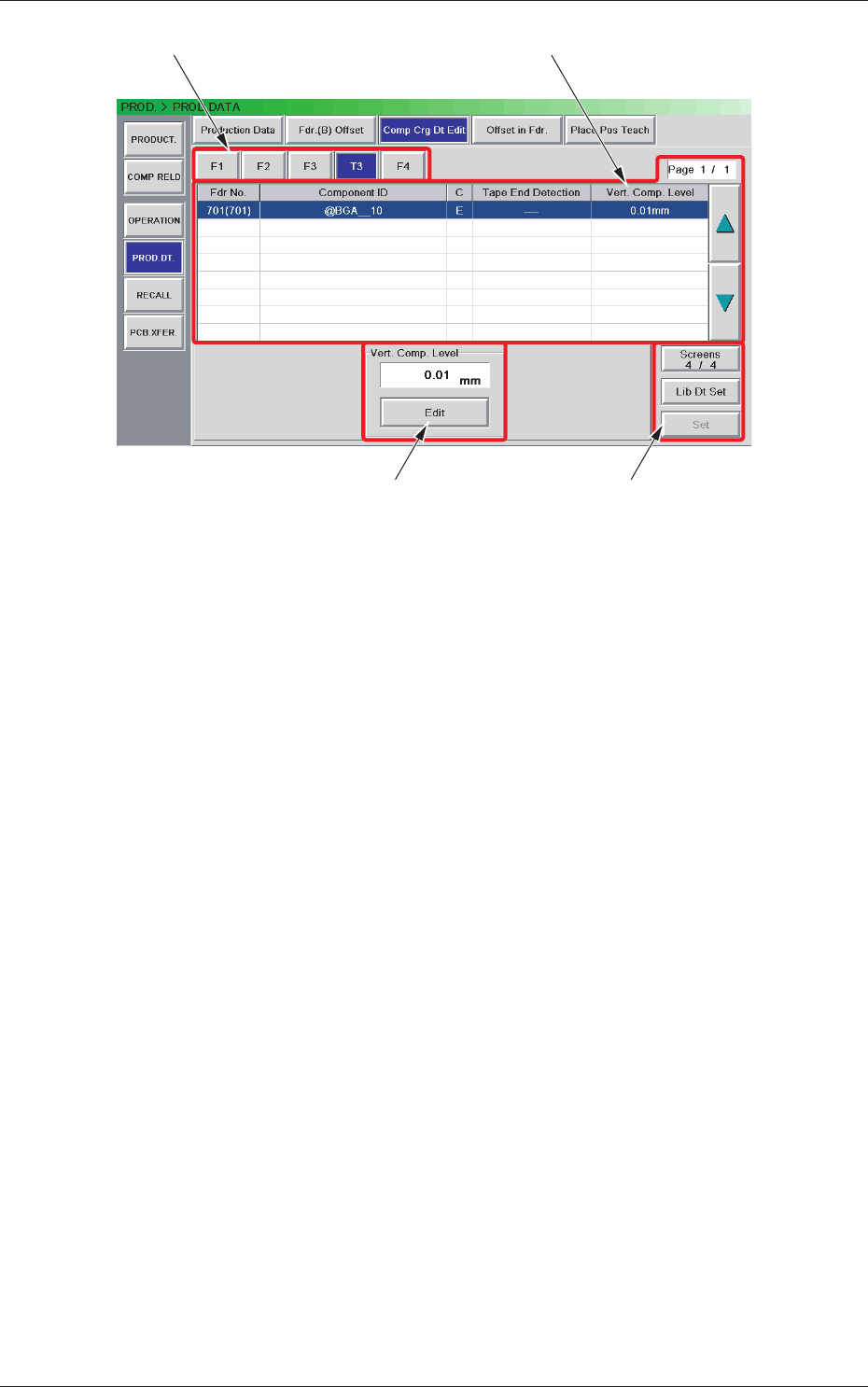
Fig. B12 "Comp Crg Dt Edit" Window (4/4)
[1] Unit Selection Buttons
These buttons can be used to specify the feeder base whose carrier data
should be conrmed or changed.
[2] Information Display
Displayed is the component carriage data of the feede
r base (the single
tray feeder) selected in [1].
[3] Mode Buttons
These buttons are used to change the
Vert. Comp. level.
[4] [Screens #/3], [Lib Dt Set], and [Set] Buttons
[Screens #/3] Button :
T
his button can be used to open another page.
[Lid Dt Set] Button :
When pressed, this button resets the selected
component data to the defaults registered in
the component library.
[Set] Button :
When pressed, this button sets the changed
contents.
0708-002
2.4 Production Data

3-A
Tg1576-ID-SO
0707-001
Chapter 3
Data
This chapter describes steps in creating, entering, and
editing various kinds of data (pattern program data, etc.)
required to activate the machine.
•
Outline of Data
•
Pattern Program
•
Component Library
•
System Setting

3-B
Tg1576-ID-SO
0707-001