OM-1455-004_w.pdf - 第76页
3-1 1 Tg1576-ID-SO (C02_02) Component ID Set component IDs in the text boxes. (C02_03) C Set control commands in the text boxes. Notice If a control command other than the following ones is used, the step becomes invalid…
3-10
Tg1576-ID-SO
(C02) Tray Data
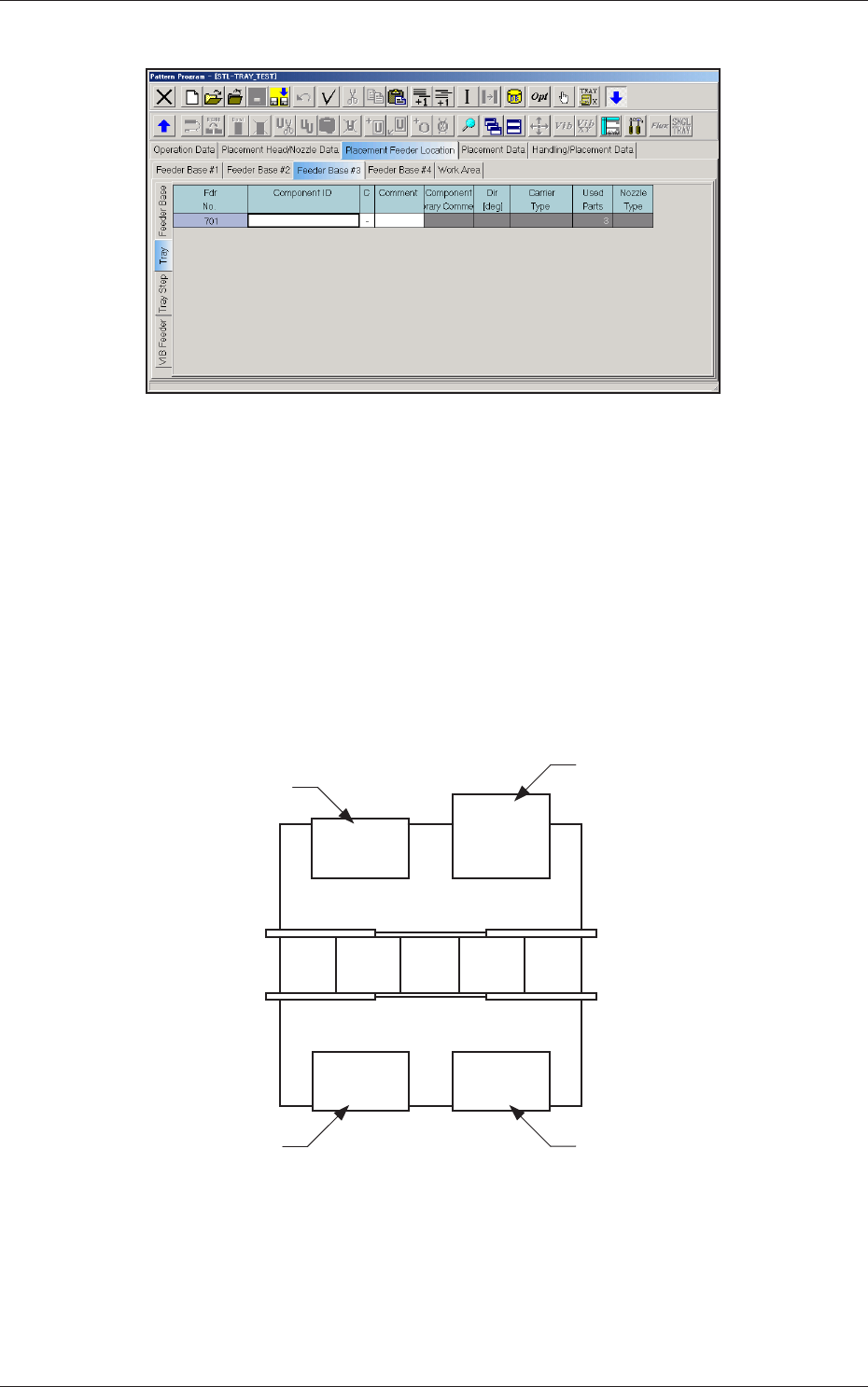
Fig. C8 "Tray" Edit Window
(C02_01) Fdr No.
Shown are the feeder Nos. in the placement feeder location data.
When the single tray feeder is connected, the feeder Nos. (Fdr Nos.)
become as follows.
Multi-Layer Tray Feeder #1 :
501 to 509
Multi-Layer Tray Feeder #2 :
601 to 609
Multi-Layer Tray Feeder #3 :
701 to 709
Multi-Layer Tray Feeder #4 :
801 to 809
101 to 150 701
201 to 250 401 to 450
Front Side of Machine
Rear Side of Machine
Feeder Base #1
Feeder Base #2
Feeder Base #3
(Single Tray Feeder)
Feeder Base #4
Fig. C9 Single Tray Feeder #3 Connected
0711-002
2.1 Description of Pattern Program

3-11
Tg1576-ID-SO
(C02_02) Component ID
Set component IDs in the text boxes.
(C02_03) C
Set control commands in the text boxes.
Notice
If a control command other than the following ones is used, the step
becomes invalid.
- (hyphen) :
This command handles the steps as those for the
placement feeder location data.
E :
This command shows the end of the placement feeder
location data.
The step where "E" is set is valid.
S :
This command invalidates the steps specied as
placement feeder location data.
X :
This command invalidates the steps specied as
placement feeder location data and shows the end of the
data.
(C02_05) Component Library Comment
Displayed are the comments entered in the component library data.
(C02_06) Dir [deg], Carrier Type
Displayed is the data specied in the component library data.
(C02_07) Used Parts
Displayed is the number of components to be used for one unit PCB.
(C02_08) Nozzle Type
Shown is the nozzle to be used, which is designated in the Handling/
Placement Data after the optimization operation.
0711-003
2.1 Description of Pattern Program
3-12
Tg1576-ID-SO
(C03) Tray Step Data
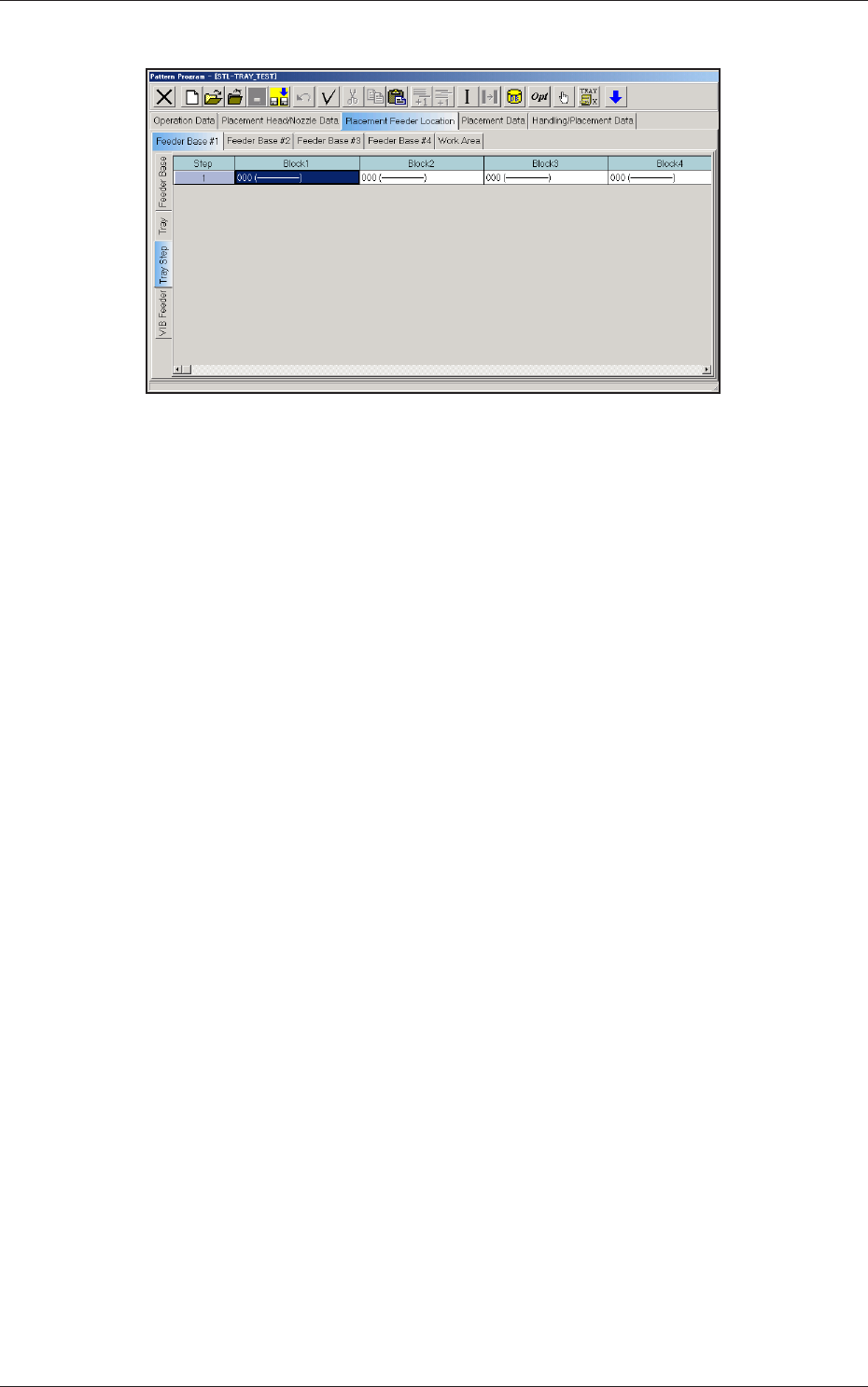
Fig. C10 "Tray Step" Edit Window
(C03_01) Step
Shown are the step Nos. of the magazine.
The step Nos. have a button function. When one of these buttons is
pressed, the corresponding "Tray Step Information" window opens.
(C03_02) Block 1 through 9
Specify where in each step and block various components specied in
the tray data should be arranged.
0711-002
2.1 Description of Pattern Program