OM-1455-004_w.pdf - 第78页
3-13 Tg1576-ID-SO 2.1.2 Editing of T ray Step Information When a step No. is selected in the "T ray Step" edit window (Fig. C5-1), the "T ray Step Information" window appears, enabling the operator to…
3-12
Tg1576-ID-SO
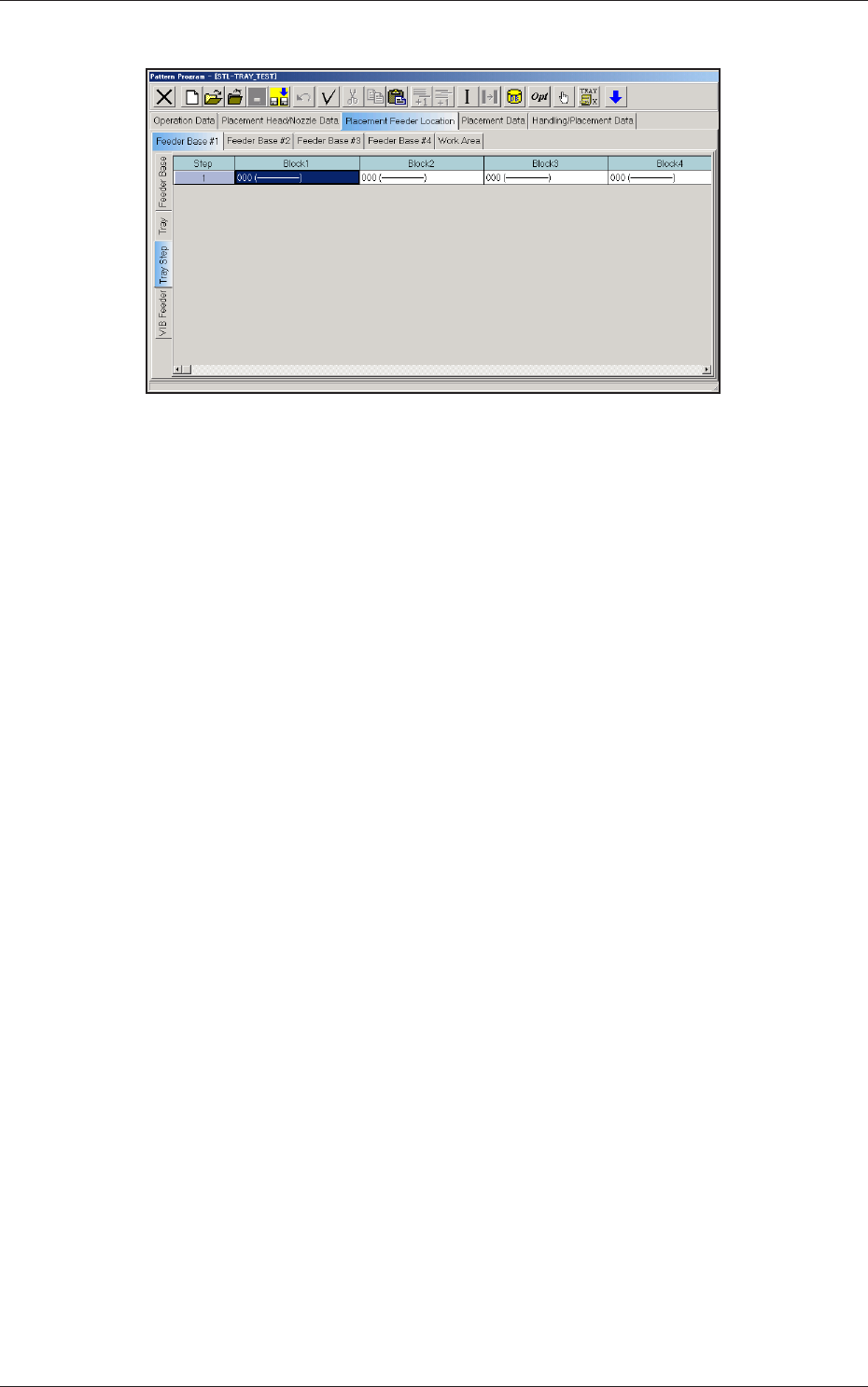
(C03) Tray Step Data
Fig. C10 "Tray Step" Edit Window
(C03_01) Step
Shown are the step Nos. of the magazine.
The step Nos. have a button function. When one of these buttons is
pressed, the corresponding "Tray Step Information" window opens.
(C03_02) Block 1 through 9
Specify where in each step and block various components specied in
the tray data should be arranged.
0711-002
2.1 Description of Pattern Program
3-13
Tg1576-ID-SO
2.1.2 Editing of Tray Step Information
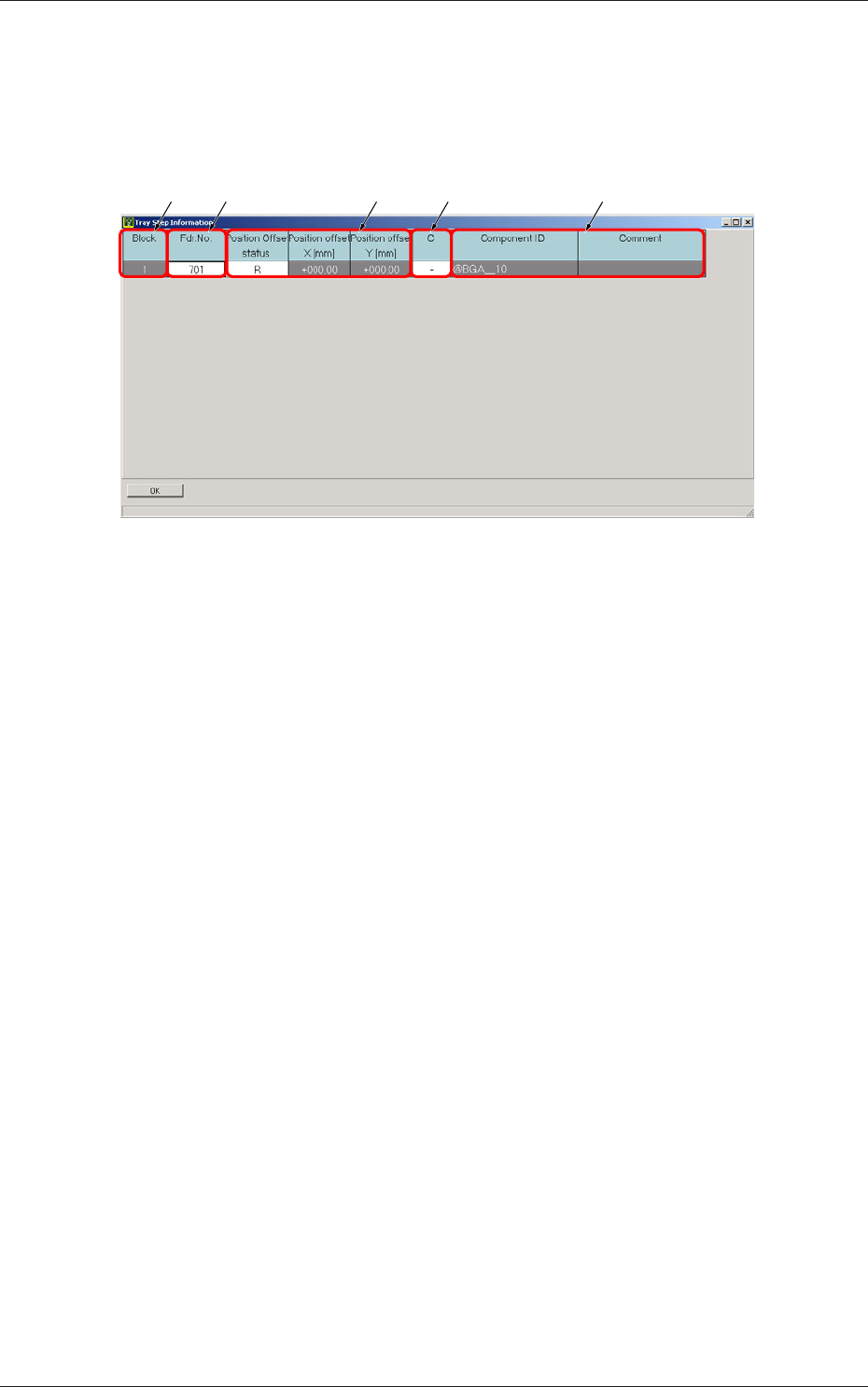
When a step No. is selected in the "Tray Step" edit window (Fig. C5-1), the
"Tray Step Information" window appears, enabling the operator to edit the
tray step information.
[1] [2] [4][3] [5]
Fig. C11 "Tray Step Information [1-15 Step]" Window
[1] Block
Shown are the block Nos.
[2] Fdr. No.
Displayed are the Nos. of the feeders arranged in each block.
[3] Position Offset status
Select "R", "L", or "Free Position" as Reference Point X for the block.
Position offset X [mm], Y [mm]
Enter the reference coordinates of the tray viewed from the pallet
reference position of each block.
[4] C
The control commands can be selected.
[5] Component ID and Comment
Displayed are the component IDs entered in the "Tray" edit window and
the comments entered in the component library data.
0711-002
2.1 Description of Pattern Program
3-14
Tg1576-ID-SO
3. Component Library
3.1 Carrier Data
This is a tab sheet which corresponds to all component shapes -
"Cylindrical", "Square", "Deform", "IC (Simple)", "IC (Complex)",
"Connector (Simple)", "Connector (Complex)", "Other Leaded (Simple)",
"Other Leaded (Complex)", and "BGA/CSP".
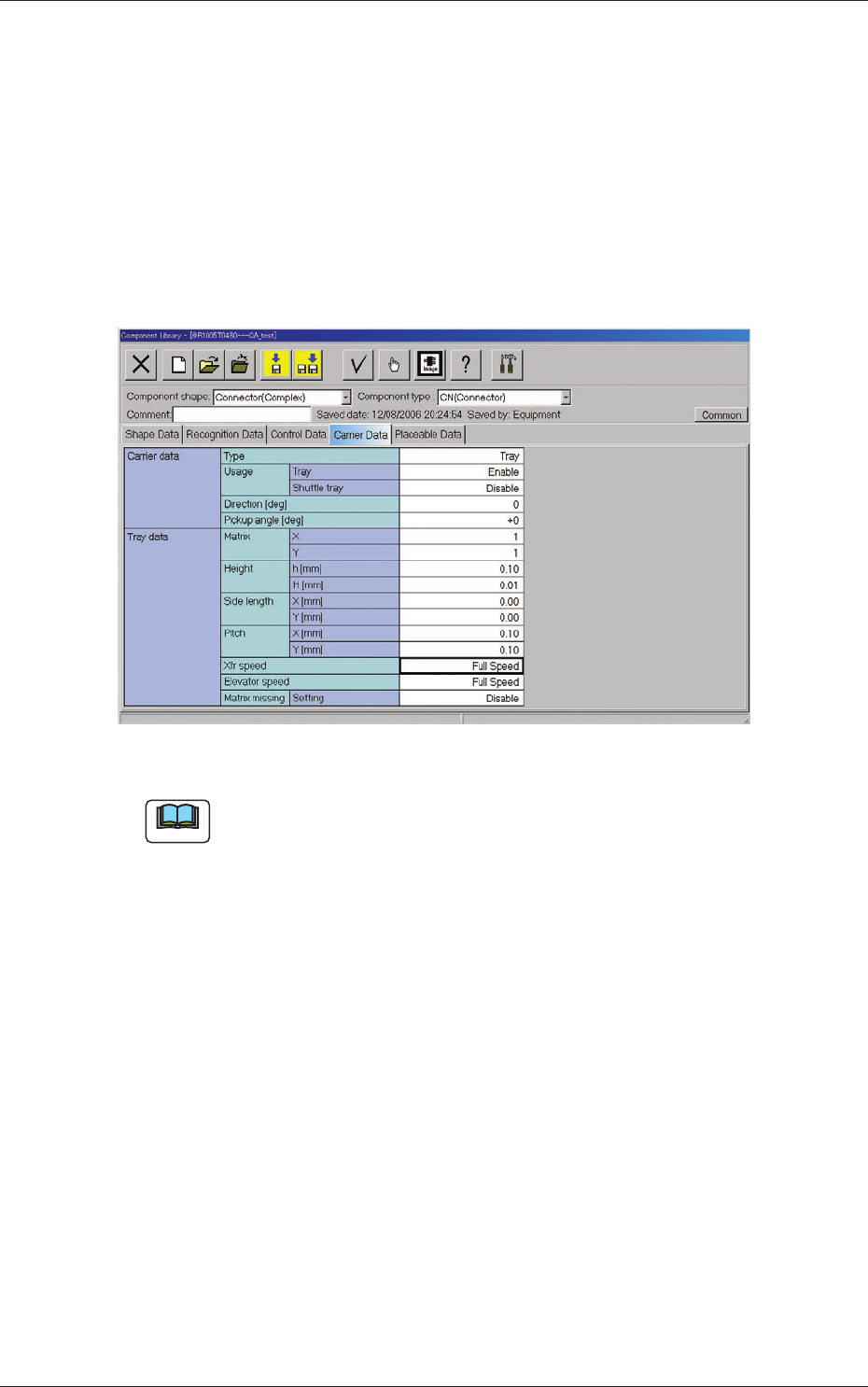
When the "Carrier Data" tab is pressed, the "Carrier Data" tab sheet appears.
Fig. C12 "Carrier Data" Tab Sheet (Type: Tray Selected)
Note
Refer to "2.3 (A03) Carrier Data" in "Chapter 2" of the instruction manual
"Component Library" for details of each data.
Set "Tray" in the "Type" text box of the label "Carrier data" and enter
parameters in the other text boxes of the label "Carrier data" and in the text
boxes of the label "Tray data".
0711-002
3. Component Library