00198766-01_IM_713.0_R19-2_EN.pdf - 第39页
Station Software Version 7 13.0 (R19-2) / Installation Manual 11/2019 Edition 39 The Welcome dialog box of the patches setup wizard is displa yed. The title of the dialog box shows the release and build numbe r. Example:…
Station Software Version 713.0 (R19-2) / Installation Manual 11/2019 Edition
38
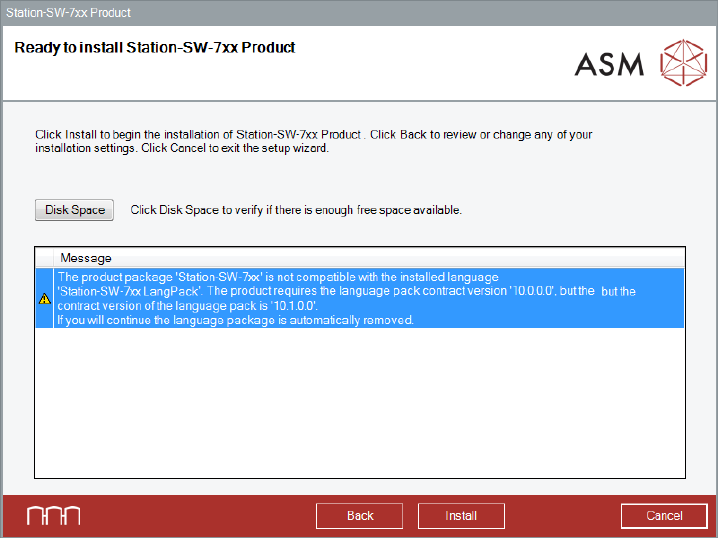
Figure 5-25: Error station software and language pack
5.5 Installing Product Patches
If patches are available for the station software, these must be installed separately.
► Log in under the ASM_Admin user account.
► Insert the installation media and mount the *.iso file.
► Open Windows Explorer.
► Double-click the Station_SW_Patches.exe file to start installing the product patches for the
station software.
Station Software Version 713.0 (R19-2) / Installation Manual 11/2019 Edition
39
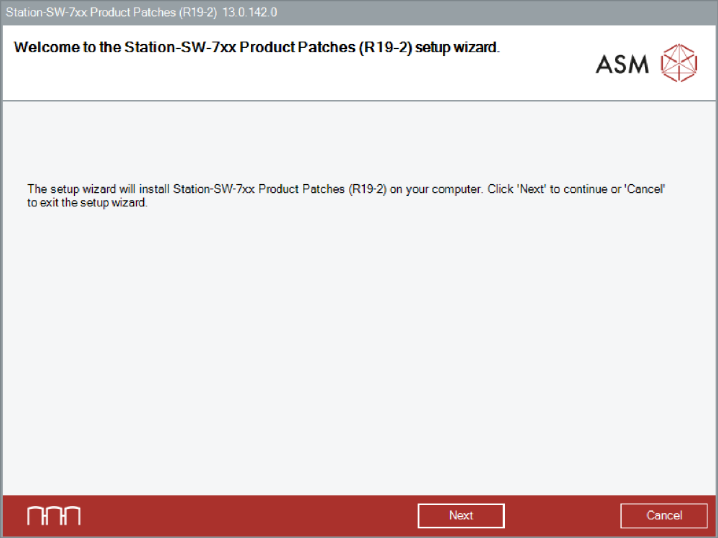
The Welcome dialog box of the patches setup wizard is displayed.
The title of the dialog box shows the release and build number.
Example: Release R19-2, Build 713.x.xxx.x (The first ‘7’ of the build number is not displayed)
Figure 5-26: Welcome dialog box
► Click the Next button.
Station Software Version 713.0 (R19-2) / Installation Manual 11/2019 Edition
40
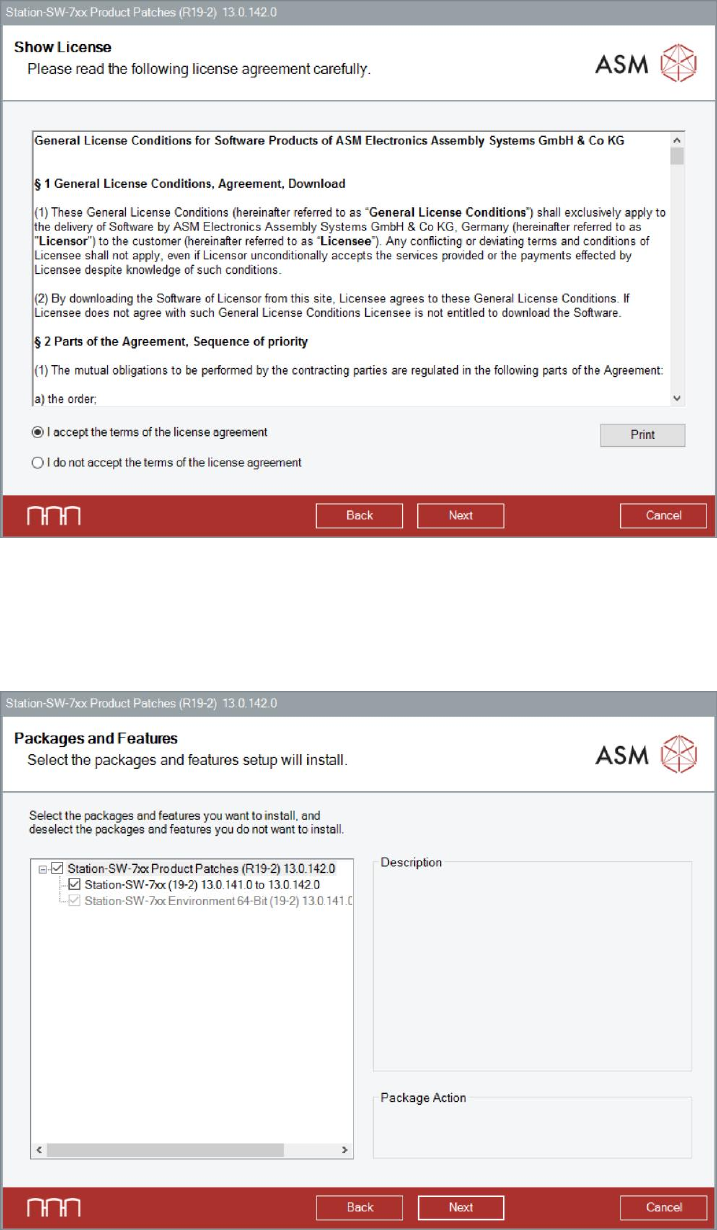
The Show License dialog box is displayed.
Figure 5-27: Accepting license
► Select I accept the terms of the license agreement to accept the license conditions.
► Click the Next button.
The Packages and Features dialog box is displayed.
Figure 5-28: Selecting packages and features
► Click the Next button.