00198766-01_IM_713.0_R19-2_EN.pdf - 第50页
Station Software Version 7 13.0 (R19-2) / Installation Manual 11/2019 Edition 50 The Language Pack is now rea dy to be installed. The followin g dialog box is displayed. Figure 5- 39 : Ready for installati on Before inst…
Station Software Version 713.0 (R19-2) / Installation Manual 11/2019 Edition
49
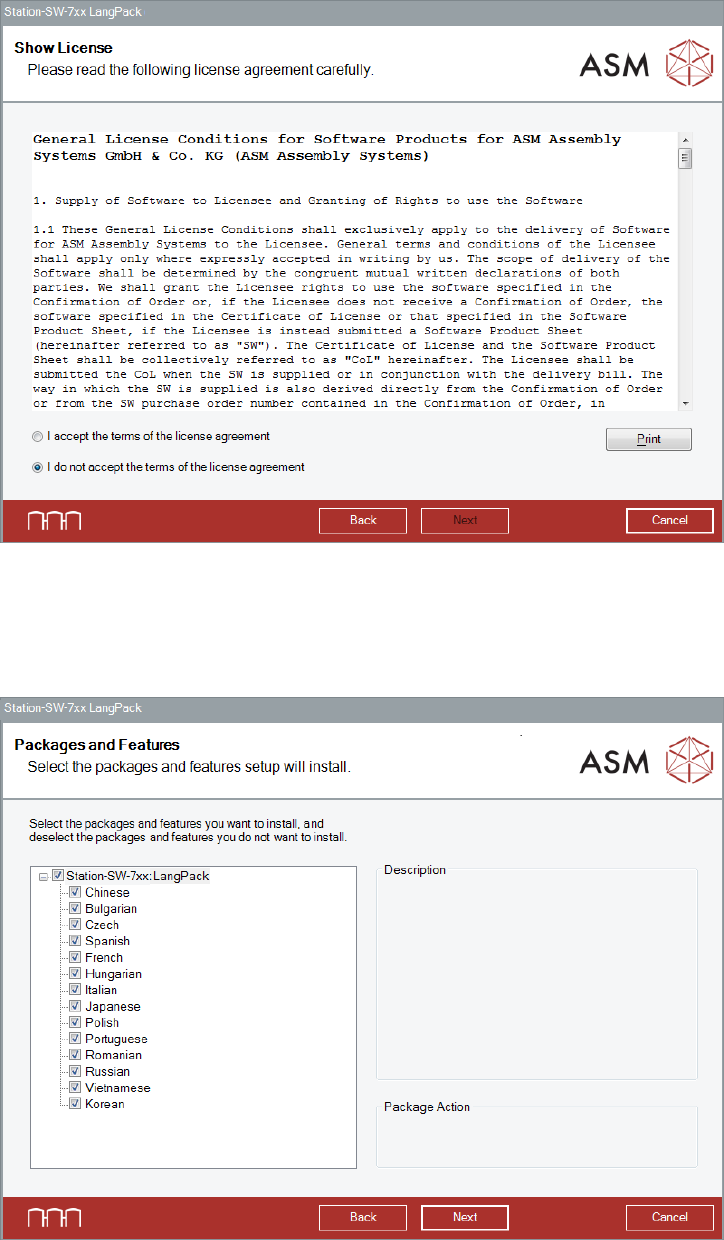
The Show License dialog box is displayed.
Figure 5-37: Accepting license
► Select I accept the terms of the license agreement to accept the license conditions.
► Click the Next button.
The Packages and Features dialog box is displayed.
Figure 5-38: Packages and Features
All available languages are enabled by default.
► If desired, unselect languages you do not want to install.
► Click the Next button.
Station Software Version 713.0 (R19-2) / Installation Manual 11/2019 Edition
50
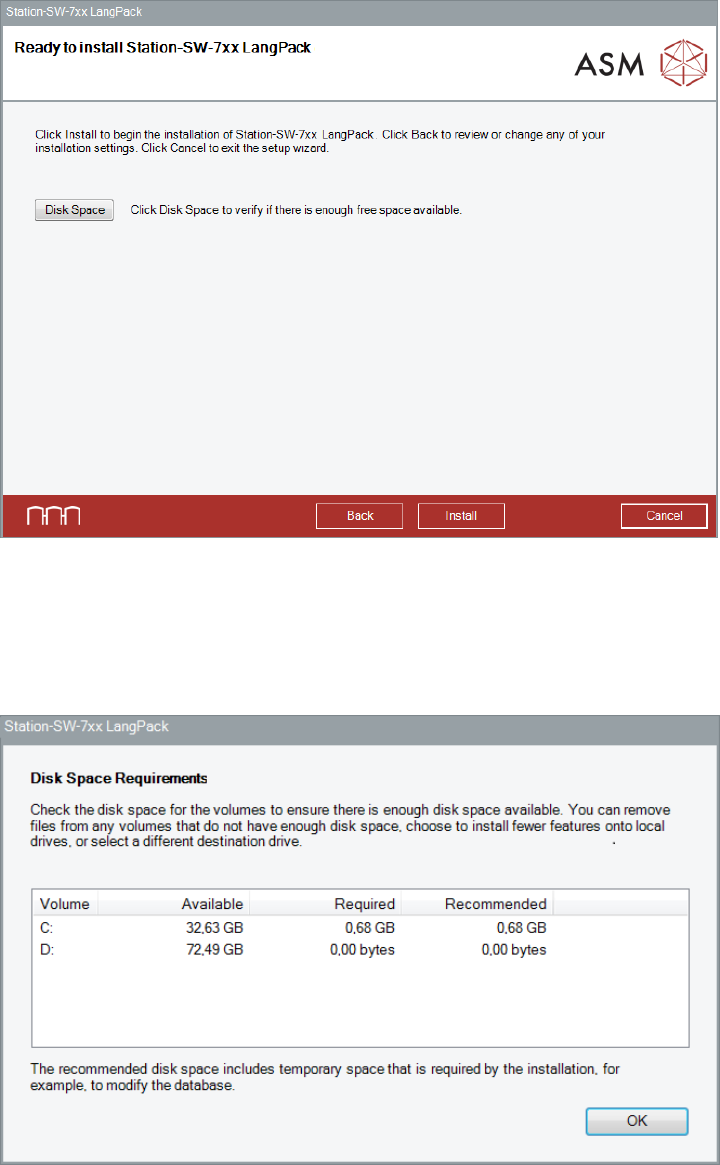
The Language Pack is now ready to be installed. The following dialog box is displayed.
Figure 5-39: Ready for installation
Before installing, you can check the available, required and recommended disk space (per drive) to
perform the installation.
► Click the Disk Space button.
The Disk Space Requirements dialog box is displayed.
Figure 5-40: Disk Space Requirements
► Click the OK button.
The Ready to install dialog box is displayed again.
► Click the Install button to start the installation.
Station Software Version 713.0 (R19-2) / Installation Manual 11/2019 Edition
51
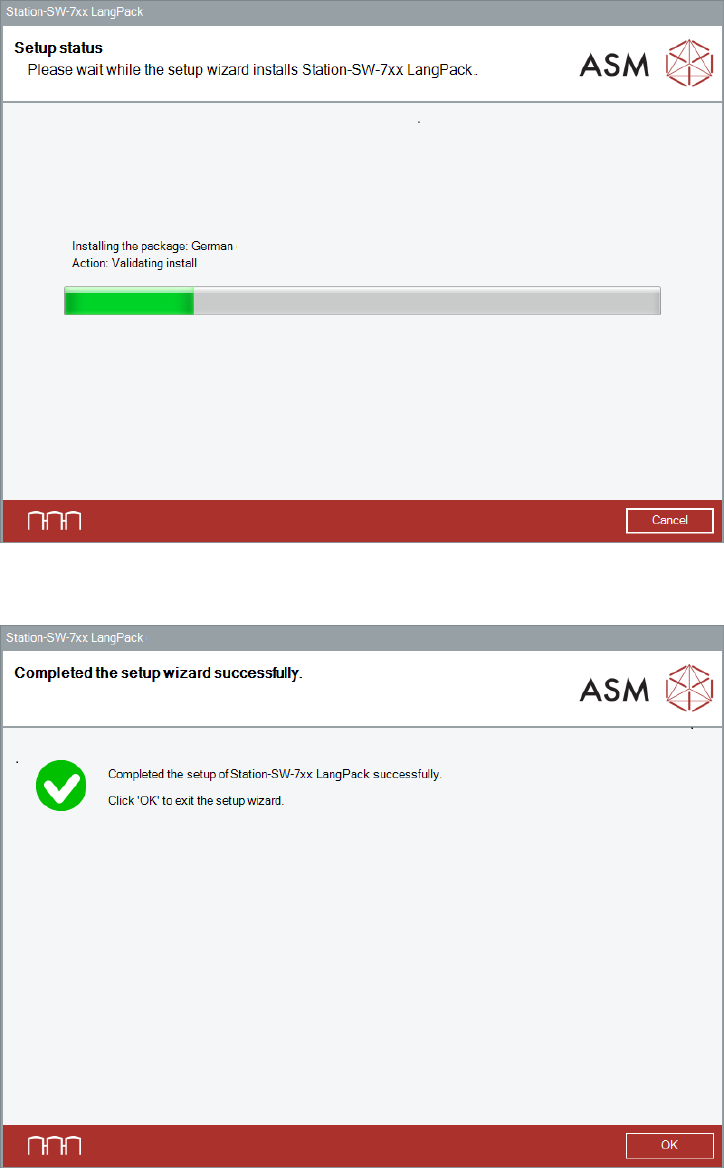
The setup status is displayed during installation.
Figure 5-41: Setup status
After successful installation, the following dialog is displayed.
Figure 5-42: Installation completed
► Click the OK button to exit the setup wizard.