00192471-03.pdf - 第127页
User Manual SIPLAC E HS-50 4 Component han dling Software Version SR.50x.xx 01/2006 US Edition 4.2 Technical data for the feeder modules 127 4.2.9 Bulk case feeder 4 Fig. 4.2 - 9 Bulk case feeder Item no. 00142318- xx Wi…
4 Component handling User Manual SIPLACE HS-50
4.2 Technical data for the feeder modules Software Version SR.50x.xx 01/2006 US Edition
126
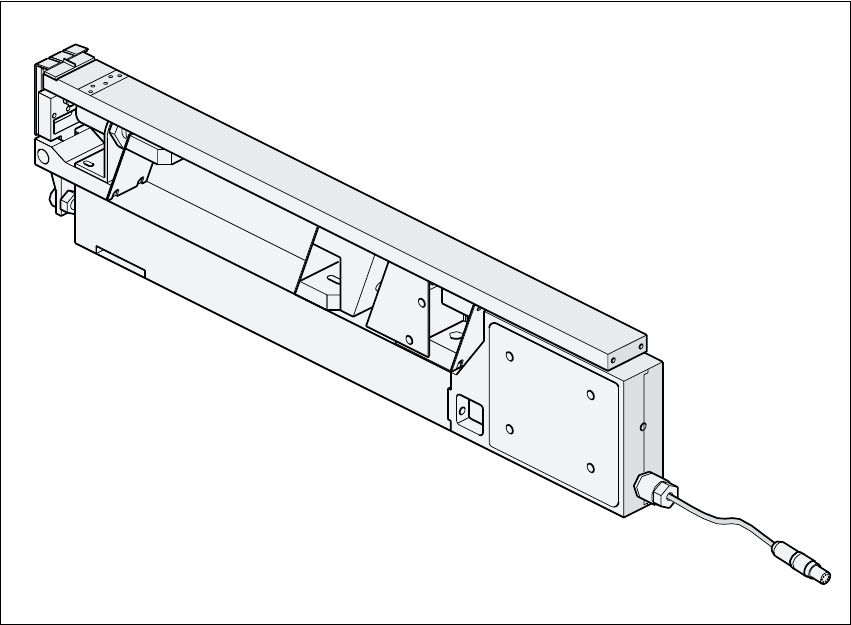
4.2.8 Linear vibratory feeder, type 3
4
Fig. 4.2 - 8 Linear vibratory feeder, type 3
Item no. 00142031-xx
Width 30 mm
Tracks per feeder 1, 2, 3 or 6
Maximum number of feeders 4 x 12
Magazine capacity Up to 150 per stick steel magazine
depending on the component length
Stick steel magazine data 4.5 mm wide / x 6
9.5 mm wide / x 3
11 mm wide / x 2
15 mm wide / x 2
30 mm wide / x 1
Cycle time Depends on the component
Main power supply 30 VDC 4
User Manual SIPLACE HS-50 4 Component handling
Software Version SR.50x.xx 01/2006 US Edition 4.2 Technical data for the feeder modules
127
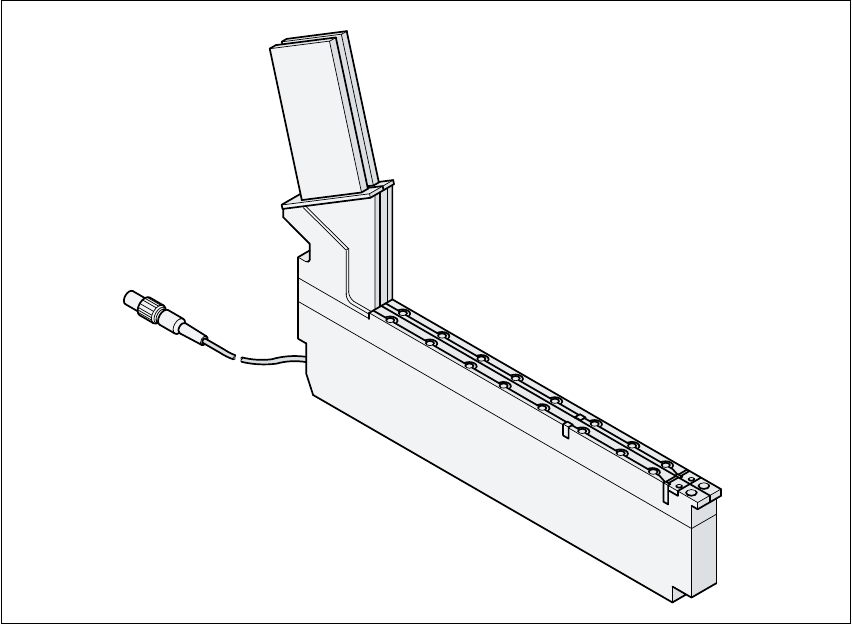
4.2.9 Bulk case feeder
4
Fig. 4.2 - 9 Bulk case feeder
Item no. 00142318-xx
Width 30 mm
Tracks per feeder 2
Maximum number of feeders 4 x 12
Magazine capacity Approx. 5000
Feeding rails 0603 / 0.45 mm highItem no. 00142321-xx
0603 / 0.80 mm highItem no. 00142322-xx
0805 / 0.45 mm highItem no. 00142323-xx
0805 / 0.60 mm highItem no. 00142324-xx
0805 / 0.85 mm highItem no. 00142325-xx
0805 / 1.25 mm highItem no. 00142326-xx
MinimelfItem no. 00142328-xx
Cycle time < 80 ms
Main power supply 30 VDC 4

4 Component handling User Manual SIPLACE HS-50
4.3 Setting up the feeder feeders Software Version SR.50x.xx 01/2006 US Edition
128
4.3 Setting up the feeder feeders
4.3.1 Preparing the component table and feeder for set-up
Æ Select the setting range for the feeder module to be used.
Æ Move the placement head to the waiting position and press the emergency stop button.
Æ Open the protective covers.
Æ Clean the contact surface for the feeder modules and the contact surface for the feeder mod-
ules on the component table.
Æ Place the feeder module on the previously selected track on the component table (see Vibrator
configuration).
4.3.2 Insert the feeder
Æ Insert the feeder so that the back of the feeder is held by the centering ball and the front is fixed
in place by the corresponding centering pin on the component table. Make sure that the feeder
is placed on the component table in the correct position for its width.
Æ Check that the feeder is firmly seated on the component table.
Æ Connect the feeder plug to the socket beneath the location.
PLEASE NOTE 4
When you connect the feeder, make sure that you use the right socket for the location since
the feeder receives the control pulse via this socket. The feeder module may not work cor-
rectly if it is not connected to the right socket. 4
Æ Close the protective covers and switch the control on again.
Æ Carry out a refill check if necessary.
Æ Continue placement.