00196353-04_JG_X-FeederTestStation_EN.pdf - 第4页
Job Guide X-Feeder Test Station4 Contents 4 6 2b - Resetting the ma inte nance counter (only 2x8 mm X, SmartFe eder 12, 16 mm X) 37 7 3 - Updating the firmware 39 7.1 3-1 X-Feeder Testbox c hecks the Co nnections 41 7.2 …
Job Guide X-Feeder Test Station3
Contents
3
Table of Contents
1 Introduction 5
1.1 Scope of Delivery 5
1.2 Use of Symbols 6
1.3 Safety Instructions 7
1.4 Correct and Incorrect Use of the Testing Device 8
1.5 Mounting the Plate to the Single Slot EDIF 9
2 Connecting the X-Feeder Testbox 11
3 A - Slipping on the Feeder Module and preparing 15
4 1 - Checking of the Feeder Module 19
4.1 1-1 Dealing with Stored Errors in the Feeder Module 21
4.2 1-2a Performing the X-Feeder-Test (4-88 mm X, SmartFeeder 4, 8 mm X) 28
4.3 1-2b Performing the X-Feeder-Test (2x8 mm X, SmartFeeder 12, 16 mm X) 29
4.4 1-3 Analyzing the X-Feeder Test 33
5 2a - Carrying out the reference run (only 4-88 mm X, SmartFeeder 4, 8
mm X)
35
Job Guide X-Feeder Test Station4
Contents
4
6 2b - Resetting the maintenance counter (only 2x8 mm X, SmartFeeder
12, 16 mm X)
37
7 3 - Updating the firmware 39
7.1 3-1 X-Feeder Testbox checks the Connections 41
7.2 3-2 X-Feeder Testbox checks the Firmware Version 42
7.3 3-3 Starting the Firmware Update 43
7.4 3-4 Connecting and disconnecting the Feeder Module 44
7.5 3-5 X-Feeder Testbox checks the Firmware Update 45
8 4 - Saving the Log File 47
8.1 4-1 Starting the Storage 48
8.2 4-2 X-Feeder Testbox checks the Storage 49
9 B - Removing the Feeder Module 51
10 Switching off X-Feeder Testbox 53
11 Removing the X-Feeder Testbox Cable 55
Introduction Scope of Delivery
5
Introduction– Scope of Delivery
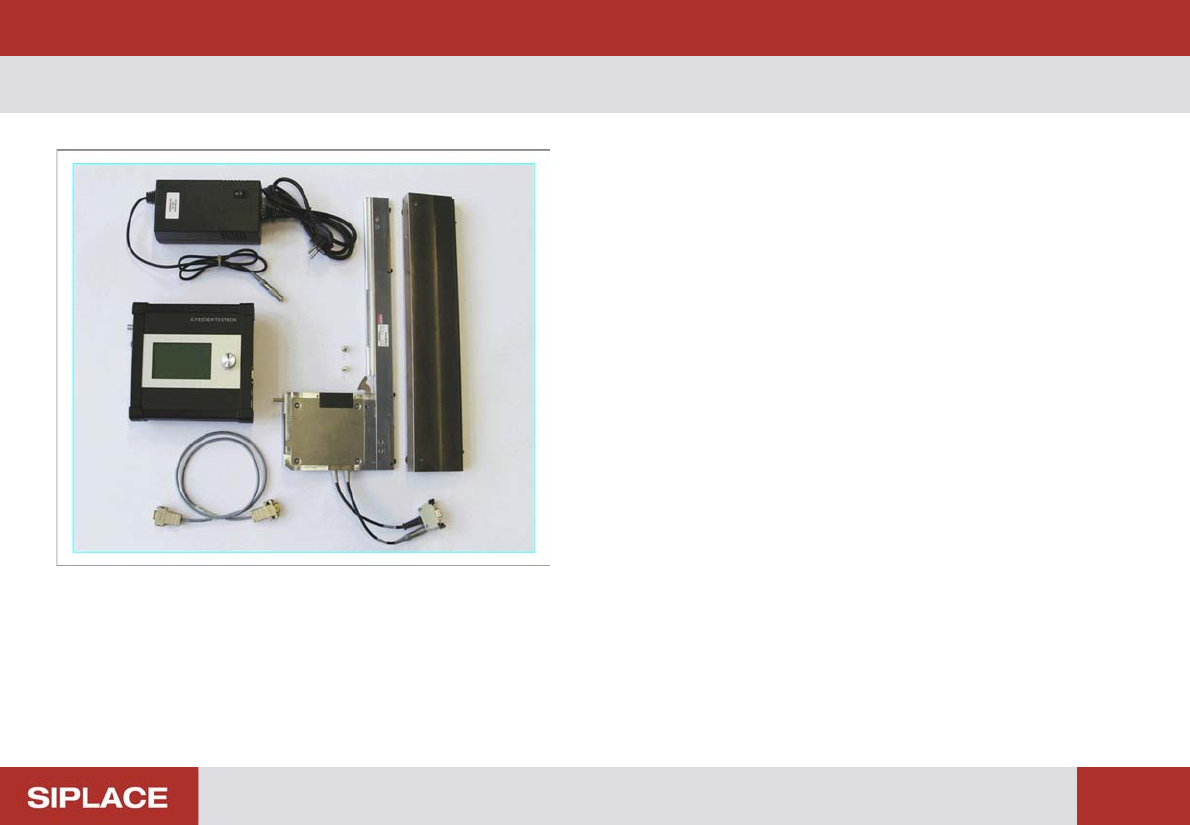
The scope of delivery includes:
▪ 1 X-feeder test box
, item no. 03054548-01
▪ 1 power pack, item no. 03133449-01
▪ 1 CAN cable
▪ 1 Single Slot EDIF with plate and 2 screws