00196353-04_JG_X-FeederTestStation_EN.pdf - 第41页
3 - Updating the firmware 3-1 X -Feeder Testbox checks the Conne ctions 41 – 3 - 1 X - F e e d e r T e s t b o x c h e c k s t h e C o n n e c t io n s
3 - Updating the firmware
40
Updating firmware of the feeder module
You need to update the firmware of the feeder module after replacing some spare parts.
Please contact your local service partner in order to get the required firmware.
See the description below on how to transfer the appropriate firmware of the spare part to the feeder module.
► Remove the USB-stick of the X-Feeder Testbox when the update is completed or aborted.
NOTICE
The USB-stick needs to be formated with FAT16 or FAT32.
The firmware needs to be in the root directory of the USB-stick.
Make sure that the USB-stick is virus-free.
The firmware is only transferred if the firmware on the USB stick is a higher version than the firmware on the
feeder module.
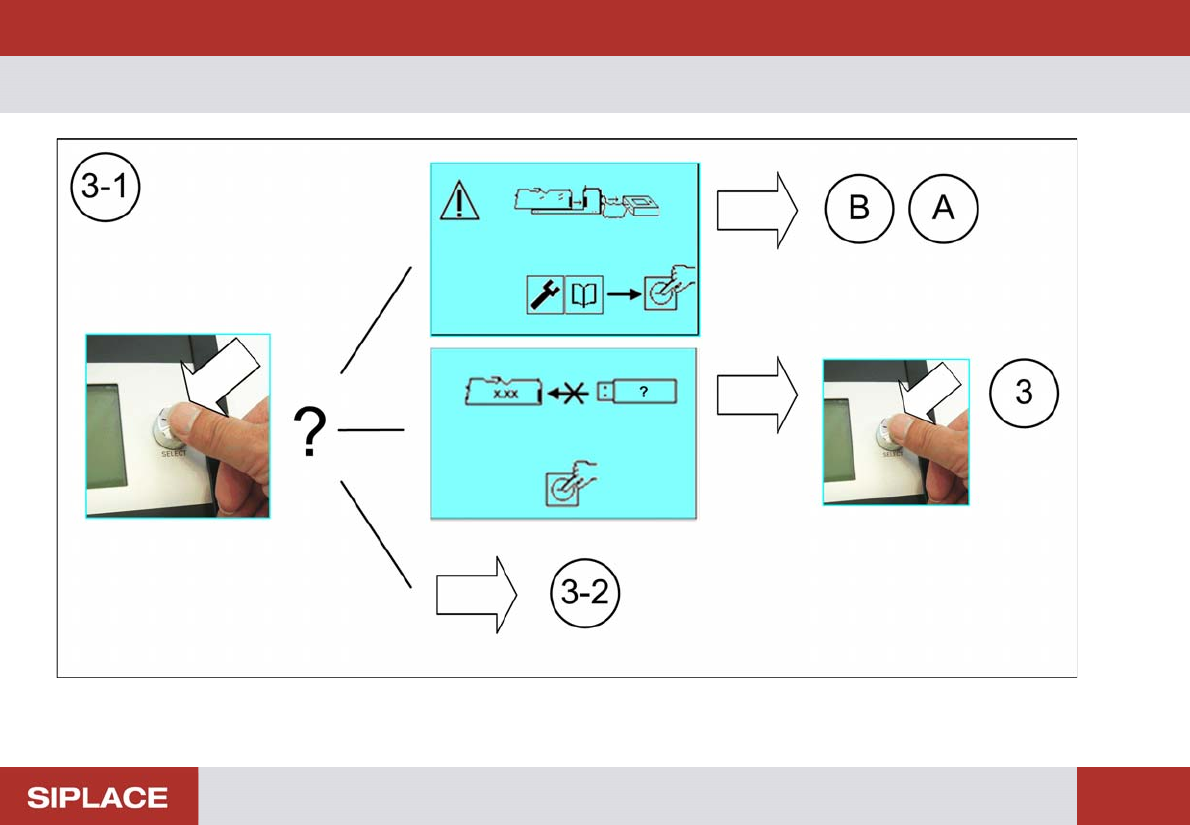
3 - Updating the firmware 3-1 X-Feeder Testbox checks the Connections
41
– 3-1 X-Feeder Testbox checks the Connections
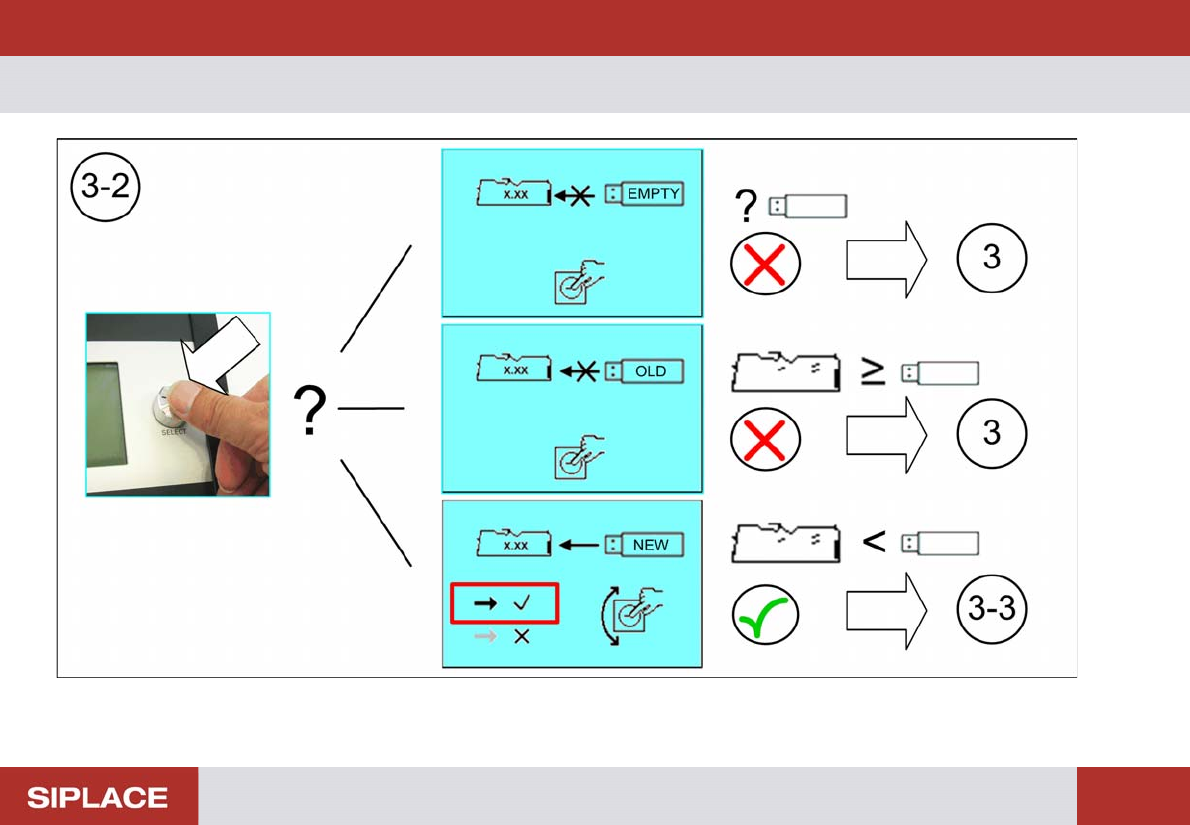
3 - Updating the firmware 3-2 X-Feeder Testbox checks the Firmware Version
42
– 3-2 X-Feeder Testbox checks the Firmware Version