FCM_User Reference Manual.pdf.pdf - 第102页
MIS User Re ference Manual 4022 5 91 96082 5-10 F CM Mult ifl ex 02.02 ✱✱ Det ailed Inf ormat ion See 5.3.2.5 [Re port s] > [Process grap h...]. 5.3.2.2 [Report s] > [Gener al data...] T ABL E 5-2 Q ui ck Ref er en…
4022 591 96082 User Reference Manual
02.02 FCM Multiflex 5-9
MIS
5.3.2 Process Performance
5.3.2.1 [Summary... F2]
TABLE 5-1 Quick Reference
fcm0510a.tif
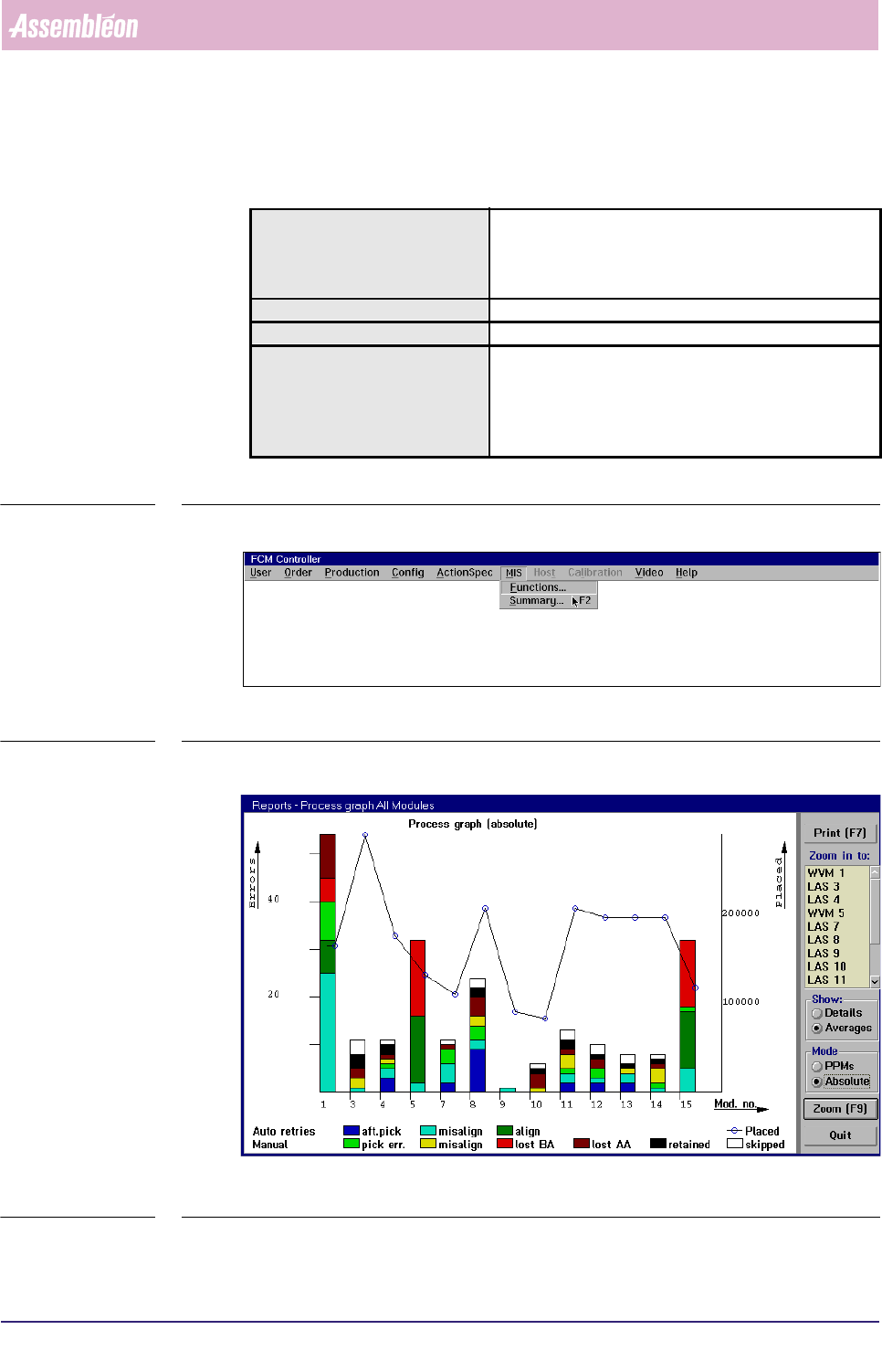
SCREEN 5-3 MIS pull-down menu
fcm0511a.tif
SCREEN 5-4 [Summary... F2] screen example
Actions In the MIS pull-down menu (see SCREEN 5-3), select
[Summary... F2] or press <F2>, and you immediately
activate the [Process graph...] function of the current
MIS period.
Conditions ■ order active
Information graphical overview of all process errors
Display Options ■ absolute error numbers
■ errors in Parts Per Millions (PPMs)
■ errors per placement module
■ errors per feeder position
■ zoom-in to specific placement module
MIS
User Reference Manual 4022 591 96082
5-10 FCM Multiflex 02.02
✱✱ Detailed Information
See 5.3.2.5 [Reports] > [Process graph...].
5.3.2.2 [Reports] > [General data...]
TABLE 5-2 Quick Reference
fcm0512a.tif
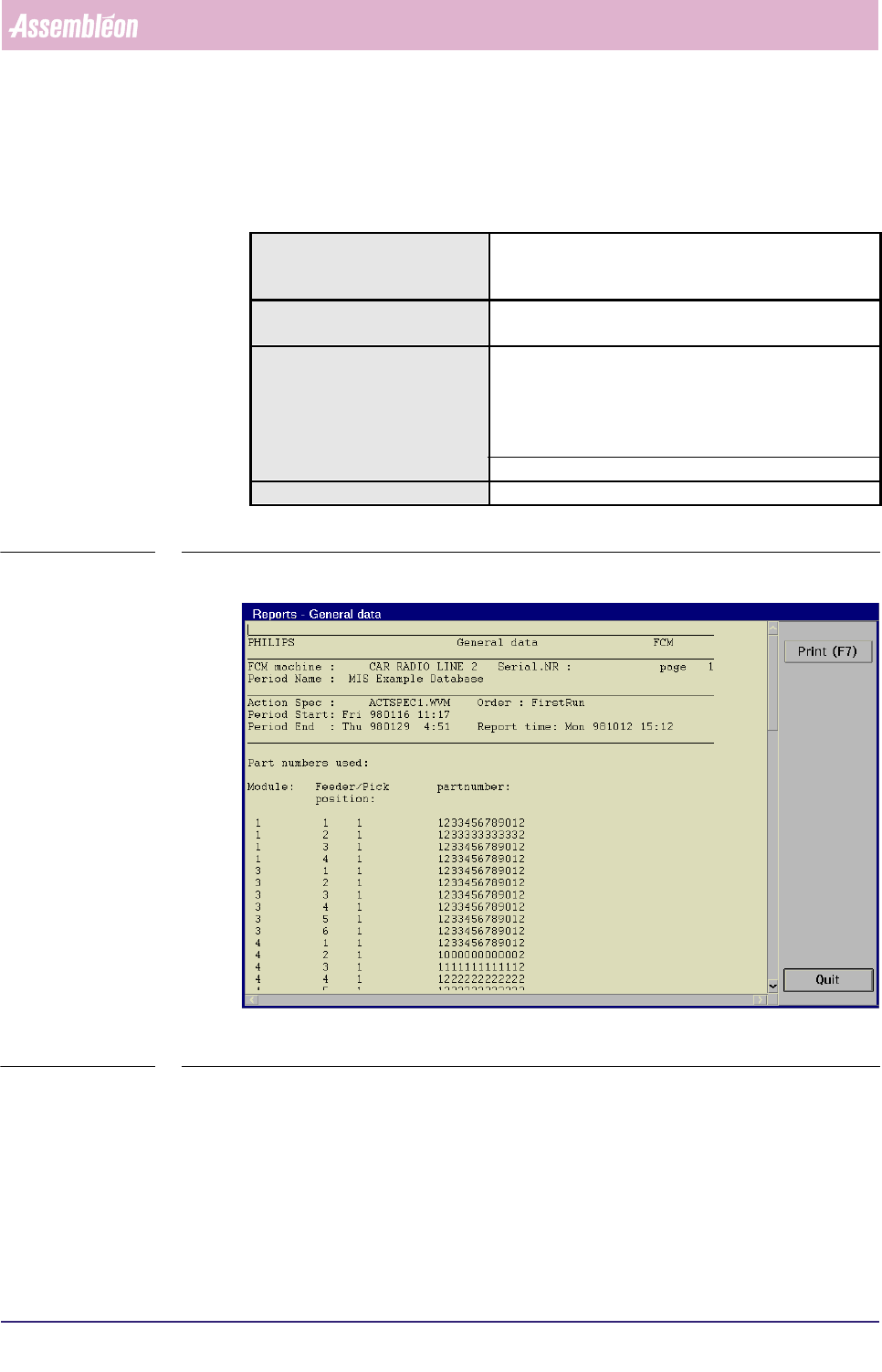
SCREEN 5-5 [General data...] screen example
✱✱ Detailed Information
▼ Controls
The controls on the right of the screen (see SCREEN 5-5) have the functions:
■ select
[Print (F7)] or press <F7> to print the report
■ select [Quit] to leave the [General data...] menu
Actions ■ select [Functions...] in the MIS pull-down menu
■ select [Reports]
■ select [General data...]
Conditions ■ supervisor access level
■ order active
Information ■ FCM Multiflex machine identification and serial no.
■ MIS period name + start/stop date/time
■ action spec name
■ order name
■ report date/time
■ positions and part numbers of all feeders
Display Options -
4022 591 96082 User Reference Manual
02.02 FCM Multiflex 5-11
MIS
5.3.2.3 [Reports] > [Production events...]
TABLE 5-3 Quick Reference
fcm0513a.tif
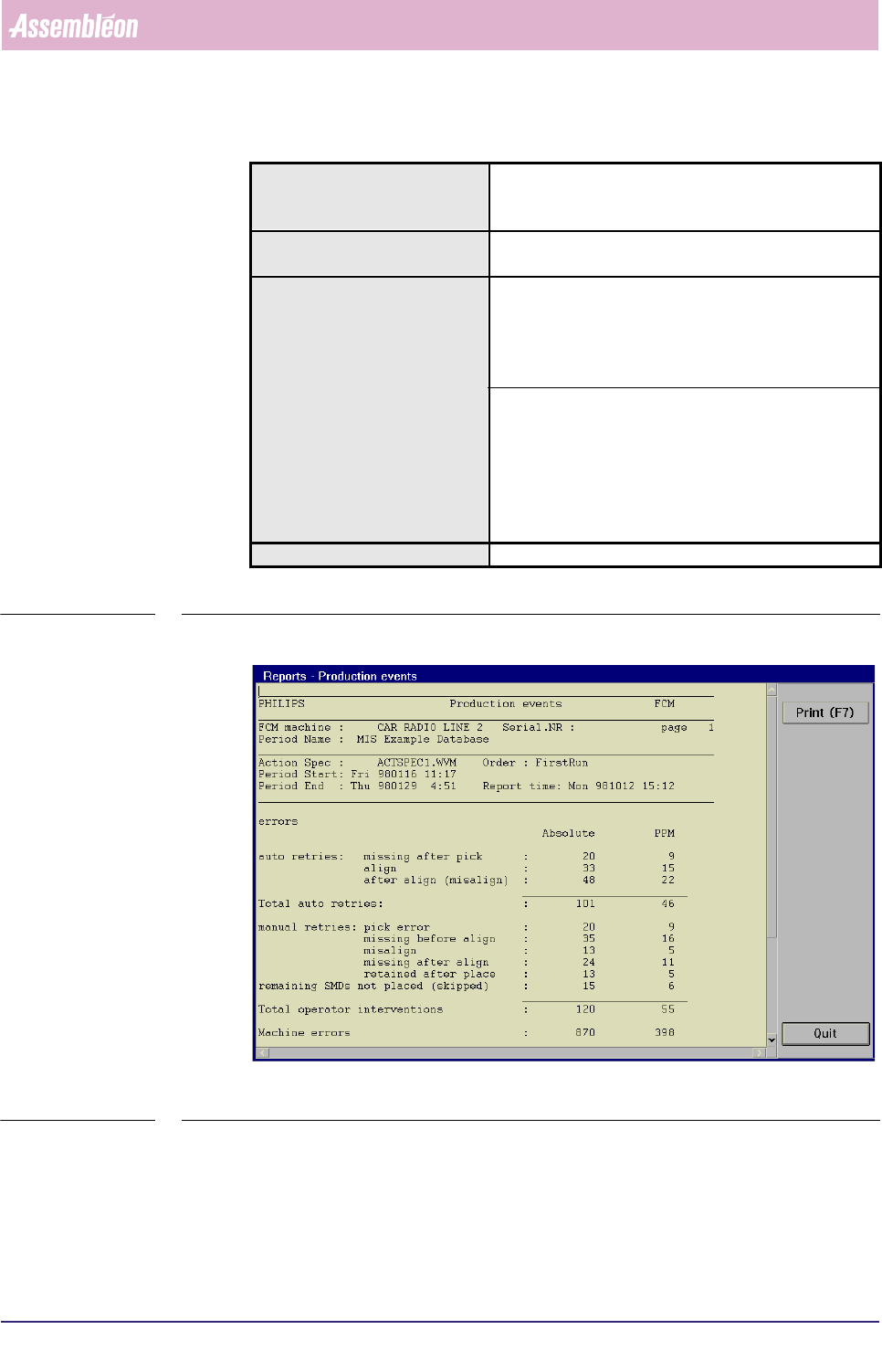
SCREEN 5-6 [Production events...] screen example, part 1
Actions ■ select [Functions...] in the MIS pull-down menu
■ select [Reports]
■ select [Production events...]
Conditions ■ supervisor access level
■ order active
Information ■ FCM Multiflex machine identification and serial no.
■ MIS period name + start/stop date/time
■ action spec name
■ order name
■ report date/time
■ total number of auto retries
■ total number of manual retries
■ total number of picked SMDs
■ total number of placed SMDs
■ total number of not placed SMDs (skipped)
■ number of machine errors
■ number of boards that are good, suspect or skipped
Display Options -