FCM_User Reference Manual.pdf.pdf - 第138页
MIS User Re ference Manual 4022 5 91 96082 5-46 F CM Mult ifl ex 02.02 T ABLE 5- 21 ▼ Contr ols The cont rol s on the righ t of the scr e en (s ee SCREEN 5-35) h ave th e fun ction s: ■ sel ect [P ri nt (F7 ) ] or pr ess…
4022 591 96082 User Reference Manual
02.02 FCM Multiflex 5-45
MIS
TABLE 5-20
fcm0544a.eps
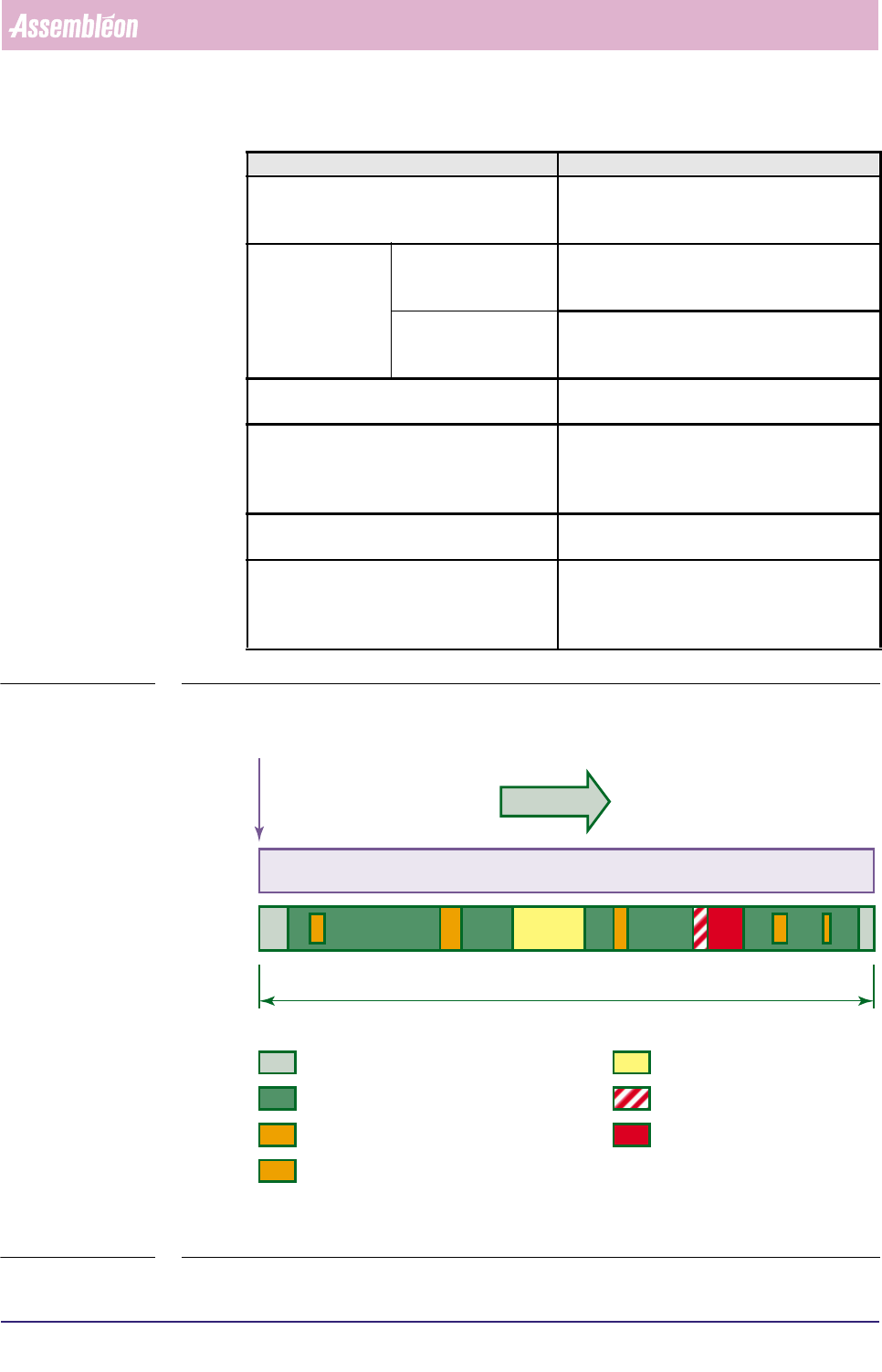
FIGURE 5-8 Example of time elements from the [Production times...] report
Report text Explanation
Waiting for operator the total Waiting-for-operator time during error
(time between occurrence of the error and the
moment the operator starts with recovery)
Downtime not machine related the total time the FCM Multiflex has stopped
due to not-machine related errors; for
instance an empty tape
machine related the total time the FCM Multiflex has stopped
due to machine-related errors; for instance a
servo error
Time powered down the total time for which the FCM Multiflex has
been pow-ered down
Data lost (power down) the total time for which MIS data was lost due
to power down; for instance the MIS data had
not yet been stored when the power went
down
Total downtime the sum of the previous 4 items excluding
“Data lost due (power down)”
Total elapsed time the total elapsed time for this MIS period so
far, counted from the first production started
situation up till the last production stopped sit-
uation (see also section 5.2.3.2)
new order A entered
MIS period A
Total elapsed time
Setup Time Prod. stopped
Waiting for operator
Downtime
Prod. running
Waiting (PCB to enter/leave system)
Prod. waiting (All carriers empty while waiting for a PCB to enter, or
all carriers occupied + all SMDs placed while waiting for a PCB to leave)
!
!!
MIS
User Reference Manual 4022 591 96082
5-46 FCM Multiflex 02.02
TABLE 5-21
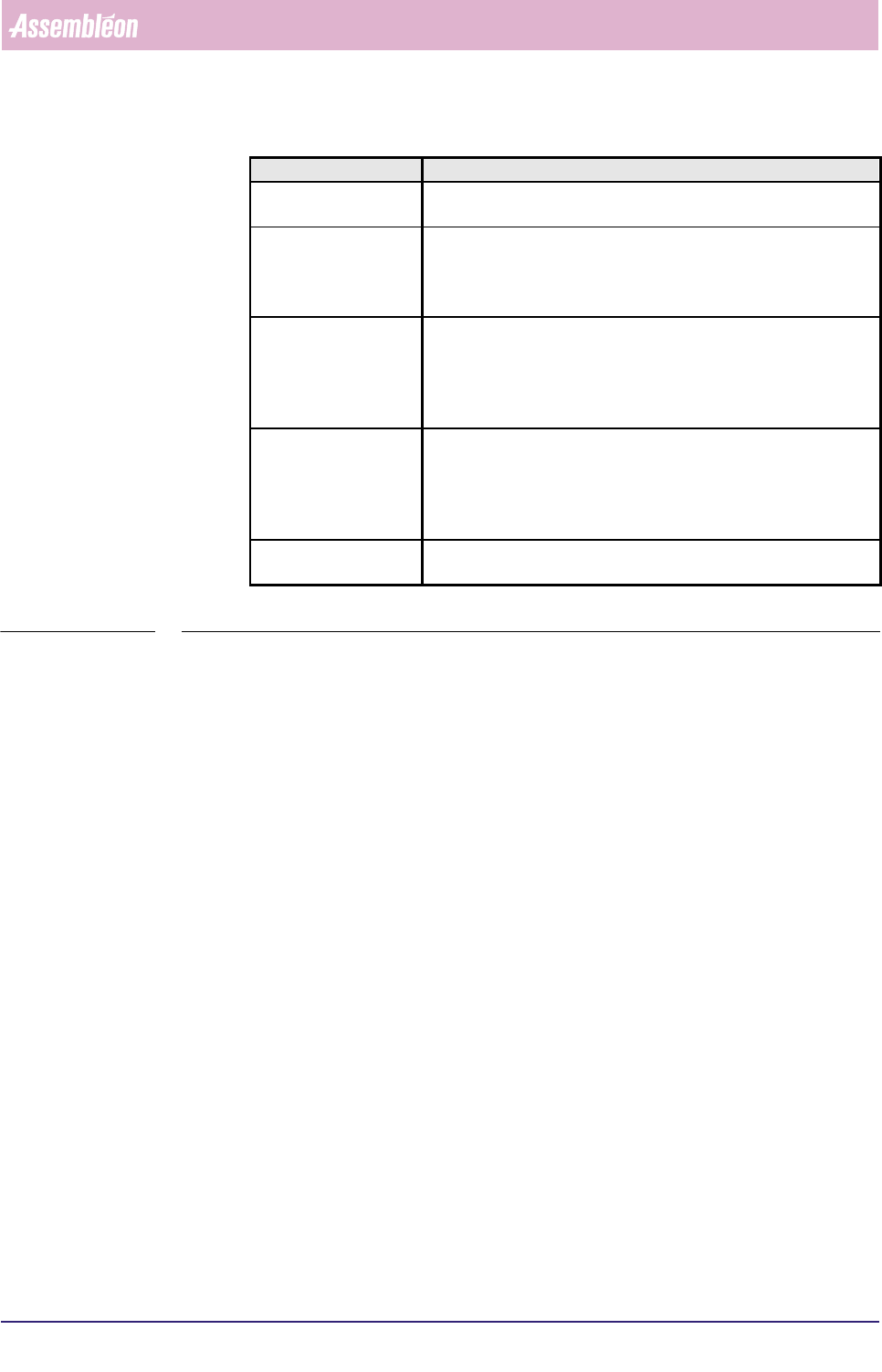
▼ Controls
The controls on the right of the screen (see SCREEN 5-35) have the functions:
■ select
[Print (F7)] or press <F7> to print the report
■ select
[Quit] to leave the [Production times...] menu
Report text Explanation
Nr of processed
boards
the total number of processed boards, which means the good + the
skipped + the suspected boards all together
Nr of empty produc-
tion cycles (no board)
■ the number of production cycles in which no boards were
loaded in the FCM Multiflex (all transport carriers empty)
■ this is an indication of how (in)efficient your FCM Multiflex
worked
Average cycle time
during production
■ the average production cycle time per board calculated for the
production running time
■ this is:
production running time
number of processed boards number of empty production cycles
Average cycle time
during current order
■ the average production cycle time per board calculated for the
total elapsed time
■ this is:
total elapsed time
number of processed boards number of empty production cycles
Number of SMD’s
mounted
total number of all SMDs that had been placed on the boards so far
during the current MIS period
4022 591 96082 User Reference Manual
02.02 FCM Multiflex 5-47
MIS
5.3.4 Troubleshooting
5.3.4.1 [Troubleshooting] > [Trace component...]
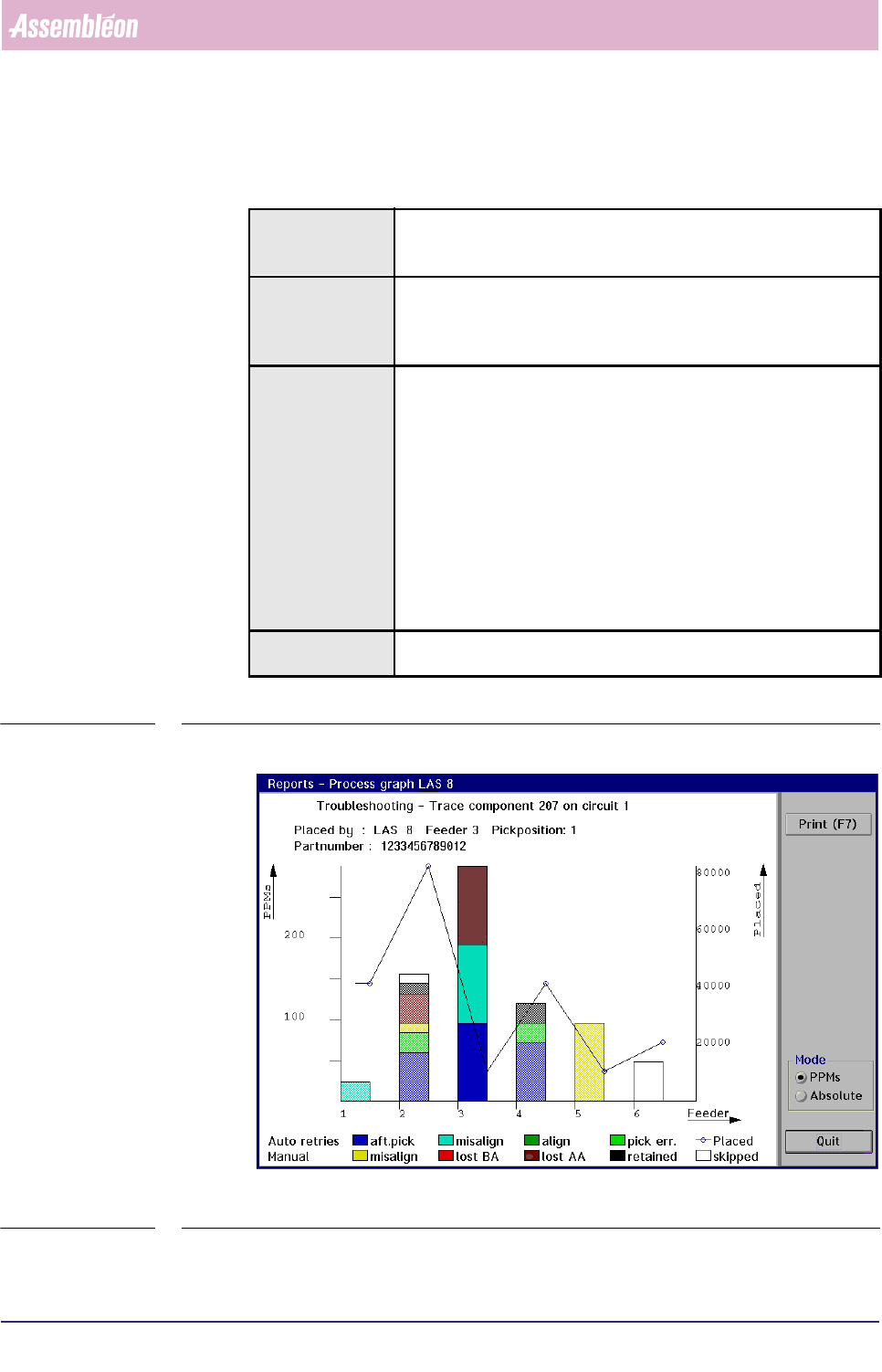
TABLE 5-22 Quick Reference
fcm0545a.tif
SCREEN 5-36 [Trace component...] process graph screen example
Actions ■ select [Functions...] in the MIS pull-down menu
■ select [Troubleshooting]
■ select [Trace component...]
Conditions ■ order active
■ item code of the badly placed SMDs must be known
■ in case of a multi-circuit board, the number of the board circuit on
which the problem exists must be known
Information following information will be given on the error environment:
■ the relevant placement module number
■ the relevant feeder position
■ the relevant pick position
■ the SMD reel’s partnumber used for the concerned SMDs
■ the number of auto retries
■ the number of manual retries
■ the number of placed SMDs
■ the number of not placed SMDs (skipped)
the occurred process errors on the traced SMD will be displayed in
bright colours, whereas the other errors are displayed in pale colours
Display Options ■ absolute error numbers
■ errors in Parts Per Millions (PPMs)