FCM_User Reference Manual.pdf.pdf - 第152页
MIS User Re ference Manual 4022 5 91 96082 5-60 F CM Mult ifl ex 02.02 ▼ Controls The contr o l s on the righ t of the [S ervo diagn ostic ...] screen have the follo w in g fu n ctions : ■ sel ect [P ri nt (F7 ) ] or pr …
4022 591 96082 User Reference Manual
02.02 FCM Multiflex 5-59
MIS
TABLE 5-28
fcm0556a.tif
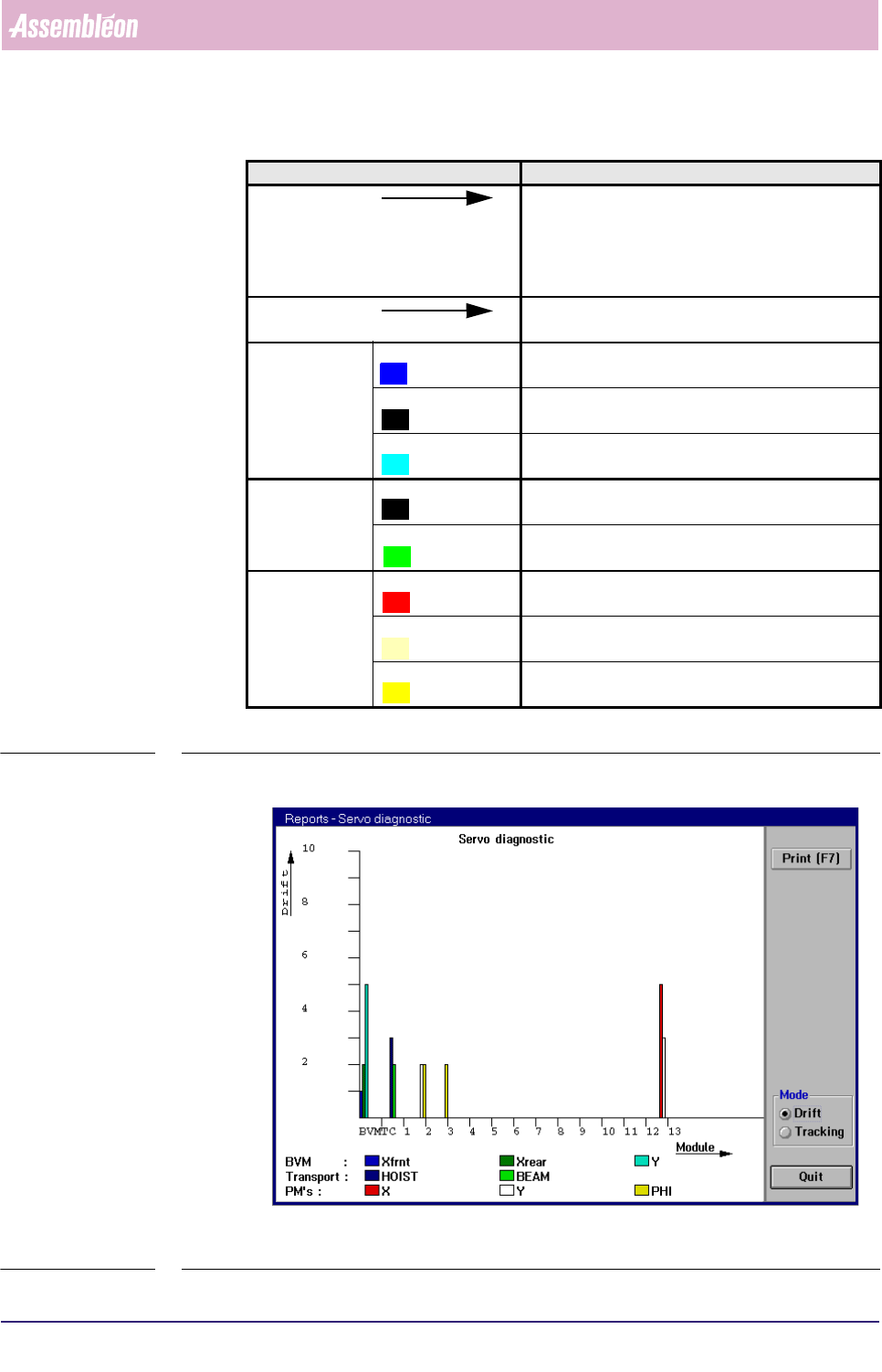
SCREEN 5-49 Example of a [Servo diagnostic...] graph in [Drift] mode
Graph legend Explanation
Drift scale for the total amount of drift, which can be
defined as:
the total number of servo increment pulses that did
not match the nominal value (in Drift mode only)
Module Module along this line the various used modules
involved are indicated
BVM Xfrnt the total amount of drift that occurred for the BVM’s
front side X-motor
Xrear the total amount of drift that occurred for the BVM’s
rear side X-motor
Y the total amount of drift that occurred for the BVM’s
Y-motor
Transport HOIST the total amount of drift that occurred for the hoist
motor of the transport beam
BEAM the number of times a tracking warning occurred for
the X-motor of the transport beam
PMs X the total amount of drift that occurred for the X-
motor of the indicated placement module
Y the total amount of drift that occurred for the Y-
motor of the indicated placement module
PHI the total amount of drift that occurred for the PHI-
motor of the indicated placement module
MIS
User Reference Manual 4022 591 96082
5-60 FCM Multiflex 02.02
▼Controls
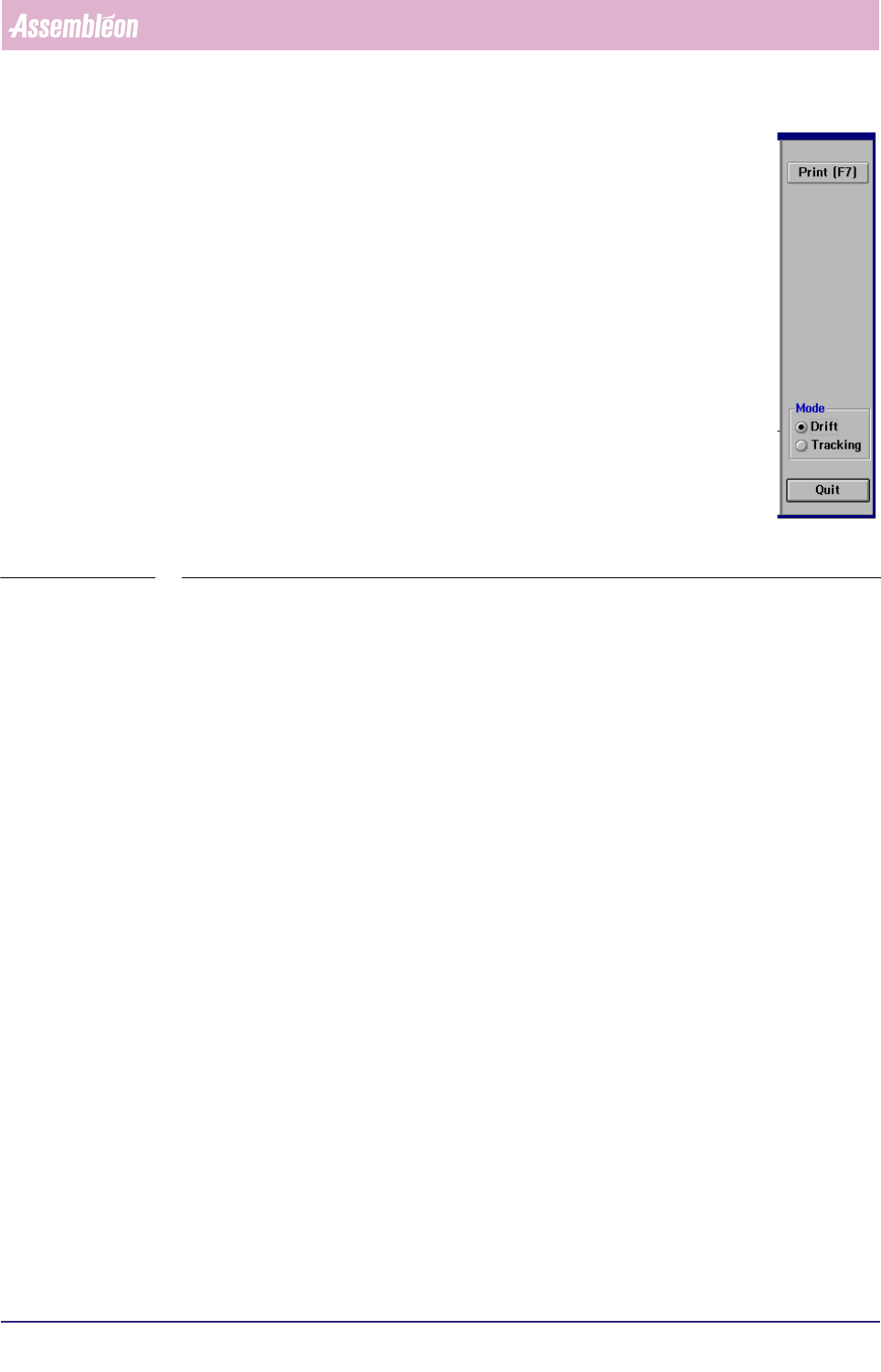
The controls on the right of the [Servo diagnostic...] screen have the
following functions:
■ select
[Print (F7)] or press <F7> to print the graph
■ select
[Tracking] to have the tracking warnings displayed on the
screen
■ select [Drift] to have the drift displayed on the screen
■ select
[Quit] to leave the [Servo diagnostic...] menu
■ select [Quit] to leave the [Servo diagnostic...] menu
SCREEN 5-50
4022 591 96082 User Reference Manual
02.02 FCM Multiflex 5-61
MIS
5.3.5.3 [Reports] > [Error history...]
TABLE 5-29 Quick Reference
fcm0558a.tif
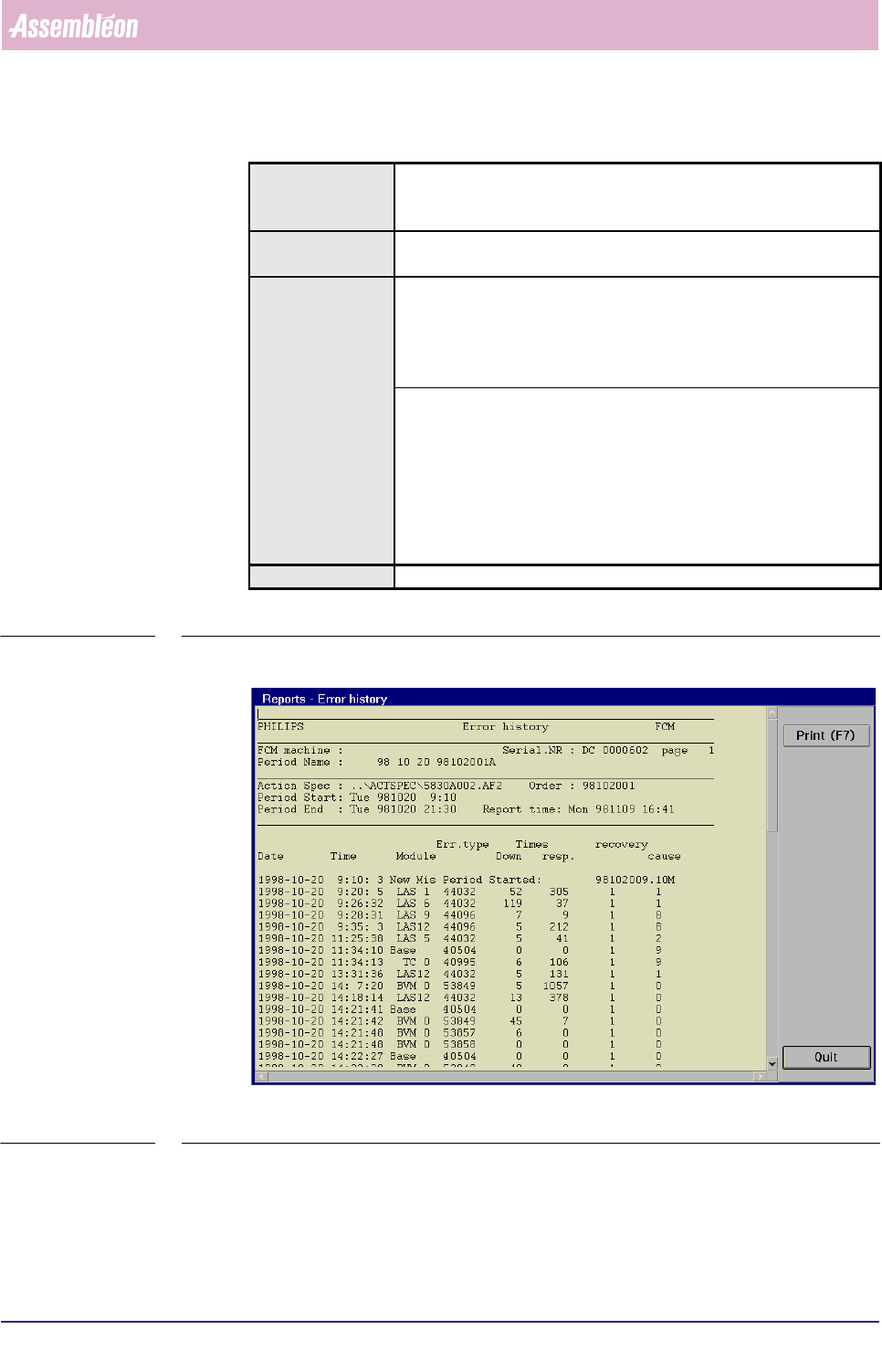
SCREEN 5-51 [Error history...] screen example
Actions ■ select [Functions...] in the MIS pull-down menu
■ select [Reports]
■ select [Error history...]
Conditions ■ supervisor access level
■ order active
Information ■ FCM Multiflex machine identification and serial no.
■ MIS period name + start/stop date/time
■ action spec name
■ order name
■ report date/time
■ history of error occurrences with following information:
• data/time of occurrence
• module involved
• error type
• down time
• response time
• recovery action
• error cause
Display Options -