FCM_User Reference Manual.pdf.pdf - 第16页
Pu rpos e of the Use r Refe renc e Man ual User Re ference Manual 4022 5 91 96082 2 - 2 FCM Multiflex 02.02 Op er ating Manual d escribes wor k flow f or n ormal pr oduction. User Reference Manual describe s: 1. General …

4022 591 96082 User Reference Manual
02.02 FCM Multiflex 2-1
Purpose of the User Reference Manual
CHAPTER 2 Purpose of the User Reference Manual
2.1 Introduction
This manual gives information (at Supervisor and Maintenance level) for additional
machine operations that are not described in the Operating or Service Manual.
It cannot be used as complete work instruction but only as reference book.
Service Manual describes mainly:
1. System.
2. Repairs.
3. Spare parts.
4. Calibration/adjustments.
5. Preventive maintenance.
Purpose of the User Reference Manual
User Reference Manual 4022 591 96082
2 - 2 FCM Multiflex 02.02
Operating Manual describes workflow for normal production.
User Reference Manual describes:
1. General use of User Interface & configuring modules on FCM.
2. Mount program.
3. MIS.
4. Advanced handling during Product Change Overs & order scheduling.
5. SVS configuration & second sources
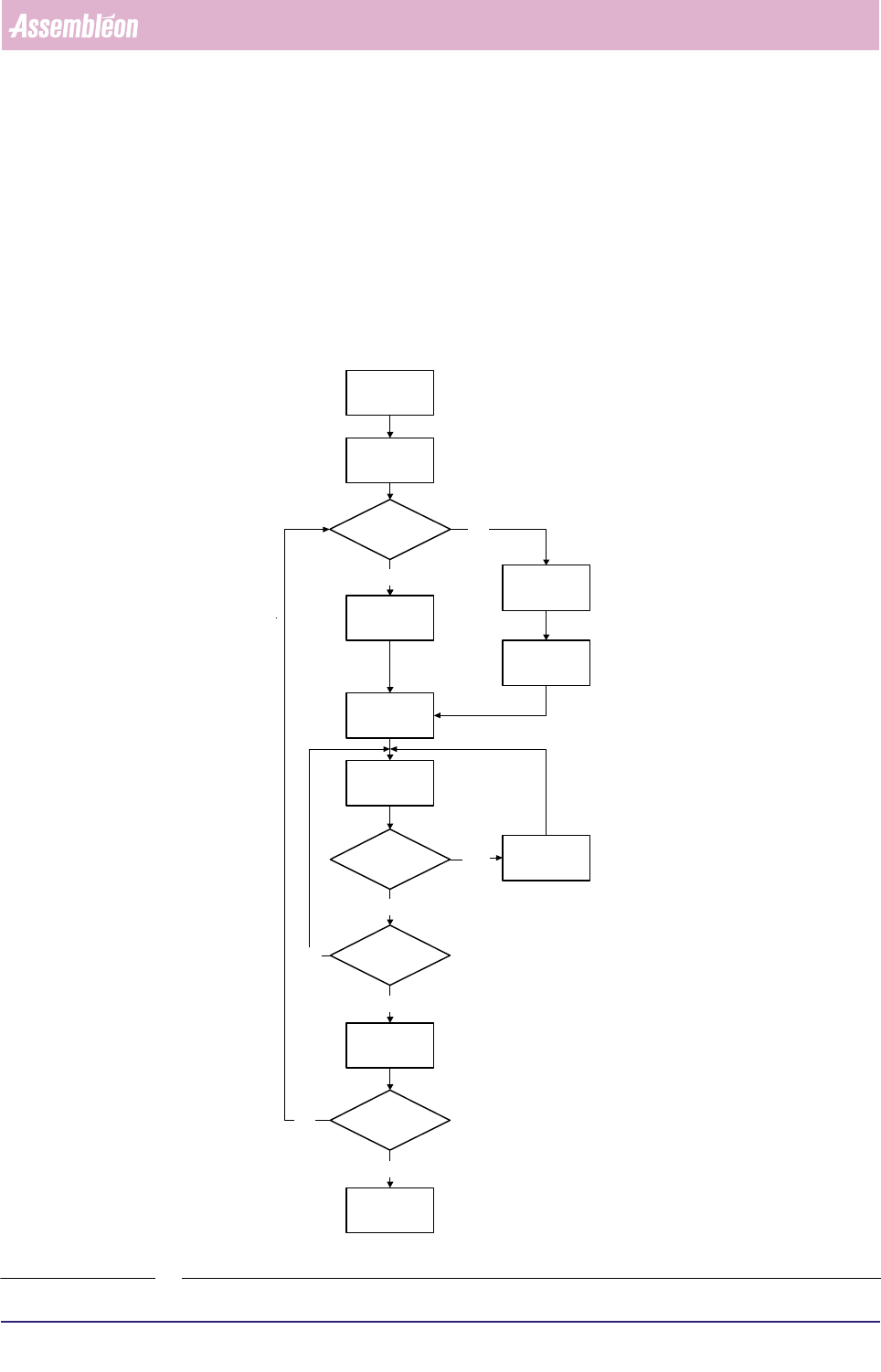
FIGURE 2-1
Switch-On
Procedure
Running
Production
Error
Handling
Start
Production
Procedure
Off Line
Preparation
New
Program
Selection
Current
Program
Selection
Pre-Start
Inspections
Same
Production?
Error?
Shut-Down
Procedure
Yes
Yes
No
Yes
No
No
Stop
Production?
Stop
Production
Shut down?
Yes
No
4022 591 96082 User Reference Manual
02.02 FCM Multiflex 3-1
Human Interface
CHAPTER 3 Human Interface
3.1 Introduction Navigating
This chapter describes the operation of the FCM Multiflex Human Interface.
Furthermore it will give you a quick reference overview of all available functions on
the Human Interface.
NOTE: This chapter does not explain the functionality and operation of each indi-
vidual function, since this has been explained in the Assembléon Training
course. If necessary, it is possible to use the Human Interface’s help infor-
mation as a reference.
The Human Interface can be operated in two ways:
■ Using the function keys or key combinations of the keyboard.
■ Using the touch pad of the keyboard.
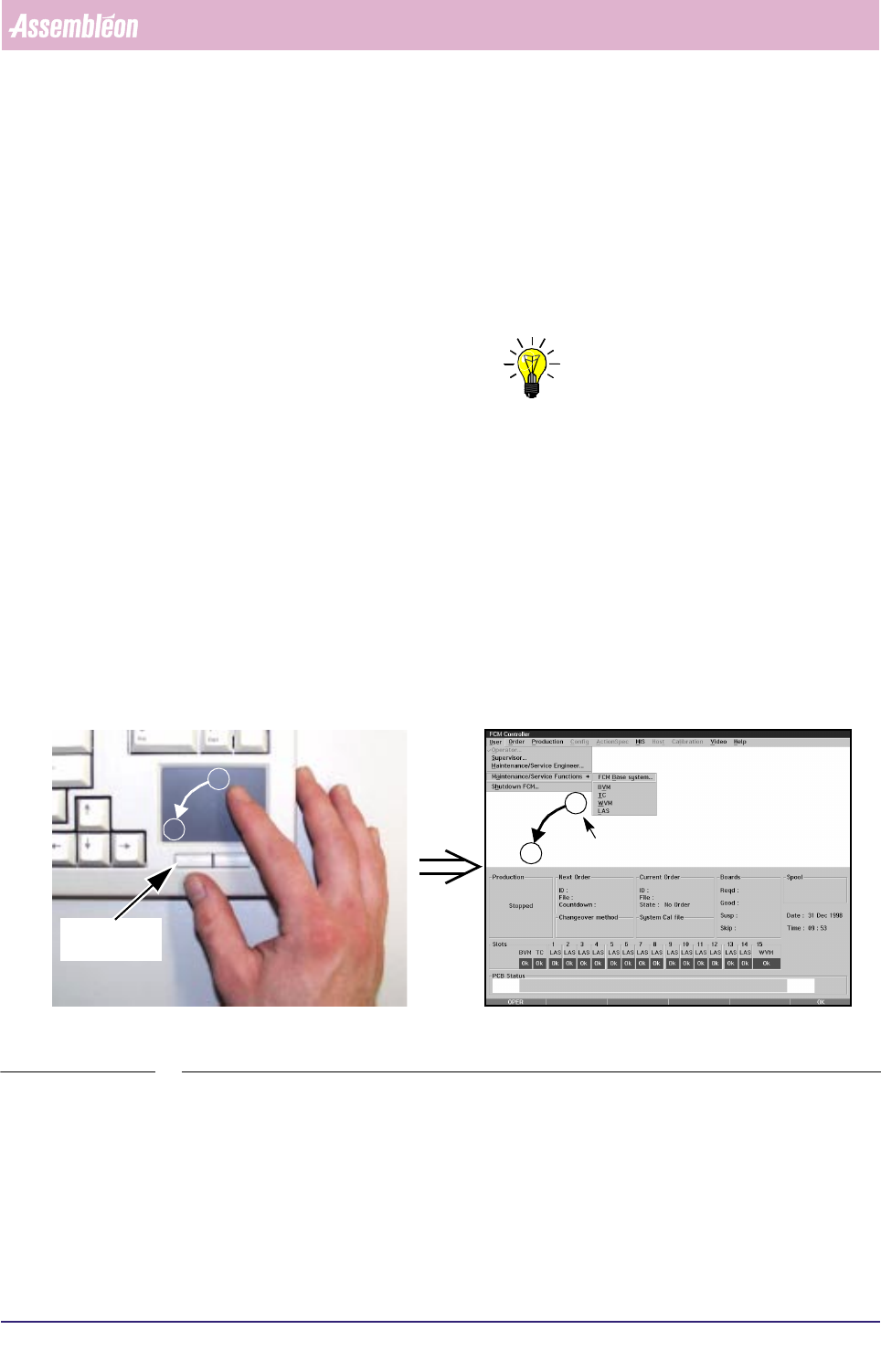
The pointer on the screen can be moved to a menu item or function by slightly
shifting over the touch pad. A menu item or function can be selected by tapping
on the touch pad or pressing the left control button below the touch pad (see
SCREEN 3-1).
SCREEN 3-1 Using the touch pad of the keyboard
The Human Interface screen is divided in to 3 main areas (see SCREEN 3-2):
■ Menu Screen
■ FCM Multiflex Status Window
■ Status Bar
A
B
A
B
Left control
button
Pointer