FCM_User Reference Manual.pdf.pdf - 第168页
MIS User Re ference Manual 4022 5 91 96082 5-76 F CM Mult ifl ex 02.02 5.3.6.3 [Contr ol] > [Collect data...] T ABL E 5-35 Qui ck Refer ence fcm0 564a / 0565 a.ti f SCREE N 5-5 7 [Co llect dat a.. .] sc ree n dia log …
4022 591 96082 User Reference Manual
02.02 FCM Multiflex 5-75
MIS
SD-[fcm0504a.eps]
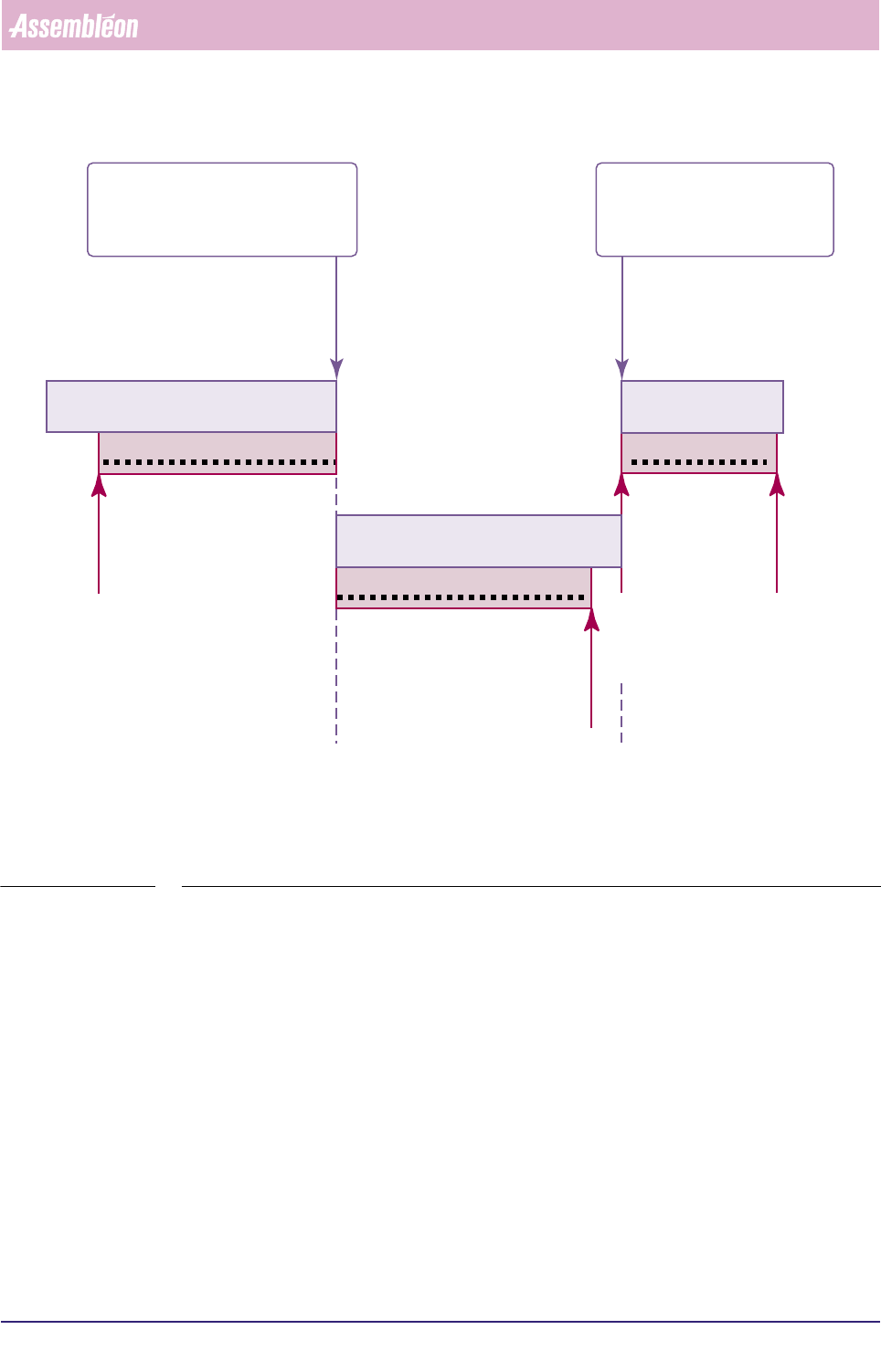
FIGURE 5-9 Starting a temporary MIS periode
▼Controls
■ choose a (logical) name for the temporary MIS period to be created
■ enter this name in the menu window
■ select
[Cancel] to quit the function without alteration
■ select
[OK] to activate the temporary MIS period;
by doing so, the current MIS period ends and the temporary MIS period starts
(see FIGURE 5-9)
■ on start of another order, the temporary MIS period on its turn will be ended
stopped
MIS data being written
running order A
order B started
= temporary MIS period
automatically closed
temporary MIS period started
= current MIS period
automatically closed
started
MIS data being written
running order A
MIS period A
started
stopped
MIS data being written
running order B
MIS period B
temporary MIS period
MIS
User Reference Manual 4022 591 96082
5-76 FCM Multiflex 02.02
5.3.6.3 [Control] > [Collect data...]
TABLE 5-35 Quick Reference
fcm0564a/0565a.tif
SCREEN 5-57 [Collect data...] screen dialogues
✱✱Detailed Information
MIS data is collected from different parts of the FCM Multiflex. Some of these FCM
Multiflex parts write data directly into the MIS database, whereas some other parts
do only on a MIS data collection command.
As a consequence of this, the MIS database of a running order may be inconsistent
at sometime. So, when you want to create a report that is surely based upon
consistent data at any moment, a manual MIS data collection command should be
given first.
Depending on the state of your FCM Multiflex, this data collection may take some
time.
Actions ■ select [Functions...] in the MIS pull-down menu
■ select [Control]
■ select [Collect data...]
Conditions ■ order active
■ production status [Running] or [Stopped]
Information ■ by this function, you can manually force a data collect action
■ all MIS data from the different FCM Multiflex parts are then col-
lected and
stored in the MIS database (see also 2.3.1)
Display Options -

4022 591 96082 User Reference Manual
02.02 FCM Multiflex 5-77
MIS
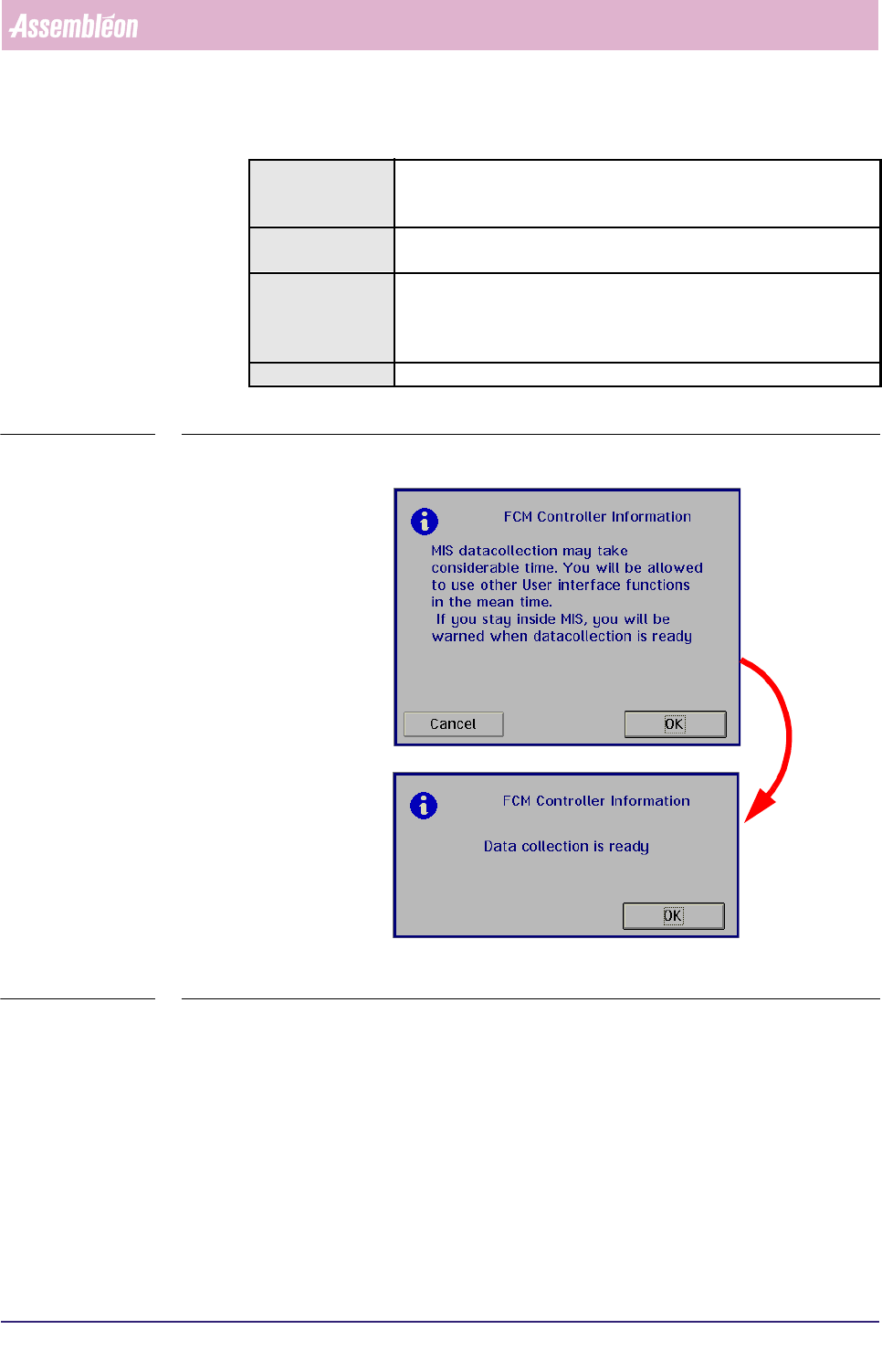
NOTE: Although the [Collect data...] dialogue responds imme-diately, this does
not mean the data collection has been finished!
No actual data collection is done as long as any placement module is busy.
As soon as data collection is finished, you will be notified via the menu
dialogue.
▼Controls
■ select [Cancel] to quit the function without action
■ select
[OK] to start the (manual) MIS data collection
■ After you have been notified that the data collection is finished, select
[OK] to
leave the dialogue