FCM_User Reference Manual.pdf.pdf - 第173页
4022 591 96082 User Re ference Manual 02.02 FCM Multiflex 5-81 MIS 5.3.8.2 [A dminist rati on] > [C opy t o arc hiv e ...] T ABL E 5-40 Qui ck Refer ence fcm05 68a.tif SCREE N 5-6 0 [Copy to arc hive . . .] s creen ex…
MIS
User Reference Manual 4022 591 96082
5-80 FCM Multiflex 02.02
5.3.8 File Handling
5.3.8.1 [Administration] > [Copy from archive...]
TABLE 5-39 Quick Reference
fcm0567a.tif
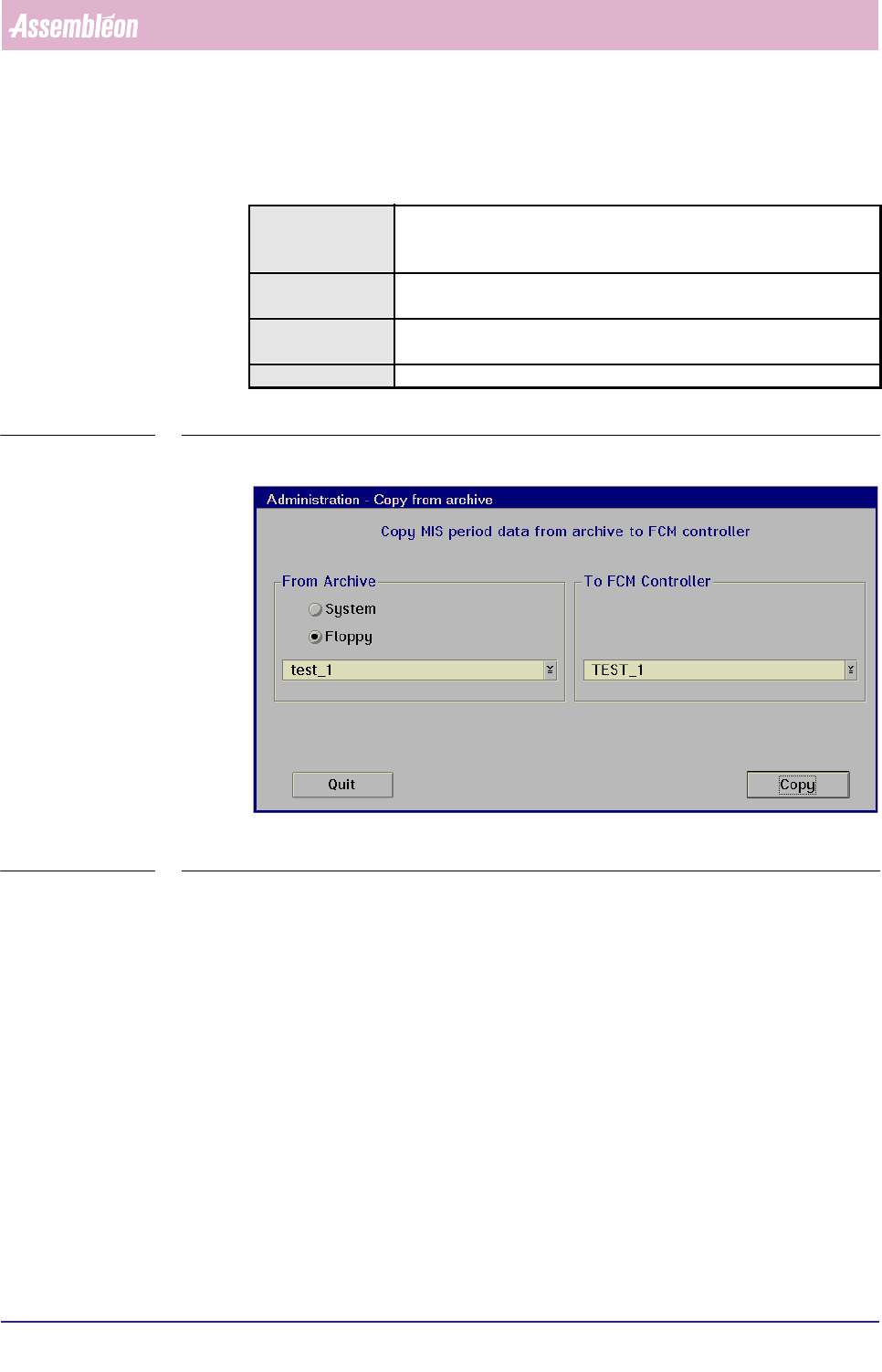
SCREEN 5-59 [Copy from archive...] screen example
✱✱Detailed Information
Not applicable
Actions ■ select [Functions...] in the MIS pull-down menu
■ select [Administration]
■ select [Copy from archive...]
Conditions ■ supervisor access level
■ order active
Information ■ copies MIS period data from archive (system harddisk or a floppy
disk) to the FCM Multiflex controller
Display Options -
4022 591 96082 User Reference Manual
02.02 FCM Multiflex 5-81
MIS
5.3.8.2 [Administration] > [Copy to archive...]
TABLE 5-40 Quick Reference
fcm0568a.tif
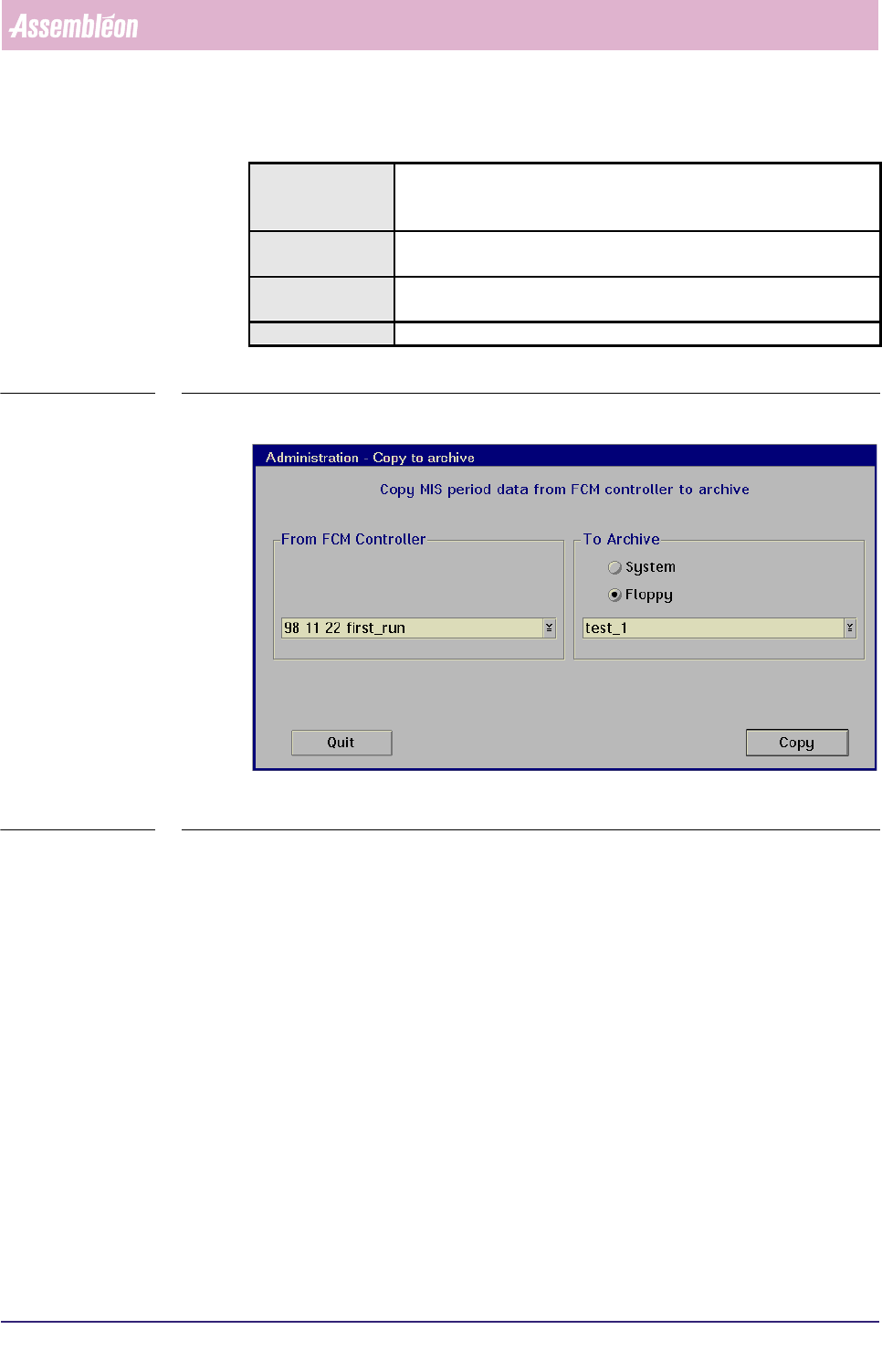
SCREEN 5-60 [Copy to archive...] screen example
✱✱Detailed Information
Not applicable
Actions ■ select [Functions...] in the MIS pull-down menu
■ select [Administration]
■ select [Copy to archive...]
Conditions ■ supervisor access level
■ order active
Information ■ copies MIS period data from the FCM Multiflex controller to archive
(system harddisk or a floppy disk)
Display Options -
MIS
User Reference Manual 4022 591 96082
5-82 FCM Multiflex 02.02
5.3.8.3 [Administration] > [Export...]
TABLE 5-41 Quick Reference
fcm0569a.tif
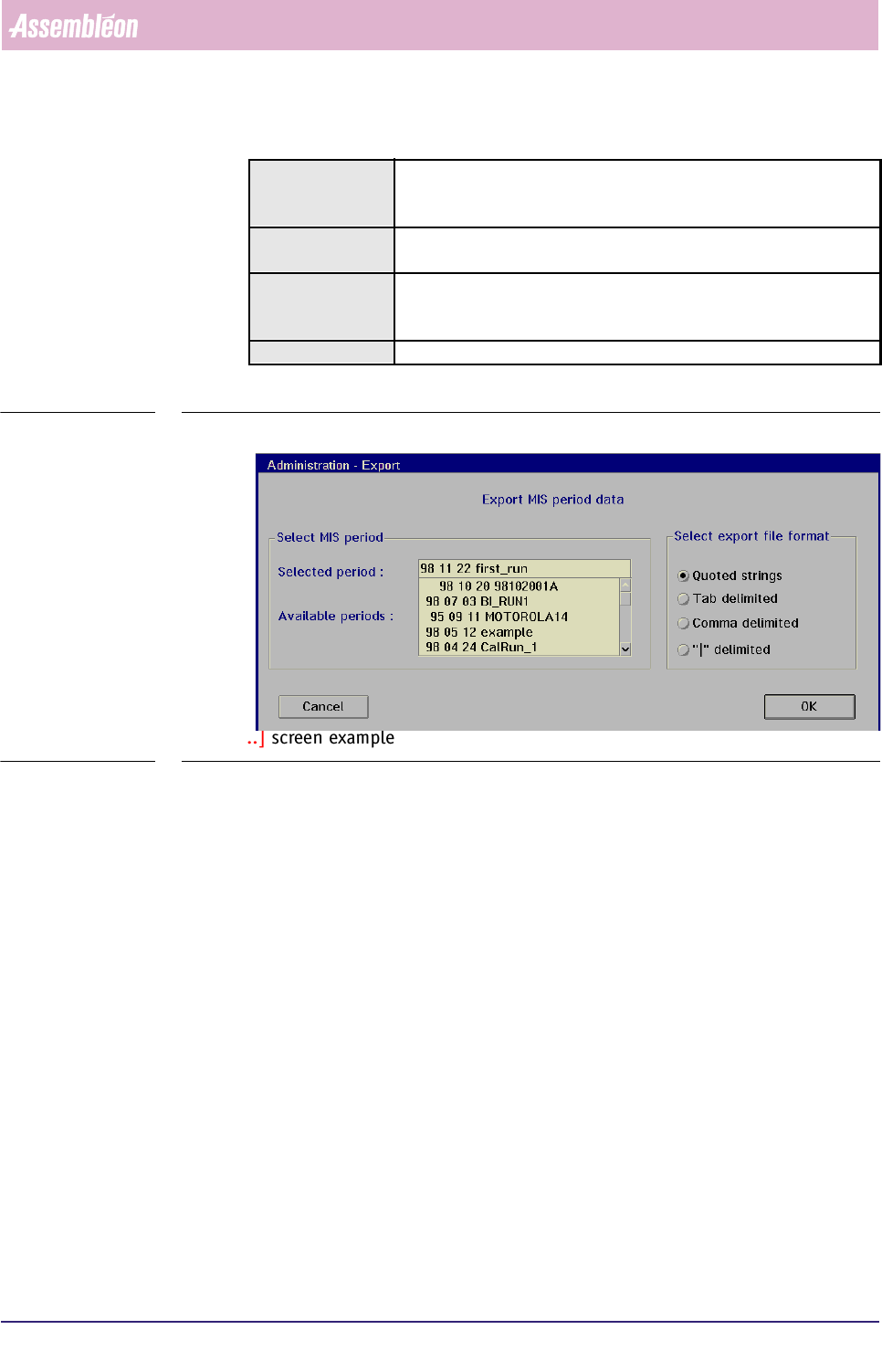
SCREEN 5-61 [Export...] screen example
✱✱Detailed Information
Using the
[Export...] function, you can export MIS data for use in a different
database system (e.g. MS-Excel).
Depending on what you selected before, this MIS export action can be related to a
running MIS period as well as to a past MIS period.
By default, the MIS data is exported in ASCII text format into the MIS sub-directory
>FCM\MIS\EXPORT.
Upon export command, an >..\EXPORT sub-directory is created with the same
name as the concerned MIS period, (see TABLE 5-3).
Within this concerned MIS period, upon each repeated export command, a new data
file is created with an incremented serial number. Numbering is from 00 through
99; after number 99 is reached, MIS will overwrite the old exports, starting again
with the number 00.
All export actions are logged into the file >..\EXPORT\EXPLOG.MIS.
Actions ■ select [Functions...] in the MIS pull-down menu
■ select [Administration]
■ select [Export...]
Conditions ■ supervisor access level
■ order active
Information ■ exports MIS period data from the FCM Multiflex controller to
archive
(system harddisk or a floppy disk)
Display Options -