FCM_User Reference Manual.pdf.pdf - 第175页
4022 591 96082 User Re ference Manual 02.02 FCM Multiflex 5-83 MIS fcm05 70a.tif SCREEN 5-62 M I S pe ri ods d ata files dir ectory rela ti ons fcm05 71a.tif SCREEN 5-63 MIS e xport fi les dir ector y r elat ion s Deleti…
MIS
User Reference Manual 4022 591 96082
5-82 FCM Multiflex 02.02
5.3.8.3 [Administration] > [Export...]
TABLE 5-41 Quick Reference
fcm0569a.tif
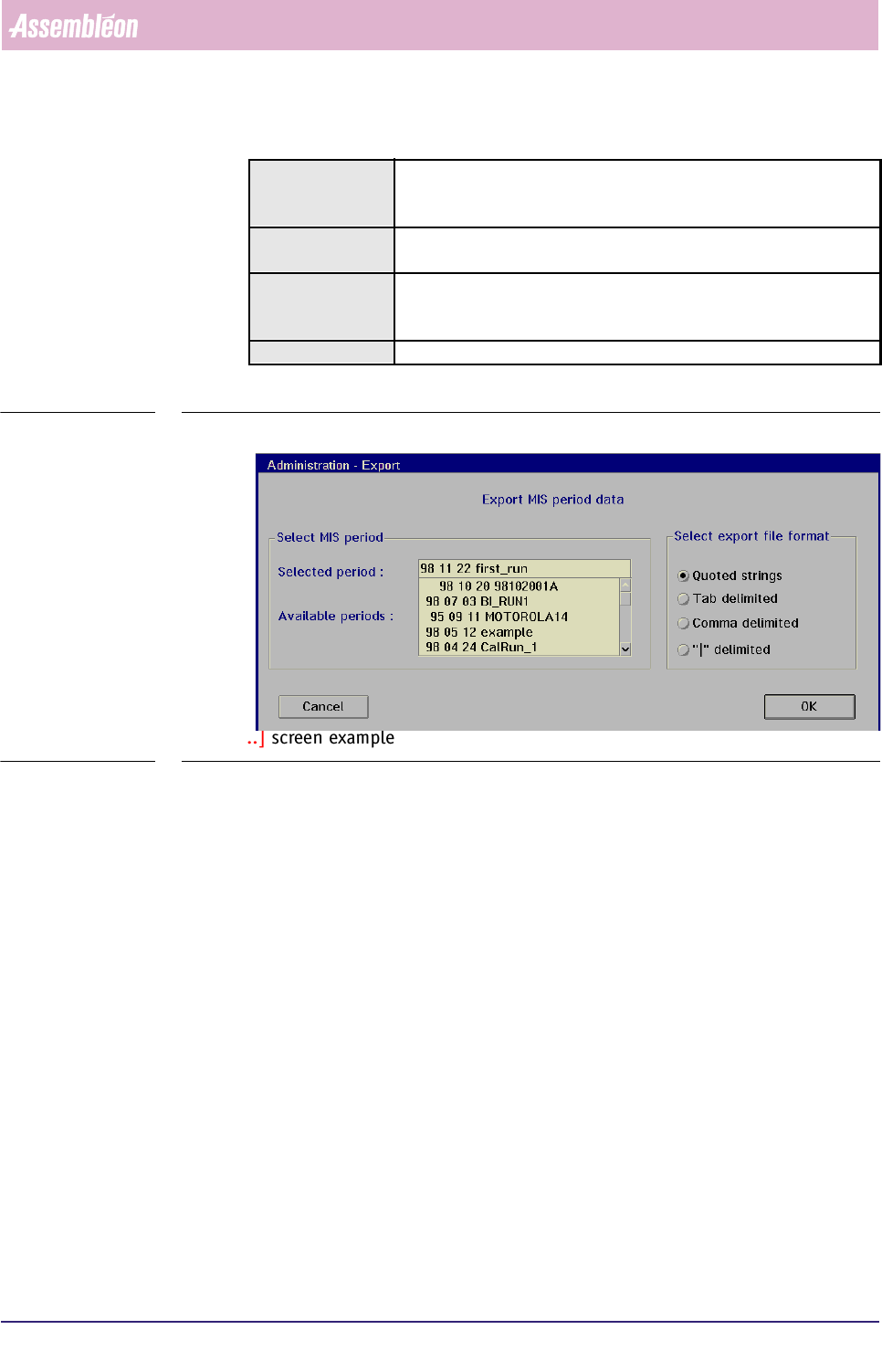
SCREEN 5-61 [Export...] screen example
✱✱Detailed Information
Using the
[Export...] function, you can export MIS data for use in a different
database system (e.g. MS-Excel).
Depending on what you selected before, this MIS export action can be related to a
running MIS period as well as to a past MIS period.
By default, the MIS data is exported in ASCII text format into the MIS sub-directory
>FCM\MIS\EXPORT.
Upon export command, an >..\EXPORT sub-directory is created with the same
name as the concerned MIS period, (see TABLE 5-3).
Within this concerned MIS period, upon each repeated export command, a new data
file is created with an incremented serial number. Numbering is from 00 through
99; after number 99 is reached, MIS will overwrite the old exports, starting again
with the number 00.
All export actions are logged into the file >..\EXPORT\EXPLOG.MIS.
Actions ■ select [Functions...] in the MIS pull-down menu
■ select [Administration]
■ select [Export...]
Conditions ■ supervisor access level
■ order active
Information ■ exports MIS period data from the FCM Multiflex controller to
archive
(system harddisk or a floppy disk)
Display Options -
4022 591 96082 User Reference Manual
02.02 FCM Multiflex 5-83
MIS
fcm0570a.tif
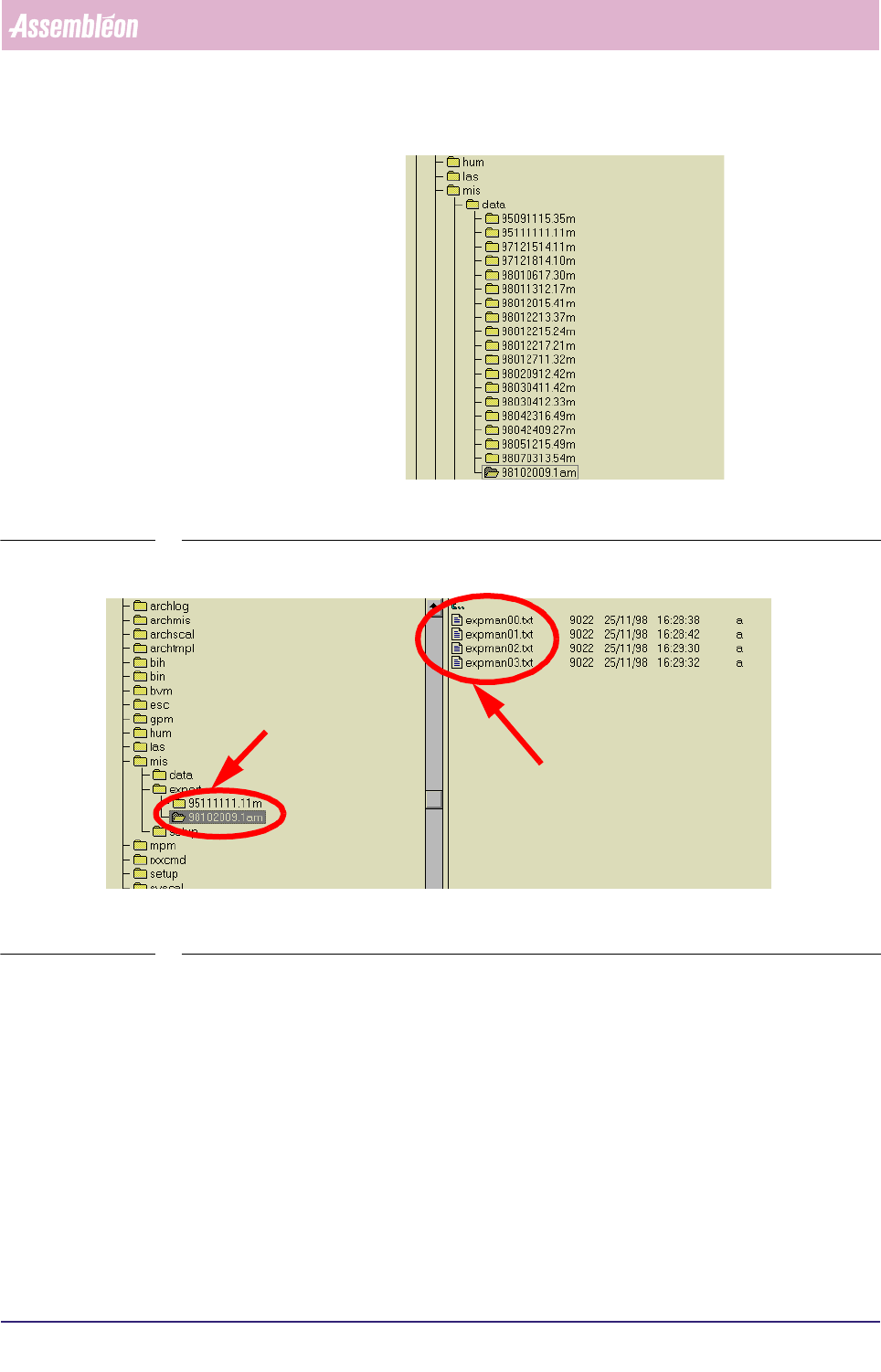
SCREEN 5-62 MIS periods data files directory relations
fcm0571a.tif
SCREEN 5-63 MIS export files directory relations
Deleting a certain MIS period will also automatically delete all associated MIS
export files, unless you allocated an alternative, not-default export directory
before.
}
MIS periodes data
directories, called
after their related
order names
MIS export
sub-directory,
created with
the same name
as the concerned
MIS period
MIS export
data files,
numbered
00 through 99
MIS
User Reference Manual 4022 591 96082
5-84 FCM Multiflex 02.02
▼Controls
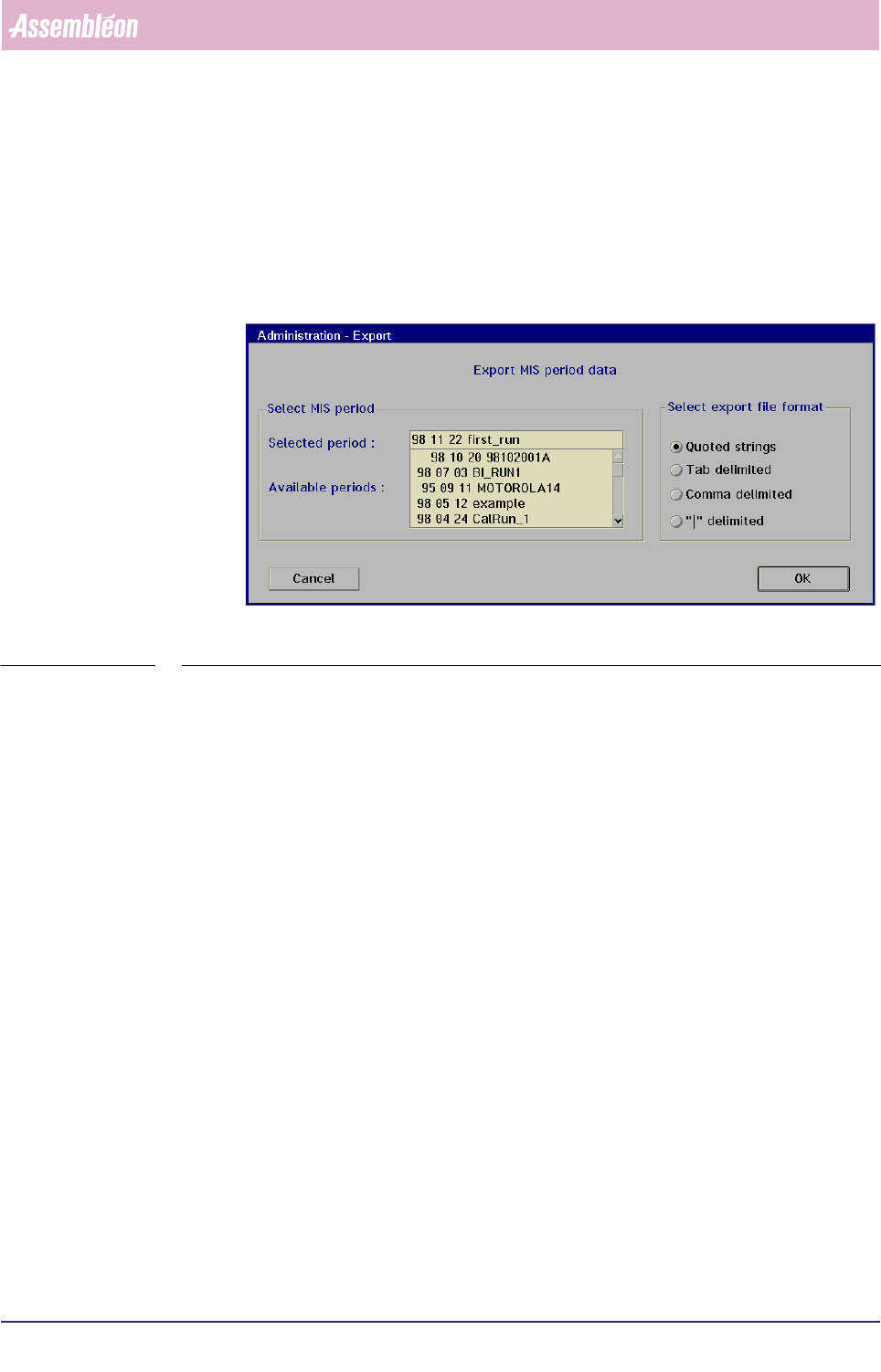
■ select the MIS period from the [Available periods] window in the [Export...]
menu (see SCREEN 5-49) from which you want to export its data
■ select the proper export format in the
[Select export file format] window
■ select
[OK] to export the MIS data
■ select [Cancel] to quit the menu
fcm0572a.tif
SCREEN 5-64 [Export...] screen example
If you selected a past MIS period, an export file is immediately created with all MIS
data from that period.
If you selected a running MIS period, an export file is immediately created with all
MIS data so far. Each time you give this command again, a new, extra file will be All
these files will be numbered as “MANEXPxx.TXT”, where
MAN = manual
1 ;
EXP = export;
xx = serial number.
Numbering is from 00 through 99; after number 99 is reached, MIS will overwrite
the old exports, starting with the number 00.
Selected export file format
Within the
[Export...] menu (see SCREEN 5-49), you can select different export file
formats. All formats are in ASCII text, and they differ only in what delimiter
format is used.
1. This text was only functional in the former MIS
version to distinguish between manual and auto-
matic export.