FCM_User Reference Manual.pdf.pdf - 第183页
4022 591 96082 User Re ference Manual 02.02 FCM Multiflex 5-91 MIS 5.3.9.2 [P aram eter s] > [ Print set...] T ABL E 5-52 Q ui c k Ref er en ce fcm05 76a.tif SCREE N 5-6 7 [Prin t set] scr een ex ample ✱✱ Detailed Inf…
MIS
User Reference Manual 4022 591 96082
5-90 FCM Multiflex 02.02
5.3.9 Parameter Settings
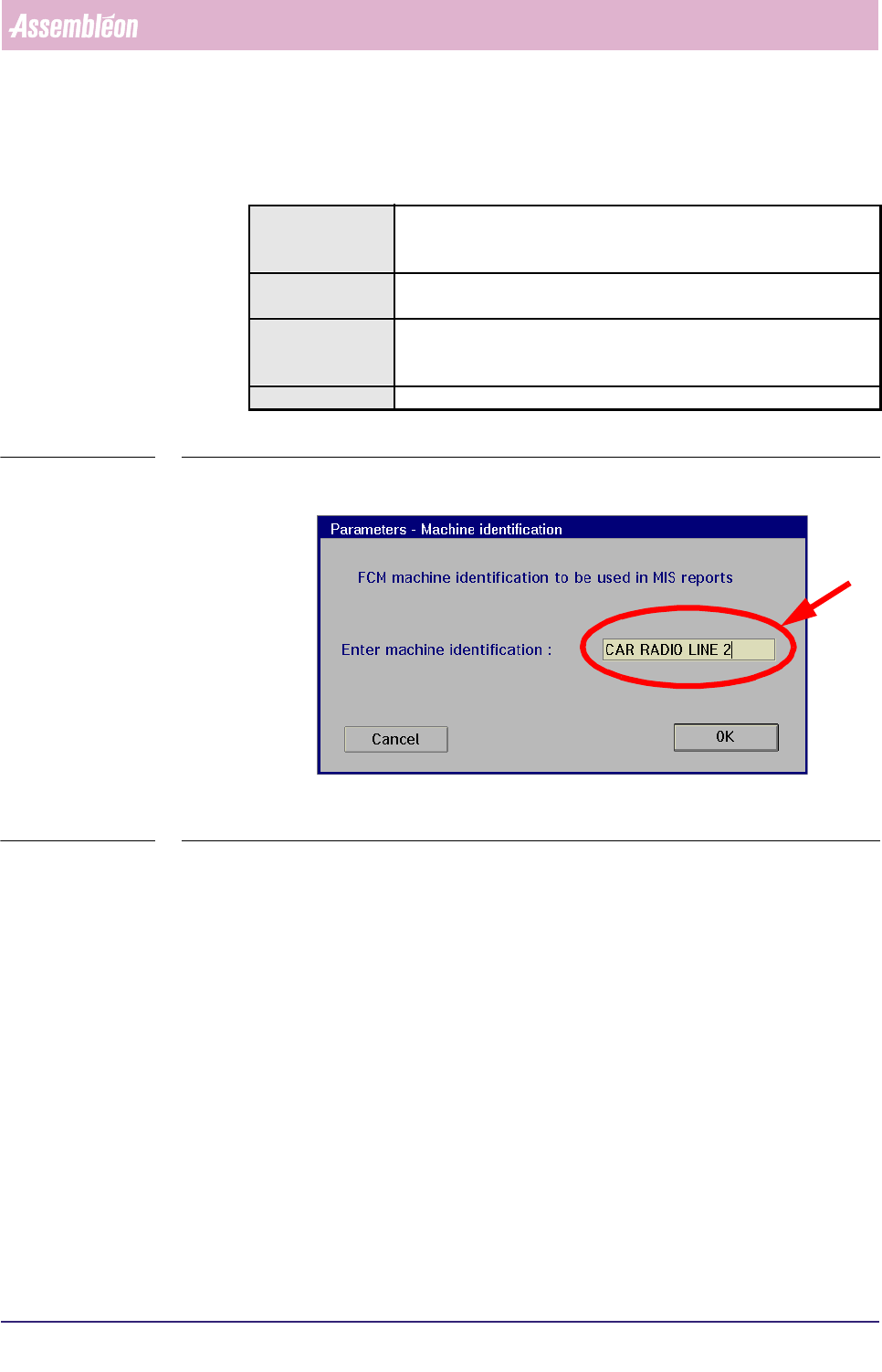
5.3.9.1 [Parameters] > [Machine identification...]
TABLE 5-51 Quick Reference
fcm0575a.tif
SCREEN 5-66 [Machine identification...] screen example
✱✱Detailed Information
Not applicable
Actions ■ select [Functions...] in the MIS pull-down menu
■ select [Parameters]
■ select [Machine identification...]
Conditions ■ supervisor access level
■ order active
Information ■ in this menu, the FCM Multiflex machine identification can be
entered by the
supervisor; this identification will be visible on all MIS text reports
Display Options -
4022 591 96082 User Reference Manual
02.02 FCM Multiflex 5-91
MIS
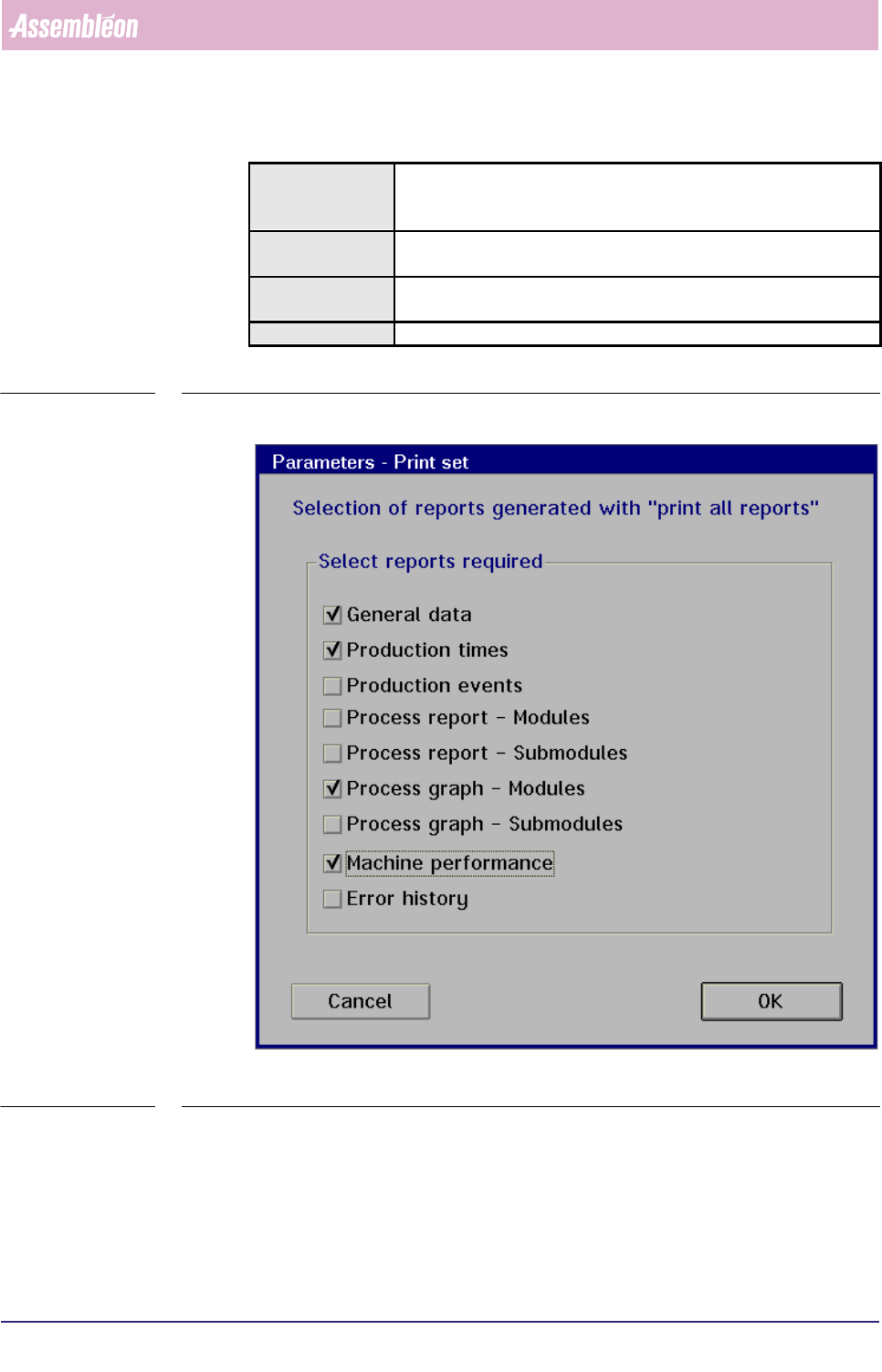
5.3.9.2 [Parameters] > [Print set...]
TABLE 5-52 Quick Reference
fcm0576a.tif
SCREEN 5-67 [Print set] screen example
✱✱Detailed Information
Not applicable
Actions ■ select [Functions...] in the MIS pull-down menu
■ select [Parameters]
■ select [Print set...]
Conditions ■ supervisor access level
■ order active
Information ■ in this menu, the supervisor can define the set of reports that will
be printed when selecting the [All reports] command
Display Options
MIS
User Reference Manual 4022 591 96082
5-92 FCM Multiflex 02.02
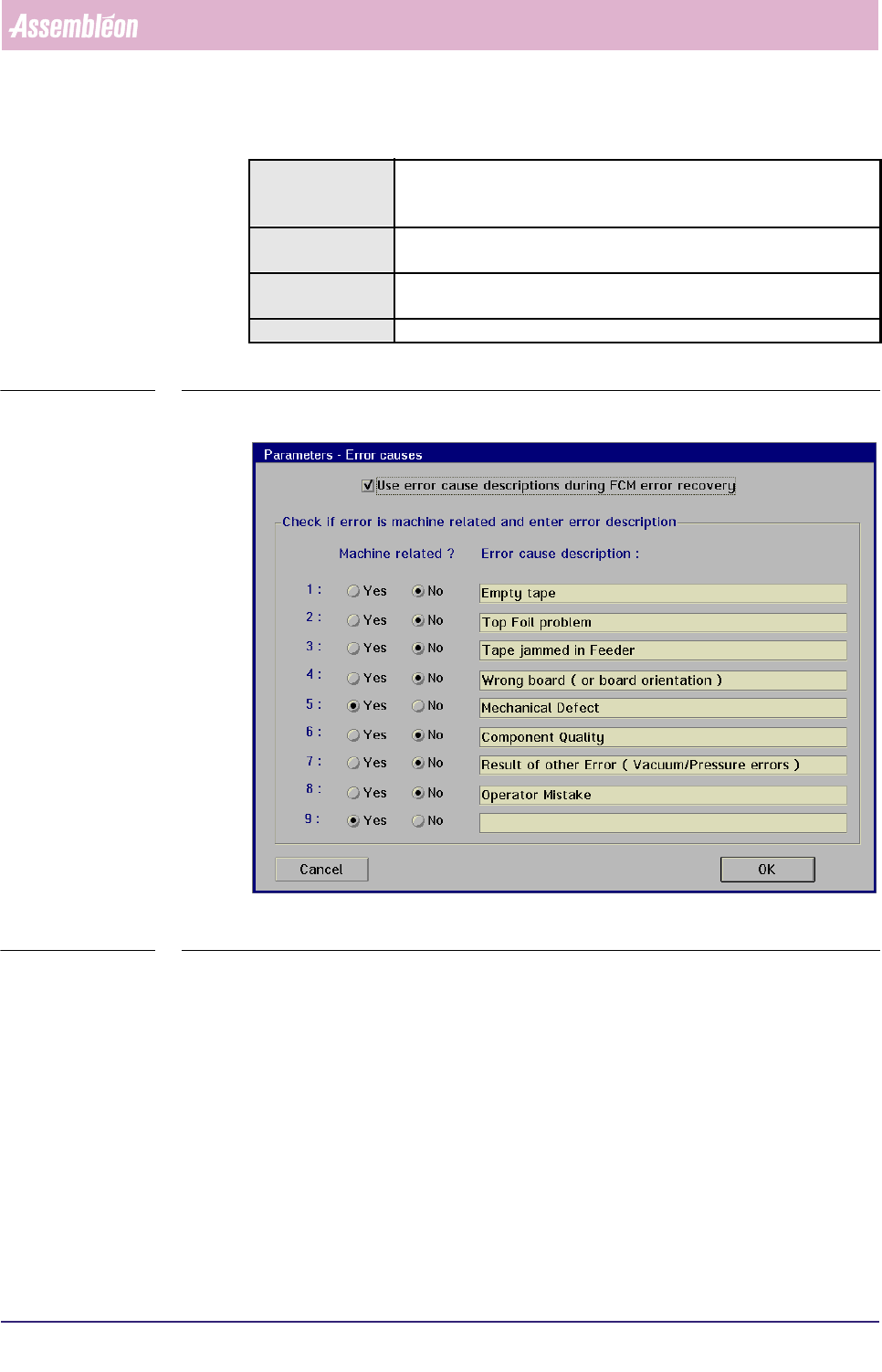
5.3.9.3 [Parameters] > [Error causes...]
TABLE 5-53 Quick Reference
fcm0577a.tif
SCREEN 5-68 [Error causes...] screen example
✱✱Detailed Information
Not applicable
Actions ■ select [Functions...] in the MIS pull-down menu
■ select [Parameters]
■ select [Error causes...]
Conditions ■ supervisor access level
■ order active
Information ■ in this menu, the supervisor can define the error cause
descriptions that will be used during production error recovery
Display Options -