FCM_User Reference Manual.pdf.pdf - 第185页
4022 591 96082 User Re ference Manual 02.02 FCM Multiflex 5-93 MIS 5.3.9.4 [P ar ameter s] > [ Au to st art peri od...] T ABL E 5-54 Q ui c k Ref er en ce fcm05 78a.tif SCREE N 5-6 9 [Auto st art peri od ...] scr een …
MIS
User Reference Manual 4022 591 96082
5-92 FCM Multiflex 02.02
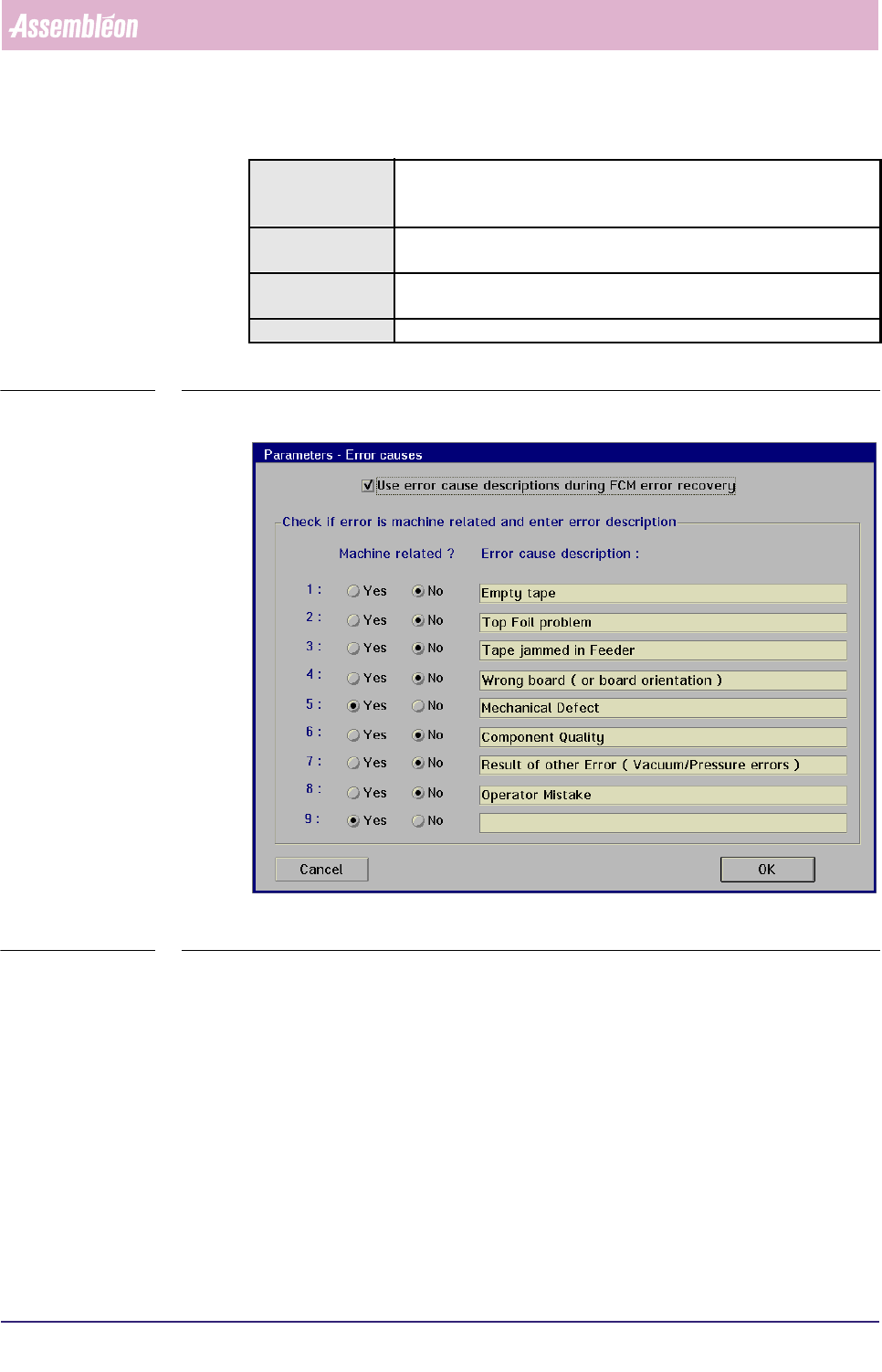
5.3.9.3 [Parameters] > [Error causes...]
TABLE 5-53 Quick Reference
fcm0577a.tif
SCREEN 5-68 [Error causes...] screen example
✱✱Detailed Information
Not applicable
Actions ■ select [Functions...] in the MIS pull-down menu
■ select [Parameters]
■ select [Error causes...]
Conditions ■ supervisor access level
■ order active
Information ■ in this menu, the supervisor can define the error cause
descriptions that will be used during production error recovery
Display Options -
4022 591 96082 User Reference Manual
02.02 FCM Multiflex 5-93
MIS
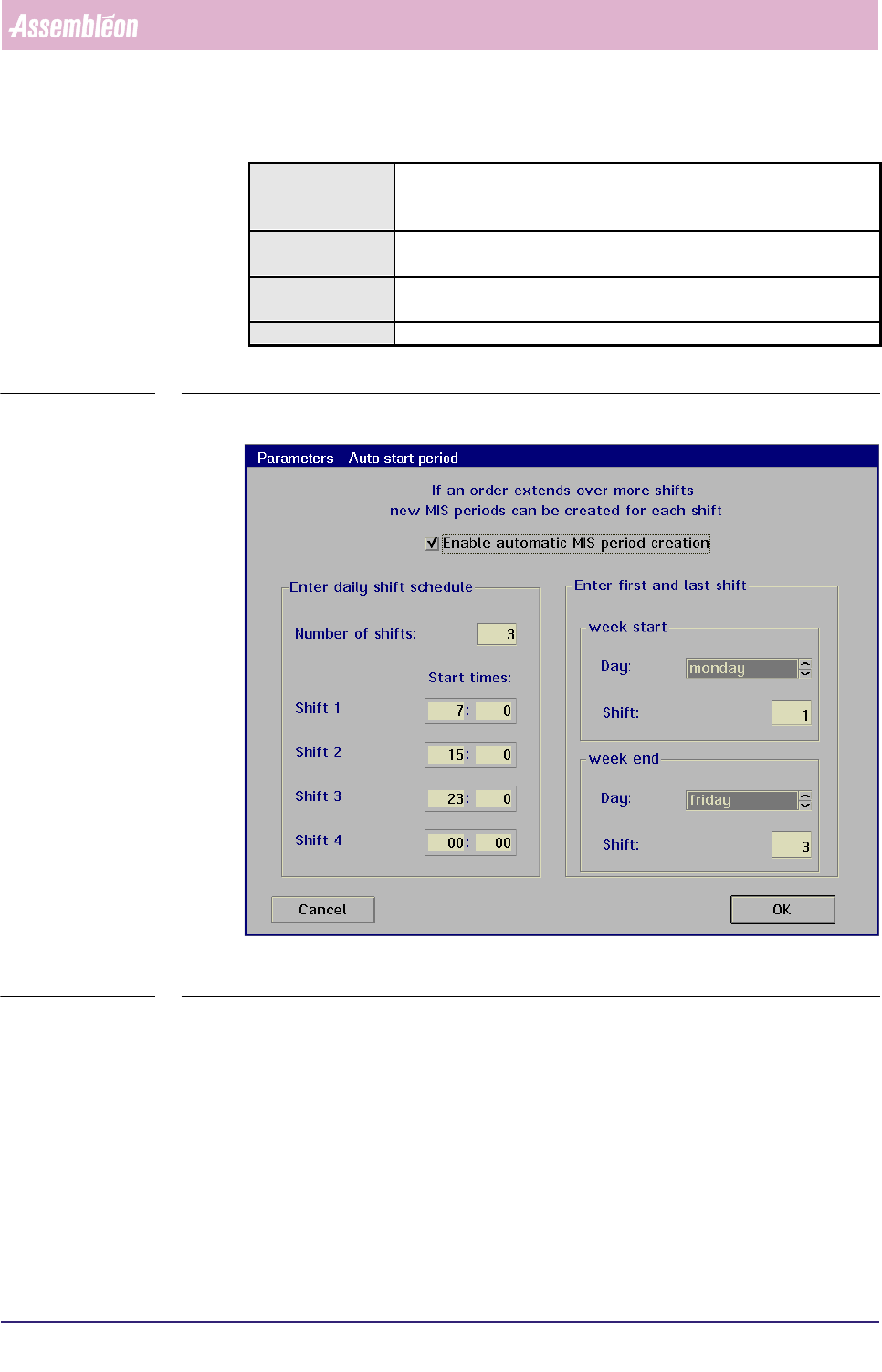
5.3.9.4 [Parameters] > [Auto start period...]
TABLE 5-54 Quick Reference
fcm0578a.tif
SCREEN 5-69 [Auto start period...] screen example
✱✱Detailed Information
When you plan to run the same order over a long period, you can let the system
create MIS periods automatically. In that case, the MIS period creation is based on
a shift schedule to be filled in via the
[Auto start period...] menu (see SCREEN 5-
69). Each time a new shift starts, a new MIS period is created (as long as the
concerned order is active).
Actions ■ select [Functions...] in the MIS pull-down menu
■ select [Parameters]
■ select [Auto start period...]
Conditions ■ supervisor access level
■ order active
Information ■ in this menu, the supervisor can initiate and define automatic MIS
periods creation for shift scheduled production
Display Options -
MIS
User Reference Manual 4022 591 96082
5-94 FCM Multiflex 02.02
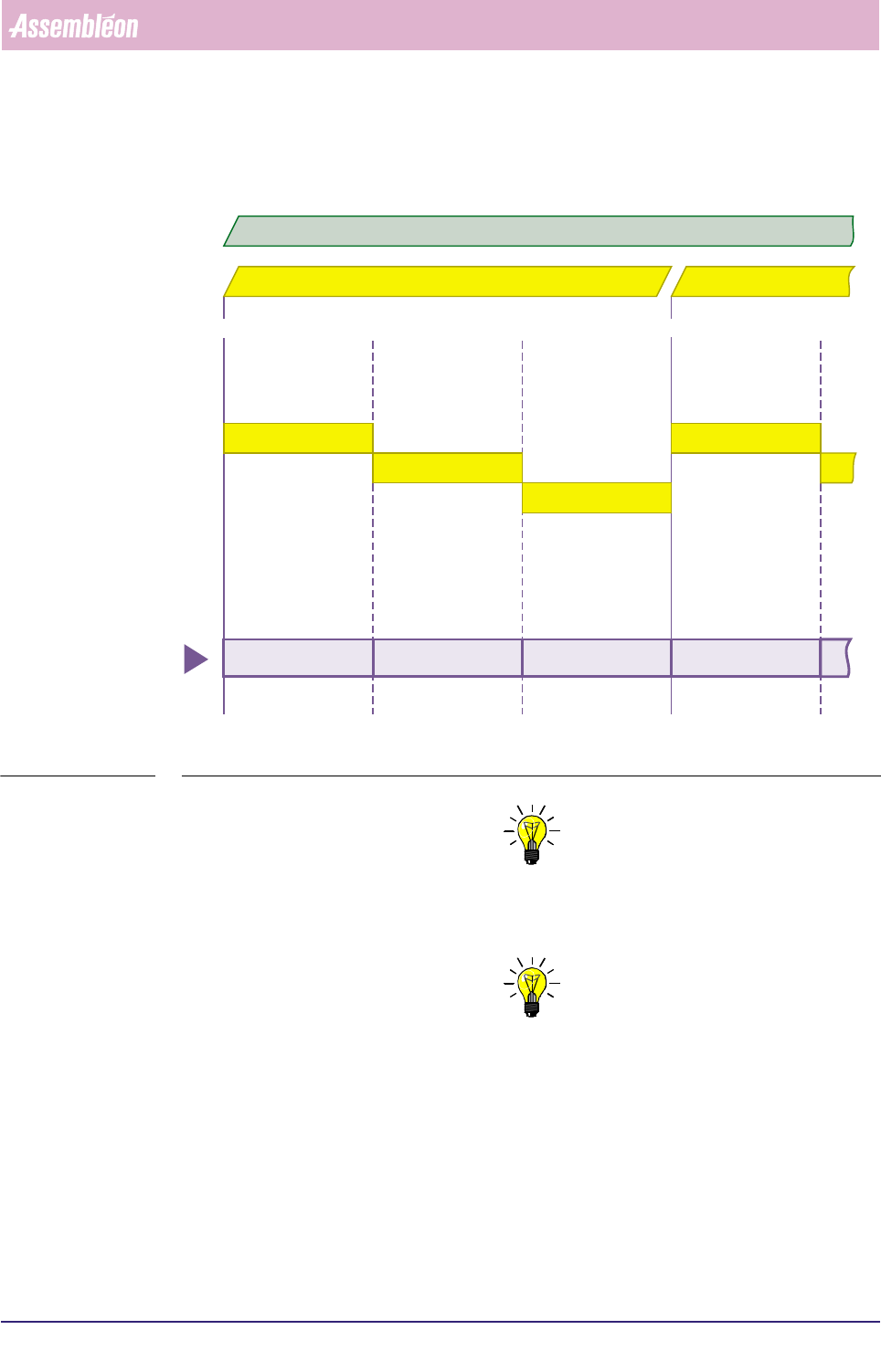
MIS periods created this way get the name Date + Order name + “shift x”, where
x is the actual shift number (shift number 1 is the first on the day). FIGURE 5-10.
fcm0579a.eps
FIGURE 5-10 Automatic MIS periods creation, controlled by the MIS shift schedule
NOTE: 1) Deleting the current order will end the MIS period of that order
respectively the automatic generation of new MIS periods for that
order.
NOTE: 2) Entering a new order will still create a new MIS period.
shift 1
shift 2
shift 3
shift 1
07:00 u 15:00 u 07:00 u 15:00 u23:00 u
date = 98 10 02 date = 98 10 03
98 10 02 order A shift 1 98 10 02 order A shift 2 98 10 02 order A shift 3 98 10 03 order A shift 1
automatically created
MIS periods
active order = A