FCM_User Reference Manual.pdf.pdf - 第207页
4022 591 960 82 Us er Reference Man ual 02.02 FC M Multif lex 6-15 Pr oduc t Ch ang e Ov er ■ Sel ect th e ord er which i s goin g t o be u sed for th e n e xt pr oducti on run. ■ In the available calibrations list all s…
Product Change Over
User Reference Manual 4022 591 96082
6-14 FCM Multiflex 02.02
6.3 Manual Select Calibration File
(Producing with Previous Calibration File)
If the carriers used where calibrated previously it is possible use that previous cali-
bration file instead of performing a Multiflex calibration.
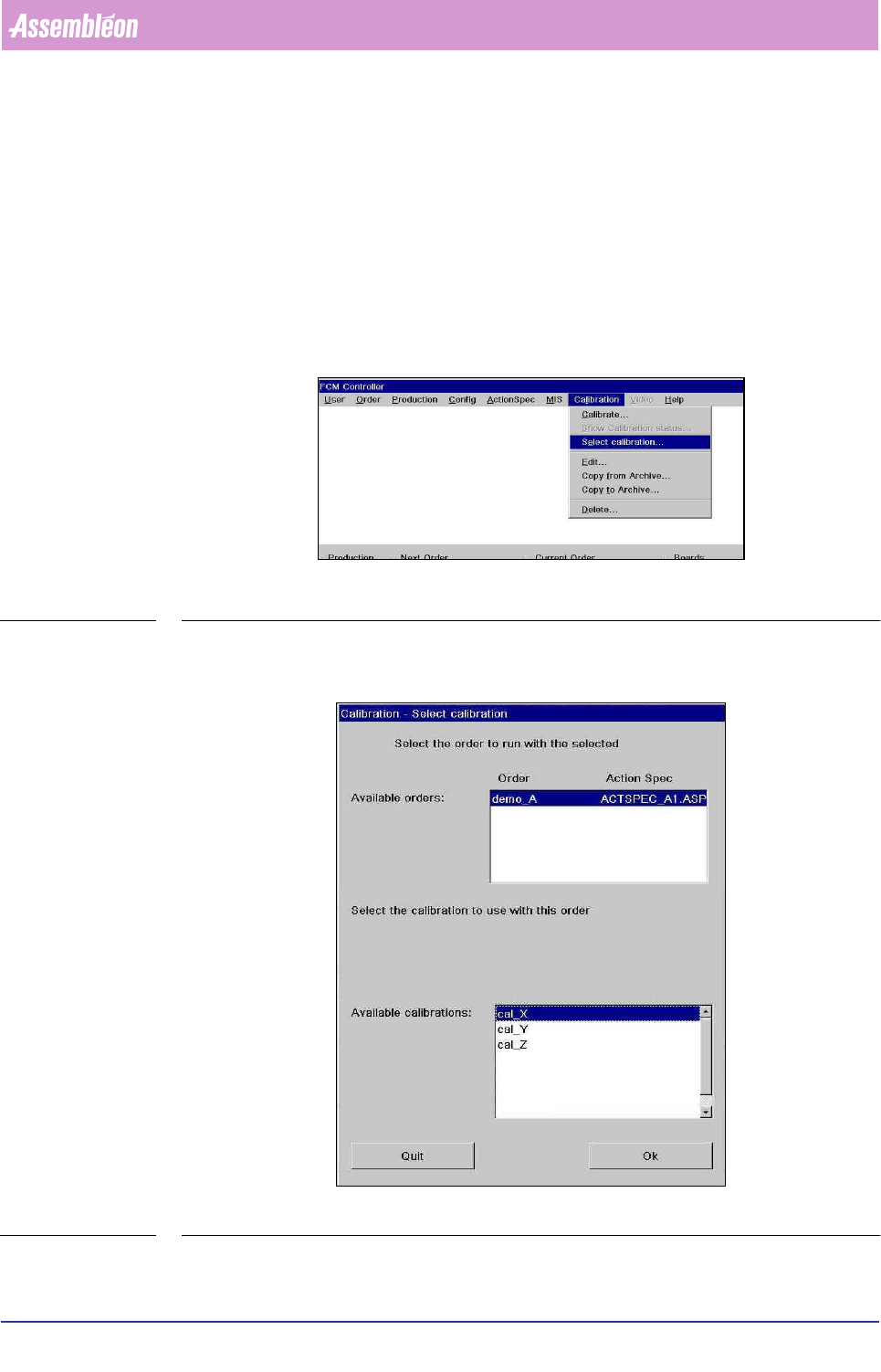
Go to
ÍCalibration ÍSelect calibration…
SCREEN 6-5
Screen appears.
SCREEN 6-6
In this dialog a suitable calibration set can be chosen for the order to be used.

4022 591 96082 User Reference Manual
02.02 FCM Multiflex 6-15
Product Change Over
■ Select the order which is going to be used for the next production run.
■ In the available calibrations list all suitable calibrations for the selected order
are shown. Suitable calibrations are calibrations that have the same values in
the action spec of the order of the following items:
1. position of the run-in stopper
2. index scheme
3. board width
4. board length
5. position of the reference pins
6. position of the positioning pins
7. configuration of FCM (CLM, WVM)
The calibrations shown in the color red are calibrations which where executed with
the CLC (closed loop calibration)
After this calibration selection all the ‘calibration required’ indications in the order
schedule are updated to the selected calibration.
Product Change Over
User Reference Manual 4022 591 96082
6-16 FCM Multiflex 02.02
6.4 Teach Fiducials
6.4.1 The Fiducial Menu
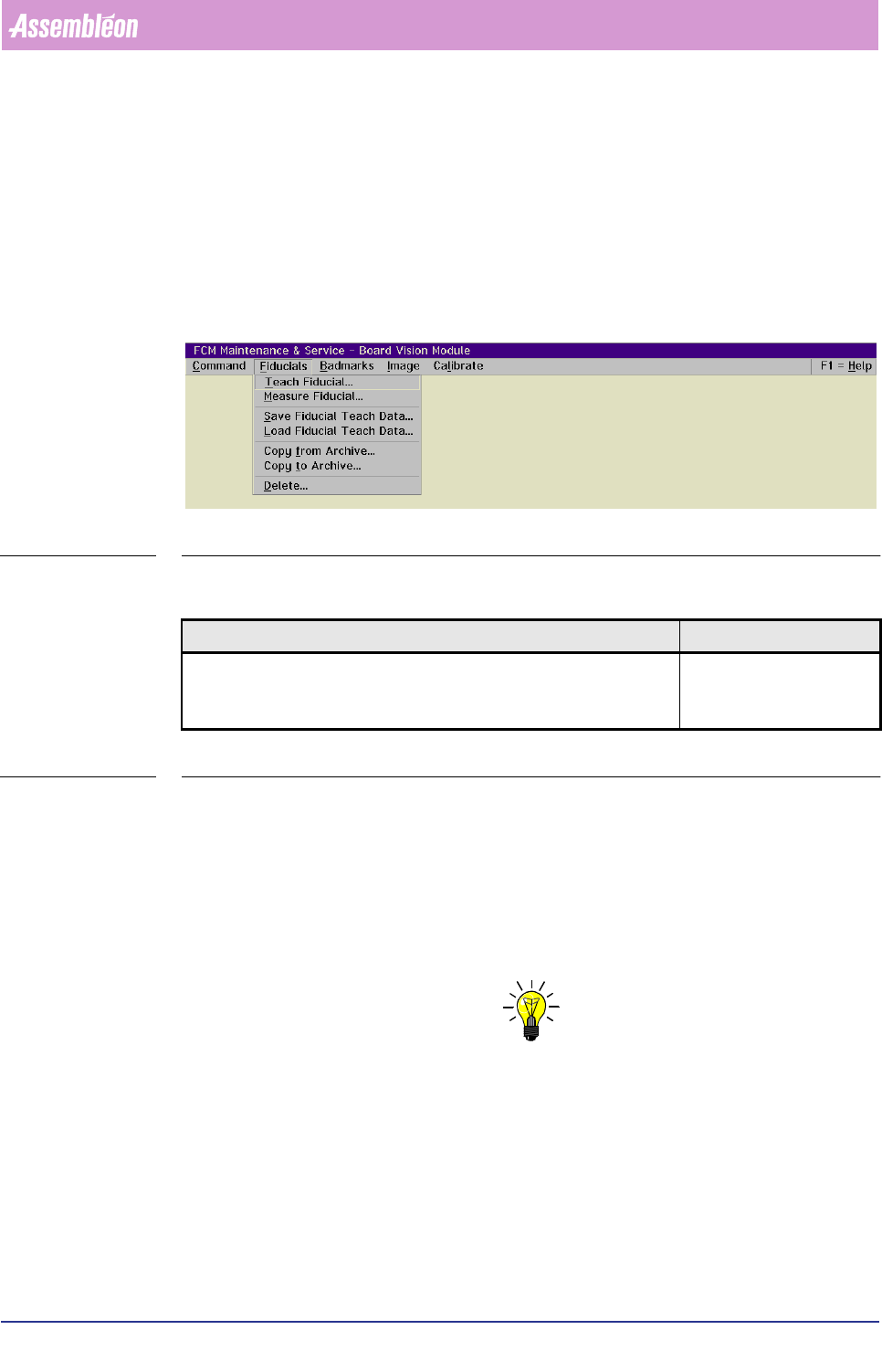
The options in this menu are related to fiducial teaching and recognition/meas-
urement.
For a list of menu items, please refer to the figure below
SCREEN 6-7
6.4.1.1 Teach Fiducial...
TABLE 6-3
Before the system can perform a successful BVM alignment, every fiducial type
which has been specified in the action spec must have been taught to the system.
Once a fiducial type has been taught, this information can be filed for future use.
Before the teaching can start, meet following conditions:
■ The board is present in the BVM section.
■ The action spec with the relevant fiducial types specification has been loaded.
NOTE: Choose a board with fiducials which are representative for the batch to be
processed.
)XQFWLRQ $XWKRUL]DWLRQ
Teach the system the (new) fiducial types which are specified in the
action spec.
- Supervisor
- Maintenance/ Service
Engineer