FCM_User Reference Manual.pdf.pdf - 第209页
4022 591 960 82 Us er Reference Man ual 02.02 FC M Multif lex 6-17 Pr oduc t Ch ang e Ov er ■ Sel ect [T each Fiducial] SCREEN 6-8 A list o f the fidu cial s fr om the curr ent a ction spec will n o w be displayed. A fid…
Product Change Over
User Reference Manual 4022 591 96082
6-16 FCM Multiflex 02.02
6.4 Teach Fiducials
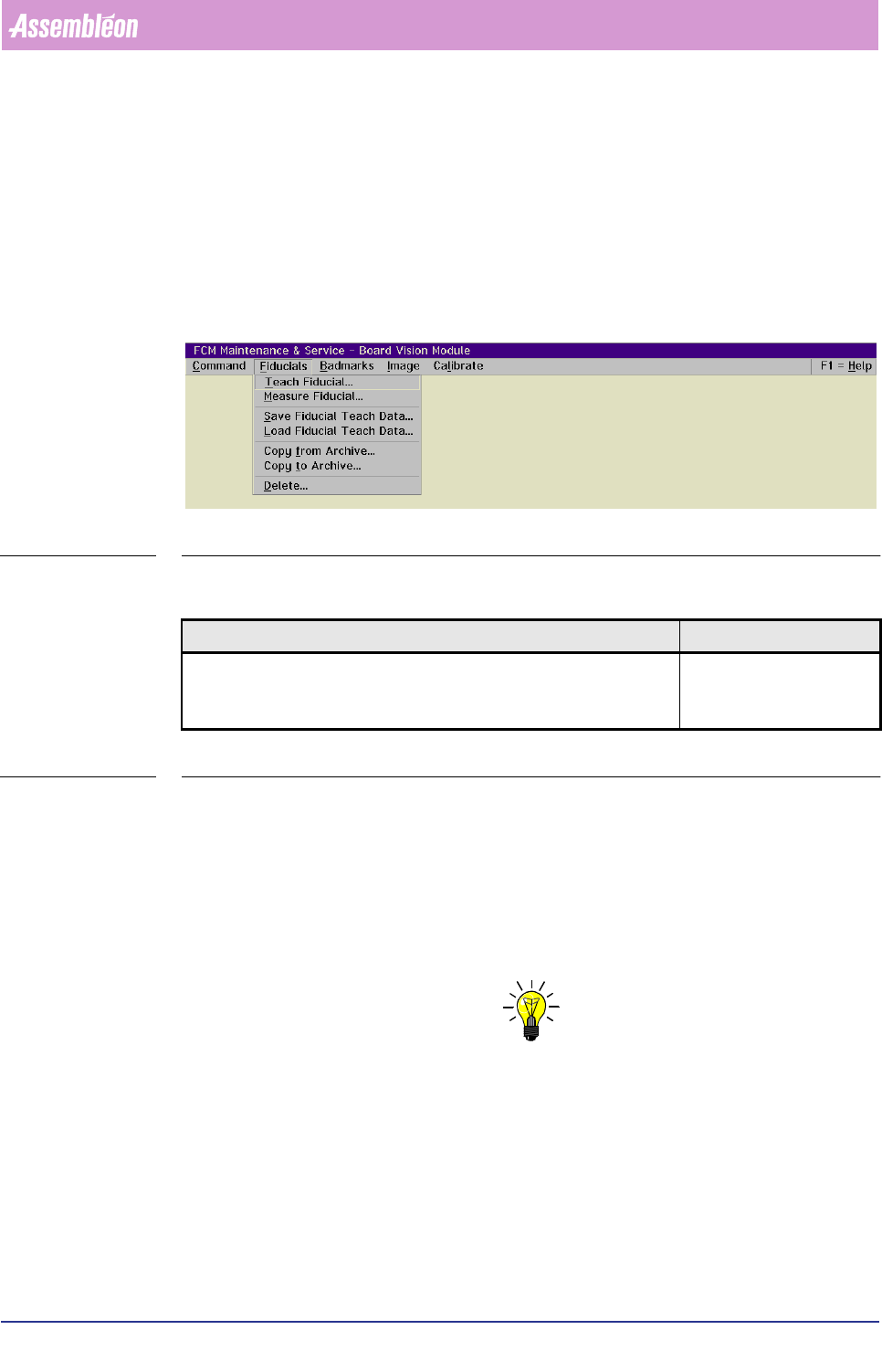
6.4.1 The Fiducial Menu
The options in this menu are related to fiducial teaching and recognition/meas-
urement.
For a list of menu items, please refer to the figure below
SCREEN 6-7
6.4.1.1 Teach Fiducial...
TABLE 6-3
Before the system can perform a successful BVM alignment, every fiducial type
which has been specified in the action spec must have been taught to the system.
Once a fiducial type has been taught, this information can be filed for future use.
Before the teaching can start, meet following conditions:
■ The board is present in the BVM section.
■ The action spec with the relevant fiducial types specification has been loaded.
NOTE: Choose a board with fiducials which are representative for the batch to be
processed.
)XQFWLRQ $XWKRUL]DWLRQ
Teach the system the (new) fiducial types which are specified in the
action spec.
- Supervisor
- Maintenance/ Service
Engineer
4022 591 96082 User Reference Manual
02.02 FCM Multiflex 6-17
Product Change Over
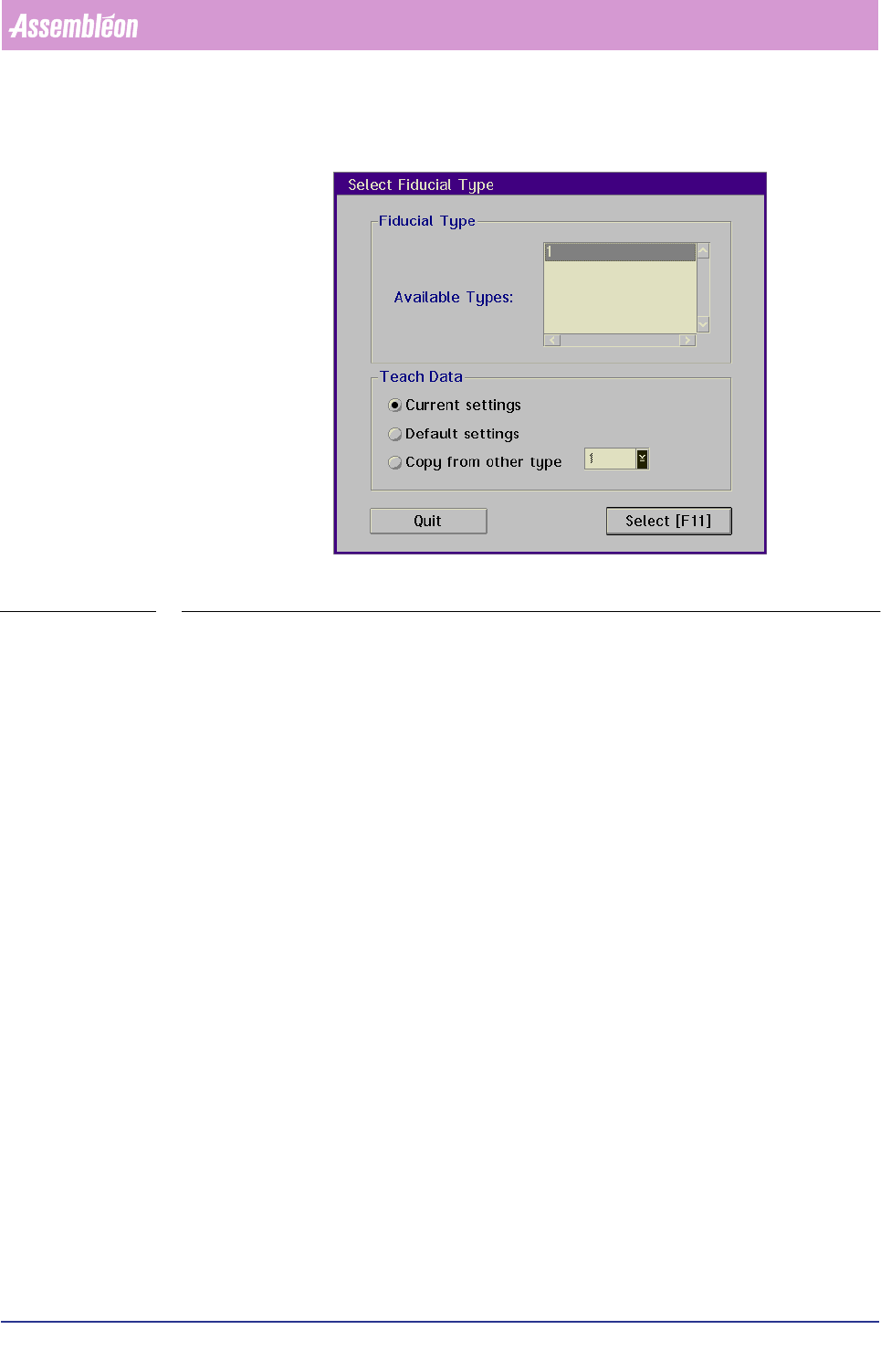
■ Select [Teach Fiducial]
SCREEN 6-8
A list of the fiducials from the current action spec will now be displayed.
A fiducial type is identified by a number from 1 to 255.
■ Select the fiducial to be taught from this list
■ Choose
[Select]
Product Change Over
User Reference Manual 4022 591 96082
6-18 FCM Multiflex 02.02
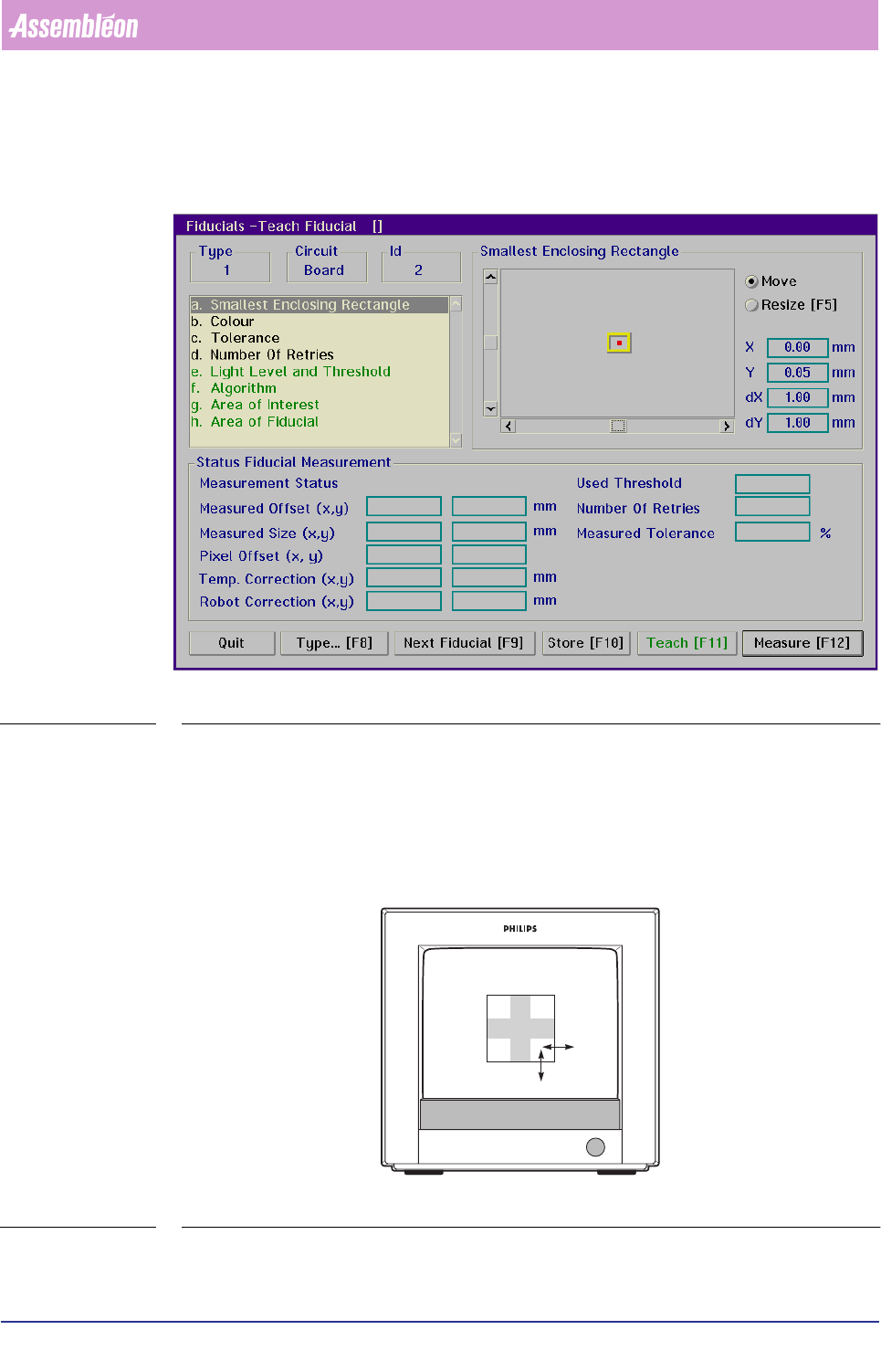
The camera is now positioned to the coordinates of the first fiducial of the selected
type and the
[Teach Fiducial] menu appears.
SCREEN 6-9
Smallest Enclosing Rectangle
■ Select [Smallest Enclosing Rectangle]
■ Look at the BVM monitor to determine if the rectangle fits exactly the fiducial
(see FIGURE 6 -7)
FIGURE 6-7 Selecting the smallest enclosing rectangle