FCM_User Reference Manual.pdf.pdf - 第211页
4022 591 960 82 Us er Reference Man ual 02.02 FC M Multif lex 6-19 Pr oduc t Ch ang e Ov er If n ot, act as f oll ow s: ■ Sel ect [Move] ■ A djust left line wit h arro w ke ys ■ A djust top li ne wi th arro w ke ys ■ Sel…
Product Change Over
User Reference Manual 4022 591 96082
6-18 FCM Multiflex 02.02
The camera is now positioned to the coordinates of the first fiducial of the selected
type and the
[Teach Fiducial] menu appears.
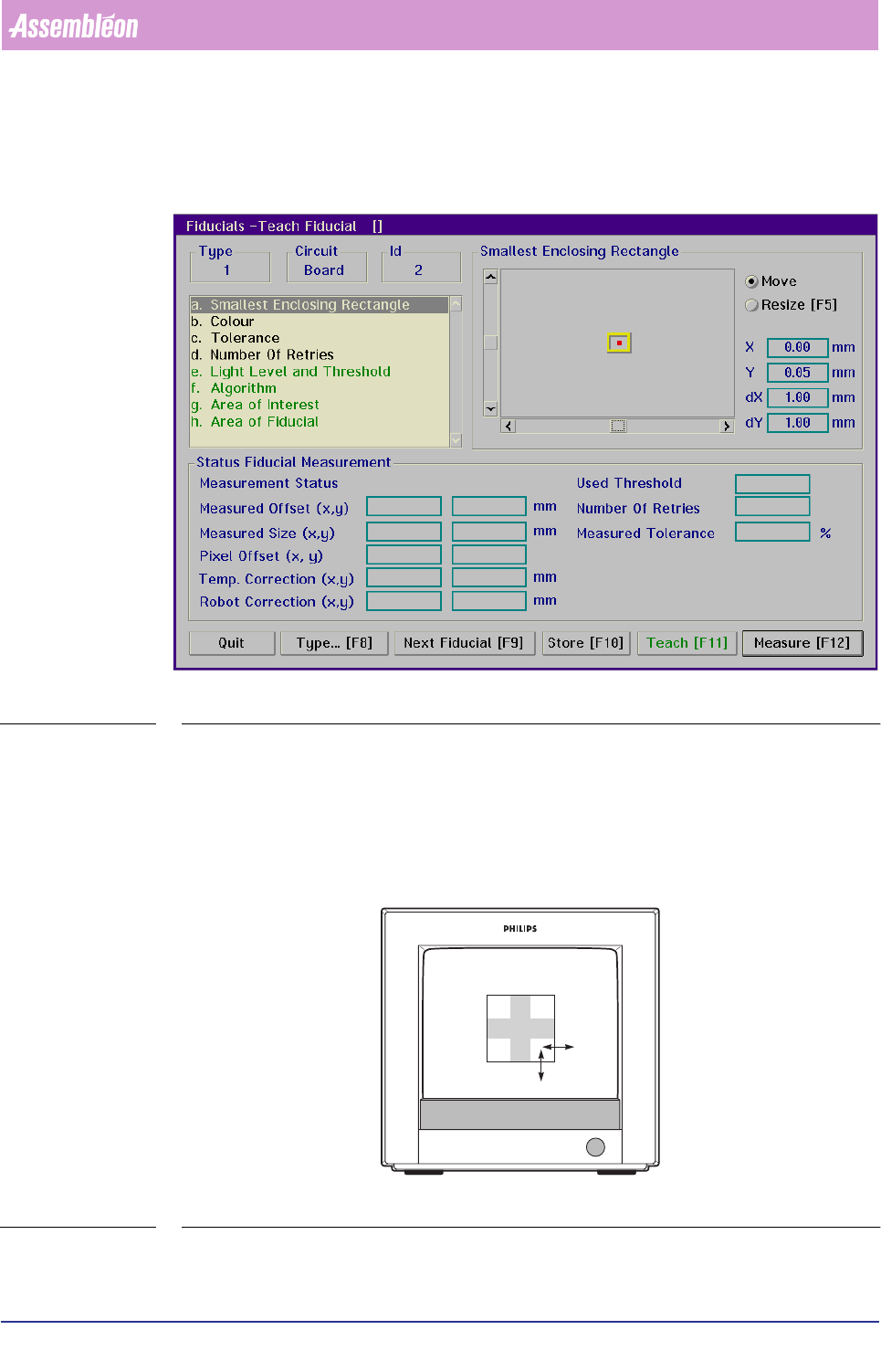
SCREEN 6-9
Smallest Enclosing Rectangle
■ Select [Smallest Enclosing Rectangle]
■ Look at the BVM monitor to determine if the rectangle fits exactly the fiducial
(see FIGURE 6 -7)
FIGURE 6-7 Selecting the smallest enclosing rectangle
4022 591 96082 User Reference Manual
02.02 FCM Multiflex 6-19
Product Change Over
If not, act as follows:
■ Select
[Move]
■ Adjust left line with arrow keys
■ Adjust top line with arrow keys
■ Select
[Resize]
■ Adjust bottom line with arrow keys
■ Adjust right line with arrow keys
Key operating movements:
TABLE 6-4
NOTE: Adjustment via the graphical mouse control is also possible, but control is
less exact precise.
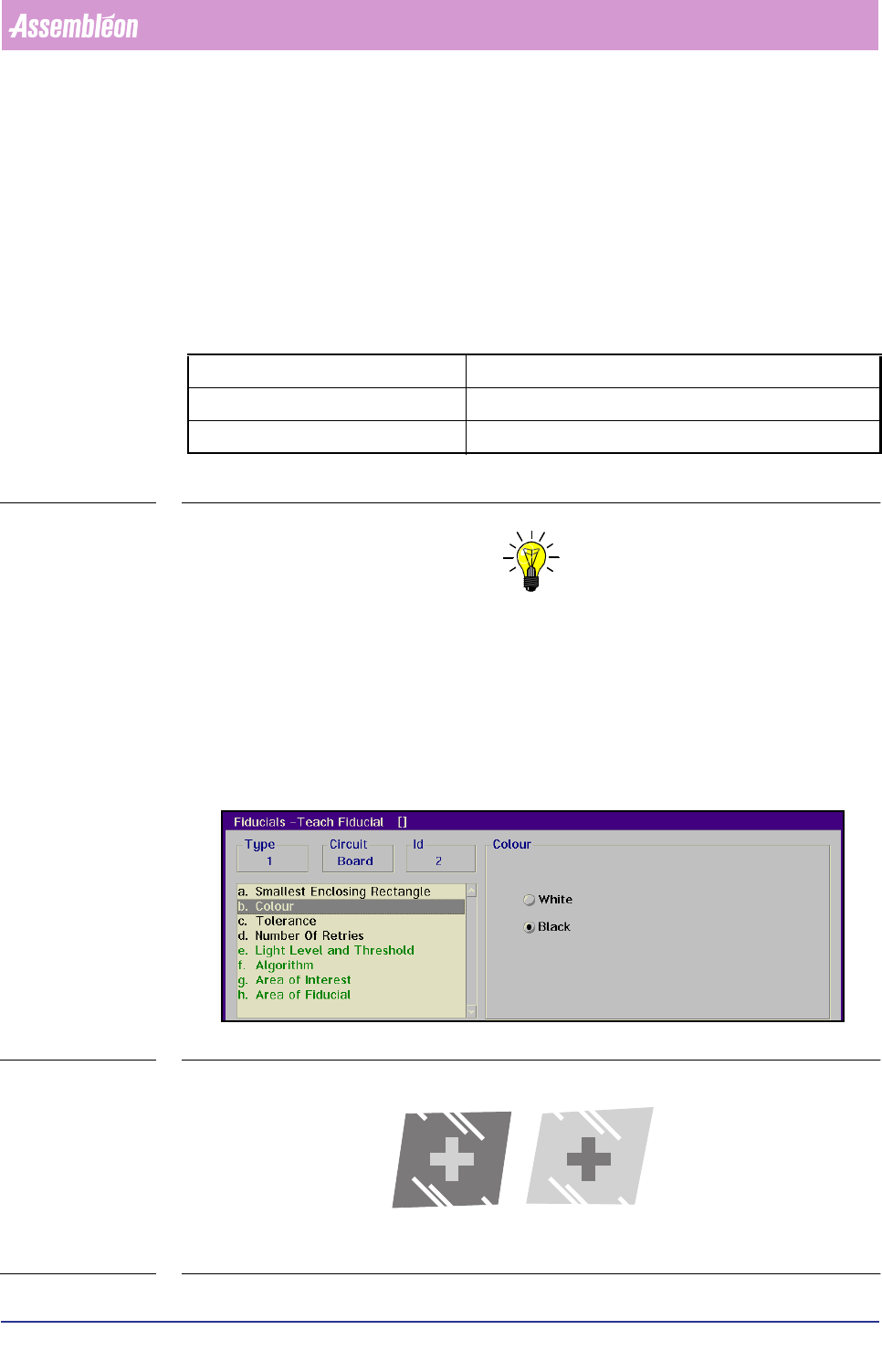
Colour
■ Select [Colour]
■ Choose [White] when the fiducial appears bright on a dark background
■ Choose
[Black] when the fiducial appears dark on a bright background
(see FIGURE 6 -8)
SCREEN 6-10
FIGURE 6-8 Examples of fiducial colour and its background
arrow keys slow movement (0.05 mm)
Home/End keys quick left/right movement (0.2 mm)
Page Up/Page Down keys quick up/down movement (0.2 mm)
White Black
Product Change Over
User Reference Manual 4022 591 96082
6-20 FCM Multiflex 02.02
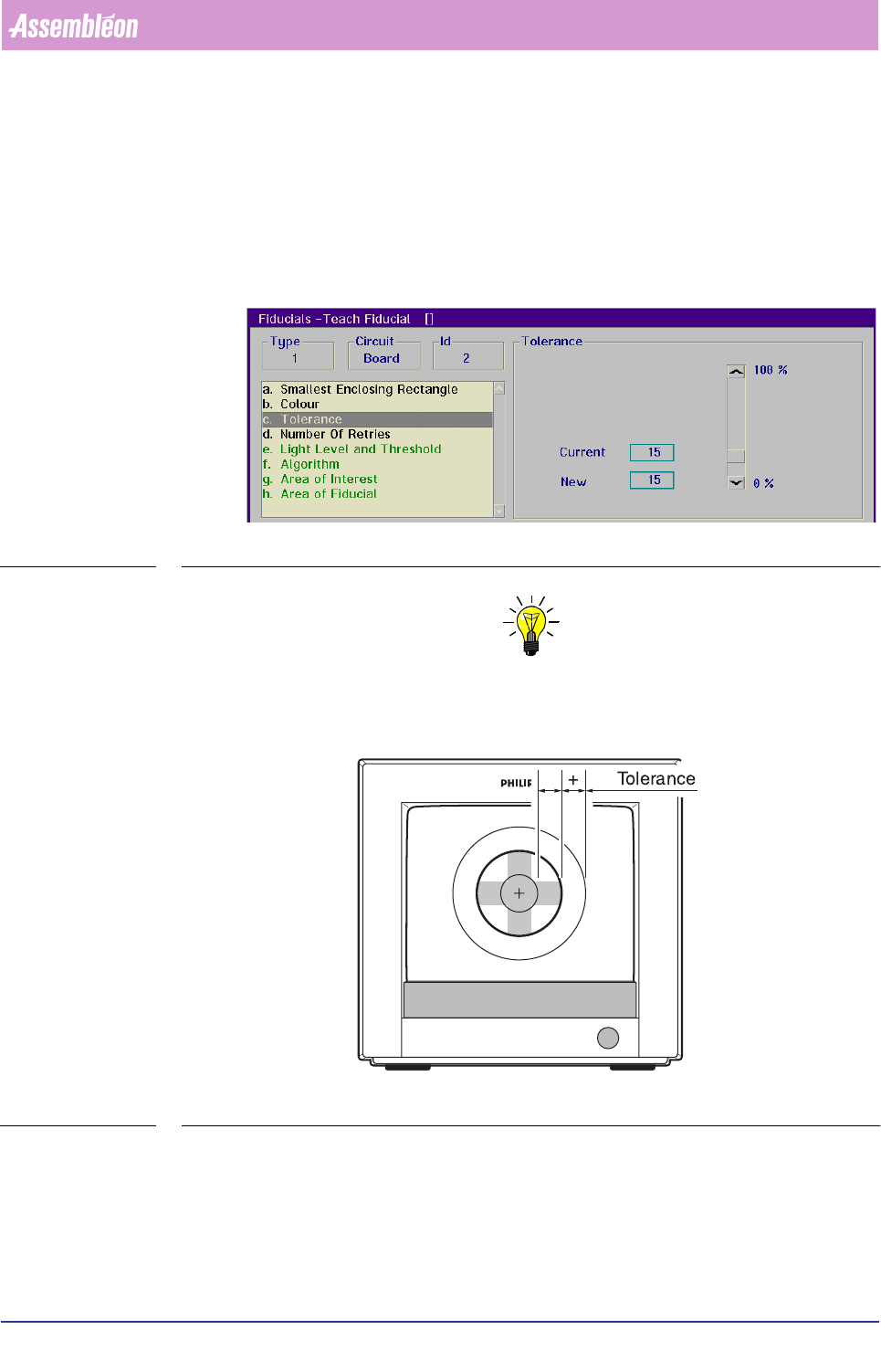
Tolerance
■ Select [Tolerance]
The value set here determines how much the area of a detected fiducial may
differ from the area which is specified in the teach data (see FIGURE 6 -9)
That area is defined by the
[Area of Fiducial] parameter, and limited by the
[Smallest Enclosing Rectangle] setting.
SCREEN 6-11
NOTE: Common settings range from 10 to 15% on good fiducials; fiducials of less
quality may require a higher value.
FIGURE 6-9 Tolerance between taught and detected fiducial area
Number Of Retries
■ Select [Number Of Retries]
Refers to the number of retries which are allowed when performing a test meas-
urement of a fiducial.