FCM_User Reference Manual.pdf.pdf - 第212页
Pr oduc t Ch ang e Ov er User Re f eren ce Manu al 4022 591 960 82 6-20 FCM M ult ifle x 02.02 To l e r a n c e ■ Sel ect [T olerance] The v alue s et h er e determines how m u ch the area o f a detected fiducial may dif…
4022 591 96082 User Reference Manual
02.02 FCM Multiflex 6-19
Product Change Over
If not, act as follows:
■ Select
[Move]
■ Adjust left line with arrow keys
■ Adjust top line with arrow keys
■ Select
[Resize]
■ Adjust bottom line with arrow keys
■ Adjust right line with arrow keys
Key operating movements:
TABLE 6-4
NOTE: Adjustment via the graphical mouse control is also possible, but control is
less exact precise.
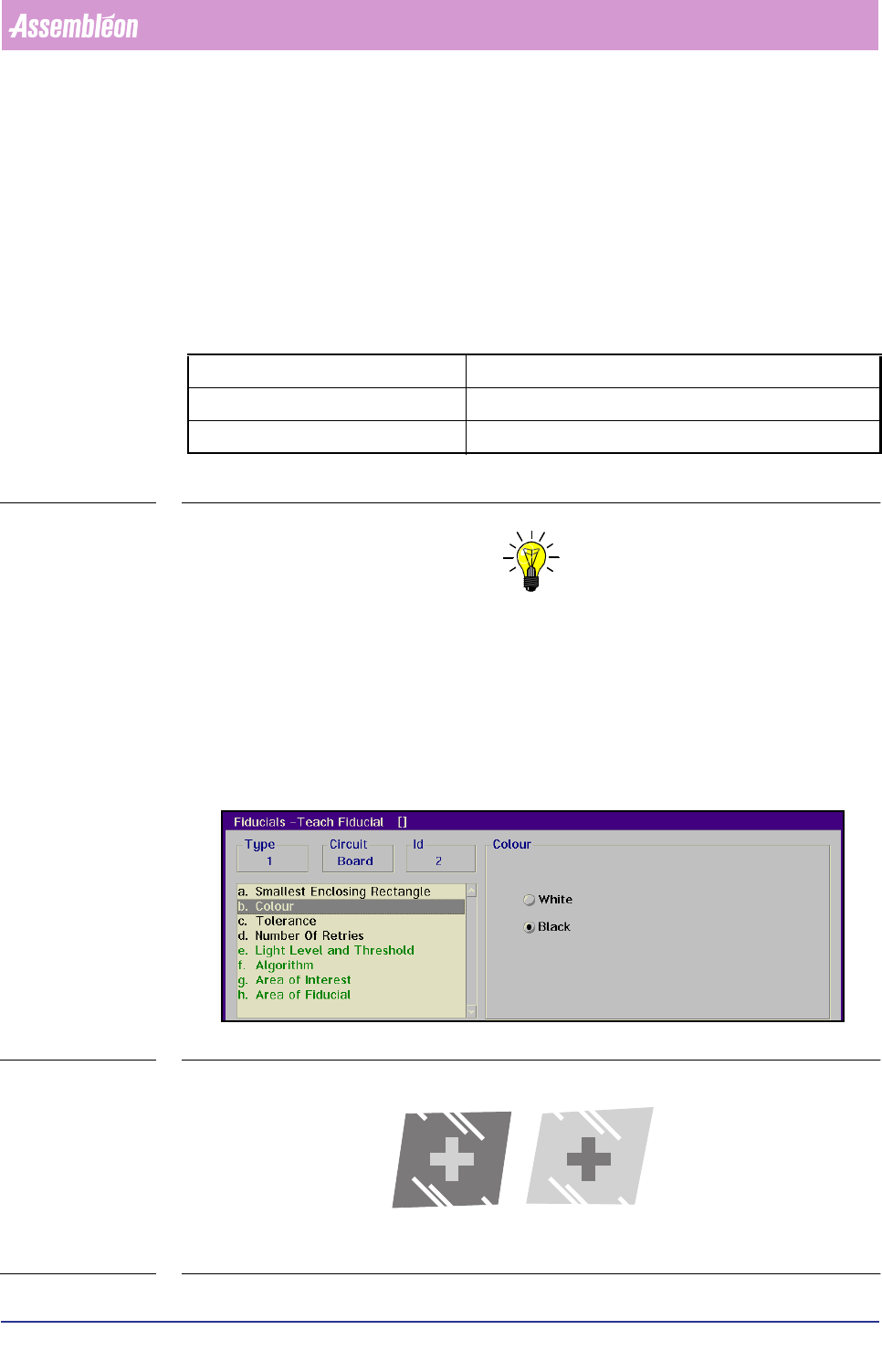
Colour
■ Select [Colour]
■ Choose [White] when the fiducial appears bright on a dark background
■ Choose
[Black] when the fiducial appears dark on a bright background
(see FIGURE 6 -8)
SCREEN 6-10
FIGURE 6-8 Examples of fiducial colour and its background
arrow keys slow movement (0.05 mm)
Home/End keys quick left/right movement (0.2 mm)
Page Up/Page Down keys quick up/down movement (0.2 mm)
White Black
Product Change Over
User Reference Manual 4022 591 96082
6-20 FCM Multiflex 02.02
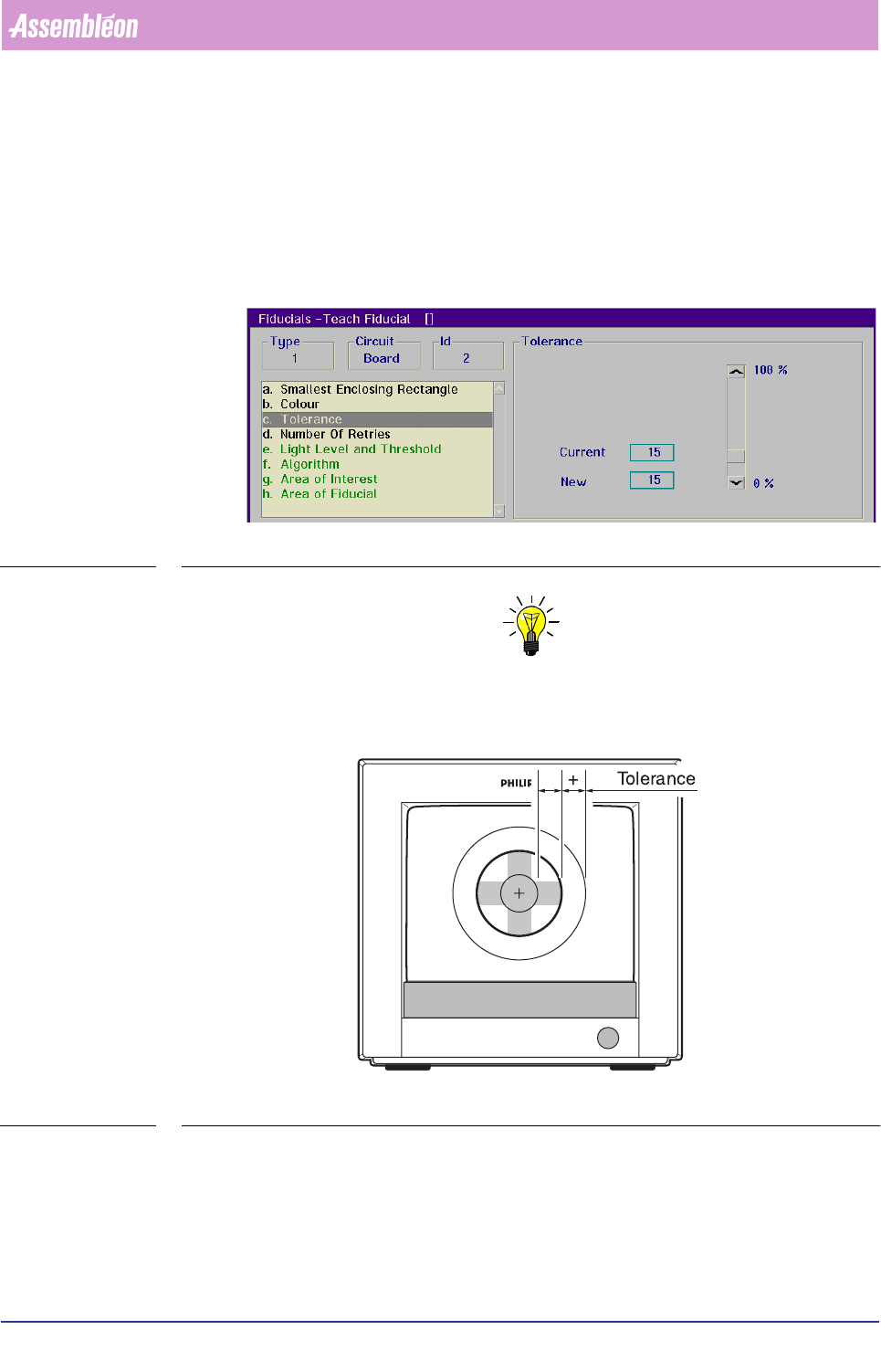
Tolerance
■ Select [Tolerance]
The value set here determines how much the area of a detected fiducial may
differ from the area which is specified in the teach data (see FIGURE 6 -9)
That area is defined by the
[Area of Fiducial] parameter, and limited by the
[Smallest Enclosing Rectangle] setting.
SCREEN 6-11
NOTE: Common settings range from 10 to 15% on good fiducials; fiducials of less
quality may require a higher value.
FIGURE 6-9 Tolerance between taught and detected fiducial area
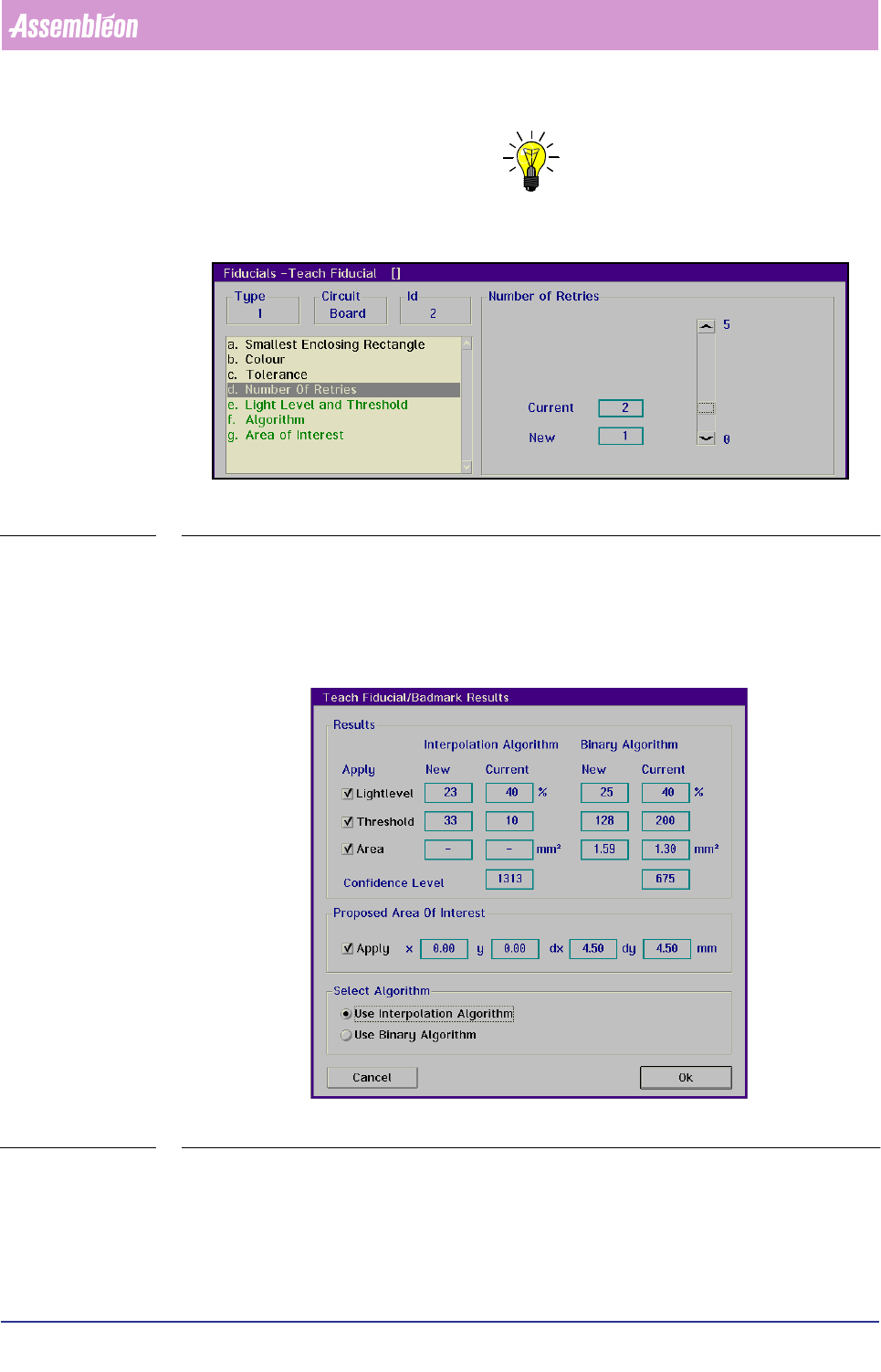
Number Of Retries
■ Select [Number Of Retries]
Refers to the number of retries which are allowed when performing a test meas-
urement of a fiducial.
4022 591 96082 User Reference Manual
02.02 FCM Multiflex 6-21
Product Change Over
NOTE: We advise to set this parameter to “ 1” .
SCREEN 6-12
Automatic teaching
The next parameters in the list box are green. These settings can be taught auto-
matically by selecting [Teach]. After the settings are taught the results are
presented in the [Teach Fiducial/Badmark Results] dialogue screen.
SCREEN 6-13
In this screen the current and the new (taught) settings for Light Level, Threshold
and Area are shown for both algorithms. By deactivating the checkboxes the current
settings will be used else the new settings will be used. The Confidence level
indicates which algorithm is most suitable for that fiducial. In [Select Algorithm]