FCM_User Reference Manual.pdf.pdf - 第214页
Pr oduc t Ch ang e Ov er User Re f eren ce Manu al 4022 591 960 82 6-22 FCM M ult ifle x 02.02 you can chang e th e alg orith m, the on e with the high est Confid ence Le vel is pr efe rr ed. S el ect [Ok] t o set the ne…
4022 591 96082 User Reference Manual
02.02 FCM Multiflex 6-21
Product Change Over
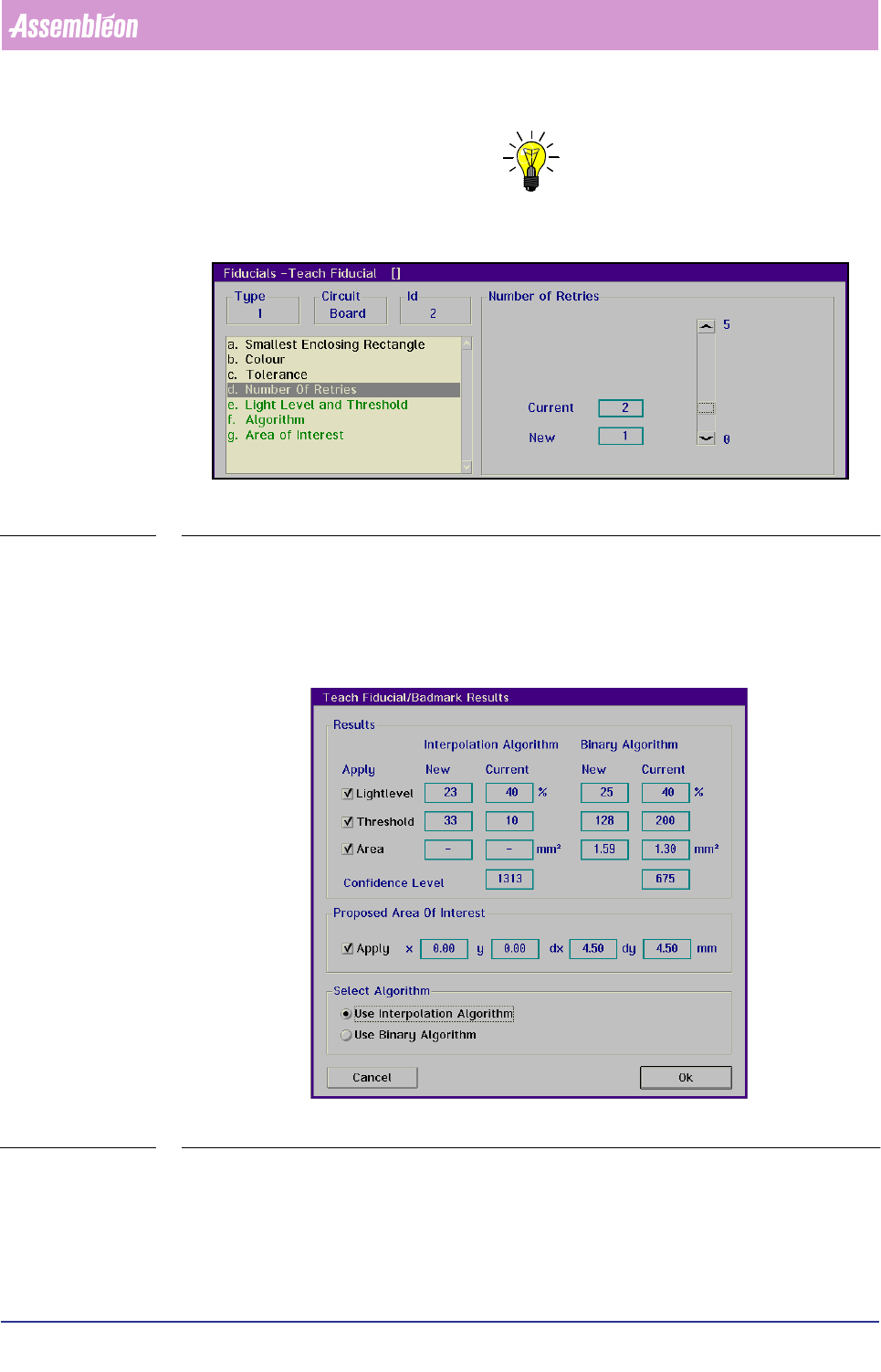
NOTE: We advise to set this parameter to “ 1” .
SCREEN 6-12
Automatic teaching
The next parameters in the list box are green. These settings can be taught auto-
matically by selecting [Teach]. After the settings are taught the results are
presented in the [Teach Fiducial/Badmark Results] dialogue screen.
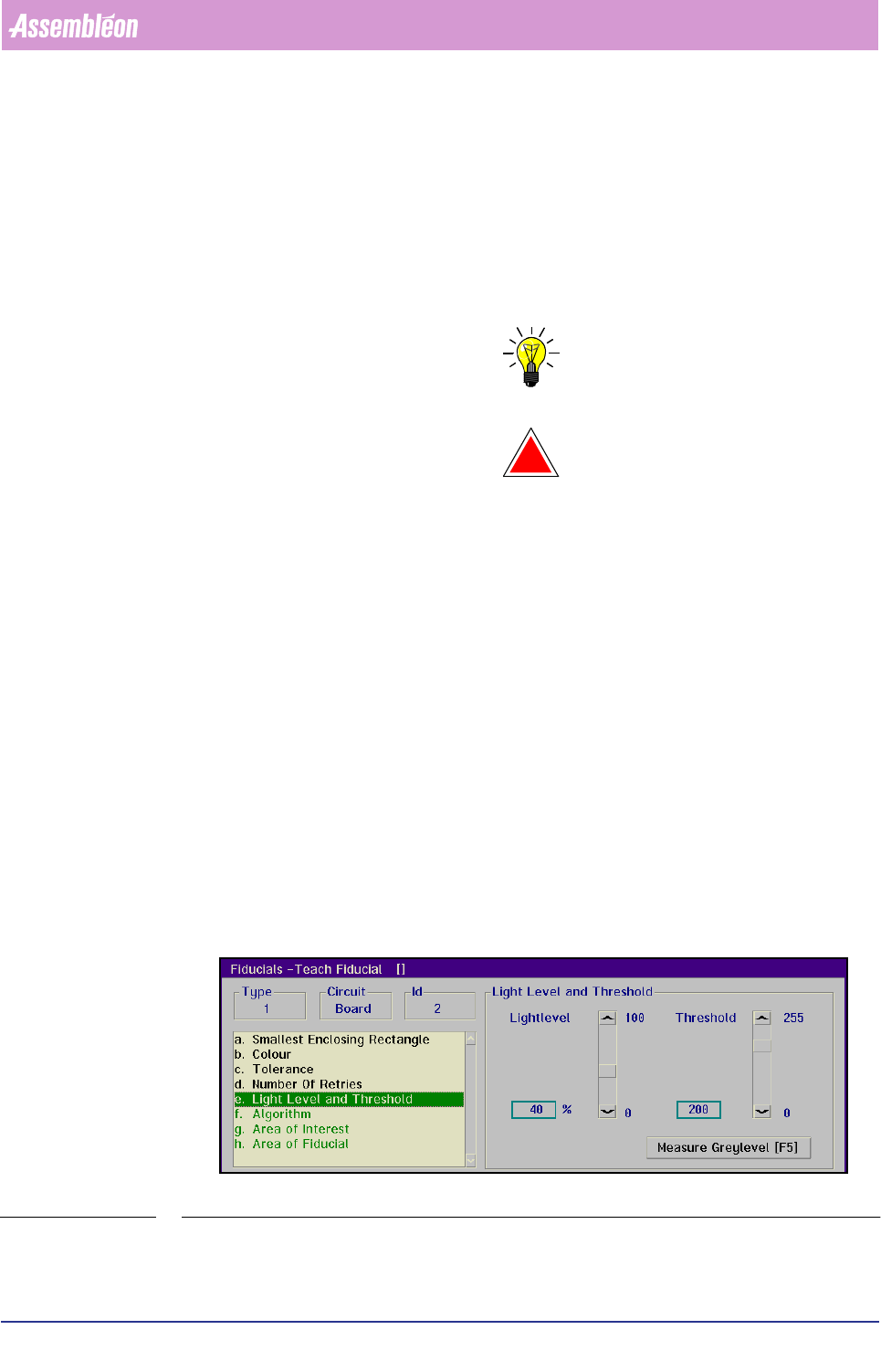
SCREEN 6-13
In this screen the current and the new (taught) settings for Light Level, Threshold
and Area are shown for both algorithms. By deactivating the checkboxes the current
settings will be used else the new settings will be used. The Confidence level
indicates which algorithm is most suitable for that fiducial. In [Select Algorithm]
Product Change Over
User Reference Manual 4022 591 96082
6-22 FCM Multiflex 02.02
you can change the algorithm, the one with the highest Confidence Level is
preferred. Select [Ok] to set the new settings or [Cancel] to discard the new
settings.
The results of the automatic teaching can be tested by selecting [Measure].
■ Select
[Teach]
■ Select [Measure]
The test results of the measurement will be shown in the box.
NOTE: Normally the automatic teach function will supply the correct values!
!
WARNING: IF FIRST TEACHING DOESN’T GET THE FIDUCIAL IN THE CENTRE OF THE
SCREEN, FIRST CHECK THE CORRECTNESS OF THE CARRIER SET MOUNTING
(WELL FASTENED? NO CLEARANCE?) AND/OR THE ACTION SPEC FIDUCIAL
COORDINATES CONCERNED.
■ Select [Store] to store the taught data in the current data base
■ Select
[Next Fiducial] to go to the next fiducial to be measured
■ Select
[Type...] to change the type of fiducial to be taught
Light Level and Threshold
■ Select [Light Level and Threshold]
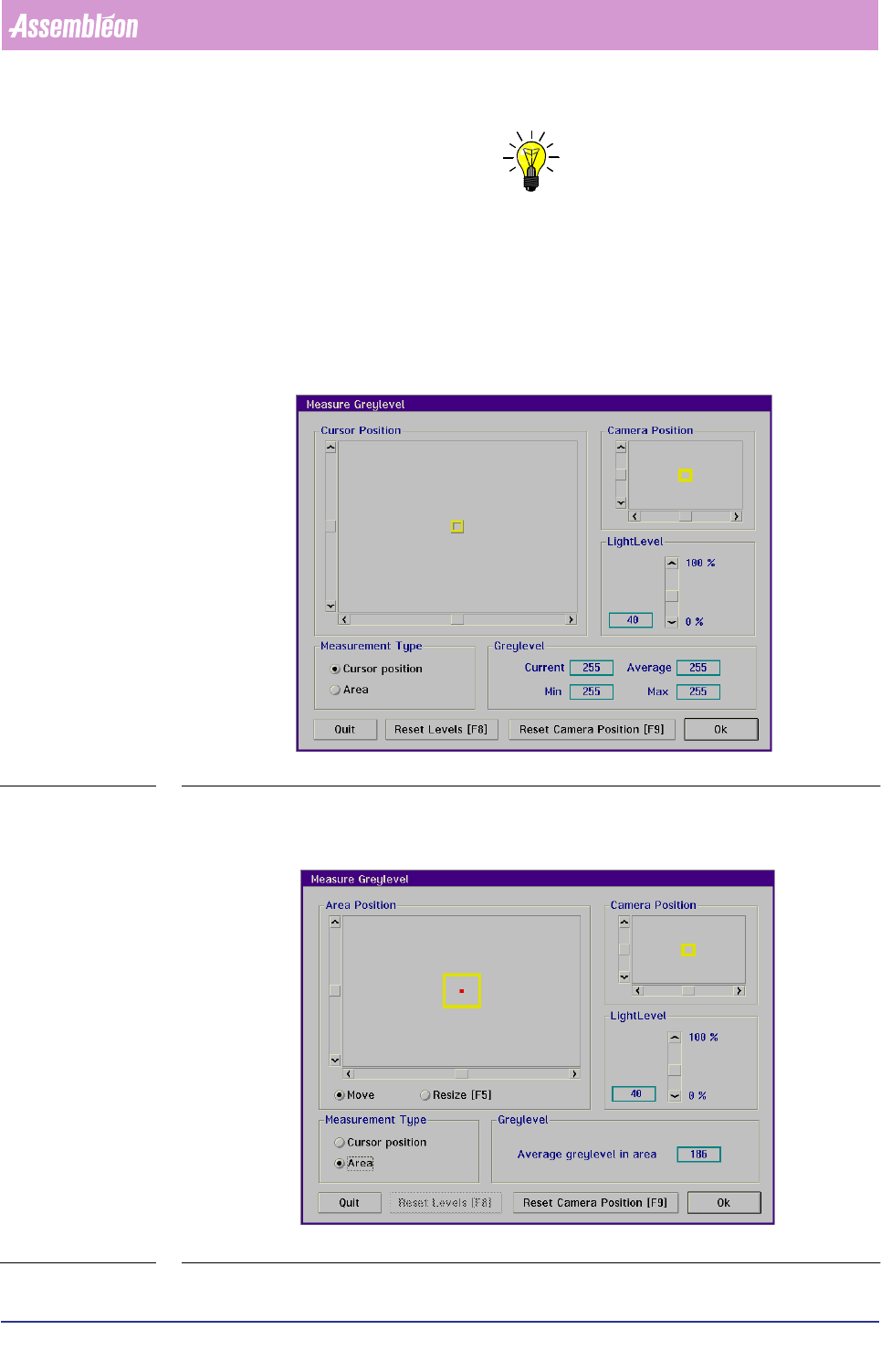
For a reliable fiducial detection, the light level and threshold must have been
set.
The threshold value is used by the binary algorithm to transform a grey level
image into a black & white image.
The threshold value is used by the interpolation algorithm to analyze grey level
transitions in the image.
SCREEN 6-14
4022 591 96082 User Reference Manual
02.02 FCM Multiflex 6-23
Product Change Over
NOTE: It is possible - but not recommended - to set the >/LJKW /HYHO@ and
>7KUHVKROG@ manually as in nearly all cases the correct settings will be
supplied automatically by selecting >7HDFK@.
Before setting the threshold value for the binary algorithm, first the grey levels of
the fiducial and its background have to be determined. Proceed as follows:
■ Select
[Measure Greylevel] to determine the grey levels of the fiducial and its
background
SCREEN 6-15
■ Select with the tracker ball and the sliders a spot with a representative grey level
in the fiducial and one in the background
SCREEN 6-16