FCM_User Reference Manual.pdf.pdf - 第225页
4022 591 960 82 Us er Reference Man ual 02.02 FC M Multif lex 6-33 Pr oduc t Ch ang e Ov er ■ Sel ect [Algori thm] by t yp ing “ b ” SCREEN 6- 24 ■ Fo r spot-type badmarks , sel ect [Ba dmark] in [Spot Rec ognition] ■ Fo…
Product Change Over
User Reference Manual 4022 591 96082
6-32 FCM Multiflex 02.02
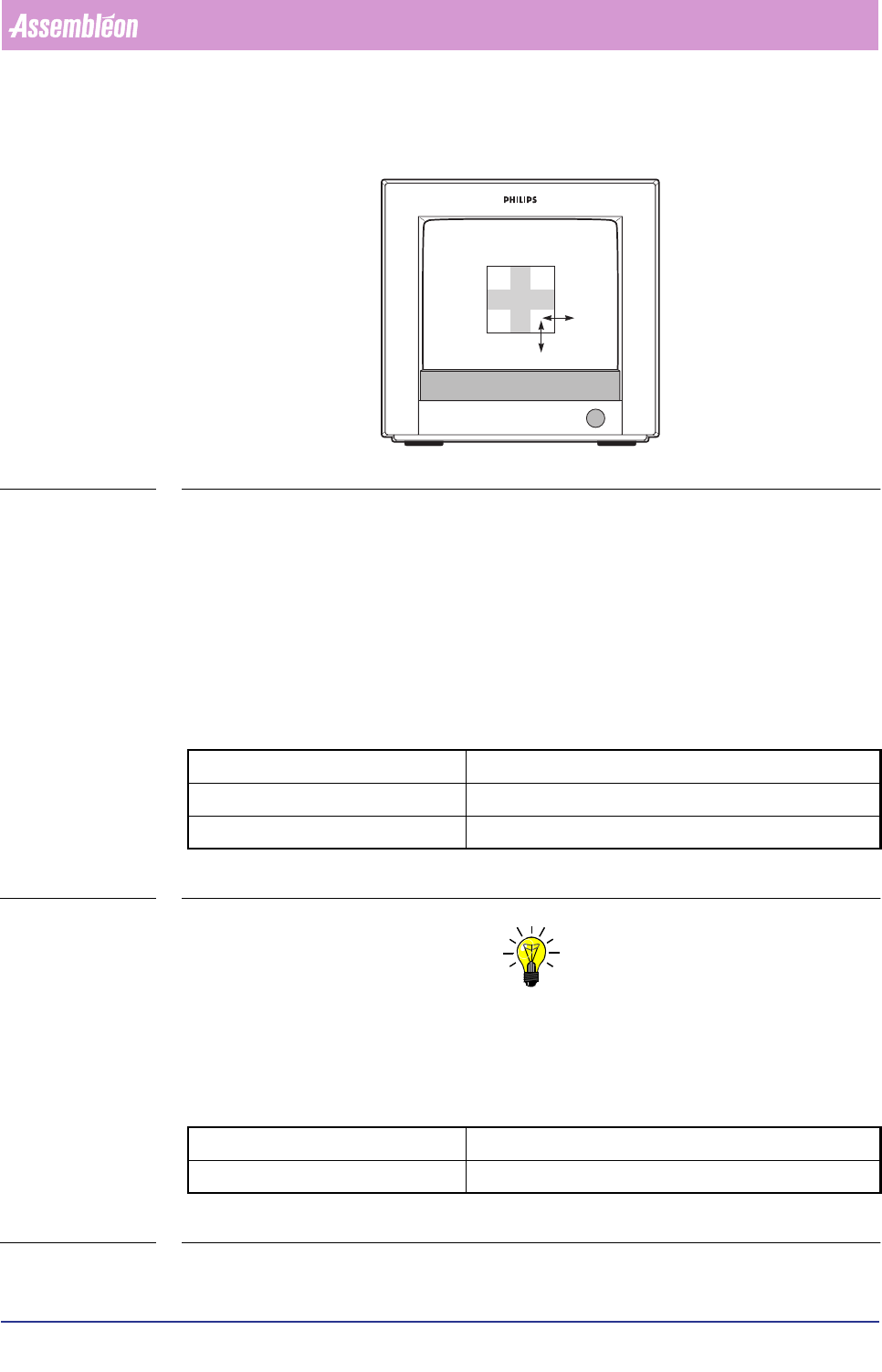
■ Look at the BVM monitor to determine if the rectangle fits exactly the badmark
(see FIGURE 6 -11
FIGURE 6-11 Selecting the smallest enclosing rectangle for fiducial-type badmarks
If not, act as follows:
■ Select
[Move]
■ Adjust left line with arrow keys or mouse and scroll bar
■ Adjust top line
■ Select
[Resize]
■ Adjust bottom line
■ Adjust right line
Key operating movements:
TABLE 6-12
NOTE: Adjustment via the graphical mouse control is also possible, but control is
less exact.
Algorithm
There are 2 options for the badmark detection algorithm:
TABLE 6-13
arrow keys slow movement (0.05 mm)
Home/End keys quick left/right movement (0.2 mm)
Page Up/Page Down keys quick up/down movement (0.2 mm)
binary quick but less reliable
interpolation slower but more reliable
4022 591 96082 User Reference Manual
02.02 FCM Multiflex 6-33
Product Change Over
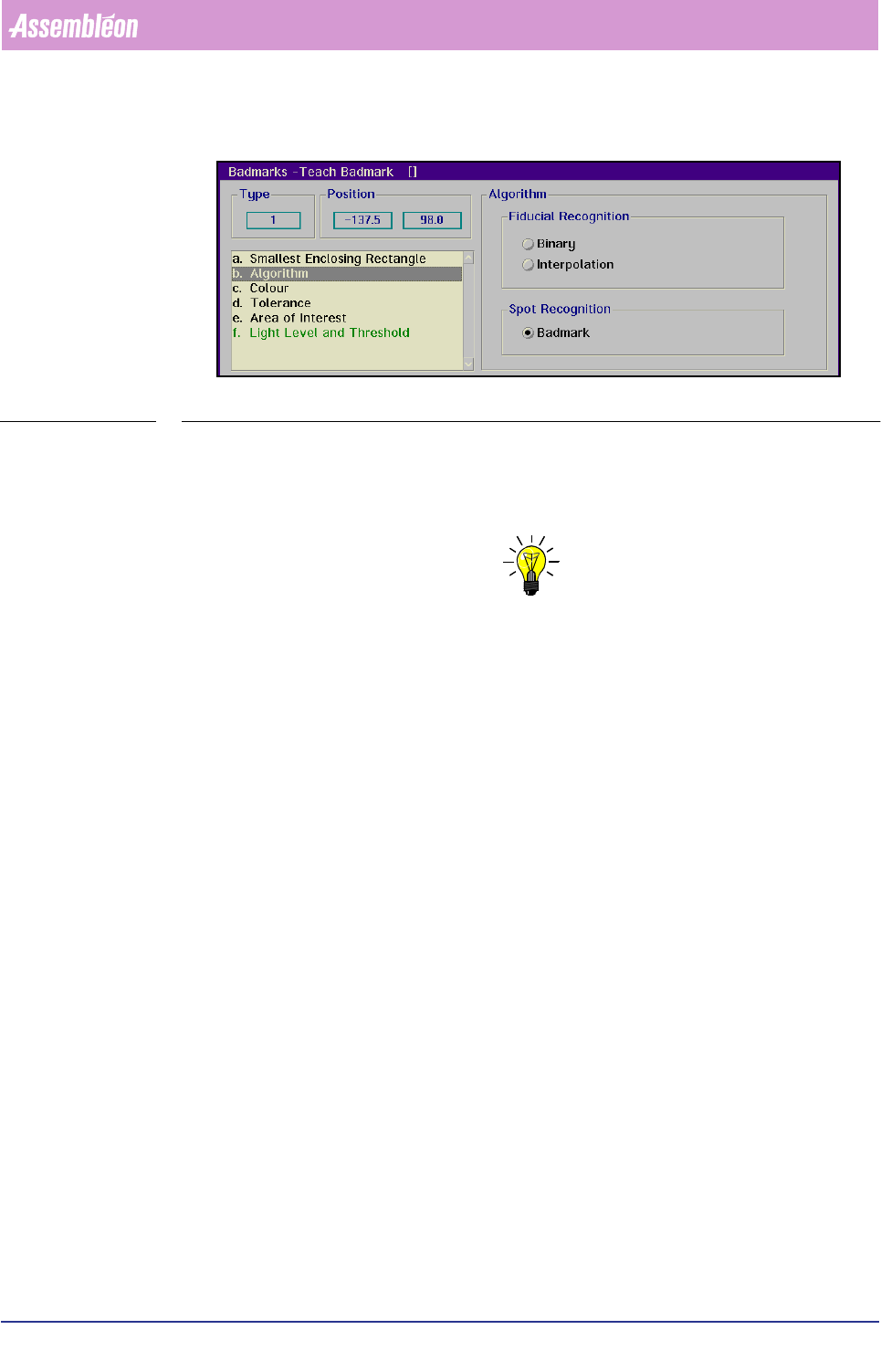
■ Select [Algorithm] by typing “b”
SCREEN 6-24
■ For spot-type badmarks, select
[Badmark] in [Spot Recognition]
■ For fiducial-type badmarks, decide from the BVM monitor image which is the
best one to use and select
[Binary] or [Interpolation]
NOTE: The quicker binary algorithm requires a good image, no spots and damages.
If you are in doubt, make some trial measurements.
The following parameters are affected by the selected algorithm:
• [Threshold]
• [Tolerance]
• [Polarity]
• [Smallest Enclosing Rectangle]
• [Area of Interest]
• [Area of Fiducial]
This is indicated in the description of the parameter concerned.
Product Change Over
User Reference Manual 4022 591 96082
6-34 FCM Multiflex 02.02
Colour
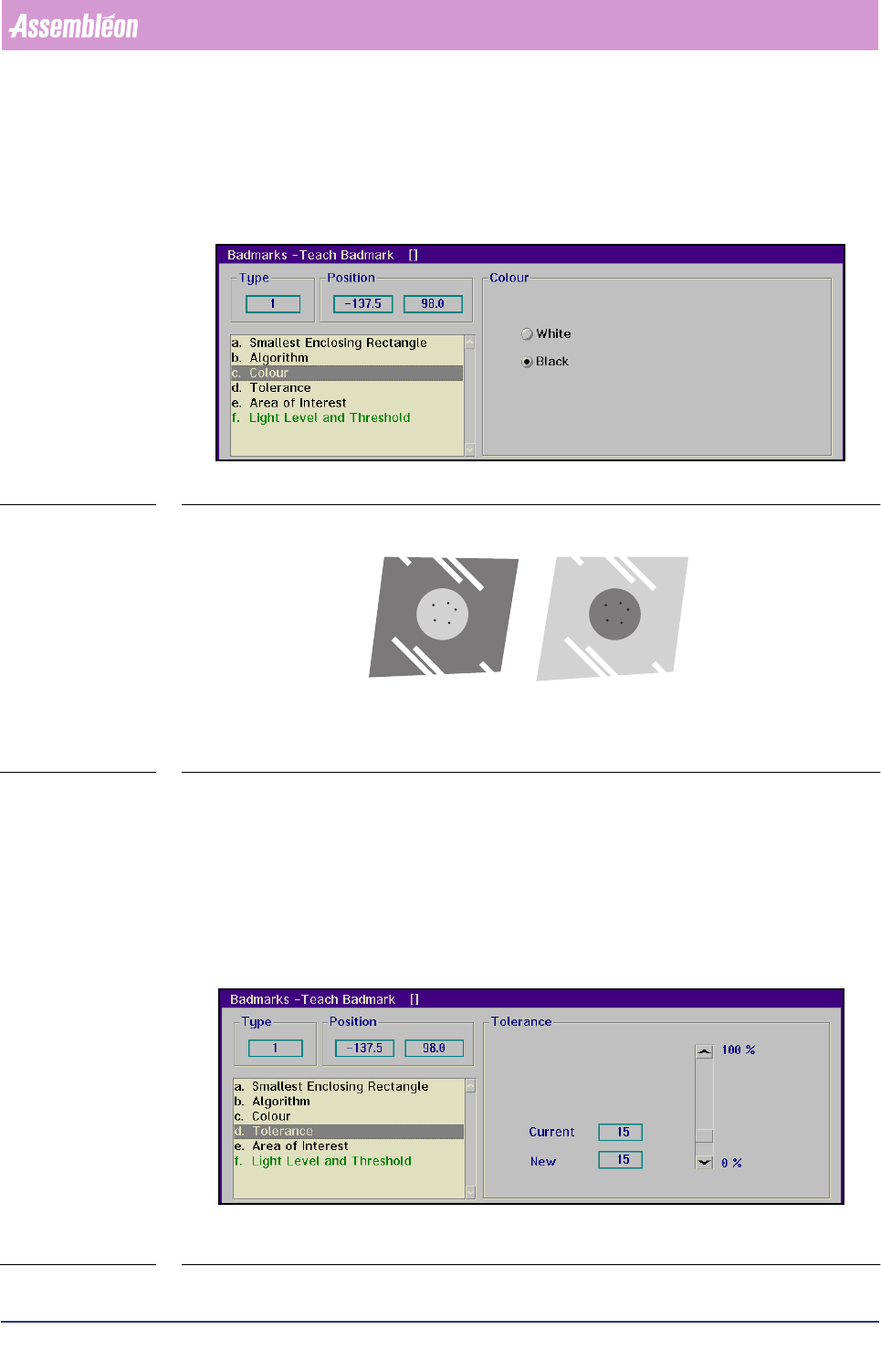
■ Select [Colour]
■ Choose
[White] when the badmark appears to be bright on a dark background
■ Choose
[Black] when the badmark appears to be dark on a bright background
SCREEN 6-25
FIGURE 6-12 Examples of badmark colour and its background
Tolerance
■ Select [Tolerance]
For spot-type badmarks:
The value set here determines what percentage of the badmark surface may be
missing in the rectangle defined in
[Smallest Enclosing Rectangle] to be still
considered as a badmark.
SCREEN 6-26
CL 56431003/14F
White Black