FCM_User Reference Manual.pdf.pdf - 第226页
Pr oduc t Ch ang e Ov er User Re f eren ce Manu al 4022 591 960 82 6-34 FCM M ult ifle x 02.02 Colour ■ Sel ect [Col our] ■ Ch oose [White] wh en the badmark appears to be bright on a dark ba ckg roun d ■ Ch oose [Black]…
4022 591 96082 User Reference Manual
02.02 FCM Multiflex 6-33
Product Change Over
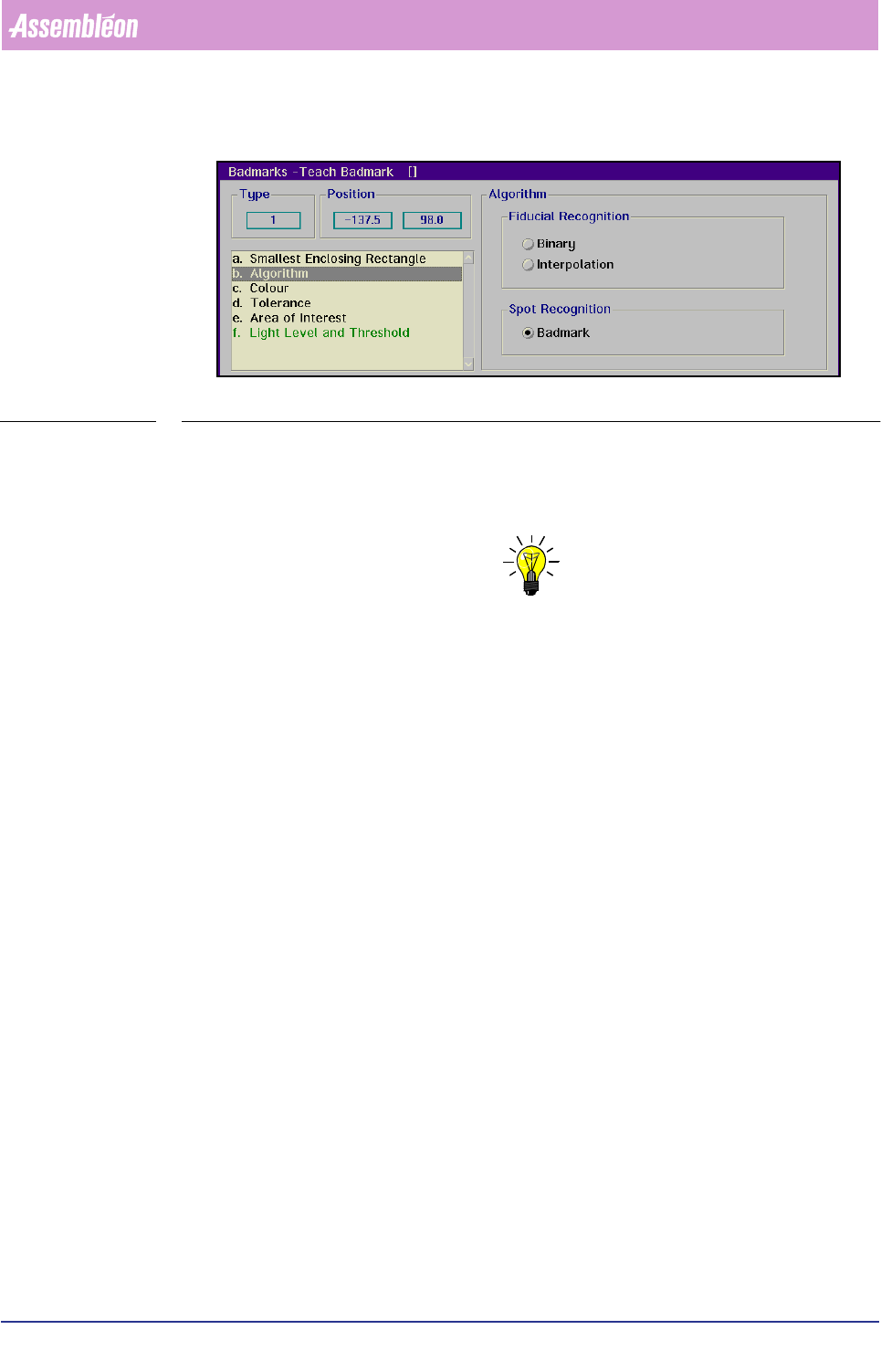
■ Select [Algorithm] by typing “b”
SCREEN 6-24
■ For spot-type badmarks, select
[Badmark] in [Spot Recognition]
■ For fiducial-type badmarks, decide from the BVM monitor image which is the
best one to use and select
[Binary] or [Interpolation]
NOTE: The quicker binary algorithm requires a good image, no spots and damages.
If you are in doubt, make some trial measurements.
The following parameters are affected by the selected algorithm:
• [Threshold]
• [Tolerance]
• [Polarity]
• [Smallest Enclosing Rectangle]
• [Area of Interest]
• [Area of Fiducial]
This is indicated in the description of the parameter concerned.
Product Change Over
User Reference Manual 4022 591 96082
6-34 FCM Multiflex 02.02
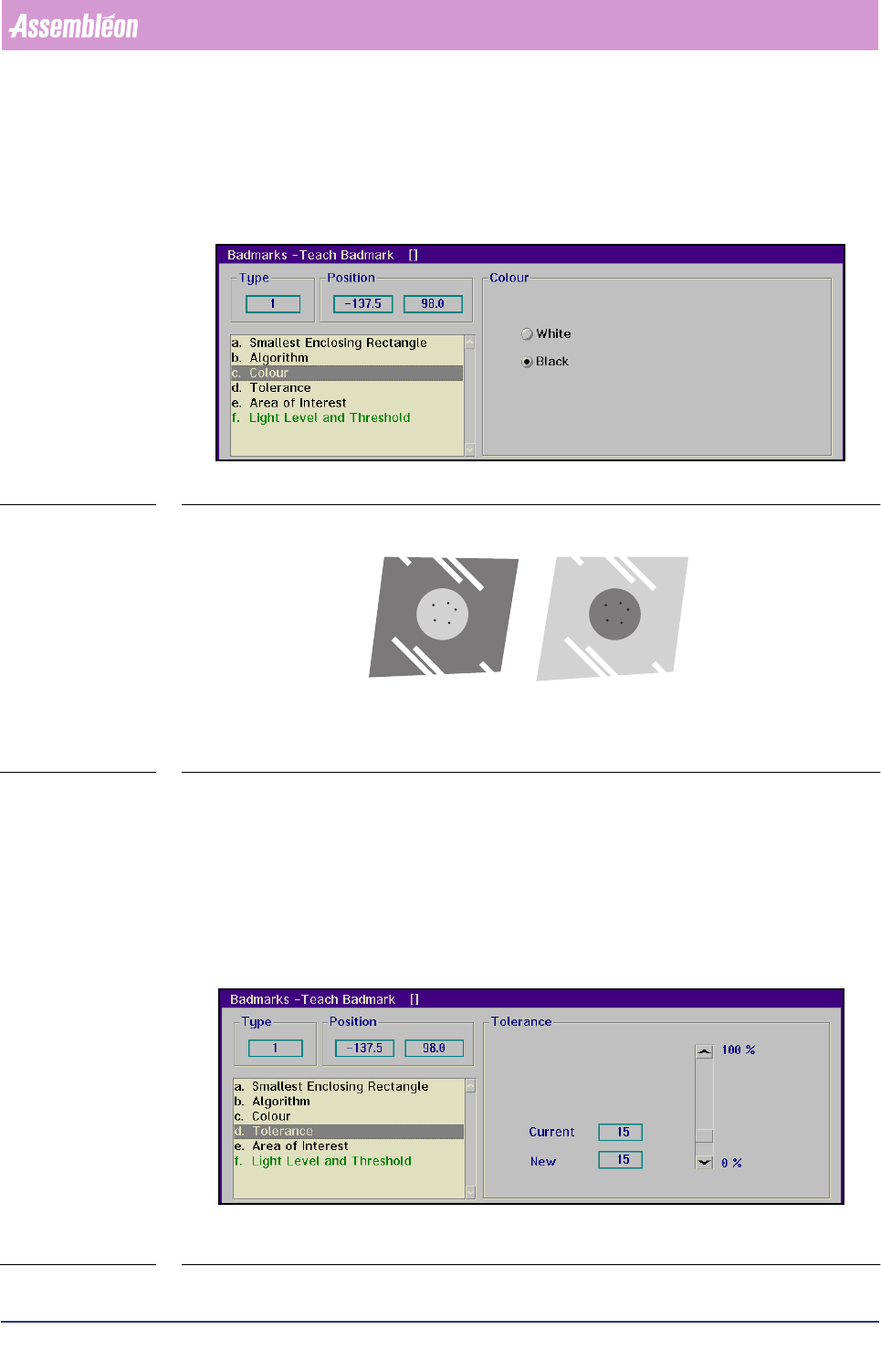
Colour
■ Select [Colour]
■ Choose
[White] when the badmark appears to be bright on a dark background
■ Choose
[Black] when the badmark appears to be dark on a bright background
SCREEN 6-25
FIGURE 6-12 Examples of badmark colour and its background
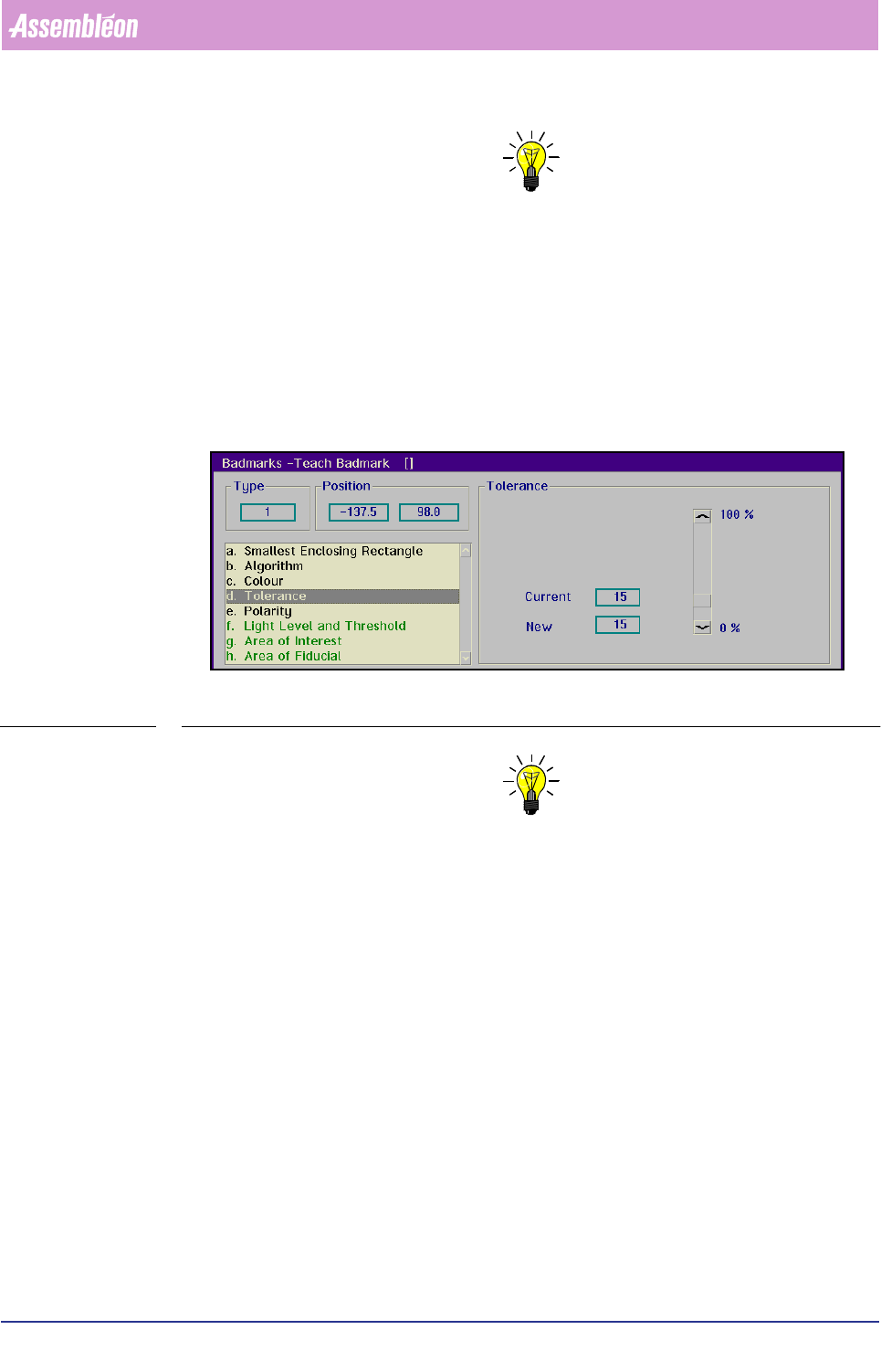
Tolerance
■ Select [Tolerance]
For spot-type badmarks:
The value set here determines what percentage of the badmark surface may be
missing in the rectangle defined in
[Smallest Enclosing Rectangle] to be still
considered as a badmark.
SCREEN 6-26
CL 56431003/14F
White Black
4022 591 96082 User Reference Manual
02.02 FCM Multiflex 6-35
Product Change Over
NOTE: Settings depend on the physical properties of the badmark. Badmarks
indicated by means of a felt pen require a higher tolerance than badmarks
indicated by means of a sticker.
For fiducial-type badmarks:
The value set here determines how much (in percentage) the area of a detected
badmark may differ from the area which is specified in the teach data
(see FIGURE 6 -13).
That area is defined by the
[Area of Fiducial] parameter, and limited by the
[Smallest Enclosing Rectangle] setting.
SCREEN 6-27
NOTE: Common settings range from 10 to 15% on
physically good badmarks; badmarks of a lesser quality may require higher
settings.