FCM_User Reference Manual.pdf.pdf - 第228页
Pr oduc t Ch ang e Ov er User Re f eren ce Manu al 4022 591 960 82 6-36 FCM M ult ifle x 02.02 FIGURE 6-1 3 T olerance between ta ught and detected badmark area Po l a ri t y Self expl anat or y , se e scr een b el o w .…
4022 591 96082 User Reference Manual
02.02 FCM Multiflex 6-35
Product Change Over
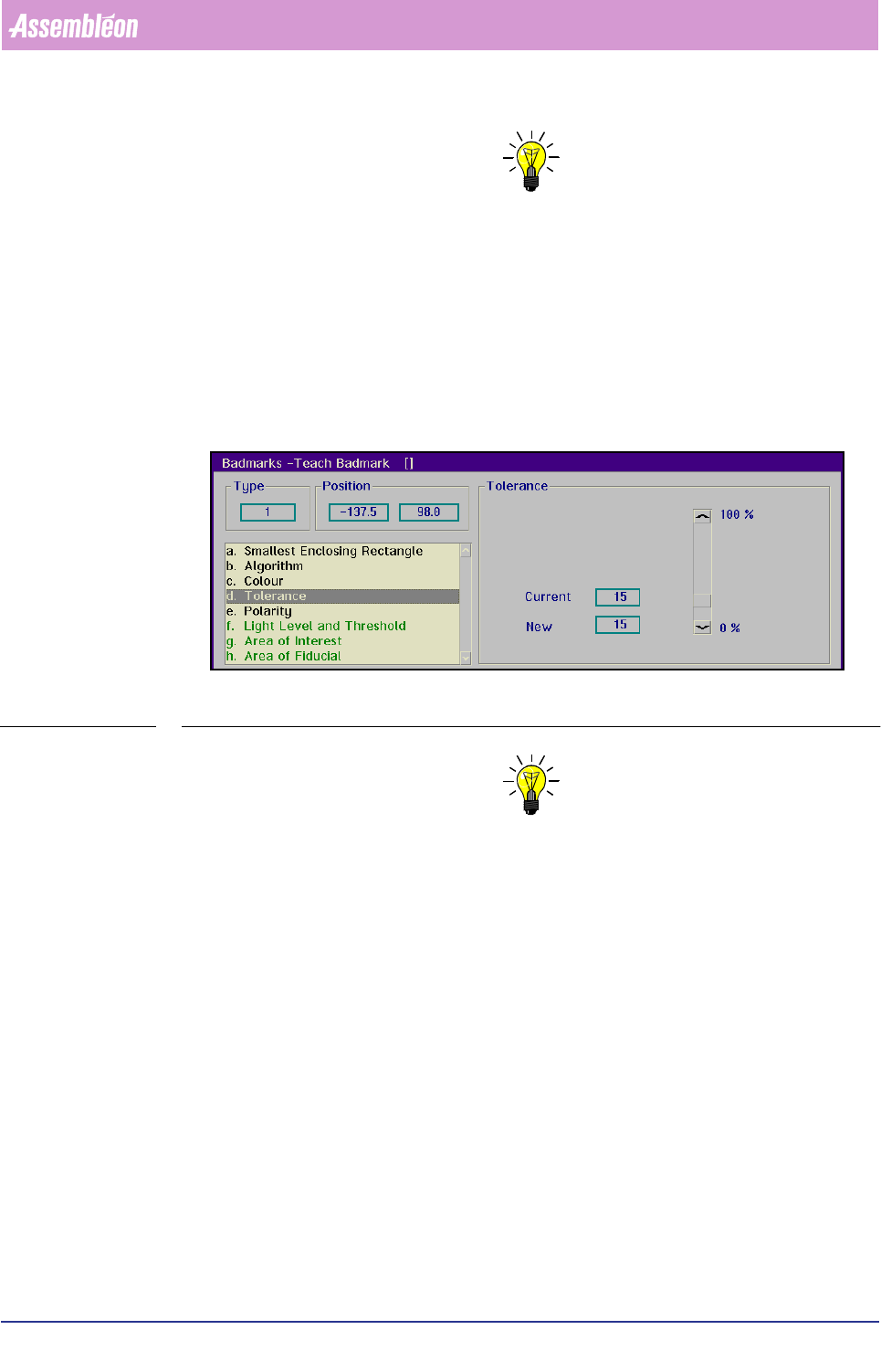
NOTE: Settings depend on the physical properties of the badmark. Badmarks
indicated by means of a felt pen require a higher tolerance than badmarks
indicated by means of a sticker.
For fiducial-type badmarks:
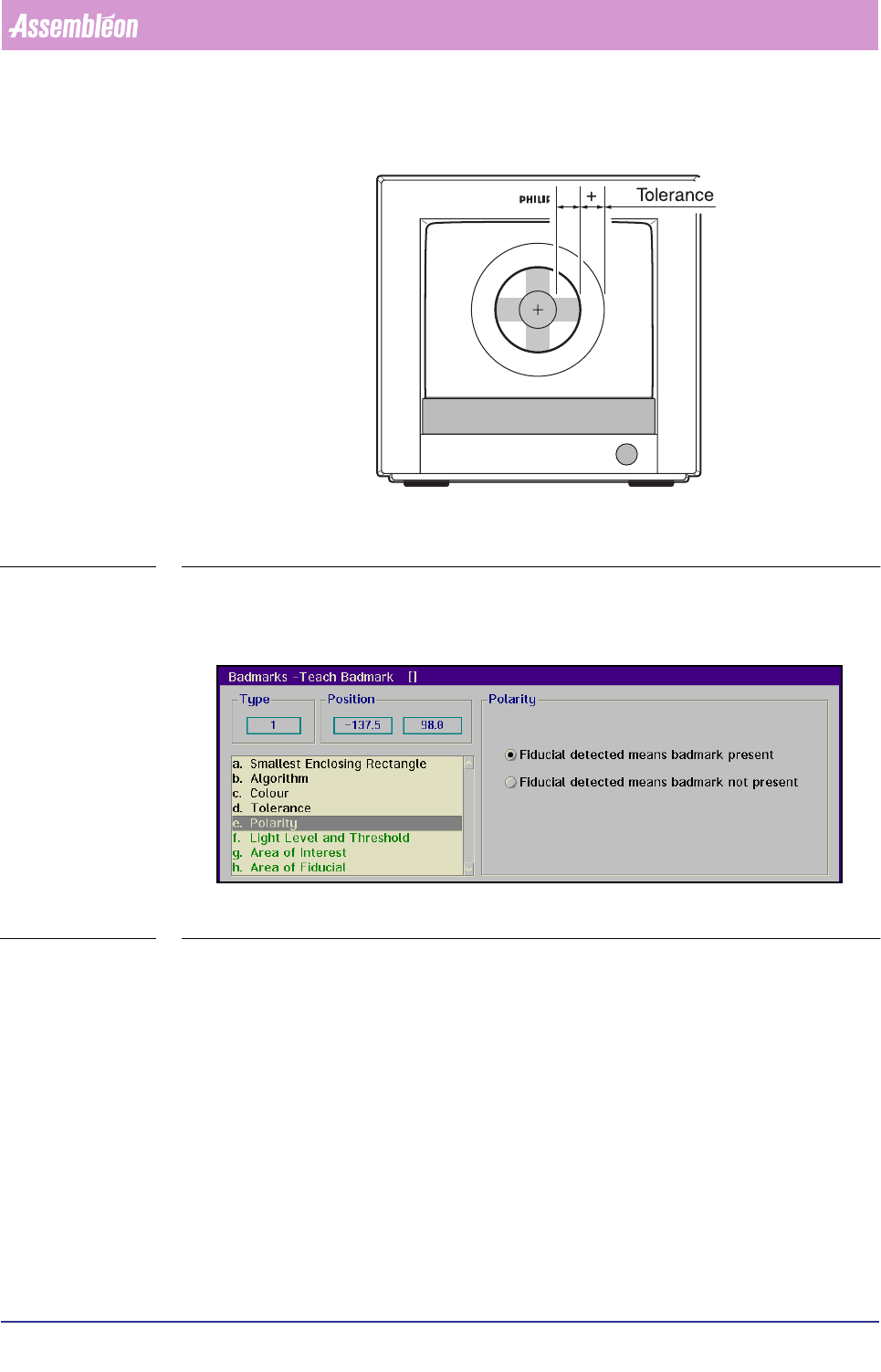
The value set here determines how much (in percentage) the area of a detected
badmark may differ from the area which is specified in the teach data
(see FIGURE 6 -13).
That area is defined by the
[Area of Fiducial] parameter, and limited by the
[Smallest Enclosing Rectangle] setting.
SCREEN 6-27
NOTE: Common settings range from 10 to 15% on
physically good badmarks; badmarks of a lesser quality may require higher
settings.
Product Change Over
User Reference Manual 4022 591 96082
6-36 FCM Multiflex 02.02
FIGURE 6-13 Tolerance between taught and detected badmark area
Polarity
Self explanatory, see screen below.
SCREEN 6-28
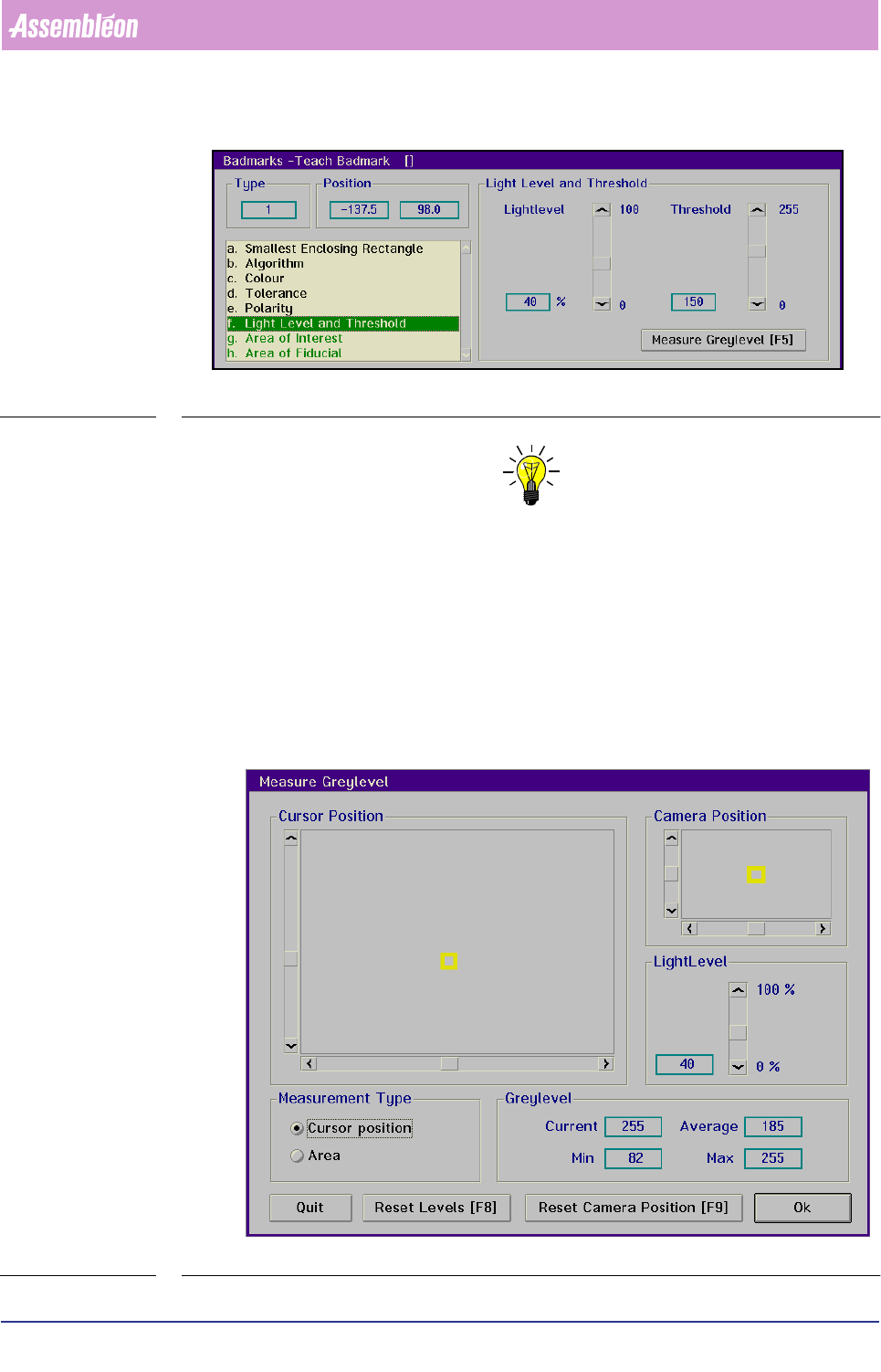
Light Level and Threshold
For spot-type badmarks:
■ Select
[Light Level and Threshold]
For a reliable badmark detection, the light level and threshold must have been set.
The threshold value is used by the binary algorithm to transform a grey level image
into a black & white image. The threshold value is used by the interpolation
algorithm to analyze grey level transitions in the image. For more information see
the Vision General Manual, ordering number 5322 871 69201.
4022 591 96082 User Reference Manual
02.02 FCM Multiflex 6-37
Product Change Over
SCREEN 6-29
NOTE: For badmarks larger than the BVM camera’s field of view, the automatic
[Teach] function cannot be used.
When the [Teach] function cannot be used, the [Lightlevel] and [Threshold] of the
badmark must be set manually.
Before setting the threshold value for the binary algorithm, first the grey levels of
the badmark and its background have to be determined.
Proceed as follows:
■ Select
[Measure Greylevel] to determine the grey levels of the badmark and its
background
SCREEN 6-30