FCM_User Reference Manual.pdf.pdf - 第240页
Pr oduc t Ch ang e Ov er User Re f eren ce Manu al 4022 591 960 82 6-48 FCM M ult ifle x 02.02 W e def ine four leaded co mp onent typ es : • LEADED 1 = polarize d, with l eads on on e or opposit e body sid es • LEADED 2…
4022 591 96082 User Reference Manual
02.02 FCM Multiflex 6-47
Product Change Over
6.6.1.2 Algorithm
In order to determine the algorithm which should be used for calculating the X, Y,
and Phi offsets, it is necessary to know how the component is positioned in the
laser beam.
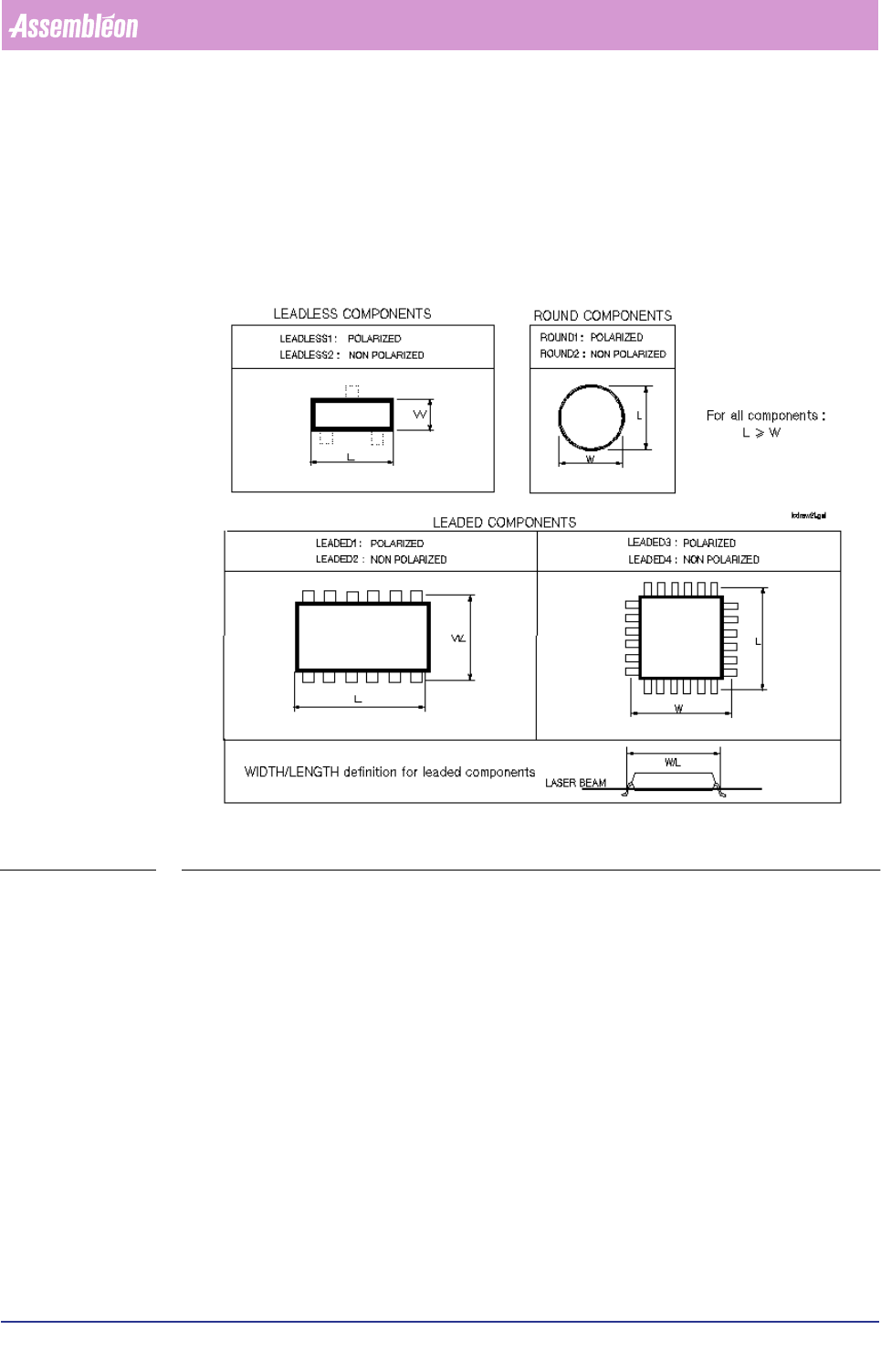
For this purpose we defined various component types; FIGURE 6-16.
FIGURE 6-16 Component types
Component Type Definitions
■ LEADLESS
A component type is defined as “LEADLESS” if it contains no leads, or all leads
remain beyond the laser beam.
In both cases, the component’s body determines its centre.
We define two leadless component types:
• LEADLESS 1 = polarized
• LEADLESS 2 = non-polarized
■ LEADED
A component type is defined as “LEADED” if the laser beam shines on one or
more (pair of) leads.
In this case, the component’s leads determines its centre.
Product Change Over
User Reference Manual 4022 591 96082
6-48 FCM Multiflex 02.02
We define four leaded component types:
• LEADED 1 = polarized, with leads on one or opposite body sides
• LEADED 2 = non-polarized, with leads on one or opposite body sides
• LEADED 3 = polarized, with leads on adjoining body side(s)
• LEADED 4 = non-polarized, with leads on adjoining body side(s)
■ ROUND
A component type is defined as “ROUND” if the component is round in the
radial direction.
NOTE: Round axial components, like MELFs, are defined as “ LEADLESS” components.
Only X and Y offsets are measured for round components.
We define two round component types:
• ROUND 1 = polarized
• ROUND 2 = non-polarized
6.6.2 Polarity Sensitivity
Polarized components will always be placed under the angles as specified in the
action spec (item mnt_phi in the MOUNT records).
Non-polarized components might be placed with 180 degrees offset to reduce the
alignment time.
6.6.3 Algorithms’ Overview
Following table shows the relation between the various component types and the
algorithm to be used.
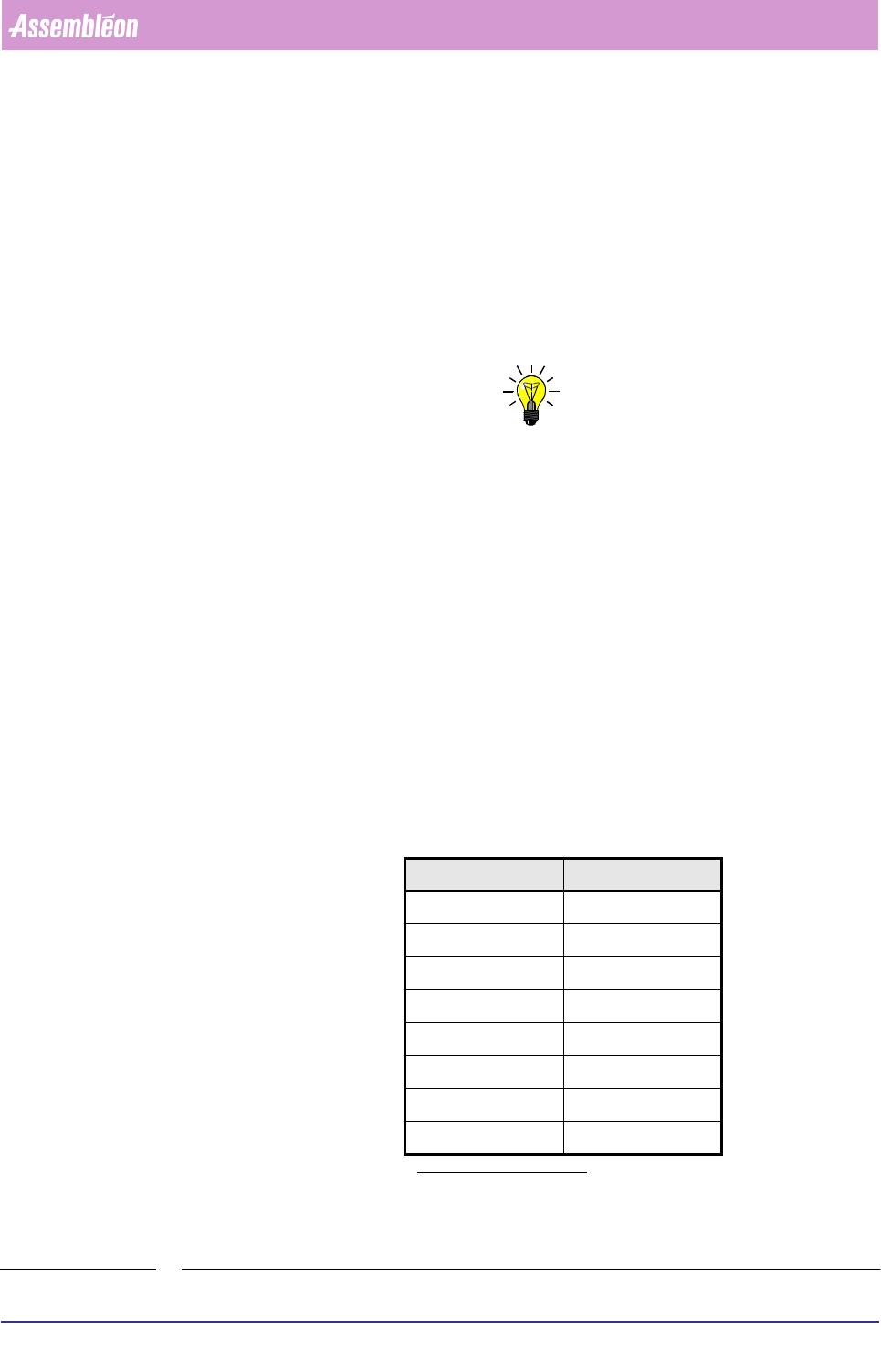
TABLE 6-20
&RPSRQHQWW\SH $OJRULWKP
LEADLESS 1 0
LEADLESS 2 128
LEADED 1 / RNET 1
a
a. Depending on the presence or non
presence of the RNET donglle.
LEADED 2 129
LEADED 3 2
LEADED 4 130
ROUND 1 3
ROUND 2 131
4022 591 96082 User Reference Manual
02.02 FCM Multiflex 6-49
Product Change Over
6.6.4 Component Size Specification
The laser align system uses the component’s size
1
for component detection
purposes (e.g. detection result “on edge”, or “wrong component type”).
If the measured component sizes are not within the specified tolerances, the
component will be rejected, and the system tries to pick a new component.
The size should be specified in such a way that the length is larger than, or equal to
the width (sizes in mm).
NOTE: If the specified maximum length or width exceeds 6.5 mm, a different - less
accurate - measurement sequence will be executed, because in this case the
component’s side does not completely fit within the laser beam’s scanning area.
6.6.5 Reject Levels
The SMD info file also contains the maximum allowed measurement offset in X, Y,
and Phi direction. These so-called “reject levels” are also used by the laser align
system. If the system measures a larger offset, the component will be rejected, and
a new component will be picked.
This is necessary since the retaining force of the nozzle vacuum might be too low
when components are picked up with too much offset (nozzle partially open!).
NOTE: Reject levels that are defined too high will lead to very inaccurate placements!
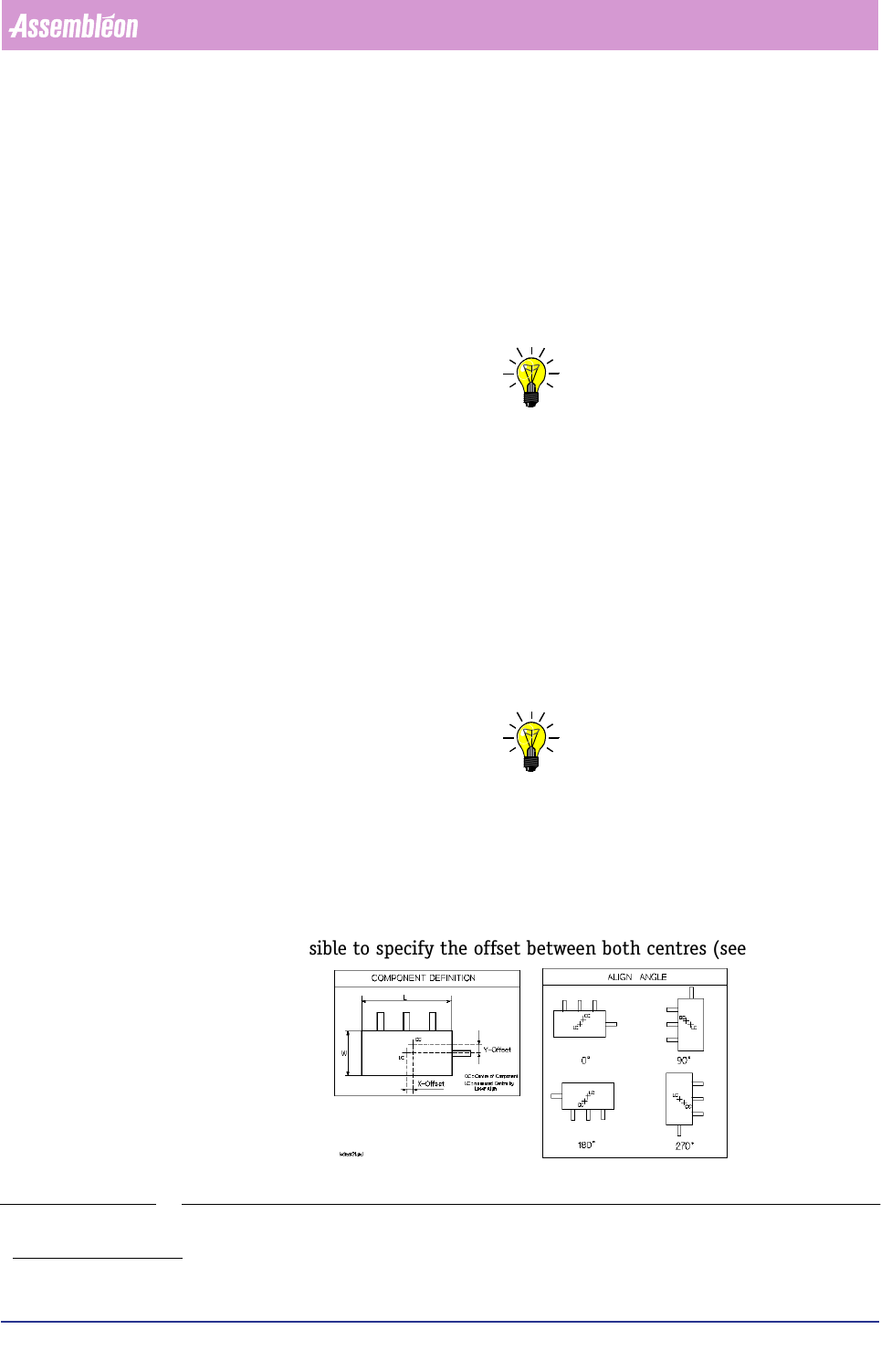
6.6.6 Component Offsets
When using assymmetrical components, component offsets in X, Y, and Phi
direction can be specified.
If the component’s body centre does not match its overall centre (body including
leads), it is possible to specify the offset between both centres (see FIGURE 6-17).
FIGURE 6-17 Assymmetrical component
1. Length and width, including tolerances.