FCM_User Reference Manual.pdf.pdf - 第248页
Pr oduc t Ch ang e Ov er User Re f eren ce Manu al 4022 591 960 82 6-56 FCM M ult ifle x 02.02 6.7.3 Large Symmetric Componen ts 6.7.3. 1 P ack age T ypes Fr om so ftwar e FC5.0 on, th e FCM M ulti fl ex pa cka g e type …
4022 591 96082 User Reference Manual
02.02 FCM Multiflex 6-55
Product Change Over
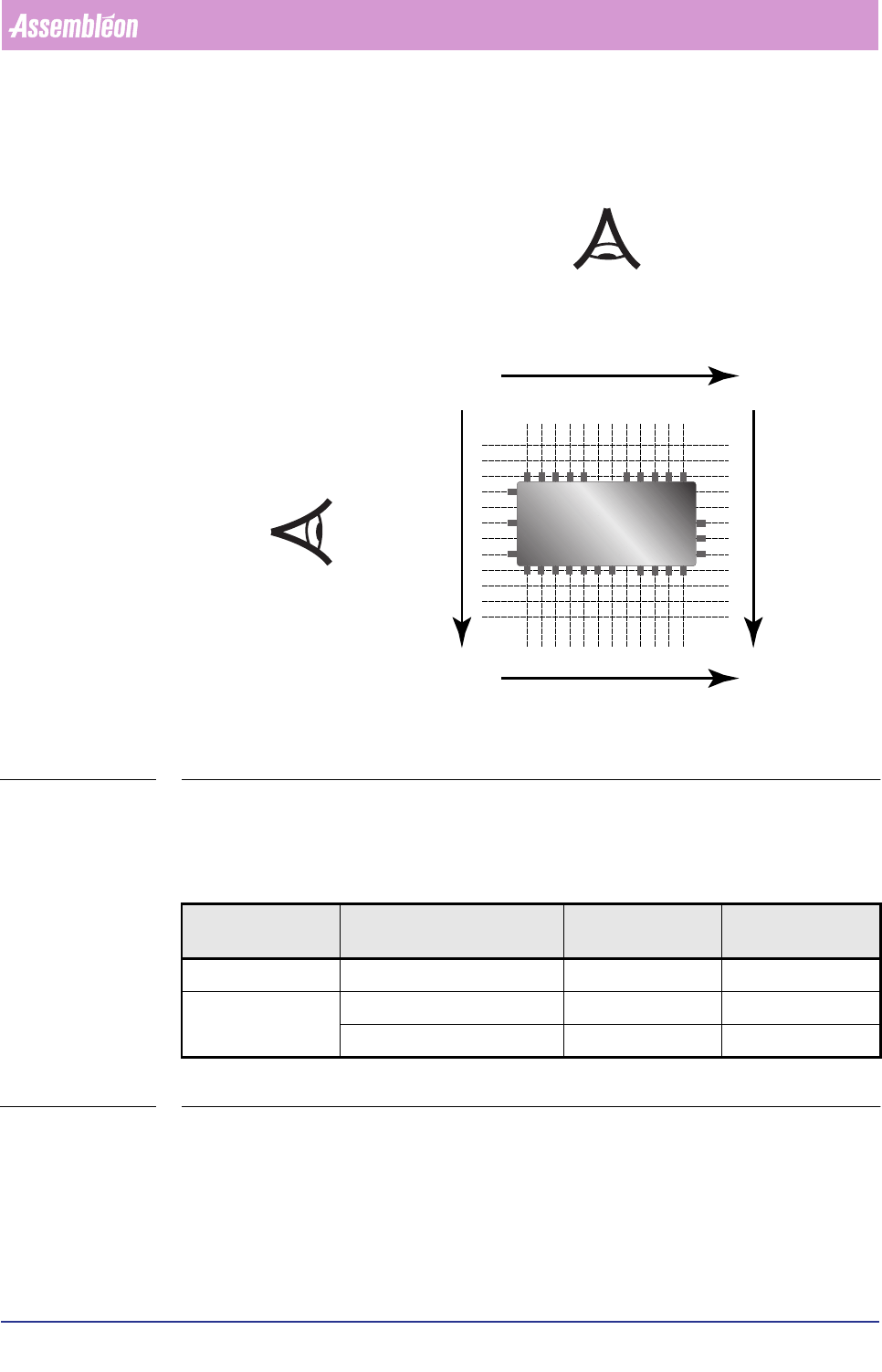
■ Looking from North to South, the first lead you “meet” in the lead group(s) is
the leading lead. This goes for the West and the East side.
FIGURE 6-22 Leading lead determination
6.7.2.3 Package Dimensions Definitions
Depending on the component type, the component’s outline dimensions or its
body dimensions are measured. See table below.
TABLE 6-23
&RPSRQHQWW\SH 0HDVXUHPHQWVLQFOXGH
SHULSKHUDOOHDGV<HV1R
/HQJWK:LGWKRI 60'LQIRILOHV
GHILQH
Symmetric Yes (QFP, SOP, PLCC) Outline Outline
Asymmetric Yes (QFP, SOP, SOT) Body Outline
No (PLCC, SOJ, SOD, R, C) Outline Outline
North
South
West
East
1
1
1
1
1
1
Product Change Over
User Reference Manual 4022 591 96082
6-56 FCM Multiflex 02.02
6.7.3 Large Symmetric Components
6.7.3.1 Package Types
From software FC5.0 on, the FCM Multiflex package type database contains the SMD
info files for large symmetric component types as well. Here, the component
package types PLCC, QFP, SSOP, SOJ, TSOP, TSSOP, SO and VSO are involved.
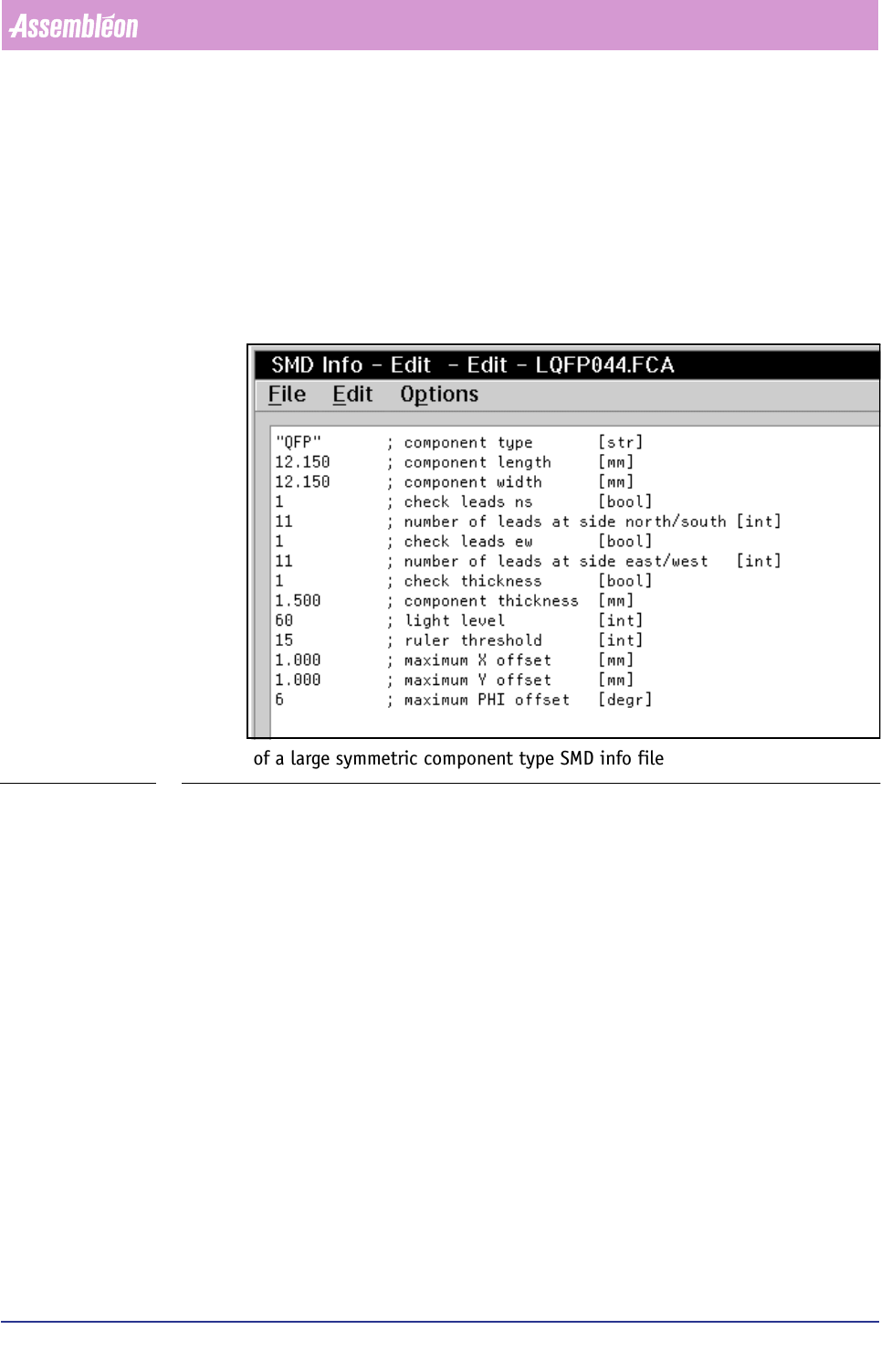
FIGURE 6-23 gives an example of such an SMD info file.
FIGURE 6-23 Example of a large symmetric component type SMD info file
You can edit these files in the same way you are used to do with the “normal” size
components’ SMD info files, using the [Edit SMD Info] function.
4022 591 96082 User Reference Manual
02.02 FCM Multiflex 6-57
Product Change Over
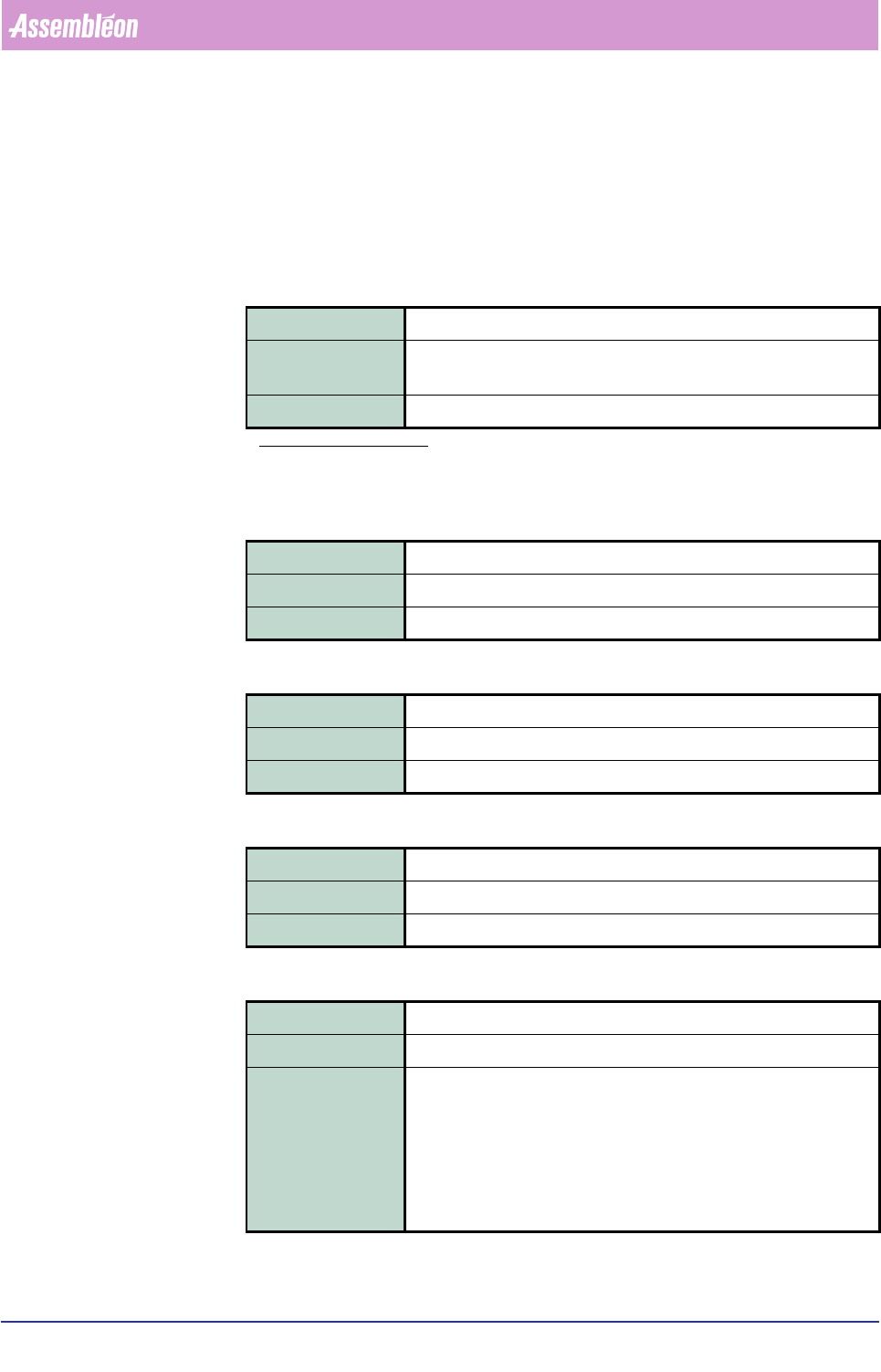
6.7.3.2 Parameter Description
component type
This parameter consists of the two sub-parameters component name or component
code.
▼
component name
▼ component code
component length
component width
check leads ns
Field type Quoted string
Range
a
a. The option sign “|” indicates that one out
of the listed parameters is to be used.
“PLCC” | “QFP” | “SSOP” | “SOJ” | “TSOP” | “TSSOP” | “SO” | “VSO” |
“CLC_1210”
Description General name of the component type
Field type Integer
Range 1 - 19
Description Component’s name equivalent, represented as a number
Field type Real
Range 0 - 25.000 (mm)
Description Component’s nominal length
Field type Real
Range 0 - 25.000 (mm)
Description Component’s nominal width
Field type Integer
Range TRUE | FALSE(TRUE = 1; FALSE = 0)
Description If TRUE, then the vision system will check the number of leads at
both the north/south side as stated in the <number of leads at side
north/south> field.
If FALSE, then the vision system will count the number of leads at
each north/south side and check that both numbers match.
For components that don’t have north/south leads by component type
definition, this field is ignored.