FCM_User Reference Manual.pdf.pdf - 第31页
4022 591 96082 User Re ference Manual 02.02 FCM Multiflex 3-15 Hu man Inte rfac e FIGURE 3-2 Maintenan ce/S ervice Functi ons Ve r si on .. . Da te & Tim e... S witch t o Logg er Swi t ch to NT Ex it F CM Mult ifl ex…
Human Interface
User Reference Manual 4022 591 96082
3-14 FCM Multiflex 02.02
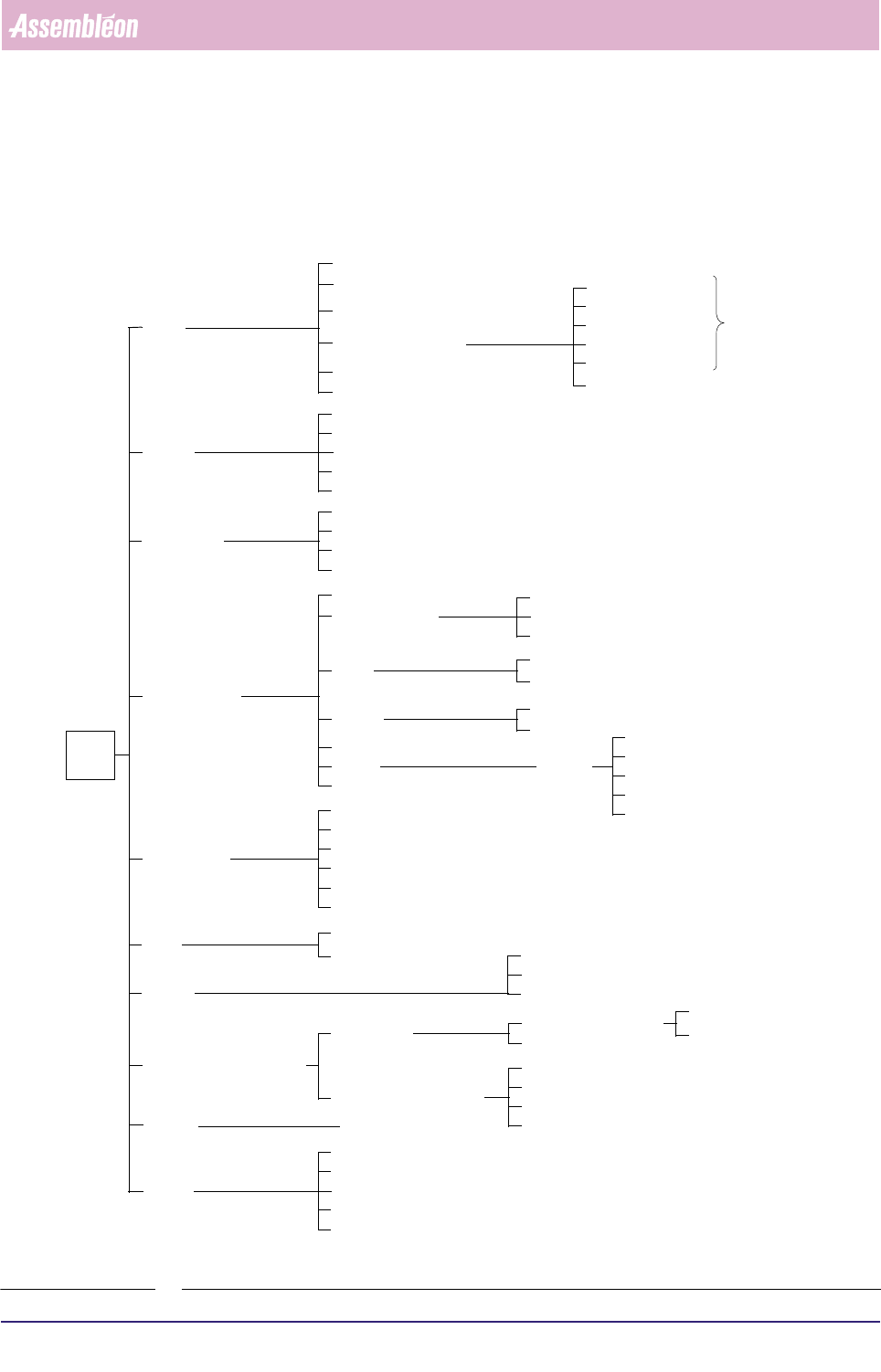
3.7 Quick Reference of Human Interface Functions
This section gives an overview of all accessible functions in the Human Interface of
the FCM Multiflex.
FIGURE 3-1 Main Menu
Main
Operator...
Supervisor...
Maintenance/
Entry...
Schedule...
Module Setup... [F8]
Runout...
Abort...
Start... [F5]
Error Recovery... [F3]
FCM Multiflex Warnings... [F4]
LAS
WVM
BVM
BI (optional)
Associate...
Help Index
User
Order
Production
Configuration
ActionSpec
Help
Extended Help
Keys Help
MIS
Edit...
Menu
Stop... [F6]
TC
Copy from Archive...
Copy to Archive...
Maintenance/
Shutdown FCM Multiflex...
FCM Multiflex Base System
WVM
TC
LAS
BVM
BI (optional)
Available Module (LAS) Number(s)
Available Module (WVM) Number(s)
Delete...
Format...
Functions... (see Figure 3-10)
Summary... [F2]
Help for Help
About FCM Multiflex...
Calibration
Calibration - Functions...
System Calibration File
Service Engineer...
Service Functions
Exit
Exit
Exit
Bad Mark Sensing
Fiducial Alignment
Board Vision Module
Options
Edit...
Copy from Archive...
Copy to Archive...
Delete...
Exit
Create Order...
Create System
Calibration File...
Transport Calibration
see Figure 3-9
Video
Online/Offline
Remote/Local
Enable/Disable
Display... [F10]
Fiducial Offset Check
SECS-II / GEM
System Parameters...
HOST
Online/Offline
Remote/Local
Enable/Disable
FCM Base System
4022 591 96082 User Reference Manual
02.02 FCM Multiflex 3-15
Human Interface
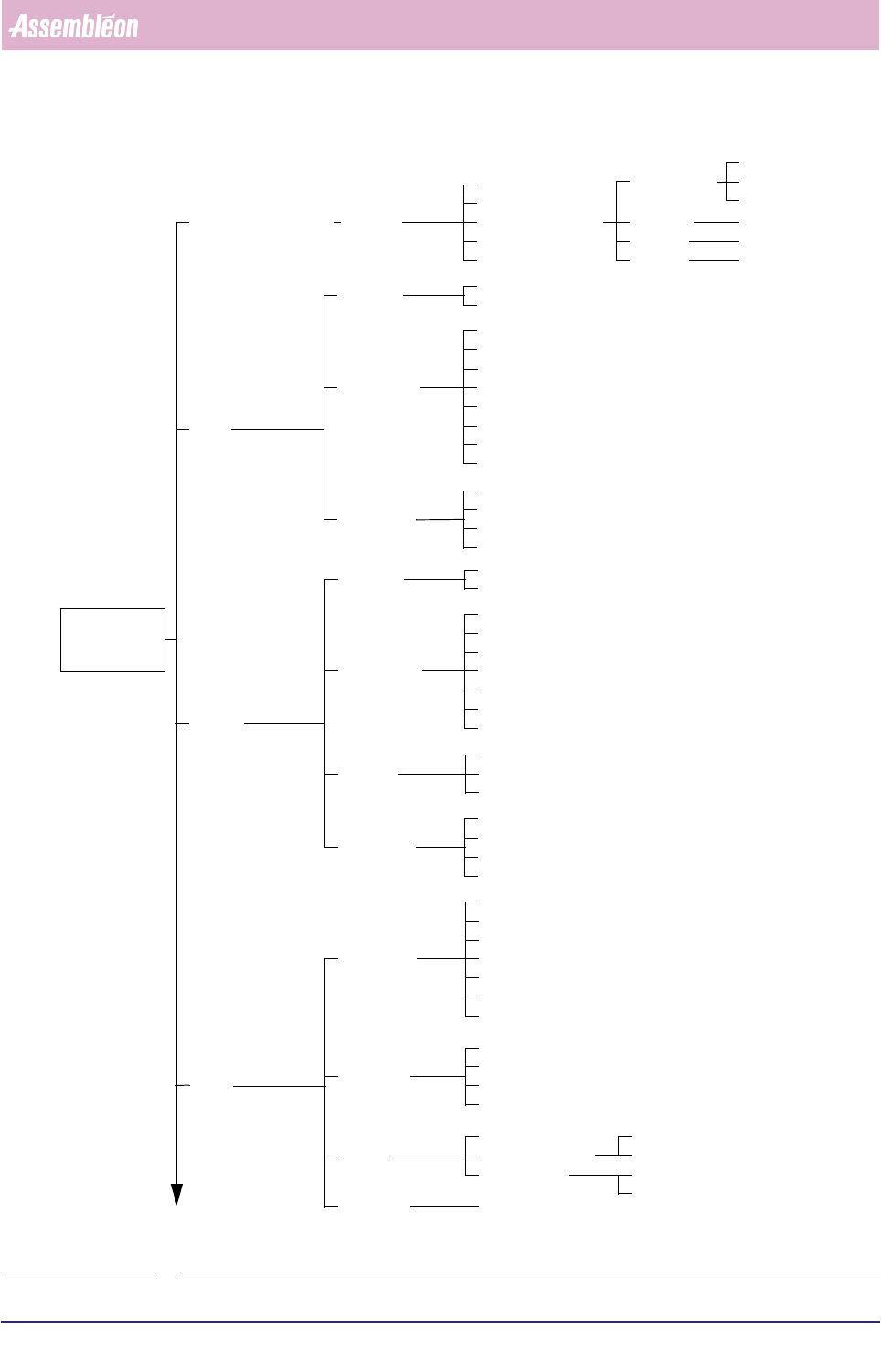
FIGURE 3-2 Maintenance/Service Functions
Version...
Date & Time...
Switch to Logger
Switch to NT
Exit
FCM Multiflex
Maintenance /
Processes...
Subsystems...
Exit
Log to Disk
Copy to Archive...
Enable...
Service
Functions
Event Filter
Options
Logfile
Display
General
Edit SMD Info
Copy to Archive...
Delete...
LAS
Copy from Archive...
Module
Command
SMD-Info
Exit
Available Module (LAS) number(s)
Manipulate PPU...
Imagecheck...
Reset controller...
Show placement count...
Dump...
Exchange nozzle...
Show version...
WVM
Module
Command
Exit
Available Module (WVM) number(s)
Manipulate PPU...
Home...
Reset controller...
Show placement count...
Dump...
Exchange nozzle...
Show version...
Vision
Manipulate Vision
Calibrate camera
Set display mode
Edit SMD Info
Copy to Archive...
Delete...
Copy from Archive...
SMD-Info
Servo Amplifiers...
Diagnostics
Offset beam...
TC
Endurance test
Command
Exercise
Servo
Move Hoist...
Index Beam...
Reset controller...
Show version...
Run-in...
SMEMA interface...
Exit
Home...
Run-out...
Calibrate
Adjust Stoppers...
System I/O...
Beam...
Hoist...
Parameters & Data...
Status...
Home...
Base system...
See Figure 3-3
Human Interface
User Reference Manual 4022 591 96082
3-16 FCM Multiflex 02.02
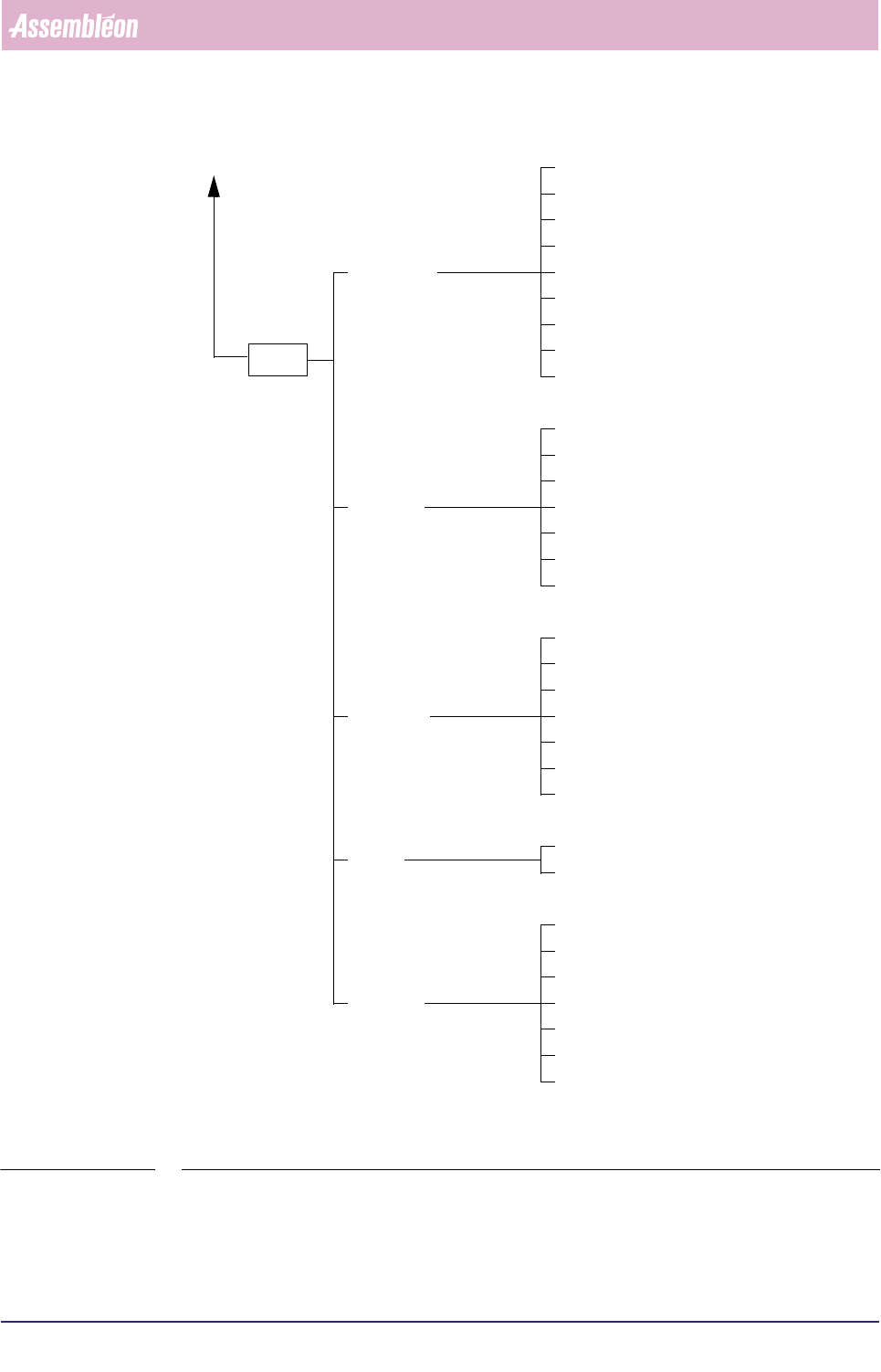
FIGURE 3-3 Maintenance/Service Functions BVM
BVM
Move Servo...
Reset Controller...
Set Display Level...
Show SBIP Status...
Load Board...
Unload Board...
Show Version...
Teach Fiducial...
Measure Fiducial...
Copy from Archive...
Copy to Archive...
Command
Fiducials
Badmarks
Image
Exit
Delete...
Home...
Load Fiducial Teach Data...
Options...
Measure Greylevel...
Save Fiducial Teach Data...
Teach Badmark...
Measure Badmark...
Copy from Archive...
Copy to Archive...
Delete...
Load Badmark Teach Data...
Save Badmark Teach Data...
Calibrate BVM
Copy calibration input from Archive...
Copy calibration output from Archive...
Copy calibration output to Archive...
Delete calibration output...
Delete calibration input...
Copy calibration input to Archive...
Calibrate
See Figure 3-2