FCM_User Reference Manual.pdf.pdf - 第33页
4022 591 96082 User Re ference Manual 02.02 FCM Multiflex 3-17 Hu man Inte rfac e FIGU RE 3-4 MIS Fu nctio n s. Pr oduc ti o n time s Pr oduc t i o n ev en ts Pr oc ess r ep ort Pr oc ess gr a ph M achin e p erf orma nc …
Human Interface
User Reference Manual 4022 591 96082
3-16 FCM Multiflex 02.02
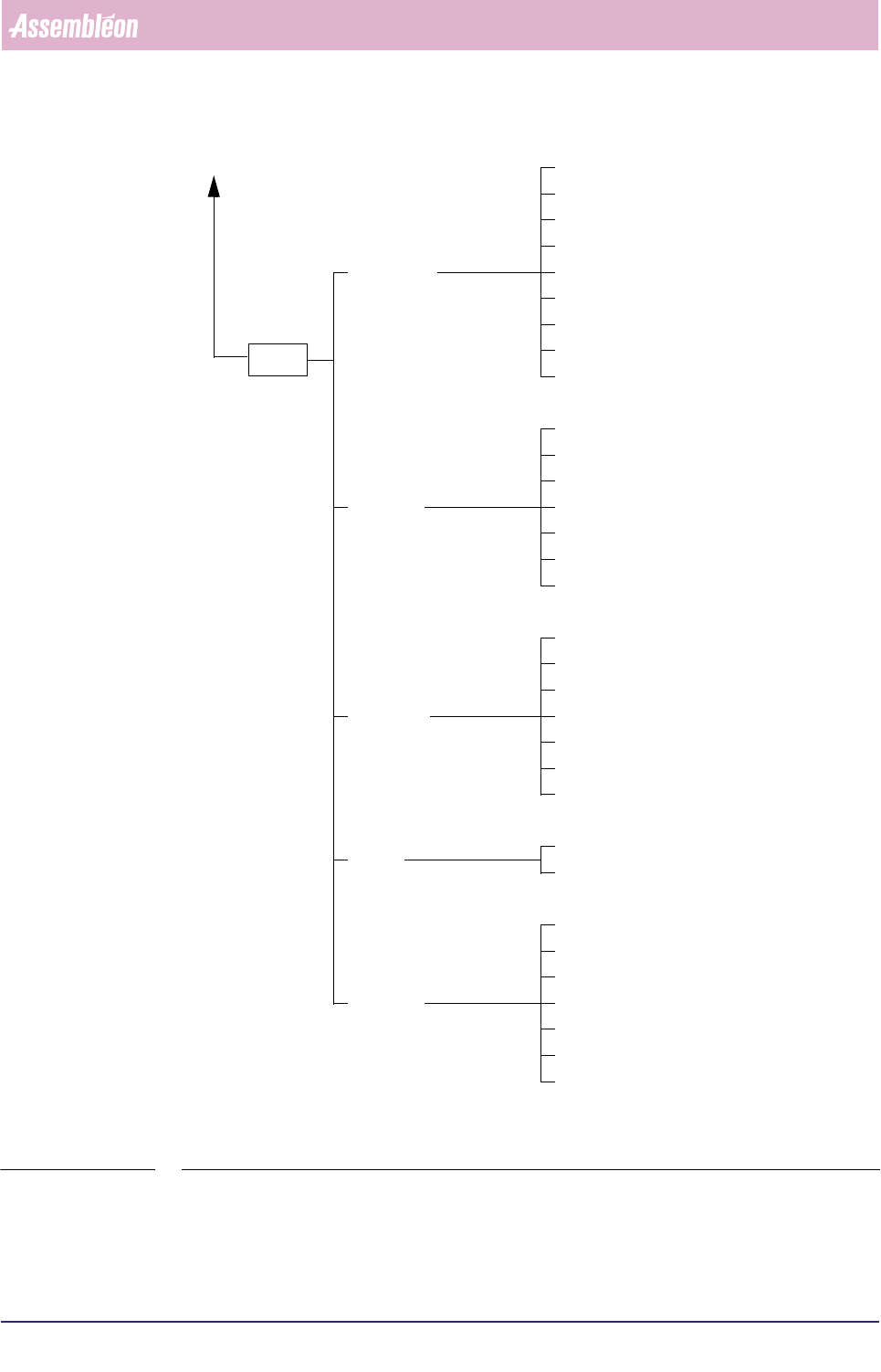
FIGURE 3-3 Maintenance/Service Functions BVM
BVM
Move Servo...
Reset Controller...
Set Display Level...
Show SBIP Status...
Load Board...
Unload Board...
Show Version...
Teach Fiducial...
Measure Fiducial...
Copy from Archive...
Copy to Archive...
Command
Fiducials
Badmarks
Image
Exit
Delete...
Home...
Load Fiducial Teach Data...
Options...
Measure Greylevel...
Save Fiducial Teach Data...
Teach Badmark...
Measure Badmark...
Copy from Archive...
Copy to Archive...
Delete...
Load Badmark Teach Data...
Save Badmark Teach Data...
Calibrate BVM
Copy calibration input from Archive...
Copy calibration output from Archive...
Copy calibration output to Archive...
Delete calibration output...
Delete calibration input...
Copy calibration input to Archive...
Calibrate
See Figure 3-2
4022 591 96082 User Reference Manual
02.02 FCM Multiflex 3-17
Human Interface
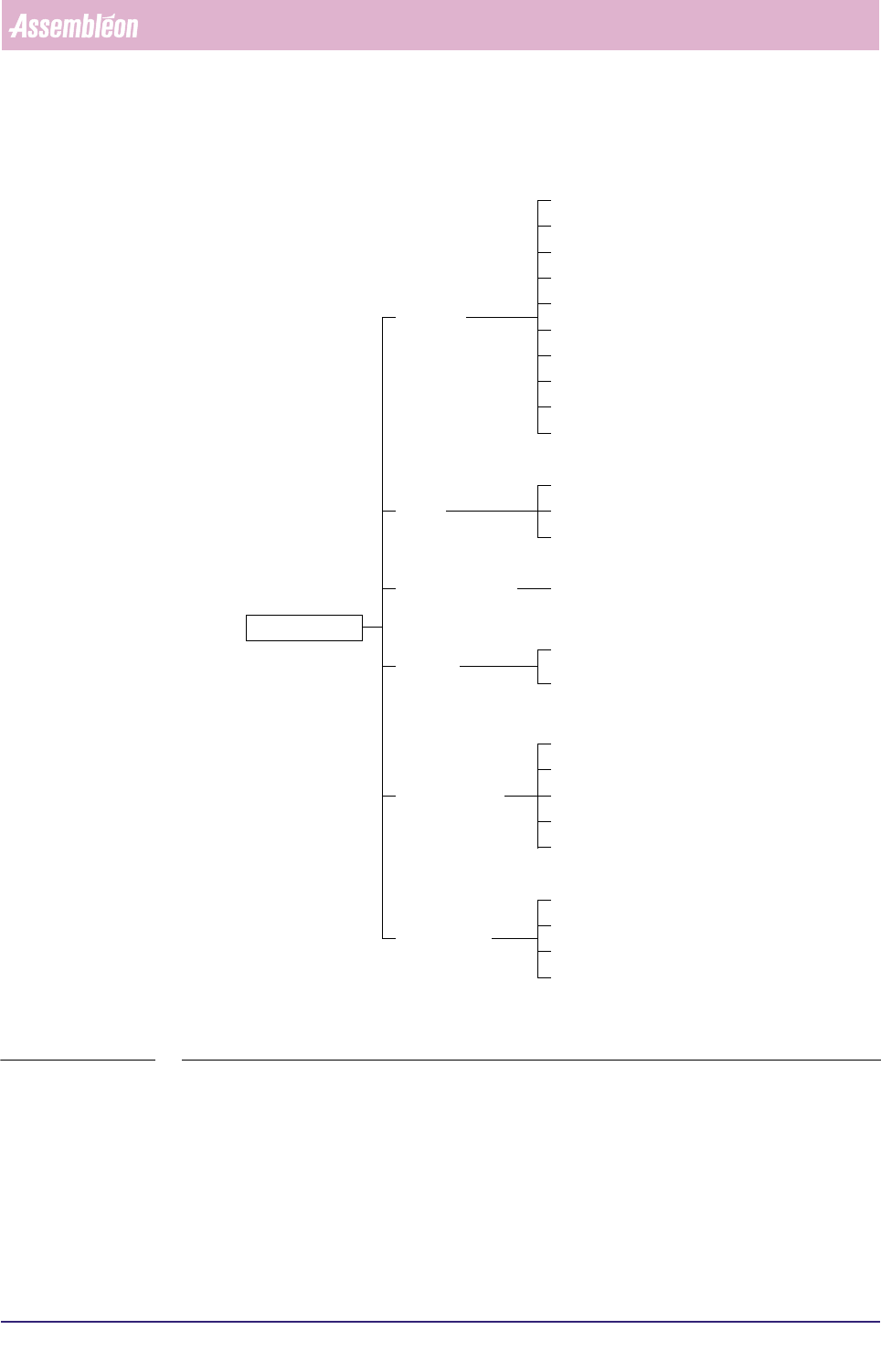
FIGURE 3-4 MIS Functions.
Production times
Production events
Process report
Process graph
Machine performance
Servo diagnostic
Show version
Exit
All reports
Printer control
Collect data...
View past period...
Error causes...
Reports
Print
Control
Administration
Parameters
Machine identification...
Print set...
Troubleshooting
Copy to archive...
Error history
Trace component...
Copy from archive...
Export...
General data
Start temporary period...
Delete...
Last report
Auto start period...
Functions...
Human Interface
User Reference Manual 4022 591 96082
3-18 FCM Multiflex 02.02
3.8 Configuration BVM
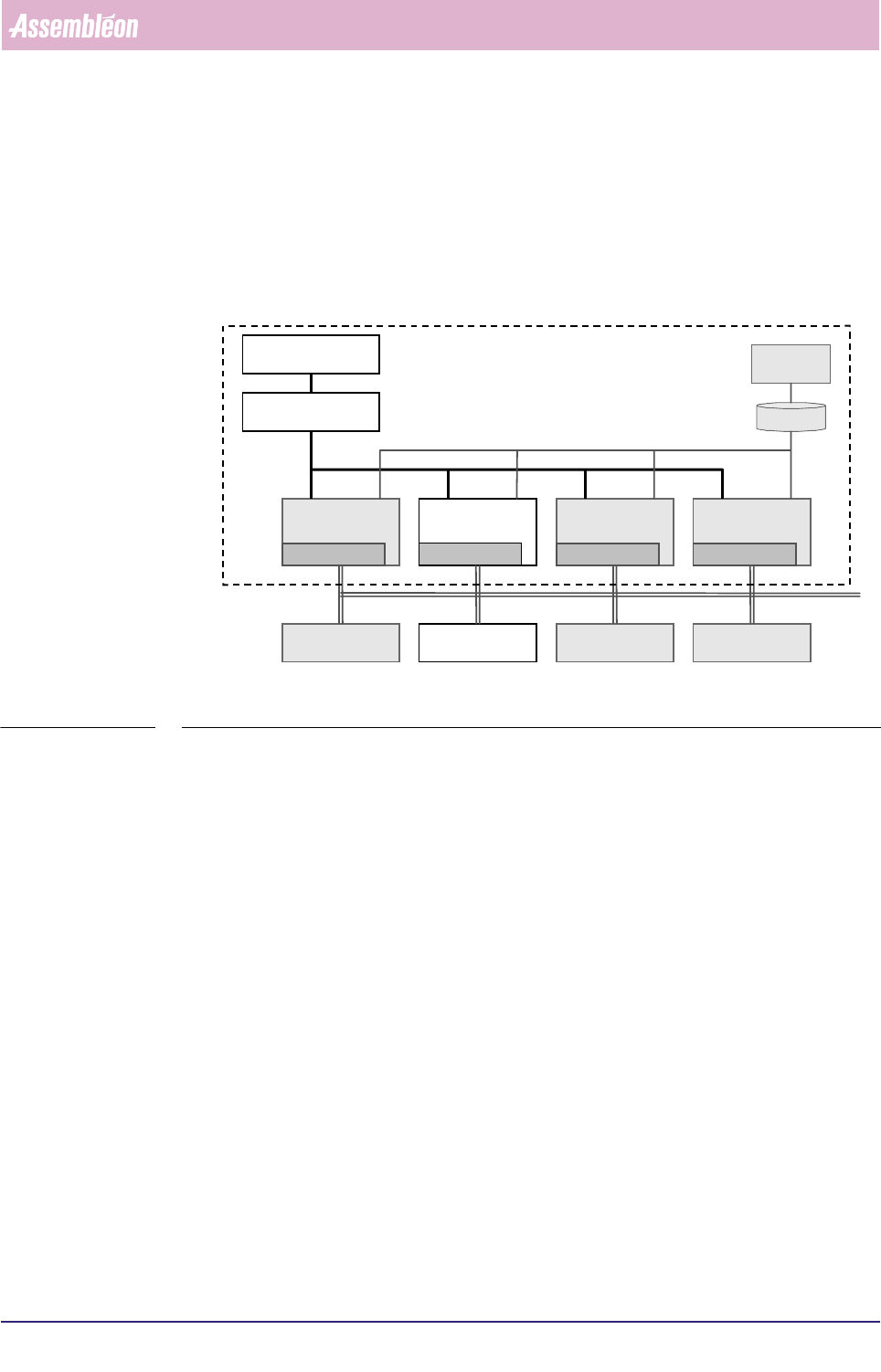
This chapter deals with the human interface of the BVM.
This BVM human interface is a part of the FCM Multiflex human interface, which is -
in its turn - part of the FC controller software (see FIGURE 3-5).
FIGURE 3-5 Relations between BVM human interface and FCM Multiflex controller software
Just like in the other parts of the FCM Multiflex human interface, a distinction is
made between 3 authorization levels: Operator, Supervisor and Maintenance/Service
Engineer.
In normal operation the operator has no responsibilities concerning the BVM.
An operator has only to check via the status window (see SCREEN 3-7) if the BVM
has been enabled.
BVM Handler
Human Interface
TC Handler
Human Interface
Transpor t
Firmware
LAS Handler
Human Interface
LAS
Firmware
WVM Handler
Human Interface
WVM
Firmware
Bitbus
BVM
Firmware
FCM
Human Inter face
FCM Kernel
Mailbox
MIS
MIS DB
FC Control Software
Human InterfaceHuman InterfaceHuman Interface