FCM_User Reference Manual.pdf.pdf - 第93页
4022 591 96082 User Re ference Manual 02.02 FCM Multiflex 5-1 MIS CHA PT ER 5 MIS 5.1 I n tr od uct ion 5.1.1 A bout this Manu al The aim of this manua l is t o give clear an s wer s on th e f ollowing ques ti ons: ■ Wh …

Mount Program
User Reference Manual 4022 591 96082
4-46 FCM Multiflex 02.02
4022 591 96082 User Reference Manual
02.02 FCM Multiflex 5-1
MIS
CHAPTER 5 MIS
5.1 Introduction
5.1.1 About this Manual
The aim of this manual is to give clear answers on the following questions:
■ What exactly is MIS, and what can I do with it?
■ What are MIS periods, and how are they generated?
■ What data will MIS provide, and how should I interprete these data?
The target group for this manual is the supervisor and the operator of an FCM
Multiflex system.
5.1.2 General
The FCM Multiflex’s Manufacturing Information System (MIS) is part of the software
package which has been installed on your FCM Multiflex machine.
On demand, it gives you information on
■ the process performance: how does my FCM Multiflex perform (e.g. component-
alignment, component placement etc.)?
• the machine performance: what machine errors occurred (e.g. servo
warnings,
• vacuum system errors etc.
• the process output so far, together with date/time stamp.
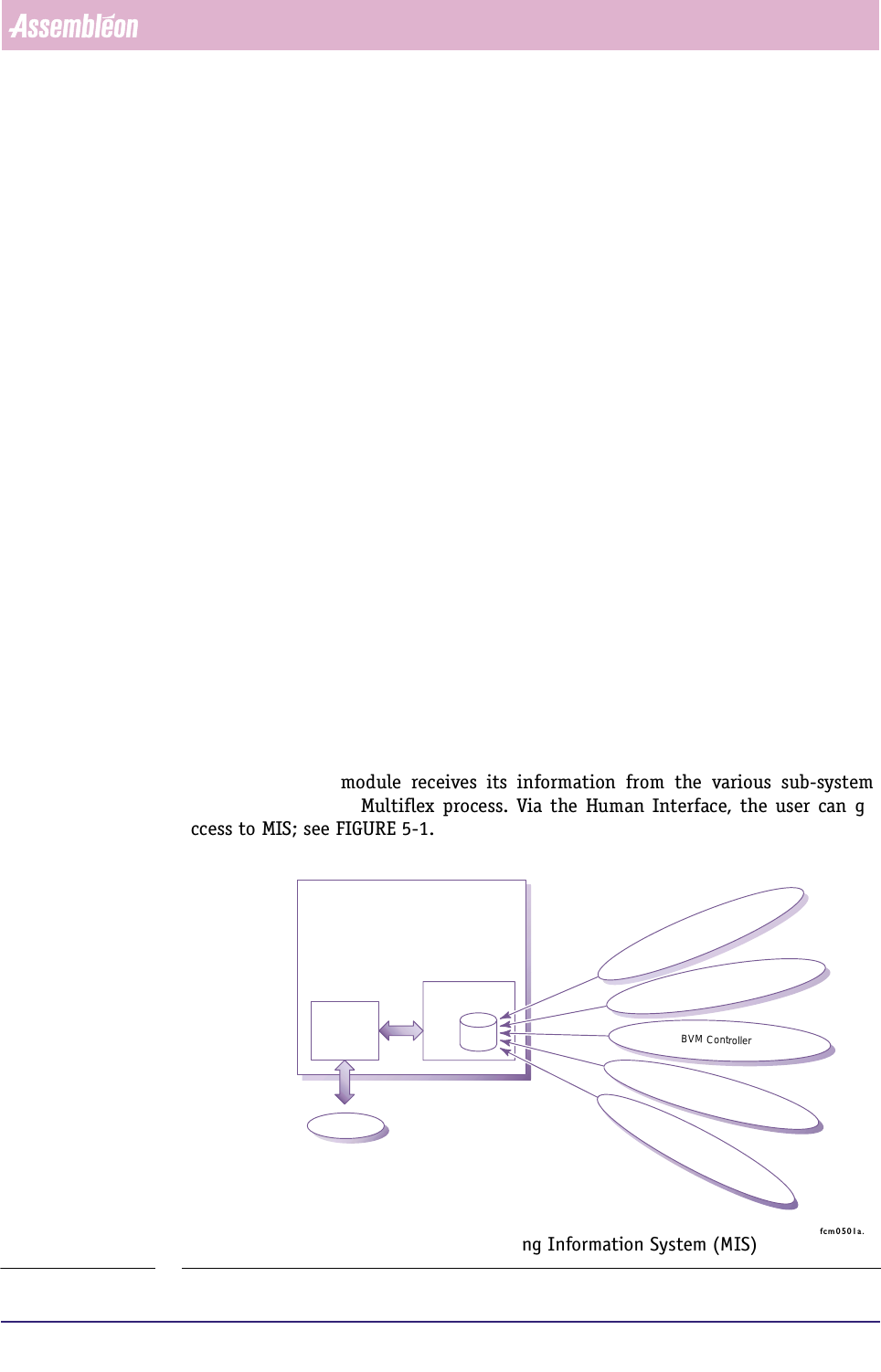
The MIS software module receives its information from the various sub-systems
involved in the FCM Multiflex process. Via the Human Interface, the user can get
access to MIS; see FIGURE 5-1.
fcm0501a.eps
FIGURE 5-1 Information flow through the Manufacturing Information System (MIS)
Human
Interface
MIS
data
base
FC Software
User
Placement Module Controller (LAS/WVM)
Transport Controller
BVM Controller
BI Controller
FCM Controller
MIS
User Reference Manual 4022 591 96082
5-2 FCM Multiflex 02.02
5.1.3 User Access Level
Via a pull-down menu in the FCM Multiflex controller main screen, you can access
the MIS
functions; see SCREEN 5-1.
fcm0506a.tif
SCREEN 5-1 MIS pull-down menu
There are two user access levels. If you are logged in as Operator, you have only
access to the process-related MIS functions.
Logged in as Supervisor, all MIS functions will be accessible.
5.1.4 Help Function
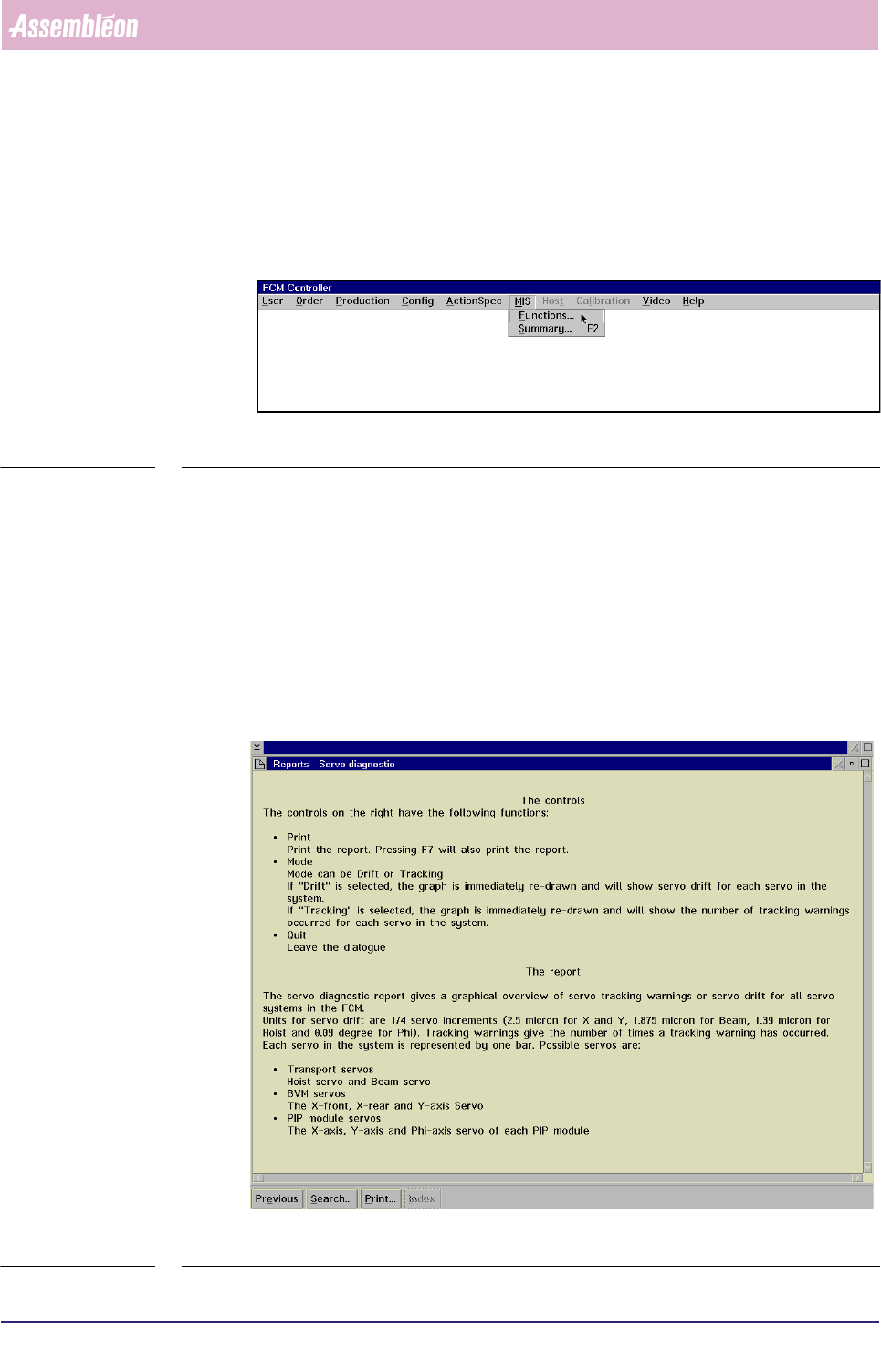
When using a MIS function, you can get help at any moment by pressing the help
key,
<F1>. This will result in a context-sensitive help screen with information that
may solve your question. Press the <Esc> key to leave the help screen.
fcm0507.tif
SCREEN 5-2 Help text screen example